Accessibility Issue - Input fields and visual labels are not associated #4468


Description

Issue Description : -
If a relationship between elements is expressed with visual cues, it also needs to be programmatically determined. This enables assistive technology to communicate the relationship to users. Content may otherwise seem unstructured or disorganised.
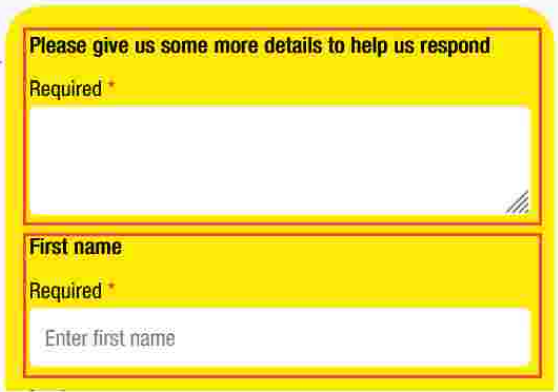
There are form fields that are not associated with their visual labels. The purpose of the form fields may be unclear to users.
Success Criteria : -
Any relationship presented through visual cues must also use the appropriate semantics. Make sure that form fields are associated with their visual labels. In this case, wrap the visual label such as “Please give us some more…”, “First name”, “Last name” and “Email address” within the element. For example:
<label for="i1"...>
<span ...>Please give us some more details to help us respond
<span...>Required
Avoid using multiple labelling techniques on the same form field. For example, using and aria-label together will cause the aria-label to overwrite the . As well, using aria-labelledby will overwrite any other labelling techniques.

Steps to reproduce
- Observe the visual labels for the form fields.
- Inspect the form fields and review the DOM.
- Observe that the visual labels are not associated with the form fields.
- Observe that there is not an alternative labelling method that serves the same purpose
Webchat Version :- 4.13.0