| title | category | content | privacy | ||||||
|---|---|---|---|---|---|---|---|---|---|
Service Accounts |
|
|
|
A service account is a special type of Mixpanel user intended to represent a non-human entity such as a script or back end service. Similar to a normal user it can be granted access to any number of projects and workspaces within an organization. Permissions are set by defining the role of the service account for each project or workspace. A service account can only belong to one organization.
Service Account authentication is performed via HTTP Basic Auth. While the Basic access standard calls for a base64 encoding of the colon-joined credentials our authentication accepts both base64 encoding and plain-text.
Provide a service account's username and secret as the basic authentication credentials.
curl https://mixpanel.com/api/app/me \
	--user "<serviceaccount_username>:<serviceaccount_secret>"
curl https://mixpanel.com/api/app/me \
	--header 'authorization: Basic <serviceaccount_username>:<serviceaccount_secret>'
import requests
requests.get(
'https://mixpanel.com/api/app/me',
auth=('<serviceaccount_username>', '<serviceaccount_secret>'),
)🚧 Owner or Admin Permissions Required
You must have Owner or Admin permissions to manage a project's Service Accounts. Learn more in our permissions help doc.
{`
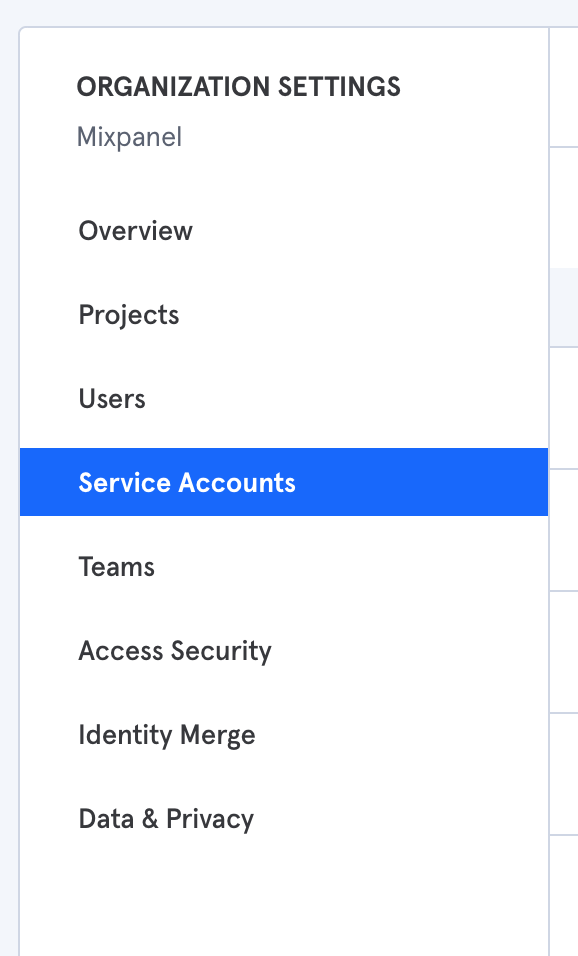
You can view and create service accounts in your organization in the Service Accounts tab in your Organization settings
You will be asked to select the role and granted projects of the when creating a service account from the organization's settings page. Deleting a service account from the organization will immediately revoke access to all projects in the organization.
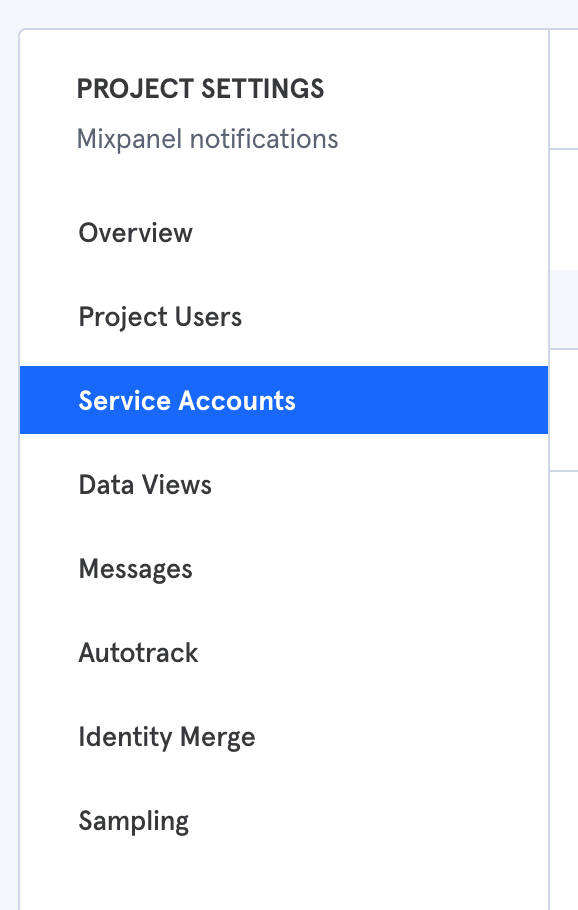
You can also manage service accounts in your project settings.
`}
Any service account you create from the project settings page will be automatically be assigned an organization member role. Deleting a service account will revoke access only from that project.
{`
`}
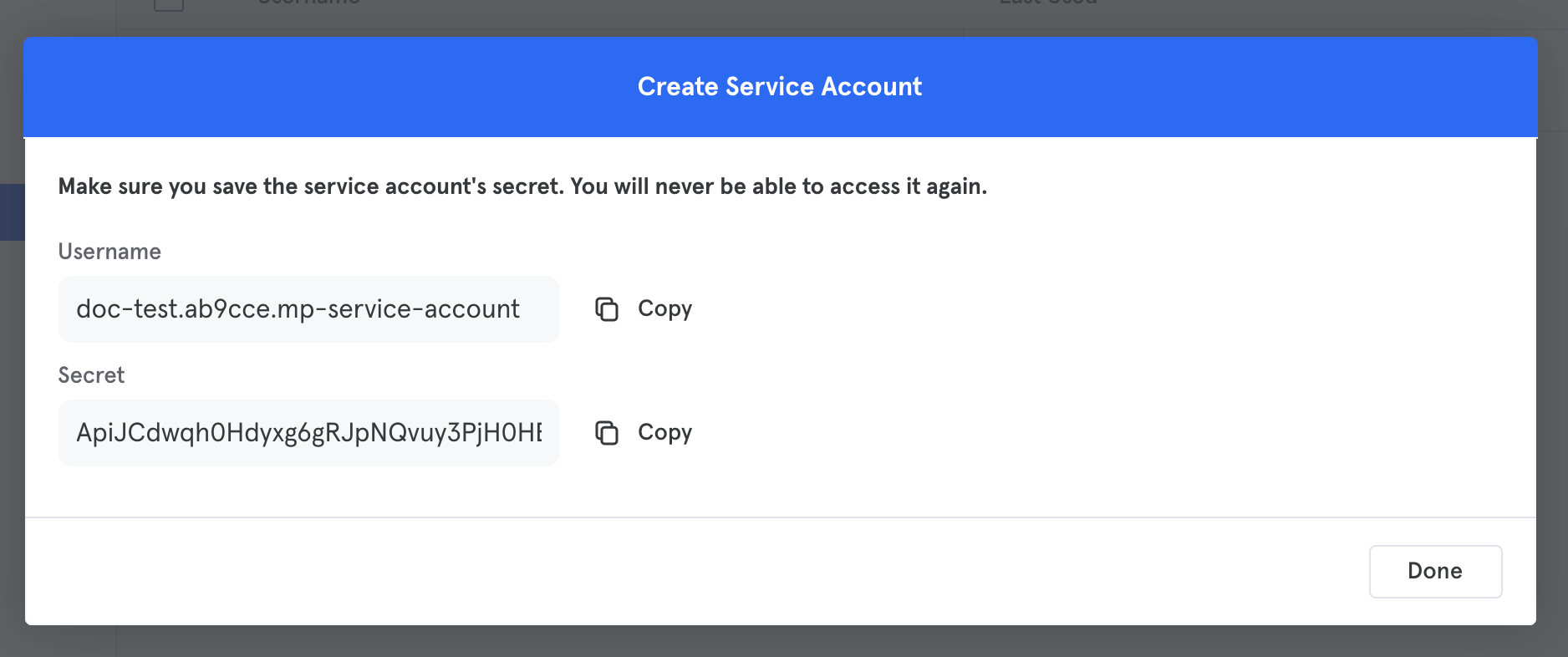
🚧 Immediately store your credentials in a safe place
It's very important you save your service account secret somewhere secure as you won't be able to access it again after creation.
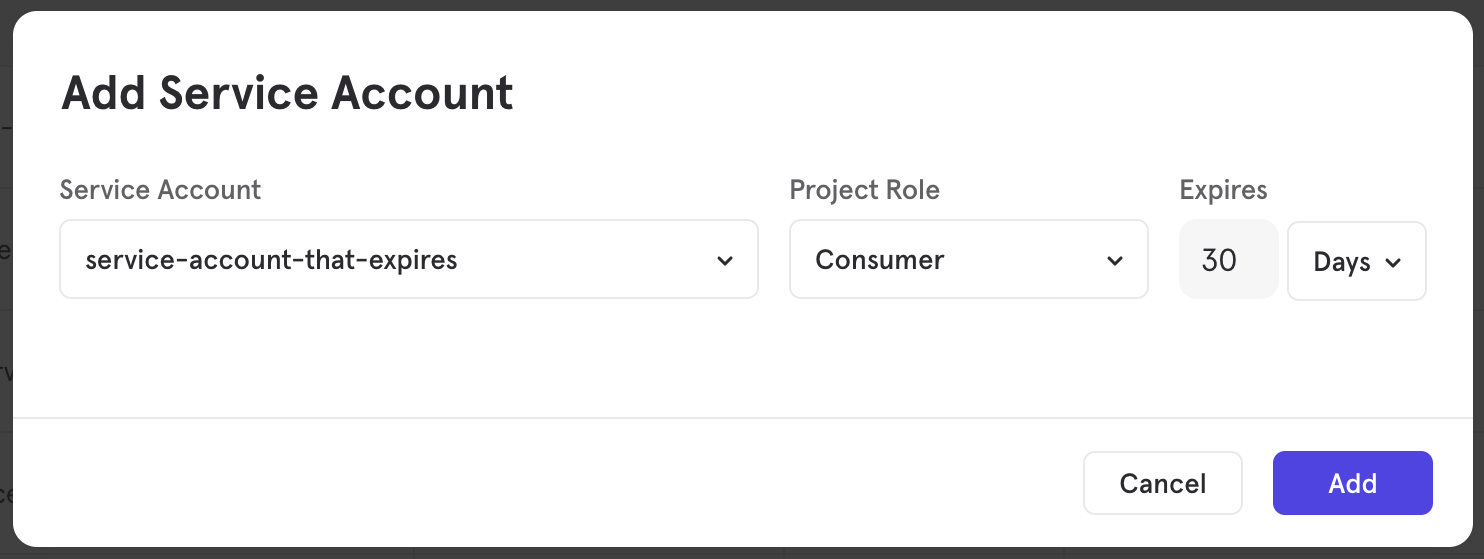
By default, service accounts have no expiration. However, when you create a service account you can optionally specify how long you want it to be valid for. This may provide increased security and force a credential rotation policy. After the credentials expire, API requests using the service account will not be authorized.