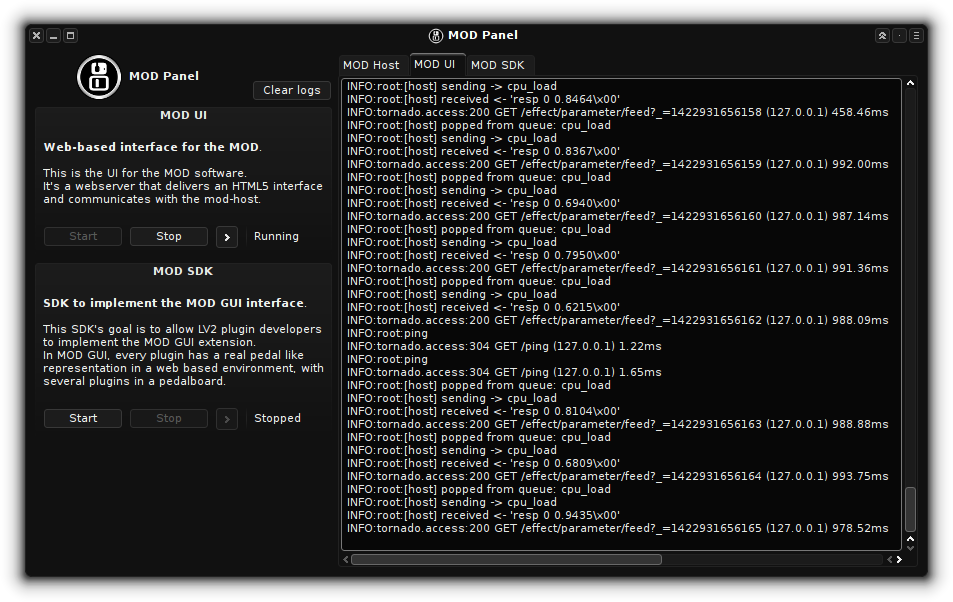
mod-panel is a simple control panel to start MOD Host + UI and SDK services.
Simply clone this repository recursively
git clone --recursive REPOSITORY_URLor init submodules using
git submodule init
git submodule update
in a cloned repository.
Then build and run it:
make
./source/mod-panel
Afterwards simply click on "Start" for MOD Host + UI or SDK, and then its ">" button to open a browser on the predefined location.
If you have used mod-plugin-builder before to build x86_64 plugin binaries, the plugin path is adjusted automatically.
You can always override LV2_PATH environment variable to a custom location.
ALSA, JACK and LV2 (lilv) libraries are required, as well as PyQt5 for the UI.
Python's virtualenv and pip is used to get the required versions of Python libraries
(Linux distribution packages are often not supported versions).
- Installation via typical
make installis not supported - The use of mod-host requires JACK to be installed and running