VRChat now offers support for receiving tracker data over OSC for use with our existing calibrated full body IK system.
/tracking/trackers/1/position
/tracking/trackers/1/rotation
/tracking/trackers/2/position
/tracking/trackers/2/rotation
/tracking/trackers/3/position
/tracking/trackers/3/rotation
/tracking/trackers/4/position
/tracking/trackers/4/rotation
/tracking/trackers/5/position
/tracking/trackers/5/rotation
/tracking/trackers/6/position
/tracking/trackers/6/rotation
/tracking/trackers/7/position
/tracking/trackers/7/rotation
/tracking/trackers/8/position
/tracking/trackers/8/rotation
/tracking/trackers/head/position
/tracking/trackers/head/rotation
Each address accepts Vector3 information in the form of 3 floats (X,Y,Z). These should be the world-space positions and euler angles of your OSC trackers.
Currently up to 8 trackers are supported: hip, chest, 2x feet, 2x knees, 2x elbows (upper arms).
- ✨ Tip: it's not always best to send all 8. You may get better behavior sending only feet and hips for example. When fewer trackers are sent, VRChat's IK can better compensate for any tracking discrepancy. When your tracking data has high accuracy in absolute position and rotation (no drift) then it becomes advisable to start sending more tracking points.
The "head" addresses can optionally be sent to aid in aligning your sender app's tracking space with VRChat's tracking space (see below).
Assumptions:
- +y is up
- Scaled such that 1.0f = 1m in real-world space. (Your sending app will likely need to have the user input their real world height to accommodate this).
In principle this should function similarly to our existing implementation for SteamVR trackers. Due to the challenges of arbitrary tracking data coming in, we've provided new functionality to aid in alignment.
Auto-center OSC Trackers (button available in Tracking & IK section of the VRC Quickmenu)

- This button will find the two lowest trackers on the y axis and center their mid-point under the user's current head position in VRChat. Additionally it will guess a forward direction based on assuming the two lowest trackers represent left and right feet. There is no way to determine front vs back from this alone, so clicking the Auto-center OSC Trackers button repeatedly will alternate the forward direction.
Receiving Head Data:
/tracking/trackers/head/position
/tracking/trackers/head/rotation
-
Tracking data sent to the above addresses can be used as an alignment reference between your sending app and VRChat. The entire OSC tracking space will be shifted such that
/tracking/trackers/head/positionaligns with the avatar's head bone position (note this is at the root of the head, not the eye position). This position will be fully aligned per frame (no lerp). -
Data sent to
/tracking/trackers/head/rotationwill be used for yaw alignment. It is assumed that euler angles (0,0,0) represent a neutral forward-looking direction. VRChat's tracking space yaw alignment will slowly lerp towards the rotation provided. -
For the head data, it is possible to send just position, just rotation, both or neither. When available, the head data will be used for the corresponding alignment. If unavailable, that alignment will not occur (for example position-only without yaw alignment is possible if only position is sent).
Tracker Models
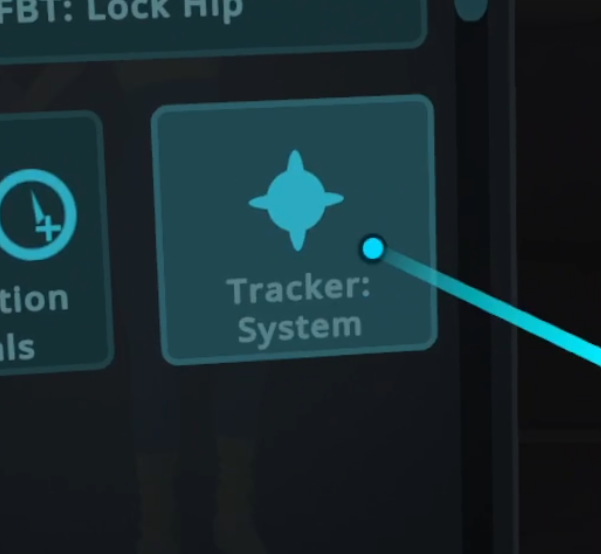
- When using the tracker display model setting in the Tracking & IK section of the VRC Quickmenu, if you set the model to "Tracker: System" the models will never disappear even after calibration. This can aid in debugging.