Carousel view that can contain UIImage, image url or any view


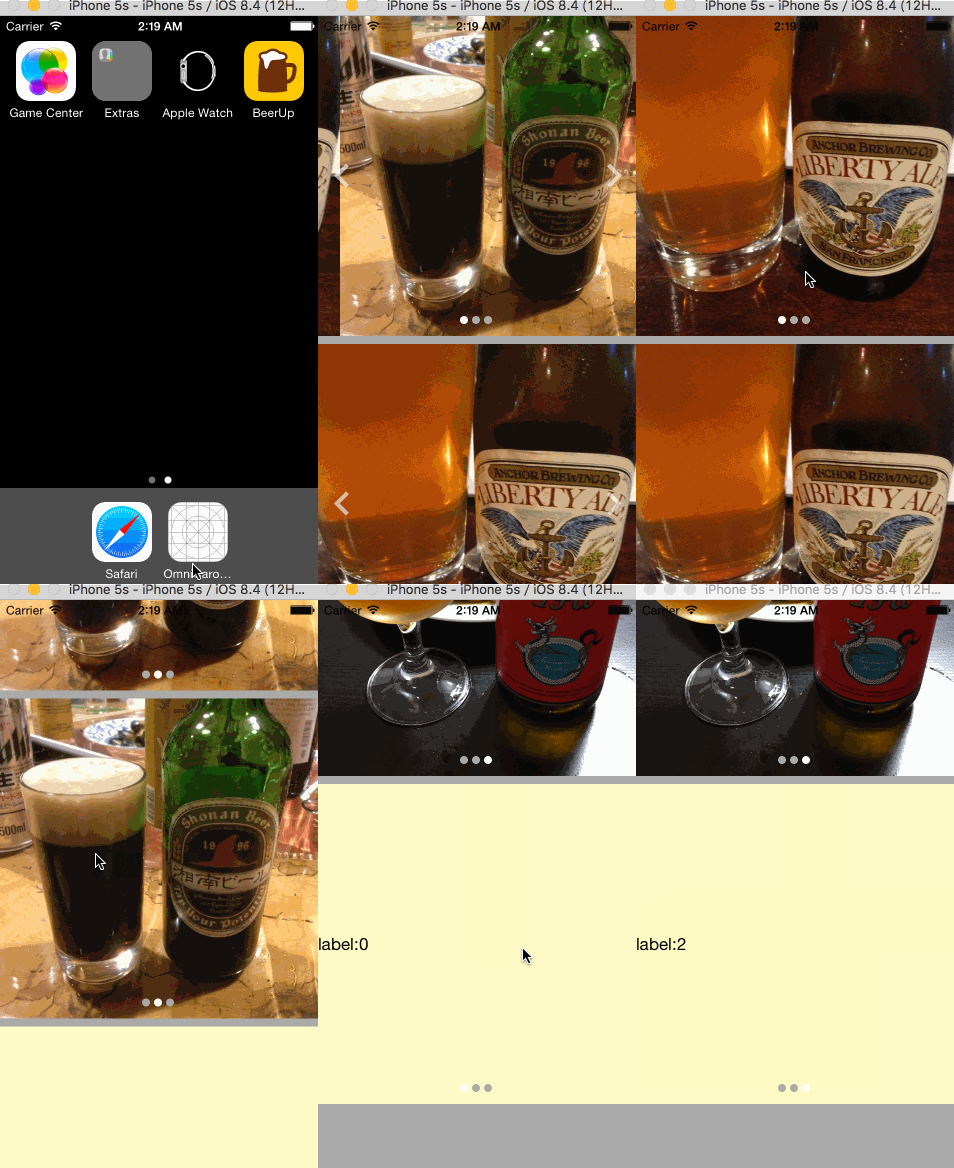
import OmniCarouselView- Putting a UIView in InterfaceBuilder, then set Custom Class to
OmniCarouselView - Please see following examples
let images = [UIImage(named: "beer1"), UIImage(named: "beer2"), UIImage(named: "beer3")]
carouselView1.contents = images
  .filter({$0 != nil})
.map({OmniCarouselView.Content.Image($0!)})let imageUrls = Array(1...3).map({i in NSURL(string: "https://raw.githubusercontent.com/nakaji-dayo/OmniCarouselView/master/Example/OmniCarouselView/Images.xcassets/beer\(i).imageset/beer\(i).jpeg")})
carouselView2.contents = imageUrls.filter({$0 != nil}).map({OmniCarouselView.Content.ImageUrl($0!)})let labels = Array(0..<3).map { (i) -> UILabel in
let label = UILabel()
label.text = "label:\(i)"
return label
}
carouselView3.contents = labels.map({OmniCarouselView.Content.View($0)})OmniCarouselView is available through CocoaPods. To install it, simply add the following line to your Podfile:
pod "OmniCarouselView"| key | type | description |
|---|---|---|
| infinite | Bool | use infinite loop paging(scrolling) |
| pager | Bool | show pager indicator |
nakaji-dayo, nakaji.dayo@gmail.com
OmniCarouselView is available under the MIT license. See the LICENSE file for more info.