This article provides guidelines on how to contribute to diman.
Contribution to the project is based on GitHub issues. Extensive use of labels categorizes the issues. Some "standard labels" to find issues and begin working are:
-
Something isn’t working 🚩 bug
-
Improvements or additions to documentation 🚩 documentation
-
This issue or pull request already exists 🚩 duplicate
-
New feature or request 🚩 enhancement
-
Good for newcomers 🚩 good first issue
-
Extra attention is needed 🚩 help wanted
-
This doesn’t seem right 🚩 invalid
-
Further information is requested 🚩 question
-
Improve design/structure without changing behavior 🚩 refactor
-
Make the code cleaner and clearer 🚩 simplify
-
This needs a test 🚩 test
-
This will not be worked on 🚩 wontfix
If a contributor has discovered a "potential issue" that has not yet been highlighted, follow the steps:
-
Create a GitHub issue with all the relevant details; the problem/issue and rationale for why it is a problem/issue and the proposed solution/change.
-
Do not make a pull request without creating the issue.
-
-
Wait for the created issue to be designated by a label.
-
Begin working on the labeled issue — with some exceptions like 🚩 wontfix, see above list.
Before posting 🚩 question issue please make sure the exact or related question is not already part of the discussions.
Steps to contribute are:
-
Comment on the labeled issue.
-
This avoids conflicts with another contributor who might work on the issue.
-
-
Write the code.
-
All codes must be documented.
-
All codes must implement clojure.spec[1]
-
Wherever appropriate there should be accompanying tests.
-
-
Submit a pull request.
-
Wait for code review and address any associated issue.
Documentation refers to docstrings within the source code and documentation on functionalities (how to use and rationale for why or how the functionality is needed). The second type of documentation is written in AsciiDoc. The first type of documentation is mandatory for all contributions made to the source code.
Source code documentation are docstrings which may contain markdown syntax.
-
For private functions
-
One or two sentences describing the purpose of the private function.
-
-
For public functions
-
A more detailed description referring to not just the functions input and what it returns but also based on the complexity, how it does it.
-
-
Inside namespace
-
List the public functions and how it can be used.
-
Provide examples for using the public functions.
-
Make generous use of markdown syntax (inside the docstring) to illustrate the examples.
-
-
Make a separate branch.
-
Do not make changes in the default branch.
-
-
Push your code (in your branch).
-
Early and often rule.
-
-
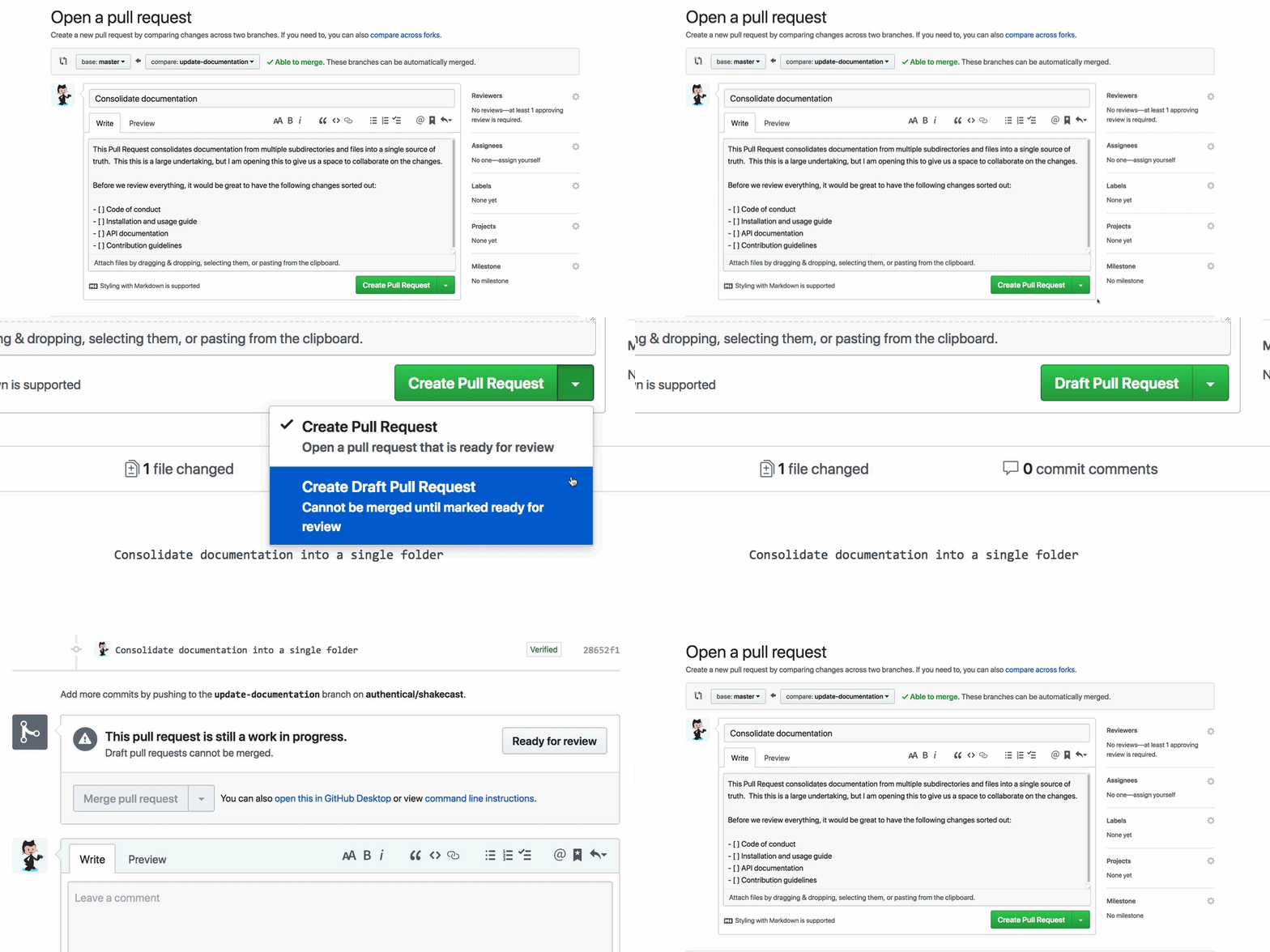
Create a pull request.
-
. Begin with draft pull request
-
Start the title with [WIP] for "work in progress" such that, [WIP] Title goes here
-
-
Describe your pull request.
-
Populate the template making sure the following place holder tags are replaced
-
#[issue_number]by for e.g.#12which corresponds to the labelled issue that the contributor is working on. -
@[author]by for e.g.@joe -
[ ]by[x]to mark off checklists
-
-
Detail your changes — more detailed the better.
-
Describe the specification and how you tested the changes.
-
-
Review process
-
Request review.
-
Remove [WIP] from the draft pull request title.
-
Change the pull request from draft to regular.
-
Request a review if a reviewer is not automatically assigned.
-
-
Incorporate reviewer’s feedback.
-
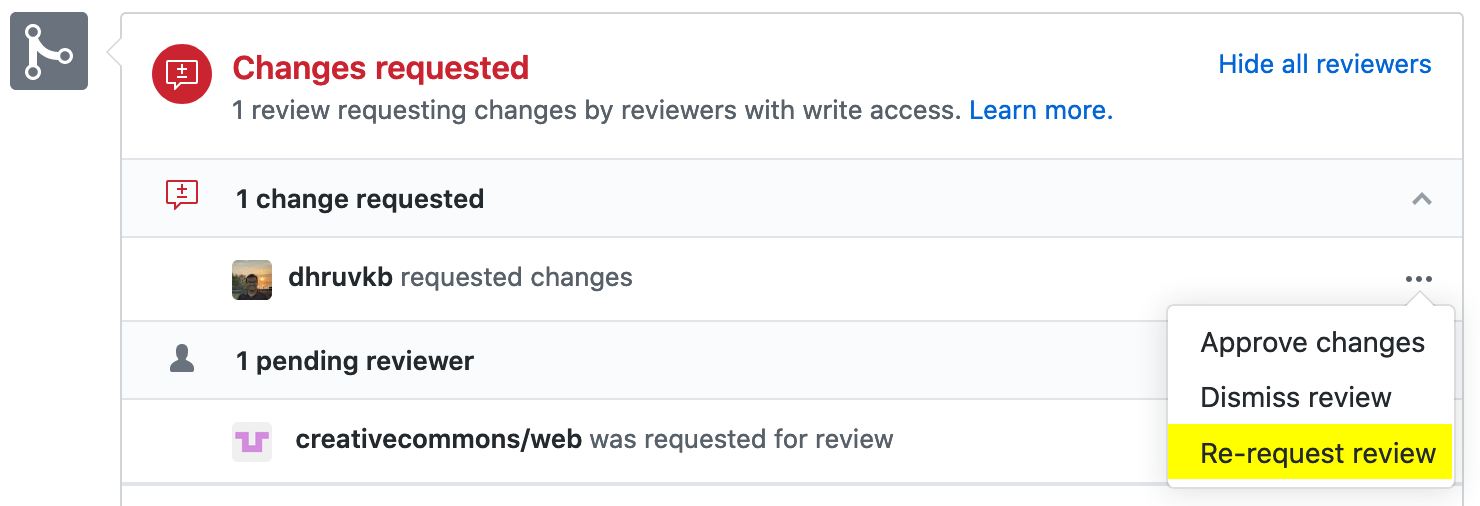
For pull request receiving feedback, "Changes requested"
-
Address the feedback.
-
Do not close the pull request and make a new one.
-
Update the pull request by pushing to the same branch.
-
-
Make it clear that you have addressed the changes following the feedback
-
. Make a re-request review for the reviewing the changes
-
-
-
Wait for the maintainers to either reject, accept, or repeat step-b (Incorporate reviewer’s feedback).
-
-
@lungsi (owner)