Using Circles as a back end for Contacts
Since 0.18.0, it is possible to manage your Contacts and Circles' members from a single UI.
- Password are not enforced anymore.
Because a Contact can have a mail address and a Federated CloudId, and a single share entry is generated per member, it is not possible to enforce the generation of a password. Even if the enforce password option is enabled, the link sent to the mail address of the contact will not be password protected.
- Delayed mail for existing shares.
Some Dav Client upgrades the vCards while typing, meaning that when adding a mail address or a CloudId to a Contact, the vCard can contains incomplete information. The shares are generated from a background job and on vCard not fleshly edited (less than 5 minutes).
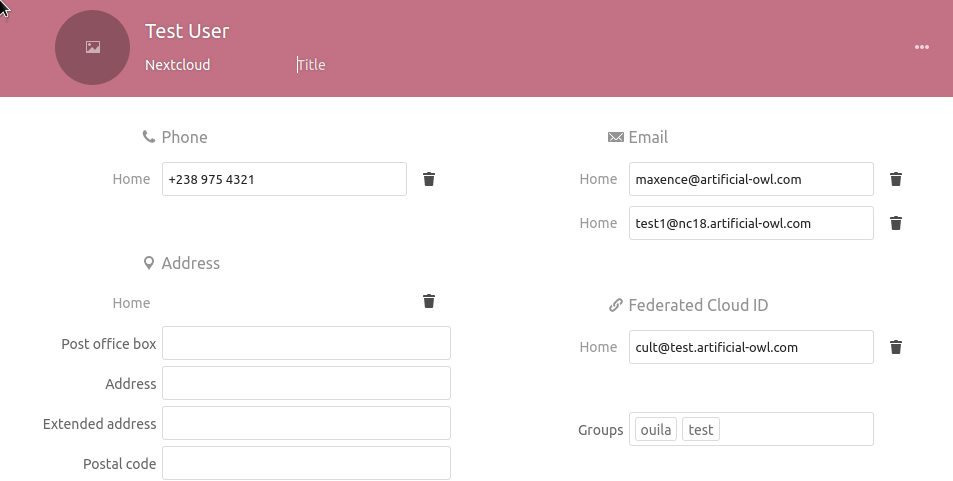
To enable this feature, you need to run this occ command from the command line:
./occ config:app:set --value '8' circles contact_backend
This will remove the Circles icon from the top-app-bar, disable the Circles UI and lock the API.
The value ('8') represents the type of the Circle to be generated when contact belongs to a group:
- '8' is for public Circles,
- '4' is for closed Circles,
- '2' is for secret Circles.
While this is not adviced, you can re-enable the access to the normal interface of the Circles app and let your users manage more circles using this command:
./occ config:app:set --value '1' circles still_frontend
This will makes the icons of the Circles app available in the top-app-bar and unlock the API.
As an admin, you can synchronize your users' Contacts using this occ command:
./occ circles:contacts:sync
By running this command, the groups previously created in the Contacts app will generate new Circles, and Contacts belonging to this groups will become members of those Circles.