A Nimbella Commander Command Set for viewing orders, adding notes to orders, getting numbers of products sold, and getting inventory numbers of a Shopify store.
Please make sure Commander is installed in your Slack workspace or other messaging platforms before executing this Slash command.
/nc csm_install shopify
shopify- View command set documentationshopify_add_note- Add a note to an existing order.shopify_inventory- Get inventory numbers for products.shopify_orders- Get a detailed list of orders.shopify_products_sold- Get number of products sold.
In order to use this command set, you need to set up an app on Shopify with the following scopes
Inventory (Read access)
Orders (Read and write)
Products (Read)
Using /nc secret_create create the following keys
Key: shopify_api_key / Value: API Key
Key: shopify_secret / Value: Password
Key: shopify_store_name / Value: Hostname
View Command Set documentation.
/nc shopify
Add a note to an existing order.
/nc shopify_add_note <order_id> <note>
Params: order_id (Unique ID of an order), note (Text to attach to order)
Note: order_id can be found using /nc shopify_orders

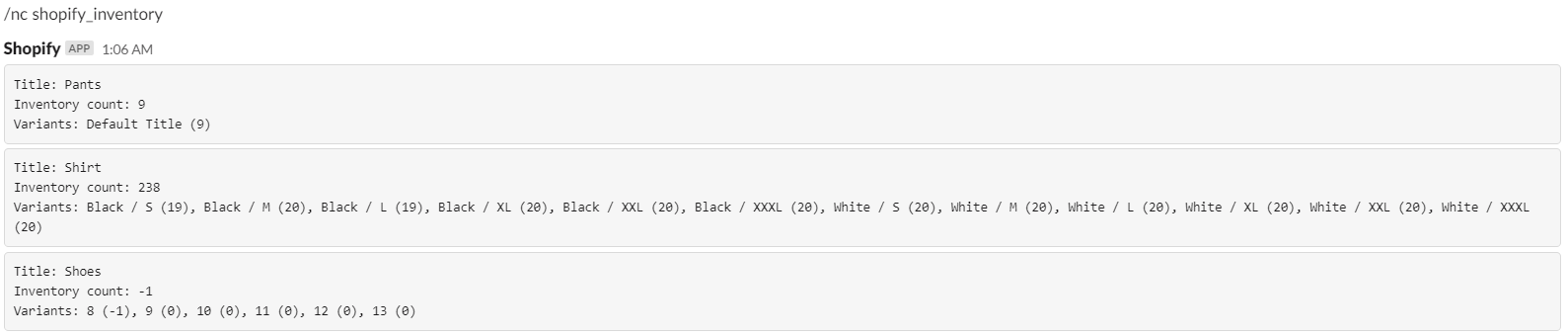
Get inventory numbers for products.
/nc shopify_inventory [<search_words>]
Params: search_words (Comma delimited list of text to filter by) EX: "textone, text two, text three four"
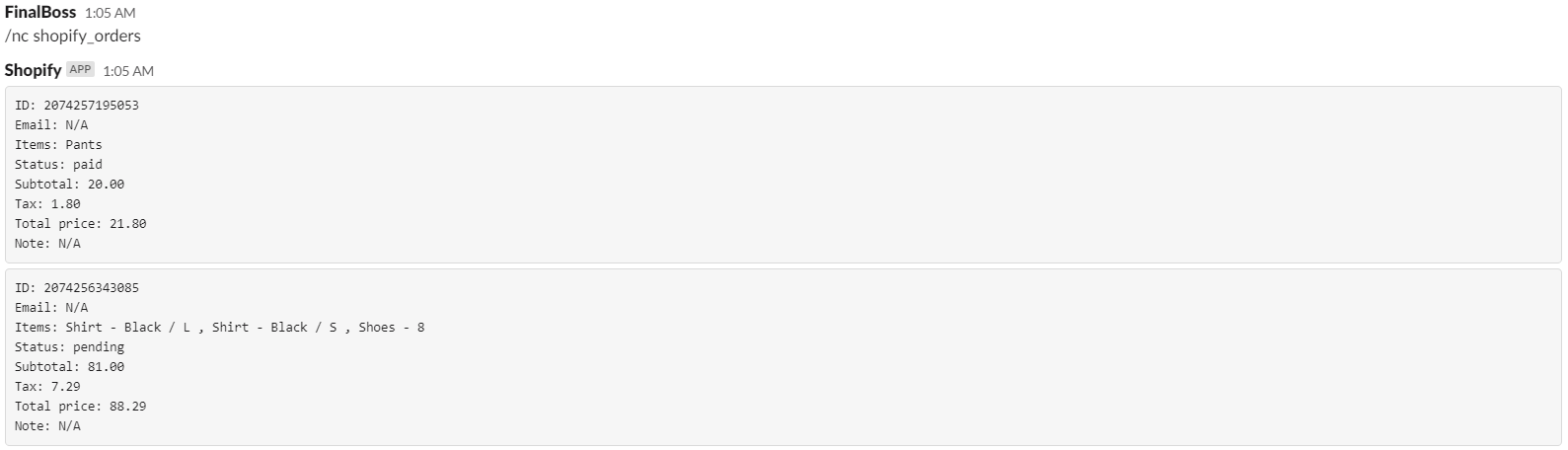
Get a detailed list of orders.
/nc shopify_orders
Get number of products sold.
/nc shopify_products_sold [<search_terms>]
Params: search_terms (Comma delimited list of text to filter by) EX: "textone, text two, text three four"

We're always happy to help you with any issues you encounter. You may want to join our Slack community channel to engage with us for a more rapid response.