In this hands-on lab you will learn how to perform code reviews. The exercise consists of the following parts:
- Got to your own pull request and indicate that you are
Ready for review:
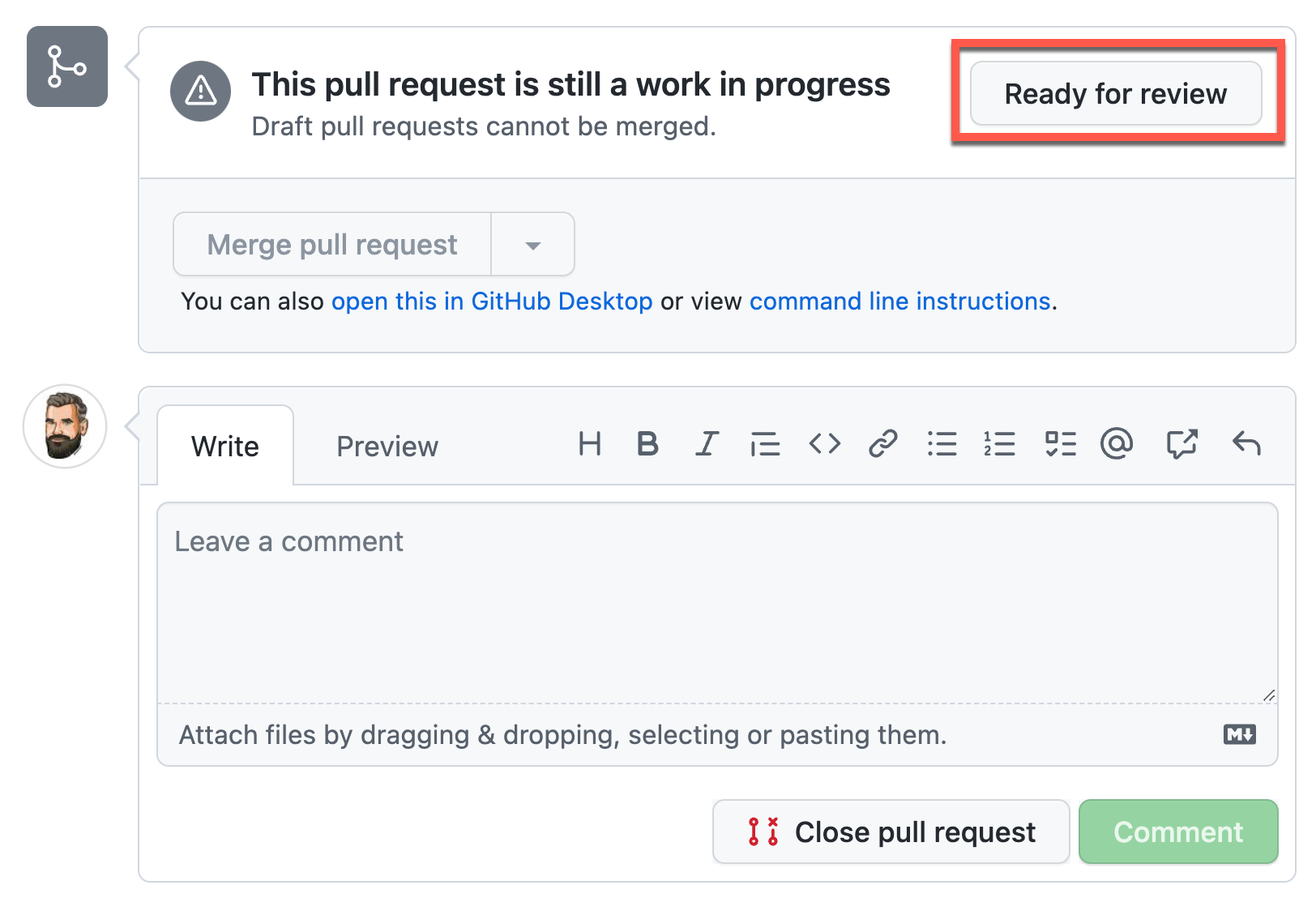
This will change the status of the PR from draft to ready. As we require a review, merging is blocked.
- Enable auto-merge for the PR. Note the different merge types - we'll learn later what they mean. Just leave the default.
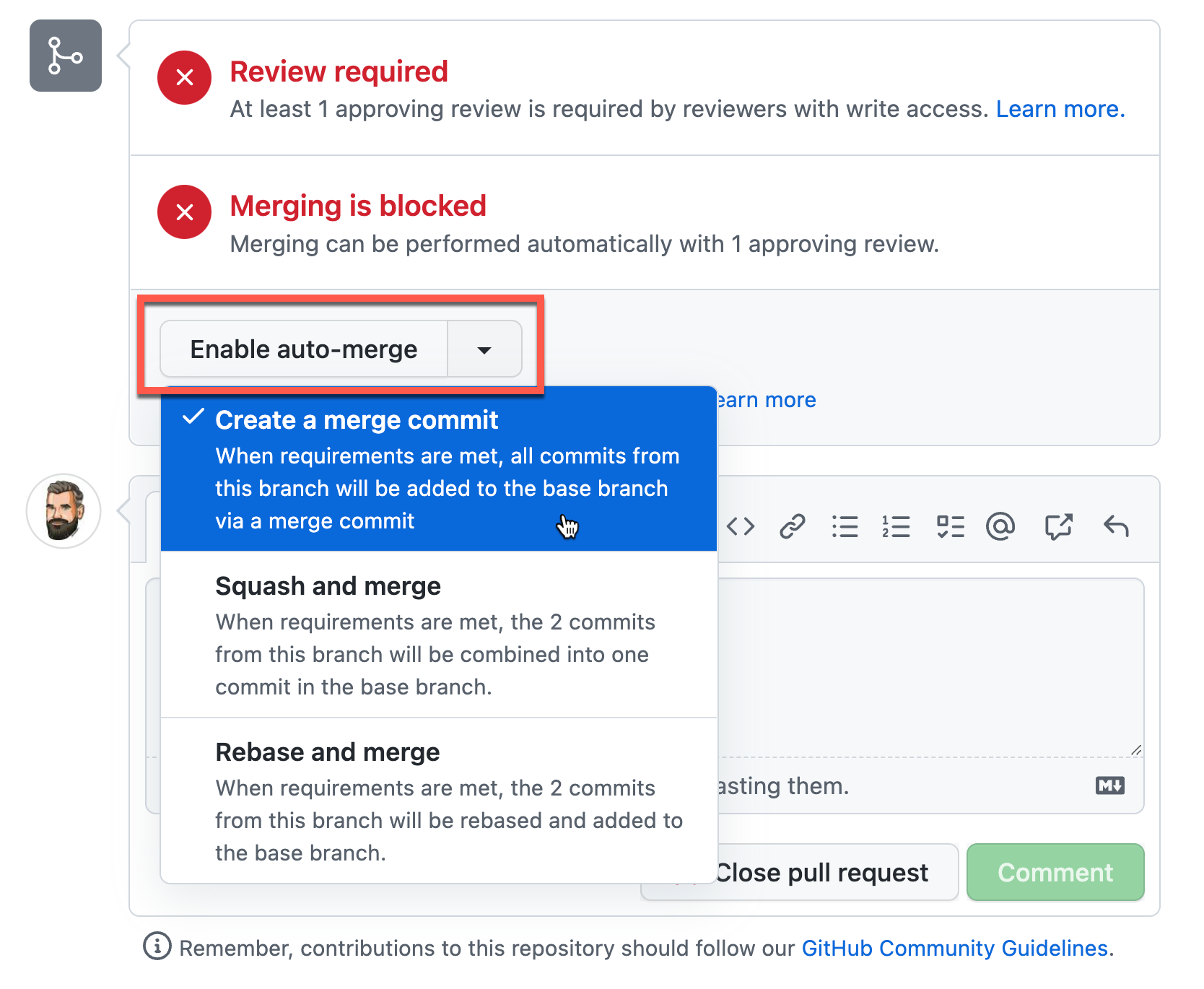
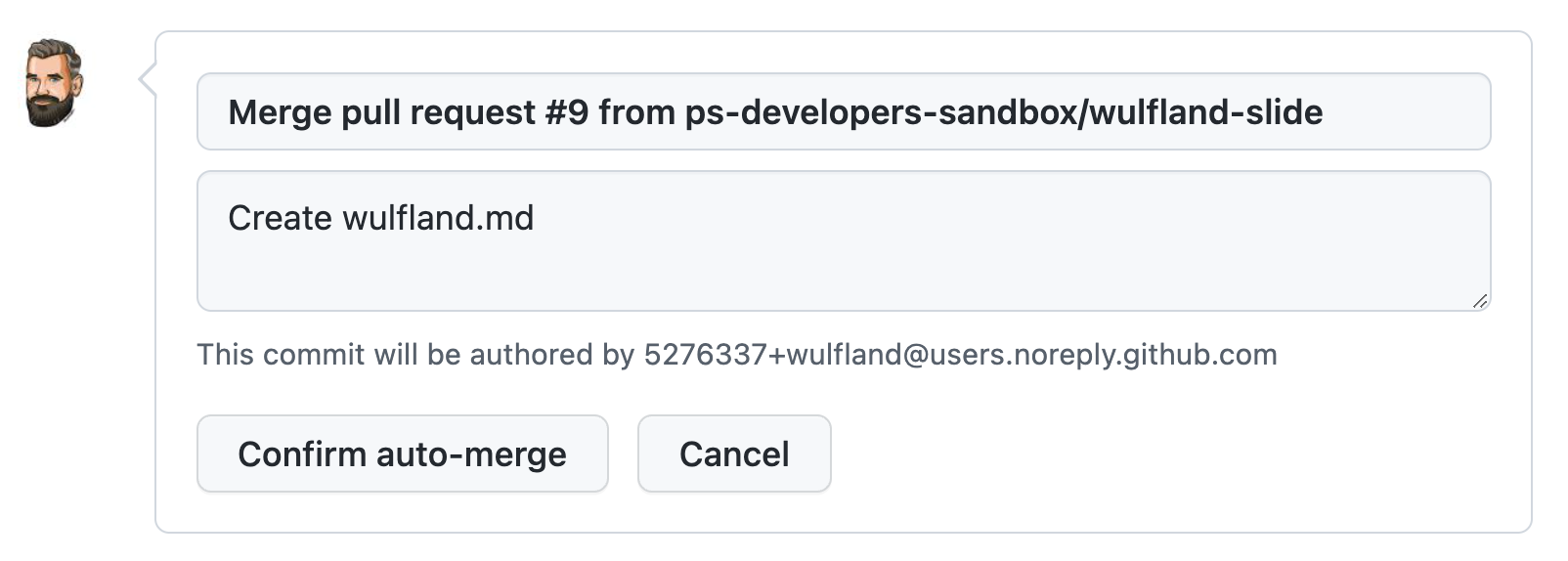
- The merge commit needs a commit message - just leave the default and
Confirm auto-merge:
Note
Wait until your partner from #1 is ready. You'll perform the review for their PR.
- Go to the PR of your partner from #1 (you should have received a request for review after the status of the pul request was changed)
- Navigate to
Files changedand add a comment - Select
Start a reviewthis time.
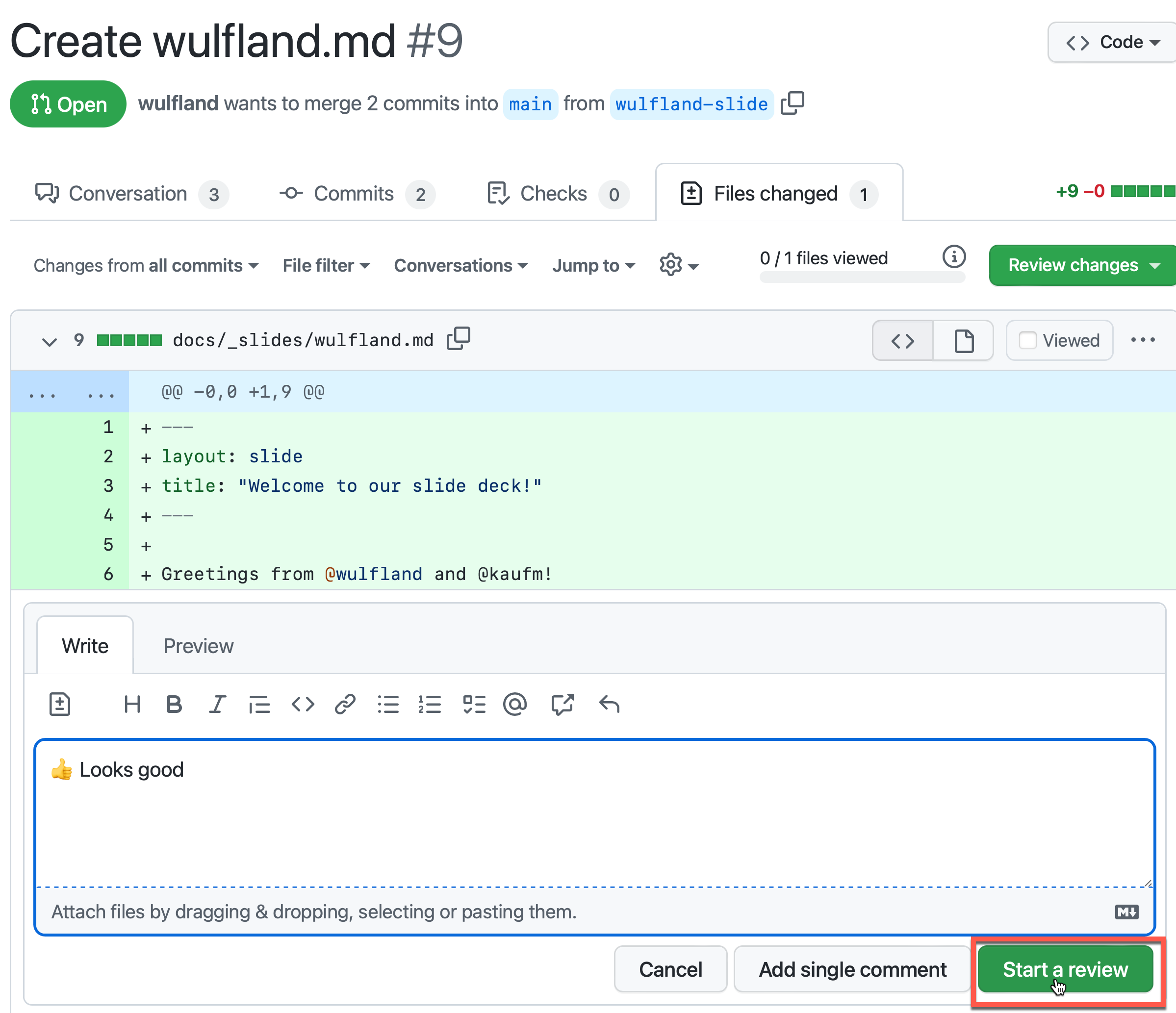
- Add multiple comments to your review and note that they are pending:
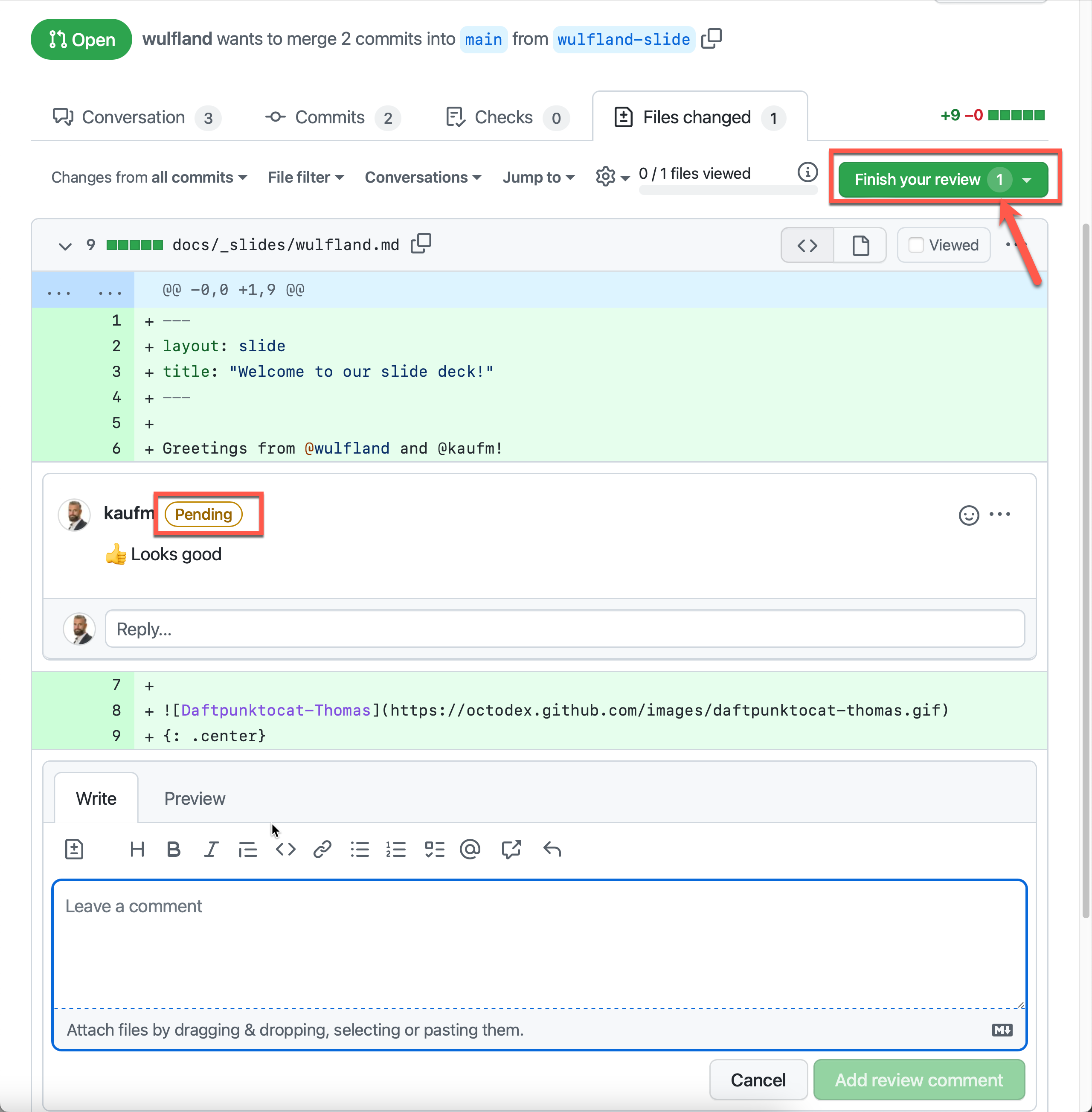
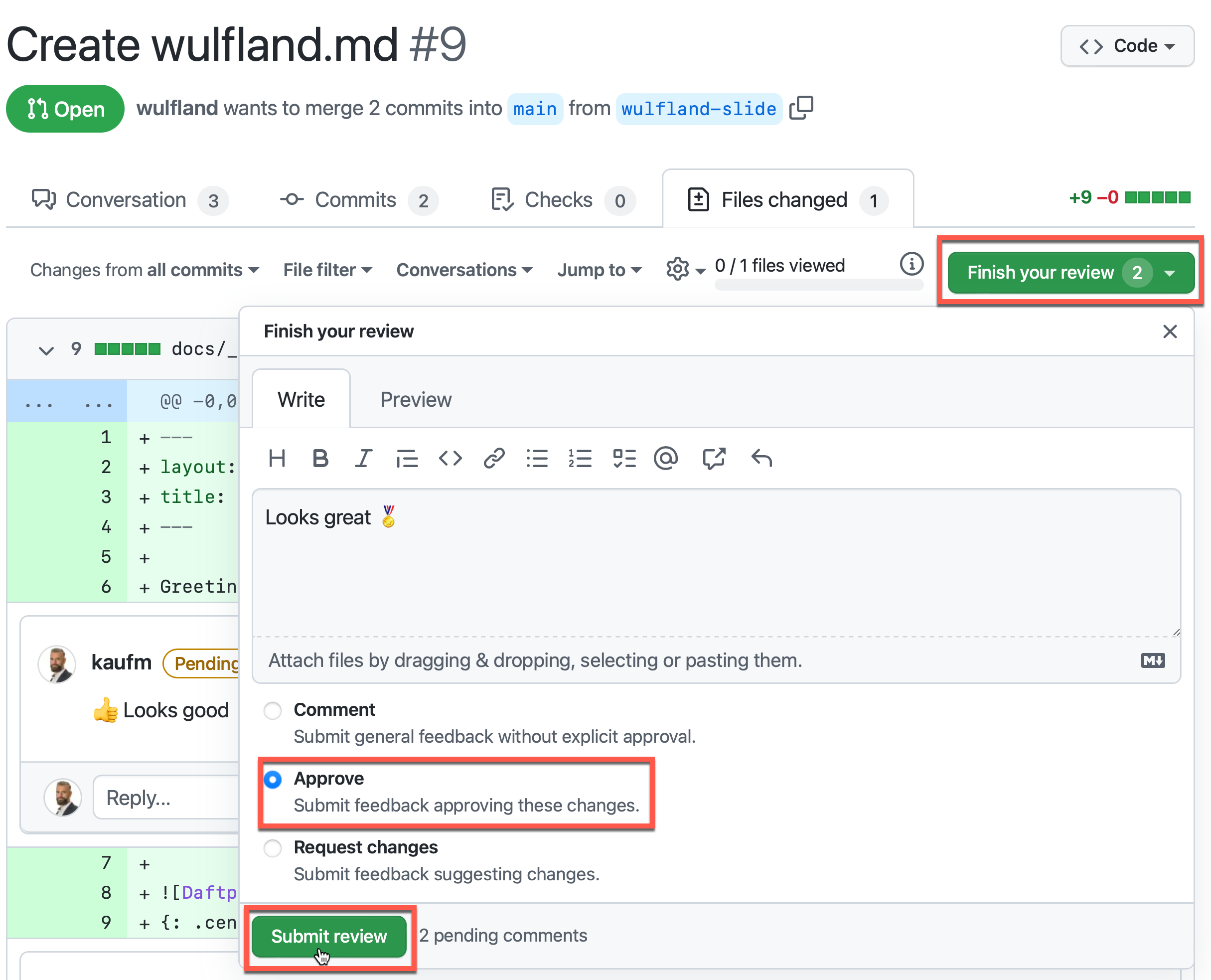
- When you are ready
Finish your review. Only approve will merge the PR - all other results will still block the merge. - Submit the review:
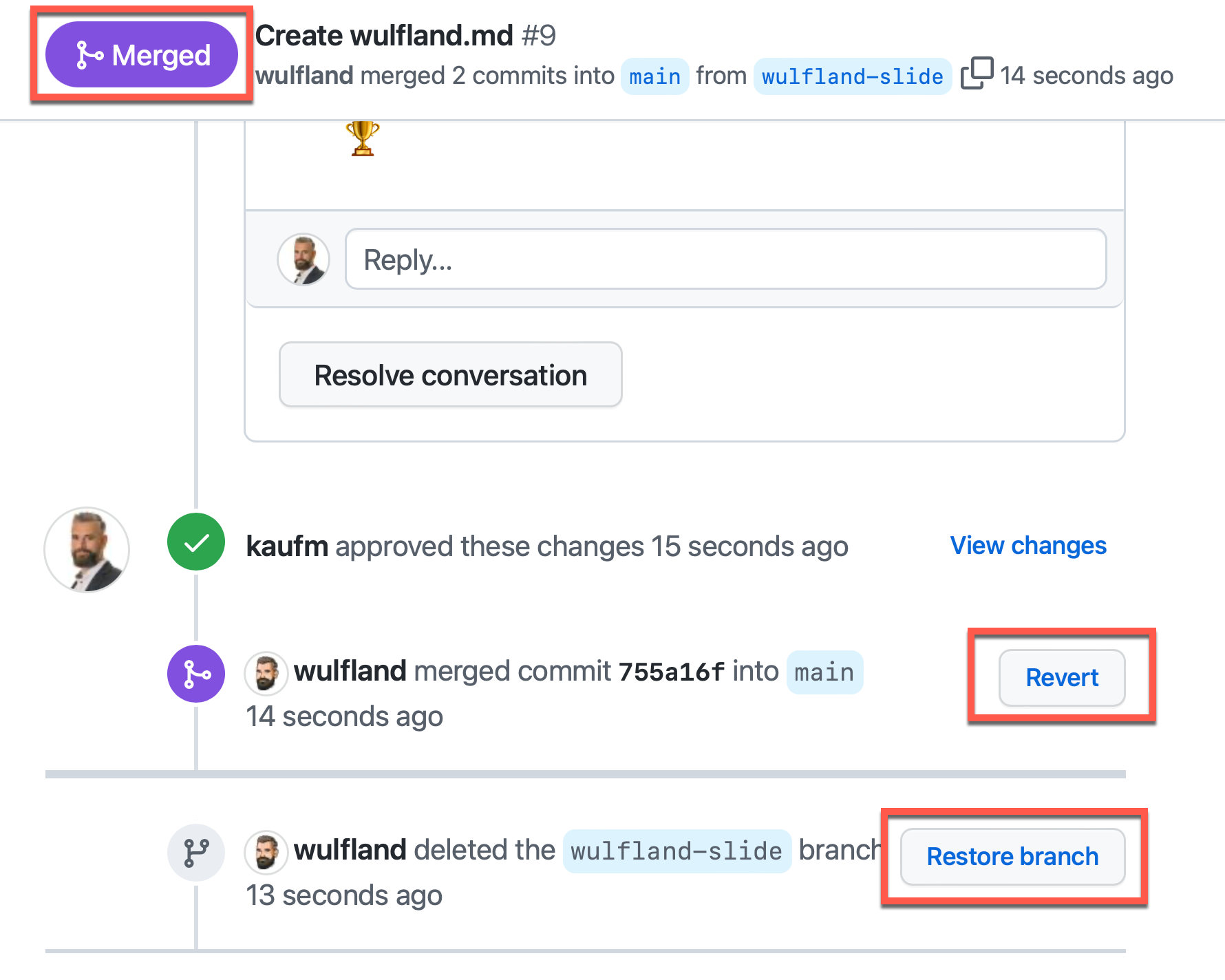
- Note that the status automatically changes to
Mergedand theHEADbranch gets deleted (that is a setting in the repo). - Note that you can revert the changes and restore the deleted branch:
Wait until GitHub pages is refreshed and see the results...
In this lab you've learned how to perform code reviews and use auto-merge. You can now go back to Collaborate on code.