This document describes how to prepare and start the G1 controller used in this repository.
Start the robot in the hoisting state and wait until it enters zero torque mode.
When the robot is in zero torque mode, press L2+R2 on the remote controller. The robot enters debugging mode, and robot joints become damping joints in this mode.
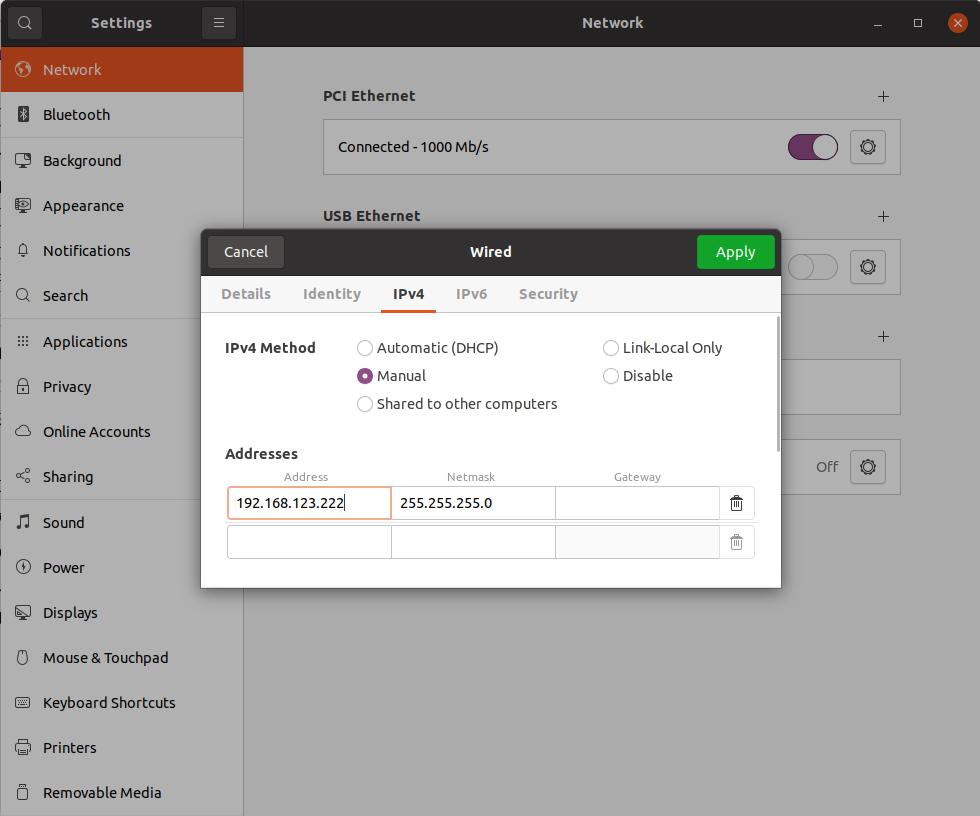
Use an Ethernet cable to connect your workstation to the robot network port, then configure the network as required.
Use ifconfig to find the network interface connected to the robot and record its name.
In the default setup, 192.168.123.164 is the robot IP and 192.168.123.222 is the workstation IP.
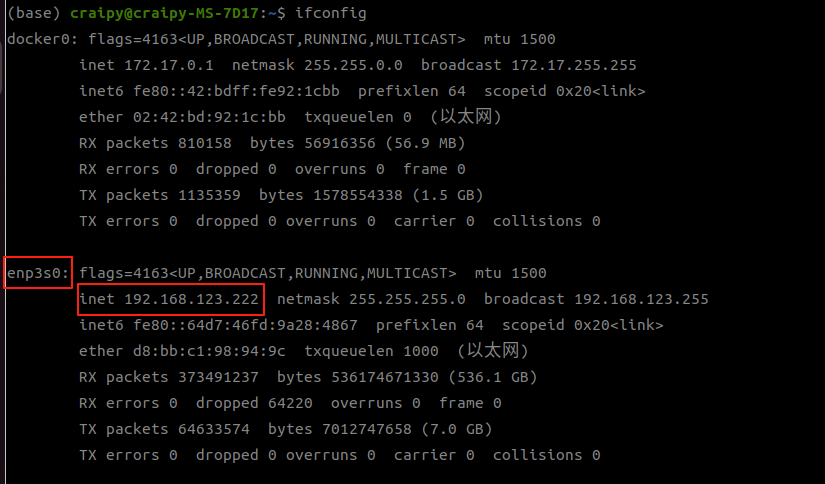
Open sim2real.sh, set the net variable to your actual NIC name, then run the controller script.