Show website playground in VSCode #1093

Replies: 2 comments

-
|
Maybe @berekuk you have ideas here? |
Beta Was this translation helpful? Give feedback.

-
|
VS Code discourages dynamical loading of external resources, even if it's technically possible. Security issues, performance issues, etc. They might even detect this somehow with their validation scripts in the marketplace and disallow posting the extension. E.g., if squiggle website gets hacked (or someone sends a malicious PR that we autodeploy), we don't want to leak all user data to the remote server. Webviews are mostly sandboxed, though; by default, they are allowed to access data in the extension's install directory and within the current workplace, and this can be limited further with additional settings and CSP headers. Still, I'd be pretty paranoid about doing this.
I like this! It matches with the common practice for other languages. But there are a few tricky things here:
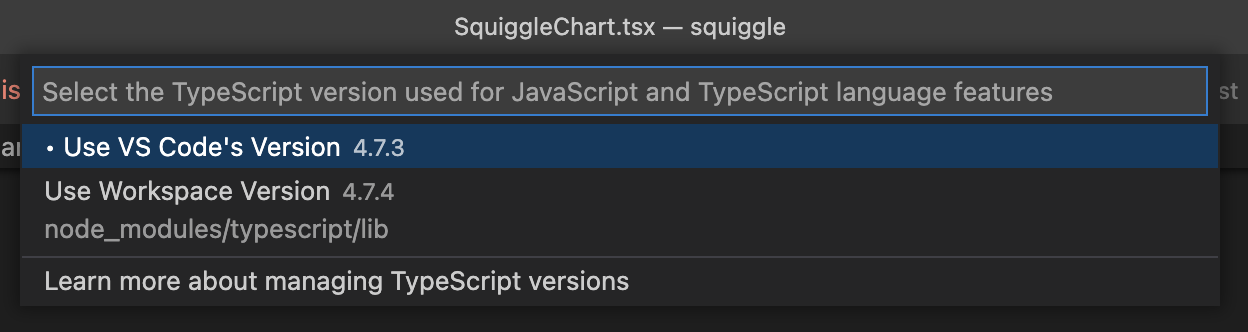
If we figure out these two issues then I'd like to go down this road. Then we could have something similar to this "Typescript: Select TypeScript version..." menu (and ship the default Squiggle with the extension): |
Beta Was this translation helpful? Give feedback.


Uh oh!
There was an error while loading. Please reload this page.
Uh oh!
There was an error while loading. Please reload this page.
-
It would be really nice if people using VSCode could see any version of the playground accessible via netlify. This would be particularly useful so that we don't have to keep on deploying alpha versions for Leopold, with each change.
Maybe there could be an iframe, based on a vscode paramater (for the website/playground in question).
Another thing that might work is that maybe vscode users could point to a version of Squiggle running on their machine. That way they could link to an npm package, which basically just points to a Github branch or similar.
My guess is that this wouldn't be very feasible, but wanted to check.
Beta Was this translation helpful? Give feedback.
All reactions