Housing Strategies Disappear after Editing #80


Description

Current behavior
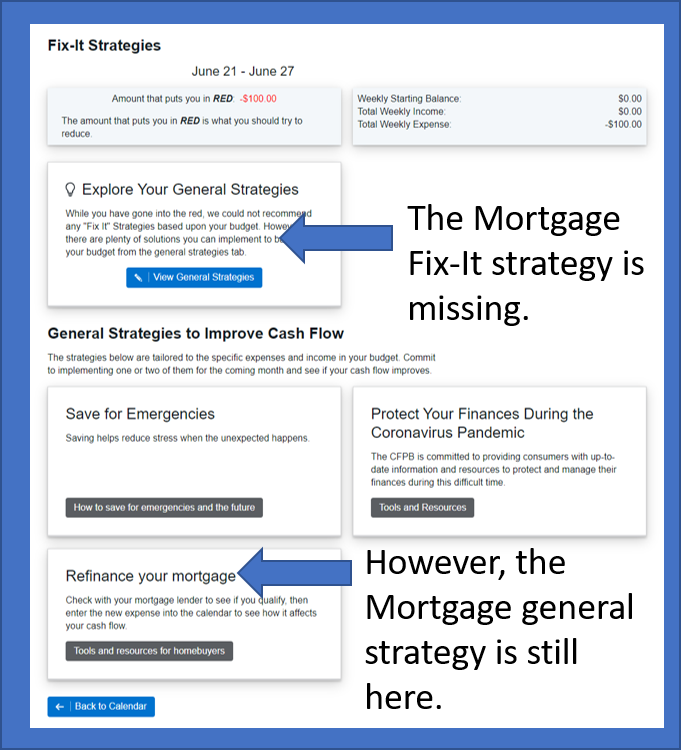
Once a user edits a Housing expense (specifically Mortgage and Rent) through the Fix-It Strategies the associated Fix-It Strategy will disappear (even if rent or mortgage are still the reason why the user is going into the red).
This bug occurs when a user clicks the Save button (regardless of whether or not they made a change), but it also occurs when a user clicks the "Back" button as well.
Steps to replicate the behavior
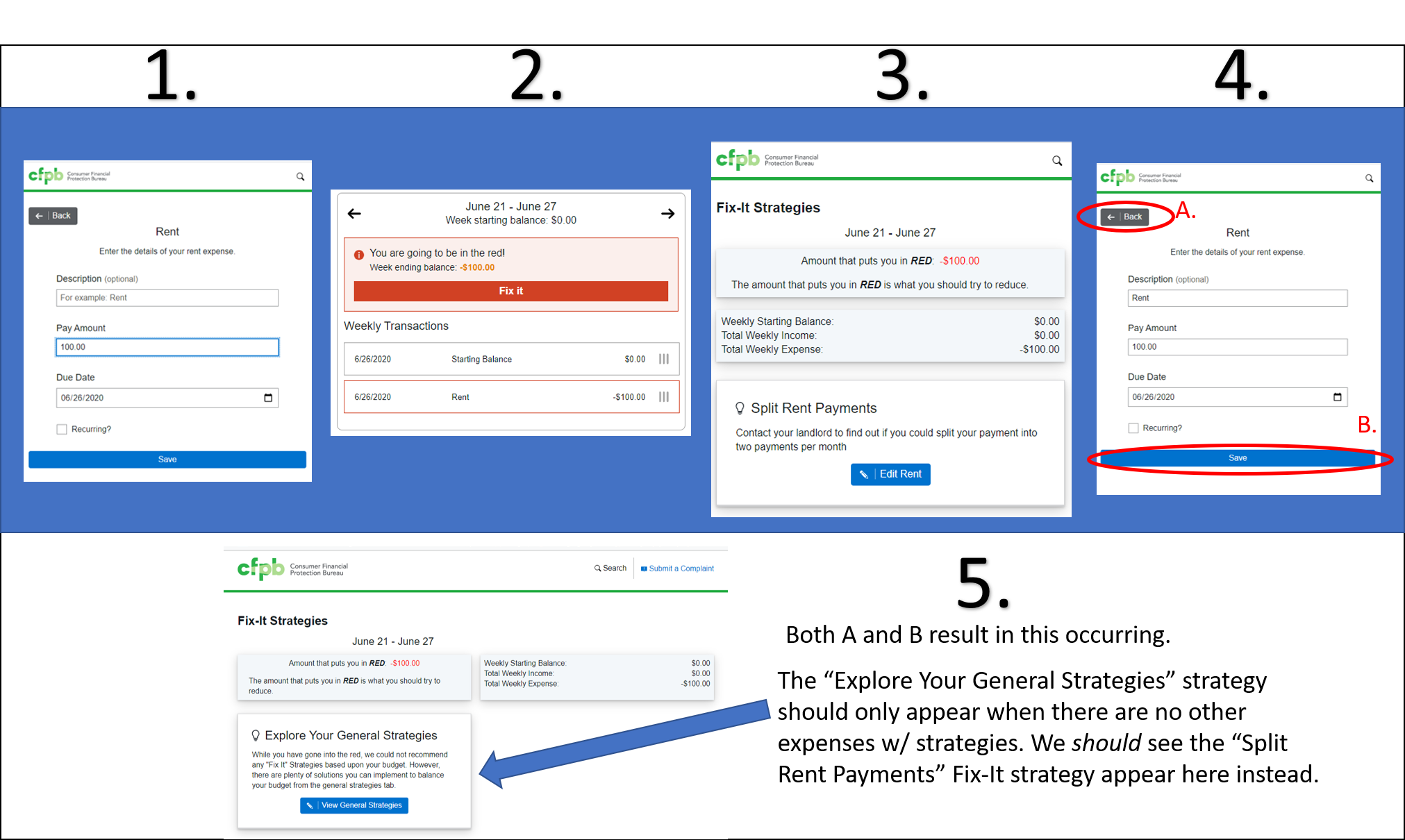
- Open the app fresh and enter $0.00 for Starting balance, then enter a rent balance (the amount doesn't matter as long as it causes you to go into the red).
- Open Fix-It Strategies
- Under the "Split Rent Payments" strategy that should appear in the Fix-it Category, choose to edit the rent payment
- Whether or not you make changes to the Rent, this bug will persist. Get back to the calendar summary by either:
A. Clicking the back button
B. Clicking "Save" - The "Fix It" strategy for rent (“Split Rent Payments”) is now gone, even though the user is still in the red and rent is their only expense. Instead, we see the “Explore Your General Strategies” strategy, which should only appear when there are no other expenses w/ strategies.
More Details
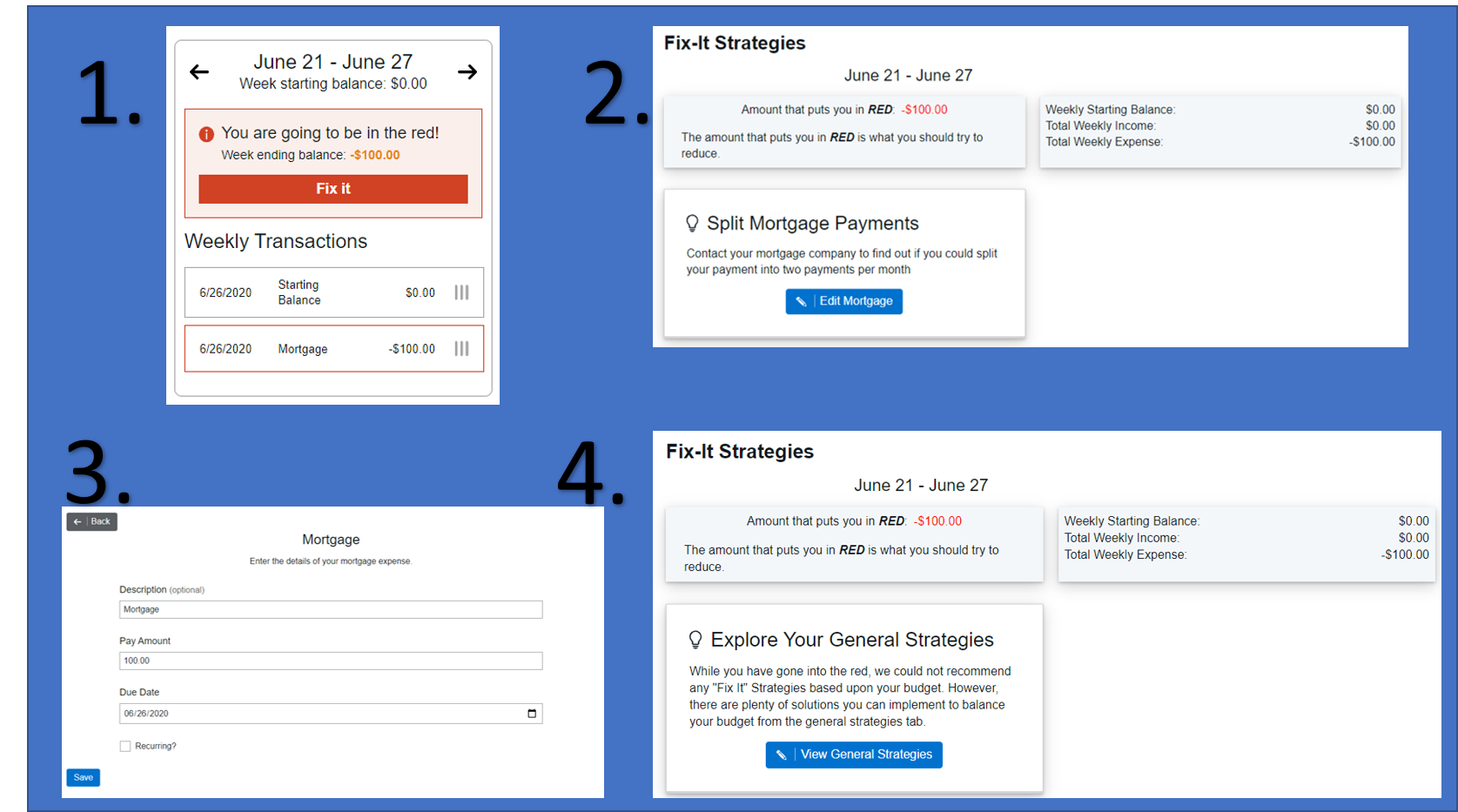
This bug also appears for the Mortgage expense.
This bug does not appear to affect the General Strategies, only the Fix-It strategies.