A full-featured e-commerce web application inspired by Amazon, built using Next.js, Redux Toolkit, Firebase, NextAuth, Tailwind CSS, and Stripe. It provides a seamless shopping experience with authentication, cart management, and real-time payments.
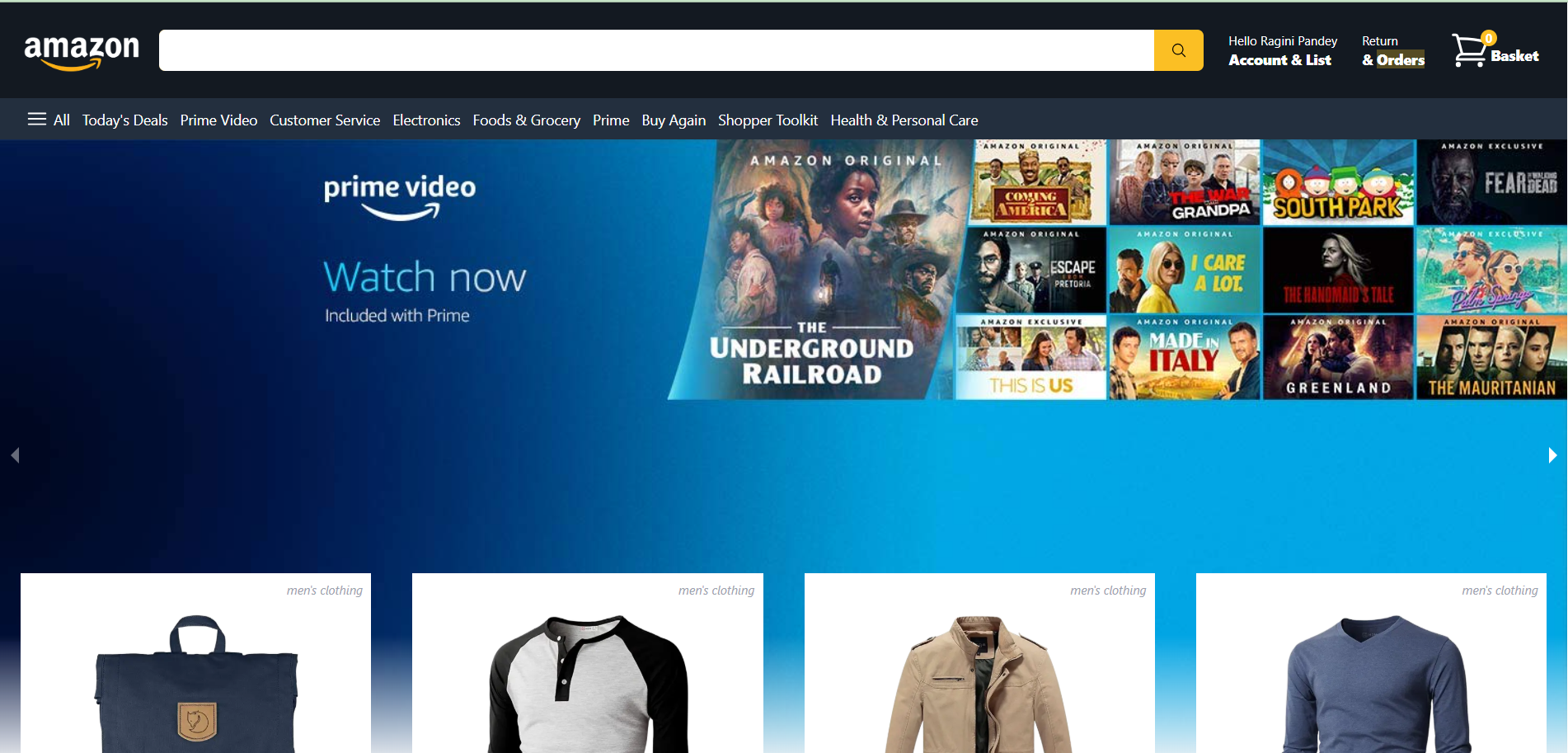
- 🔍 Product Listings: Fetch and display products dynamically in a responsive grid.
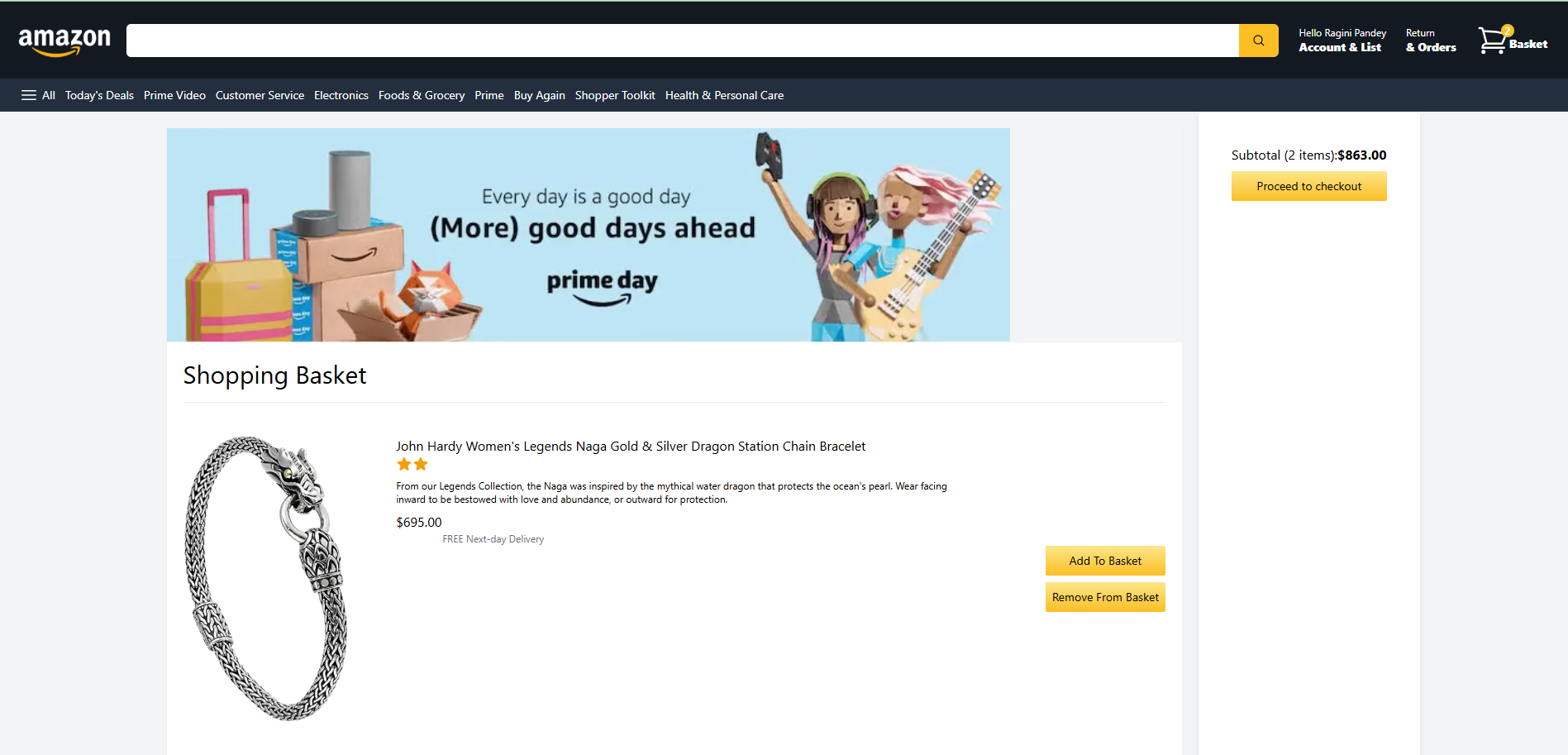
- 🛒 Cart Management: Add, remove, and modify items using Redux Toolkit.
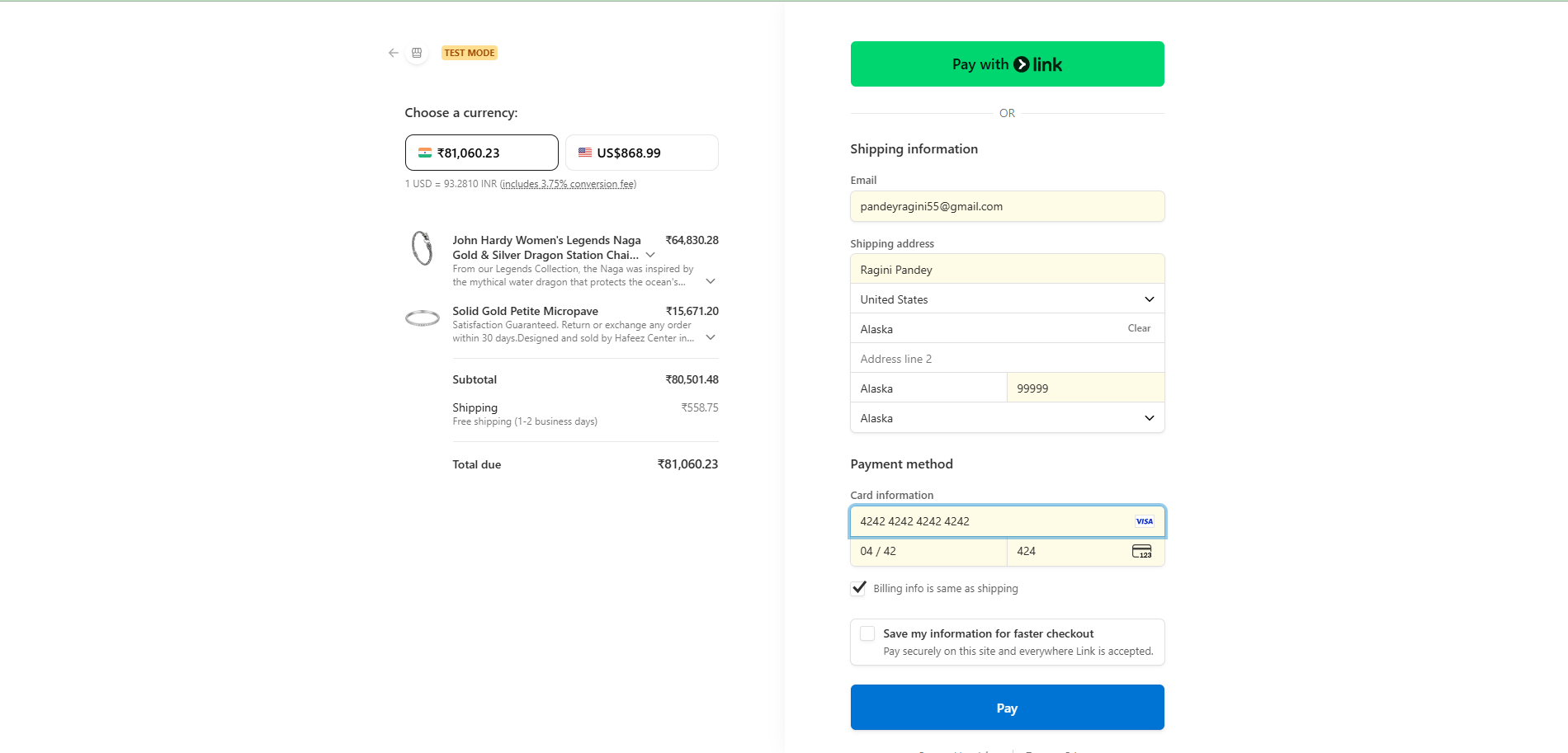
- 💳 Stripe Checkout: Secure payment gateway with real-time checkout flow.
- 🔐 User Authentication: Google and Email/Password login with NextAuth & Firebase.
- 📦 Order Tracking: View your recent orders after successful payment.
- ☁️ Deployed on Vercel: Fully optimized for production and CI/CD ready.
- 🌐 Server-side Rendering with Next.js for SEO & performance.
- 🔁 State management powered by Redux Toolkit.
- 🎨 TailwindCSS for responsive & clean UI.
- 🔥 Firebase for Authentication and Storage.
- 🧾 Stripe for handling payments securely.
- 🔄 NextAuth for flexible authentication and session handling.
- 🧰 Reusable components and modular architecture.
| Category | Technology |
|---|---|
| Framework | Next.js 13+ |
| Frontend | React 18 |
| Styling | Tailwind CSS |
| State Management | Redux Toolkit |
| Authentication | NextAuth.js + Firebase |
| Payments | Stripe API |
| Deployment | Vercel |
| Build Tools | Node.js, npm / yarn |

.
├── public/                  # Static assets (images, icons, etc.)
├── src/
│   ├── components/          # Reusable UI components
│   ├── pages/ or app/       # Next.js pages or app router
│   ├── store/               # Redux slices and store setup
│   ├── lib/                 # Firebase, Stripe helpers, API routes
│   ├── styles/              # Tailwind / global CSS
│   └── utils/               # Utility functions
├── firebase.js              # Firebase configuration
├── .env.local               # Environment variables (not committed)
├── next.config.js           # Next.js configuration
├── package.json
└── README.md
Create .env.local in your project root:
# Firebase
NEXT_PUBLIC_FIREBASE_API_KEY=
NEXT_PUBLIC_FIREBASE_AUTH_DOMAIN=
NEXT_PUBLIC_FIREBASE_PROJECT_ID=
NEXT_PUBLIC_FIREBASE_STORAGE_BUCKET=
NEXT_PUBLIC_FIREBASE_MESSAGING_SENDER_ID=
NEXT_PUBLIC_FIREBASE_APP_ID=
NEXT_PUBLIC_FIREBASE_MEASUREMENT_ID=

# NextAuth
NEXTAUTH_URL=http://localhost:3000
NEXTAUTH_SECRET= # Generate using: openssl rand -base64 32

# Google Provider (OAuth)
GOOGLE_CLIENT_ID=
GOOGLE_CLIENT_SECRET=

# Stripe
NEXT_PUBLIC_STRIPE_PUBLISHABLE_KEY=
STRIPE_SECRET_KEY=
STRIPE_WEBHOOK_SECRET=
💡 Tip: Even though Firebase client keys are technically public, always load them from
.env.localto keep your repo clean and environment-specific.
git clone https://github.com/ragini-pandey/amazon-clone.git
cd amazon-clonenpm install
# or
yarnnpm run dev
# or
yarn devThen visit ➡️ http://localhost:3000
- Create a Firebase project → enable Google Sign-In and/or Email/Password.
- Add your web app and copy Firebase config keys.
- In Stripe, create test products and copy your publishable & secret keys.
- Uses
@stripe/stripe-jsfor the frontend. - Secure server-side checkout session handled via Next.js API routes.
- After successful payment, redirects to a success page.
To test webhooks locally and get your STRIPE_SIGNING_SECRET, run:
stripe listen --forward-to localhost:3000/api/webhookAfter running, Stripe CLI will display a Signing Secret — copy that into your .env.local file under:
STRIPE_SIGNING_SECRET=whsec_...💡 Use
stripe listen --forward-to localhost:3000/api/webhookduring local dev to automatically forward webhook events to your Next.js app.
import { configureStore } from "@reduxjs/toolkit";
import basketReducer from "../slices/basketSlice";

export const store = configureStore({
  reducer: {
    basket: basketReducer,
  },
});- Connect your GitHub repo to Vercel.
- Add environment variables from
.env.local. - Deploy instantly.
- Ensure your
NEXTAUTH_URLpoints to your live URL. - Add production redirect URI in Firebase console.
- ✅ Responsive product grid
- ✅ Redux cart integration
- ✅ Stripe checkout flow
- 🚧 Persist cart to Firestore
- 🚧 Add admin panel for product CRUD
- 🚧 Add product search & filters
- 🚧 Order history and delivery tracking
- 🚧 Unit & Integration tests (Jest / Playwright)