To fix small icons/text in iric on high resolution screens #10

Description

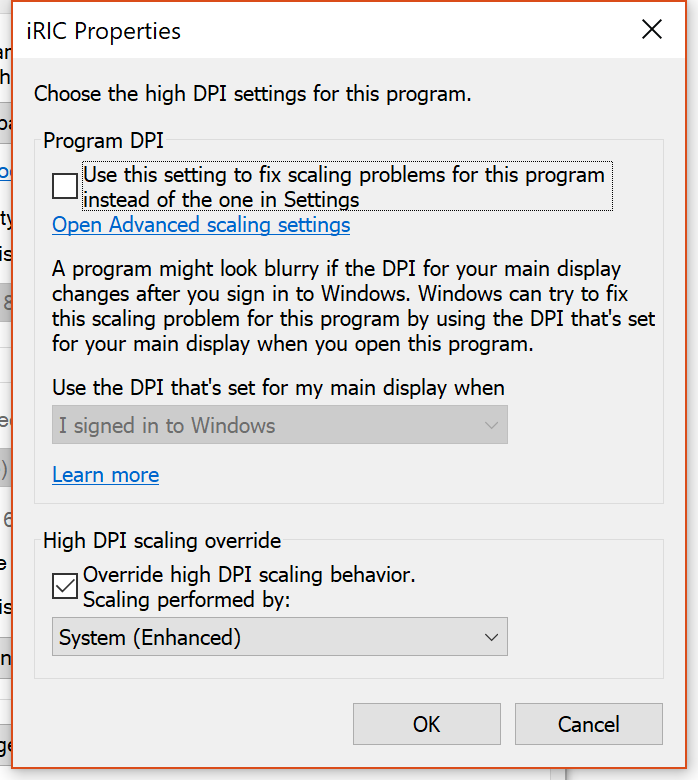
Right-click on iric icon and select properties. Select Compatibility tab and press the 'Change high DPI settings' button. Click on the 'Override high DPI scaling behavior' in the Hight DPI scaling override group box. Set 'Scaling performed by:' to 'System' or 'System (Enhanced)'.