This repository was archived by the owner on Jan 19, 2026. It is now read-only.
An excessive untidy frame inside of the "Funding amount" field (enhancement / minor bug) #41


Description

Testing Environment:
Windows 10, Google Chrome 73.0.3683.86 (64bit), 15.6", 1920х1080
Steps to reproduce:
- Navigate to Home Page of RFAI
- Open the details of any request (for example, the first one) in the list of the active requests
- Press "Fund this solution"
- Find "Funding amount" field in the opened window
- Type some amount in it
- Observe the result
- Close the form
- Press "Submit solution"
- Find "Github link" field in the opened window
- Type some amount in it
- Observe the result
EXPECTED RESULT:
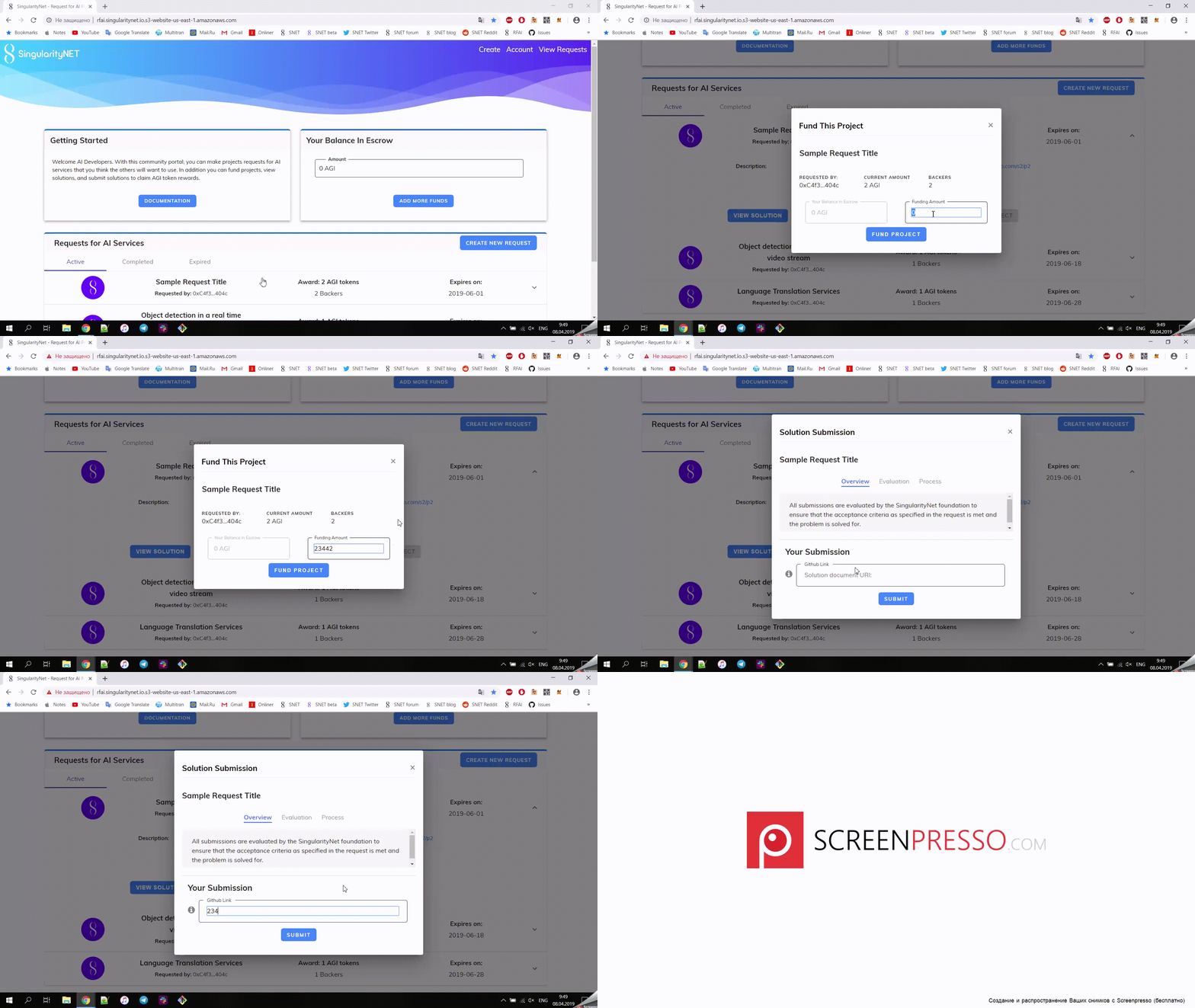
I think that it's better to remove this frame inside of the field or to highlight the whole field on its borders for both cases
ACTUAL RESULT:
There is an untidy frame inside of these fields
Please see the video below
Metadata
Metadata
Assignees
Labels
No labels