Version
1.2.9 and latest dev (oct 23)
Operating system type + version
Win 10 latest patch
Behavior
Bridge speed and flow ratio is used on incorrect solid infill layers.
Bridge should be use on the lowest top-surface solid layer, i.e. the first layer on top of the infill.
What I am getting is all solid layers except the very top and bottom ones use bridge speed and flow. So for 3 bottom 3 top, the first is ok, then 2 bridge layers - infill - 2 bridge and the final top layer.
To illustrate I take all the default settings, except changing bridge flow ratio to 0.1 to make it more visible:
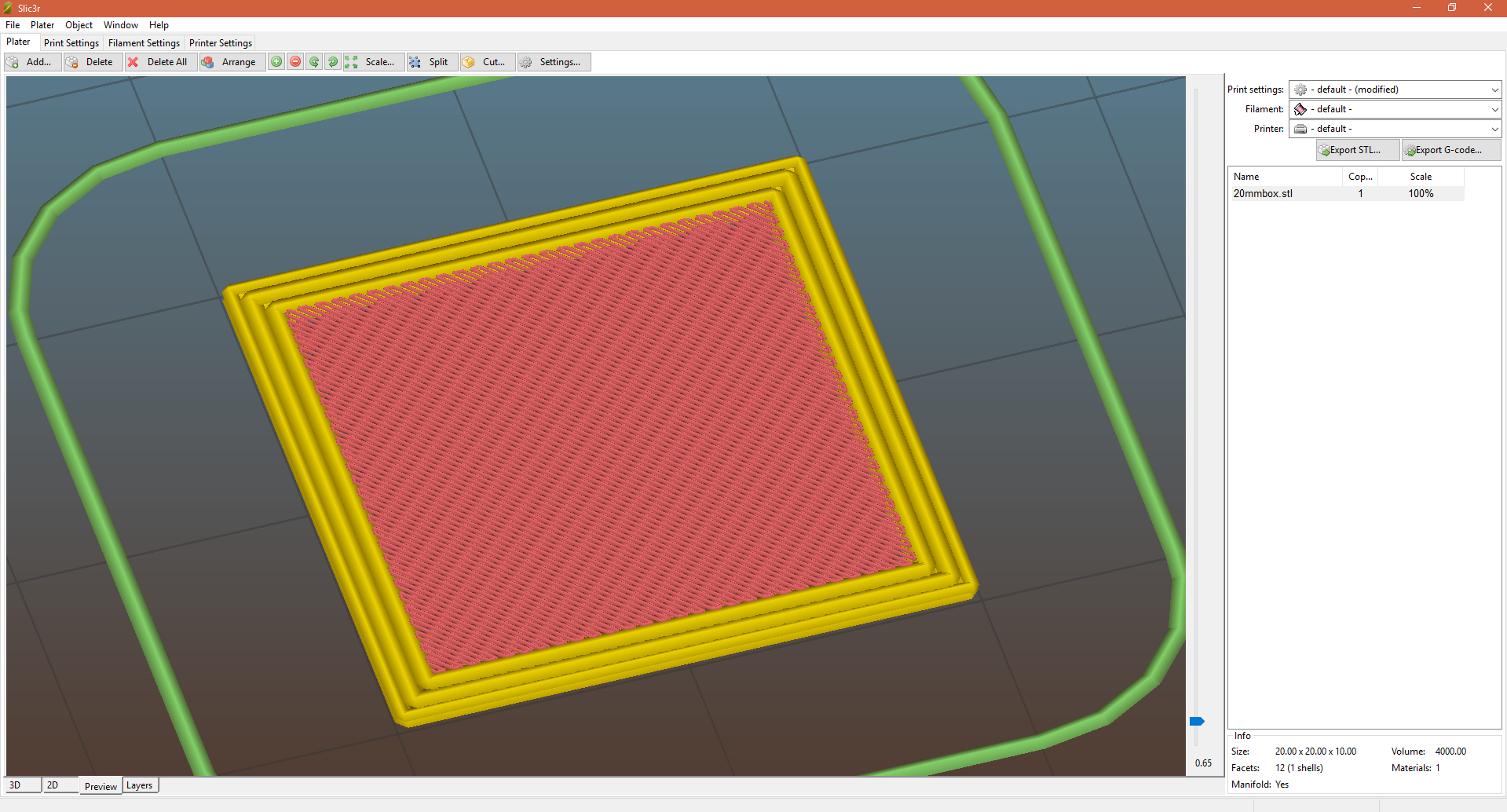
The solid infill lines are very thin, indicating that bridge settings were used.
This is just a 20x20x10 cube, and I believe there is no other settings changed in Slic3r - everything is default.
If this is not easily reproducible please let me know what additional info I can provide.
Thanks
Update, model and config:
#4172.zip
The model is simply a small box and this issue is present on all the models I have tried.

Version
1.2.9 and latest dev (oct 23)
Operating system type + version
Win 10 latest patch
Behavior
Bridge speed and flow ratio is used on incorrect solid infill layers.
Bridge should be use on the lowest top-surface solid layer, i.e. the first layer on top of the infill.
What I am getting is all solid layers except the very top and bottom ones use bridge speed and flow. So for 3 bottom 3 top, the first is ok, then 2 bridge layers - infill - 2 bridge and the final top layer.
To illustrate I take all the default settings, except changing bridge flow ratio to 0.1 to make it more visible:

The solid infill lines are very thin, indicating that bridge settings were used.
This is just a 20x20x10 cube, and I believe there is no other settings changed in Slic3r - everything is default.
If this is not easily reproducible please let me know what additional info I can provide.
Thanks
Update, model and config:
#4172.zip
The model is simply a small box and this issue is present on all the models I have tried.