Social cards not rendering correctly #3075


-
|
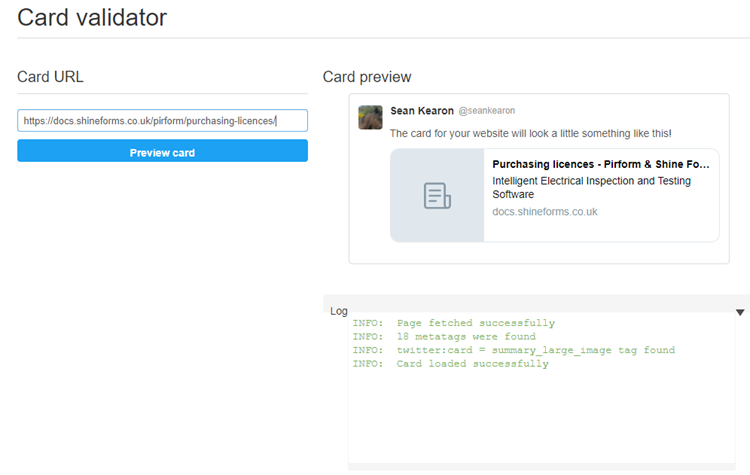
My social cards don't seem to be rendering correctly. Does anyone know why that could be, please? Take this page: https://docs.shineforms.co.uk/pirform/purchasing-licences/ The corresponding social card is available, but it does not render correctly in Twitter:
(I thought that the problem was due to my path separators when building on Windows, but I've swapped to building on Unbuntu and the image paths all now use the |
Beta Was this translation helpful? Give feedback.
Replies: 3 comments 5 replies

-
|
Your page says: The page cannot be displayed because an internal server error has occurred. If I can access the page, I can take a look at the social card. Also please share your configuration and what Markdown you used to render the card. |
Beta Was this translation helpful? Give feedback.

-
|
Ah yes, so the social card renders fine (albeit the original logo is too small).
It's more likely related to the problem that Twitter cannot correctly access your website (as me) |

Beta Was this translation helpful? Give feedback.
-
|
Yes, I see that error occasionally myself. It shows up in the browser console as an IIS Rewrite Module error, but there's nothing in the server logs that I've found yet. I believe it is not related to the social card issue as other pages will render, but they still aren't showing as nicely formatted cards on Twitter. Yes, I need to sort my icon out too! 😉 Here's my full config: site_name: Pirform & Shine Forms Docs
site_description: >-
Intelligent Electrical Inspection and Testing Software
theme:
name: 'material'
favicon: 'favicon.ico'
logo: 'img/shine-icon.png'
palette:
primary: "#029fe3"
features:
- navigation.tabs
- navigation.sections
- navigation.top
- navigation.instant
extra_css:
- stylesheets/extra.css
extra:
homepage: https://www.shineforms.co.uk
analytics:
provider: google
property: UA-XXXX-1
markdown_extensions:
- admonition
- toc:
baselevel: 2
plugins:
- search
- social:
cards_color:
fill: "#029fe3"
text: "#FFFFFF"
- minify:
minify_html: true
- redirects:
redirect_maps:
# For some reason, the format below won't redirect properly, but the full HTTP path works fine.
# pirform/copy-boards-circuits.md: pirform/boards-and-circuits/
pirform/copy-boards-circuits.md: https://docs.shineforms.co.uk/pirform/boards-and-circuits/
pirform/copy-create-cert.md: https://docs.shineforms.co.uk/pirform/creating-certificates/
pirform/creating-new-certificates.md: https://docs.shineforms.co.uk/pirform/creating-certificates/
pirform/drop-down-lists.md: https://docs.shineforms.co.uk/pirform/drop-down-list-manager/
pirform/excluding-boards.md: https://docs.shineforms.co.uk/pirform/saving-to-pdf/
pirform/import-export.md: https://docs.shineforms.co.uk/pirform/certificate-sharing/
pirform/merge-certs.md: https://docs.shineforms.co.uk/pirform/merging-certificates/
pirform/restoring-from-a-backup-old.md: https://docs.shineforms.co.uk/pirform/moving-to-a-new-computer/#restore-certificates-from-a-backup/
pirform/restoring-from-a-backup.md: https://docs.shineforms.co.uk/pirform/moving-to-a-new-computer/#restore-certificates-from-a-backup/
pirform/set-up-company-engineers.md: https://docs.shineforms.co.uk/pirform/company-and-engineers/
nav:
- Home: index.md
- Getting Started With Pirform:
- Getting started: pirform/getting-started.md
- Free 30-Day trail: pirform/free-trial.md
- Set up online backup: pirform/backup-online.md
- Installing Pirform: pirform/installing.md
- Purchasing licences: pirform/purchasing-licences.md
- Managing licences: pirform/managing-licences.md
- Setting Up:
- Company and engineers: pirform/company-and-engineers.md
- Creating engineer signatures: pirform/engineer-signatures.md
- Sharing company details: pirform/company-details-export.md
- Save and backup locations: pirform/save-and-backup-locations.md
- Understanding:
- Intelligence in Pirform: pirform/intelligence.md
- Backups: pirform/backup.md
- System requirements: pirform/system-requirements.md
- Using Pirform:
- Creating certificates: pirform/creating-certificates.md
- Adding photos and documents: pirform/photos-and-documents.md
- Saving to PDF: pirform/saving-to-pdf.md
- Sharing certificates: pirform/certificate-sharing.md
- Merging certificates: pirform/merging-certificates.md
- Working With:
- Pirform's Board Manager: pirform/board-manager.md
- Observations and limitations: pirform/observations-and-limitations.md
- Boards and circuits: pirform/boards-and-circuits.md
- Inspection schedule: pirform/inspection-schedule.md
- Pre-release certificates: pirform/pre-release-certificates.md
- Drop-down lists: pirform/drop-down-list-manager.md
- How To:
- Check your spelling : pirform\spellchecker.md
- Make more screen space : pirform\collapsible-sections.md
- Set options in Pirform: pirform/options.md
- Save to Excel: pirform/save-to-excel.md
- Use keyboard shortcuts: pirform/keyboard-shortcuts.md
- Update certificate logos and details: pirform/update-certificate-logos-and-details.md
- Use Windows 10 tablet mode: pirform/tablet-mode.md
- Pirform Support Topics:
- Moving to a new computer: pirform/moving-to-a-new-computer.md
- Send your log file: pirform/send-log-file.md
- Send your data folder: pirform/send-data-folder.md
- Send files using Dropbox: pirform/send-files.md
- Assisted Restore Tool: pirform/support-tool-assisted-restore.md
- Safe mode: pirform/safe-mode.md
- Entering a support command: pirform/enter-support-command.md
- Find your most recent backup: pirform/most-recent-backup.md
- Saving files attached to emails: pirform/saving-attached-files.md
- Computer performance: reference/computer-performance.md
- Automating Pirform: pirform/automation.md
- Windows 10 upgrade issues: pirform/windows-10-upgrade-database-issue.md
- Shine Forms Online:
- Registering and logging In: shine/logging-in.md
- Company details: shine/company.md
- Issuers: shine/issuers.md
- Navigation: shine/navigation.md
- Reference:
- Schedule Items 2011 - 2015: reference/schedule-items-2011-2015.md
- Computer performance: reference/computer-performance.md
- Changes made by Pirforms intelligence : pirform\intelligence-changes.md
- Archived Topics:
- Upload to Shine Forms: pirform/upload.md
- Sunsetting our online forms: shine/sunsetting-online-forms.md
- Online forms: shine/forms.md
- Getting started with online forms: shine/getting-started.mdHere is the <?xml version="1.0" encoding="UTF-8"?>
<configuration>
<system.webServer>
<staticContent>
<!-- From here: https://github.com/mkdocs/mkdocs/issues/1468#issuecomment-381134493 -->
<mimeMap fileExtension=".json" mimeType="application/json" />
<mimeMap fileExtension=".mustache" mimeType="text/template" />
<!-- http://raspberry-valley.azurewebsites.net/Deploy-MkDocs-to-Azure/#deploying-mkdocs-to-azure-web-apps -->
<mimeMap fileExtension=".woff" mimeType="application/x-woff" />
<mimeMap fileExtension=".7z" mimeType="application/x-7z-compressed" />
</staticContent>
</system.webServer>
</configuration> |
Beta Was this translation helpful? Give feedback.
-
|
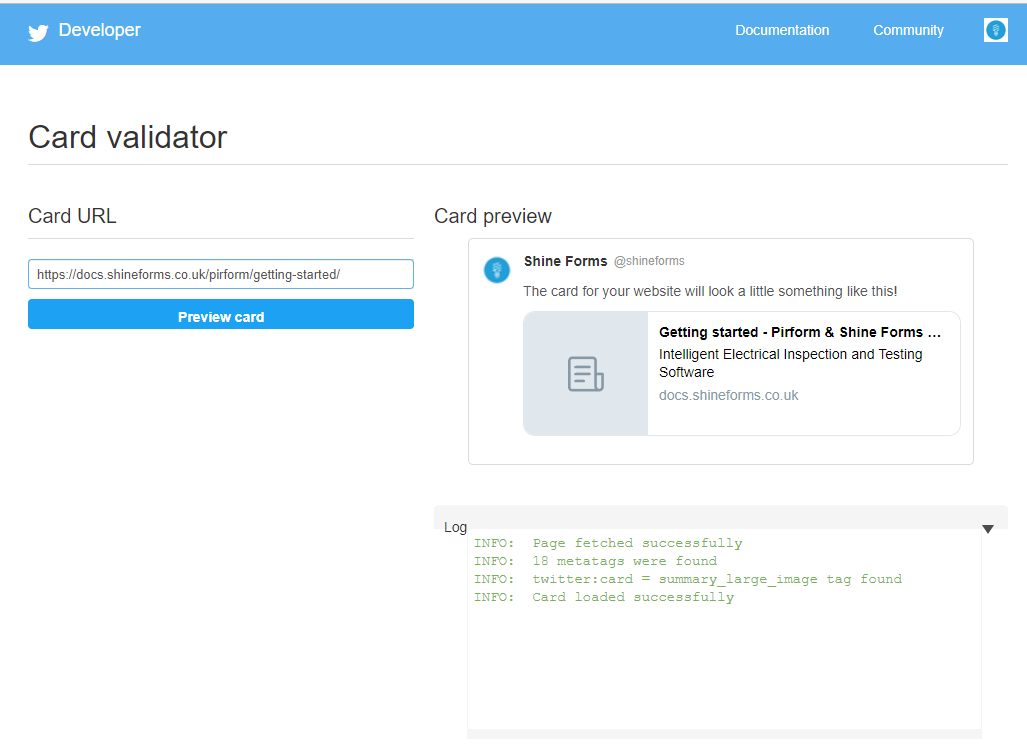
So, I've updated to insiders
That is for this page: https://docs.shineforms.co.uk/pirform/getting-started/ The asset path has the correct separators: <meta name=twitter:image content=assets/images/social/pirform/getting-started.png>The social image is present and is served by the website: https://docs.shineforms.co.uk/assets/images/social/pirform/getting-started.png Any idea what could be causing this, please? https://docs.shineforms.co.uk/assets/images/social/pirform/getting-started.png |
Beta Was this translation helpful? Give feedback.

-
|
(And, yes, I still can't get the image to render correctly, but one step at a time! 😄) |
Beta Was this translation helpful? Give feedback.
-
|
Oh, by the way, regarding this part:
I changed the website hosting over the weekend. The previous problems should be resolved. Please let me know if you are still seeing them. |
Beta Was this translation helpful? Give feedback.
-
|
The path is relative, it needs to be absolute: <meta property="og:image" content="assets/images/social/pirform/getting-started.png">Did you set the |
Beta Was this translation helpful? Give feedback.
-
|
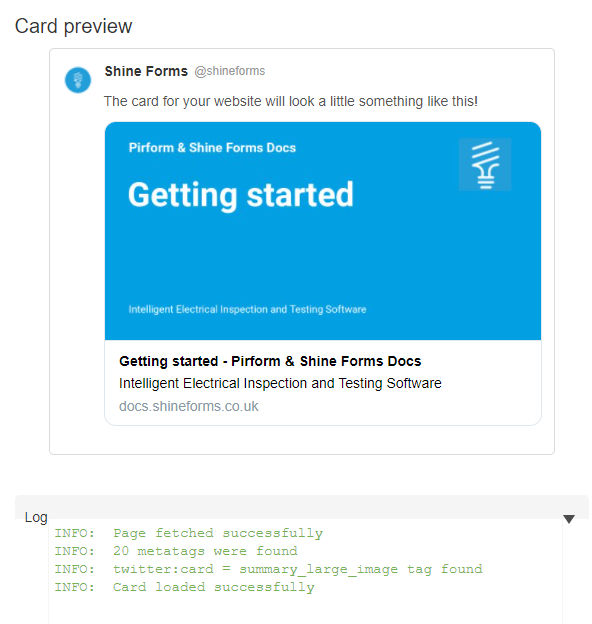
Exactly that! No, I had missed out
Thank you very much, @squidfunk 🚀 |


Beta Was this translation helpful? Give feedback.


So, I've updated to insiders
3.1.2and the paths seem to be correct now. However, the social cards still aren't being recognised by Twitter:That is for this page:
https://docs.shineforms.co.uk/pirform/getting-started/
The asset path has the correct separators:
The social image is present and is served by the website:
https://docs.shineforms.co.uk/assets/images/social/pirform/getting-started.png
Any idea what could be causing this, please?
https://docs.shineforms.co.uk/assets/images/social/pirform/getting-started.png