Releases: srwi/EverythingToolbar
1.0

Changes
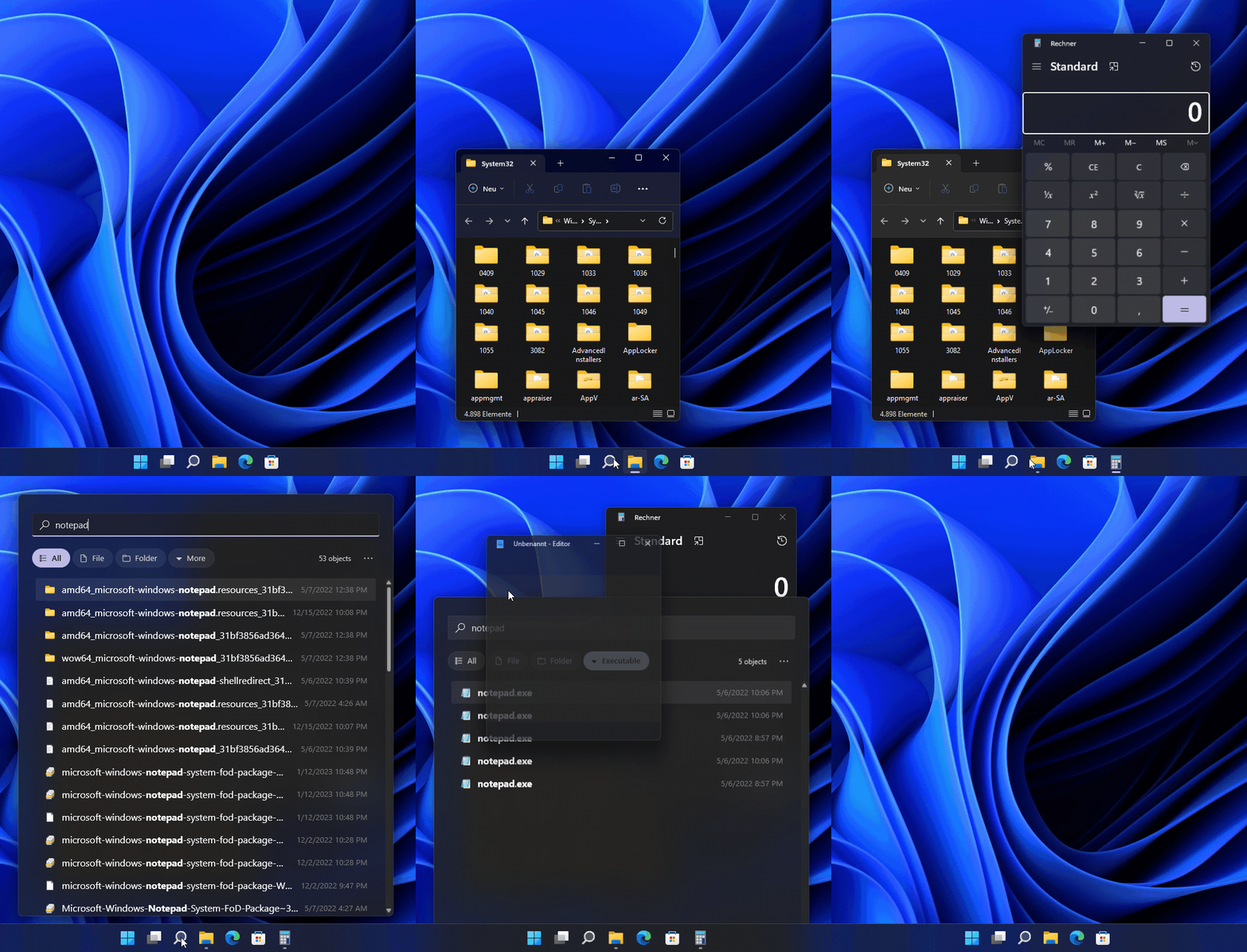
- Added support for Windows 11
- Major code refactoring to allow faster updates for new Windows releases
- Added option to open system context menu for search results (#269) 💖 @nx10
- Added automatic light/dark mode and accent colors (#272) 💖 @nx10
- Added support for named instances (#216)
- Improved performance of opening/closing animations (#95)
- Dragging and dropping files out of EverythingToolbar now supports tabbing into other applications (#104)
- Enabling search history will now prevent the search term from being cleared (#108)
- Most styles are now exposed to the user and can be modified as desired (#147)
- Opening EverythingToolbar will now always close the start menu (#207)
- Fixed misplaced IME toolbar (#274)
- Fixed start menu replacement not being disabled when hiding deskband (#305)
- Fixed a rare crash related to corrupt search history files (#238)
- Added an installer icon
- Many improvements under the hood
- Improved translations via Crowdin 💖
Contributors

Assets 3
0.8.0-beta2
Warning: This is a beta release and might be unstable for some. Don't install if you rely on a working program.
Changes
- Added option to open system context menu for search results 💖 @nx10
- Added support for non-standard display scaling factors on Windows 11
- Start menu replacement now works when using the Windows 11 launcher in Windows 10
- Enabled logging for Windows 11 launcher
- Windows 11 setup assistant can now be translated on Crowdin
- Improved translations via Crowdin 💖
Contributors
Assets 3
0.8.0-beta1
Warning: This is a beta release and might be unstable for some. Don't install if you rely on a working program.
Changes
- Added Windows 11 support (screenshots and info)
- Fixed a rare crash related to corrupt search history files
- Added Hungarian translation and many more improvements via Crowdin 💖
Known issues
- Incorrect window position and scaling on multi-monitor or hidpi setup (#252)
Note: Previous themes will be incompatible with this release of EverythingToolbar.
0.7.4
0.7.3
0.7.2
0.7.1
Changes
- Added search history option (Navigate by pressing Ctrl+↑/↓)
- Added option to show quick toggles for "match case", "match path", etc. in the search box
- Added option to show number of search results
- Added option to remember the selected filter
- Added icons for the default filters 💖 @JUSTIVE
- Win+Key shortcuts can now be used to trigger EverythingToolbar
- Experimental option to automatically search with EverythingToolbar when typing in the Windows start menu
- Allow navigation of search results using PgUp, PgDown, Home and End
- Basic search macros like
video:andpic:are now supported - Changed the settings/context menu style to be more in line with Windows search
- The default themes and views can now be translated
- Fixed IME being always on 💖 @AioiLight
- Fixed the magnifying glass color on older Windows 10 versions when using Windows light theme
- Fixed the Spanish translation being all mixed up
- Removed unnecessary io operations when using Everything filters
- Added new translations:
- Dutch 💖 @hansvansoest
- Japanese 💖 @AioiLight
- Swedish 💖 @nlssn
- Greek, Hebrew, Turkish, Arabic and more improvements via Crowdin 💖
Note: Previous themes won't be fully compatible with this release of EverythingToolbar.
0.7.0-beta3
Warning: This is a beta release and might be unstable for some. Don't install if you rely on a working program.
Changes
- Changed the settings/context menu style to be more in line with Windows search
- Removed unnecessary io operations when using Everything filters
- Added Turkish translation and more improvements via Crowdin 💖
Note: Previous themes will be incompatible with this release of EverythingToolbar.
0.7.0-beta2
Warning: This is a beta release and might be unstable for some. Don't install if you rely on a working program.
Changes
- Experimental start menu search replacement is now supported on older Windows 10 versions (tested on 1803)
- Fixed a problem when using Everything filters
- Added Hebrew translation and more improvements via Crowdin 💖
0.7.0-beta1
Warning: This is a beta release and might be unstable for some. Don't install if you rely on a working program.
Changes
- Added search history option (Navigate by pressing Ctrl+↑/↓)
- Added option to show quick toggles for "match case", "match path", etc. in the search box
- Added option to show number of search results
- Added icons for the default filters 💖 @JUSTIVE
- Win+Key shortcuts can now be used to trigger EverythingToolbar
- Experimental option to automatically search with EverythingToolbar when typing in the Windows start menu
- Allow navigation of search results using PgUp, PgDown, Home and End
- Basic search macros like
video:andpic:are now supported - The default themes and views can now be translated
- Fixed IME being always on 💖 @AioiLight
- Fixed the magnifying glass color on older Windows 10 versions when using Windows light theme
- Fixed the Spanish translation being all mixed up
- Added new translations:
- Dutch 💖 @hansvansoest
- Japanese 💖 @AioiLight
- Swedish 💖 @nlssn
- Greek and more improvements via Crowdin 💖