| title | Updating an Addon in Testsigma | |||||||||||||||||||
|---|---|---|---|---|---|---|---|---|---|---|---|---|---|---|---|---|---|---|---|---|
| pagetitle | Update Your Addon: Simple Guide for Easy Modifications | |||||||||||||||||||
| metadesc | Updating a Testsigma addon is simple and quick. Follow our step-by-step guide to modify, enhance, and manage your addon versions effectively. | |||||||||||||||||||
| noindex | false | |||||||||||||||||||
| order | 17.6 | |||||||||||||||||||
| page_id | updating-testsigma-addon | |||||||||||||||||||
| search_keyword | ||||||||||||||||||||
| warning | false | |||||||||||||||||||
| contextual_links |
|
Updating an addon in Testsigma keeps your tools up-to-date and functional. First, you need to have an existing addon. Once it's created, updating becomes simple. You can quickly refine features, fix bugs, and adjust to new requirements, ensuring your addons stay effective and meet your testing needs without starting from scratch.
Prerequisites
Before updating an addon, ensure that:
- You have referred to the documentation on creating add-ons.
- You have an Understanding of the programming language (usually Java) and frameworks.
- You have referred to the documentation on how addons work in Testsigma, including actions and configurations.
- Modify the addon’s code to fix issues, add features, or adjust settings. Compress the file into Zipped Format.
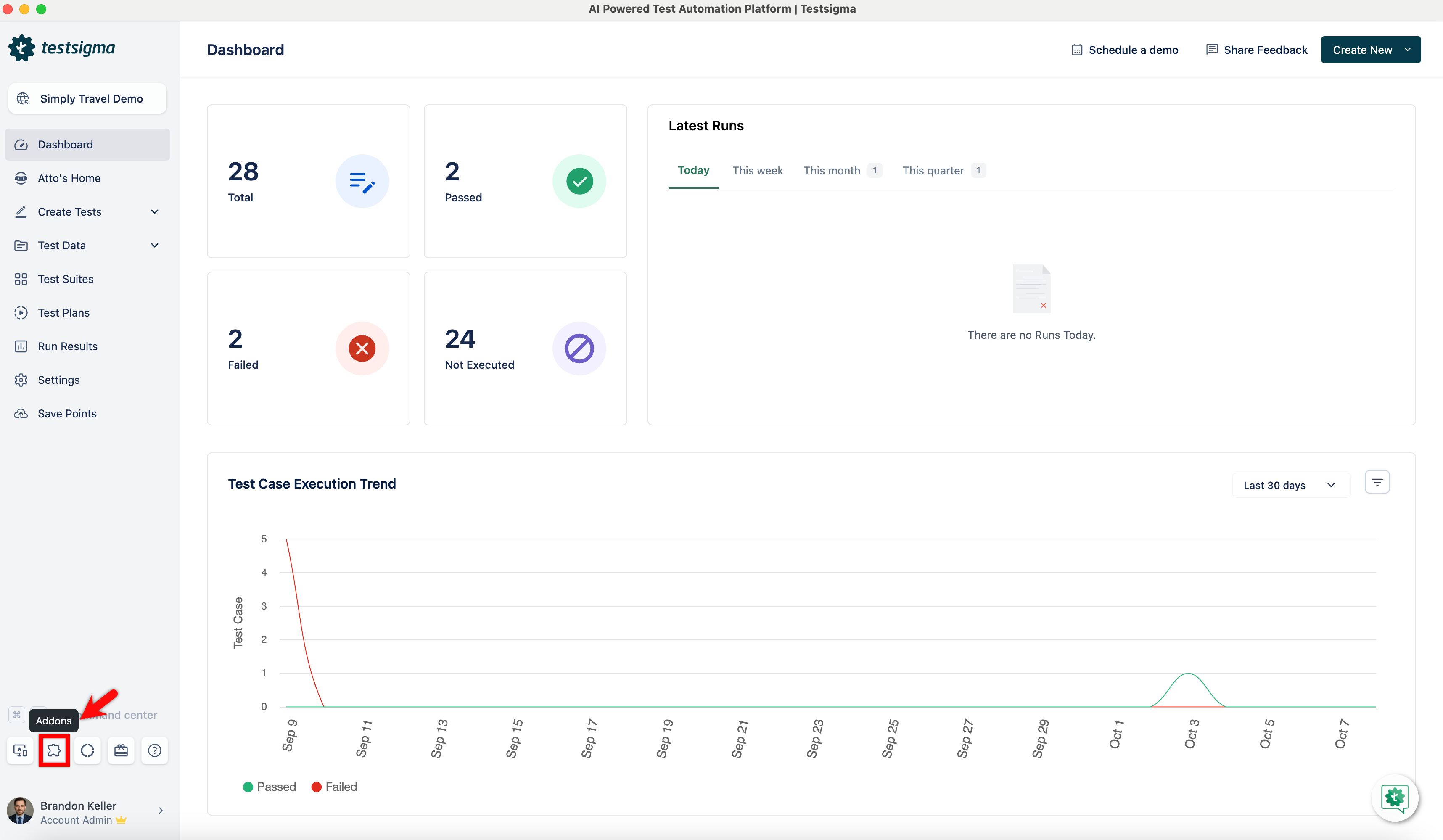
- In Testsigma Application, click on the Addons icon from the left navigation bar.
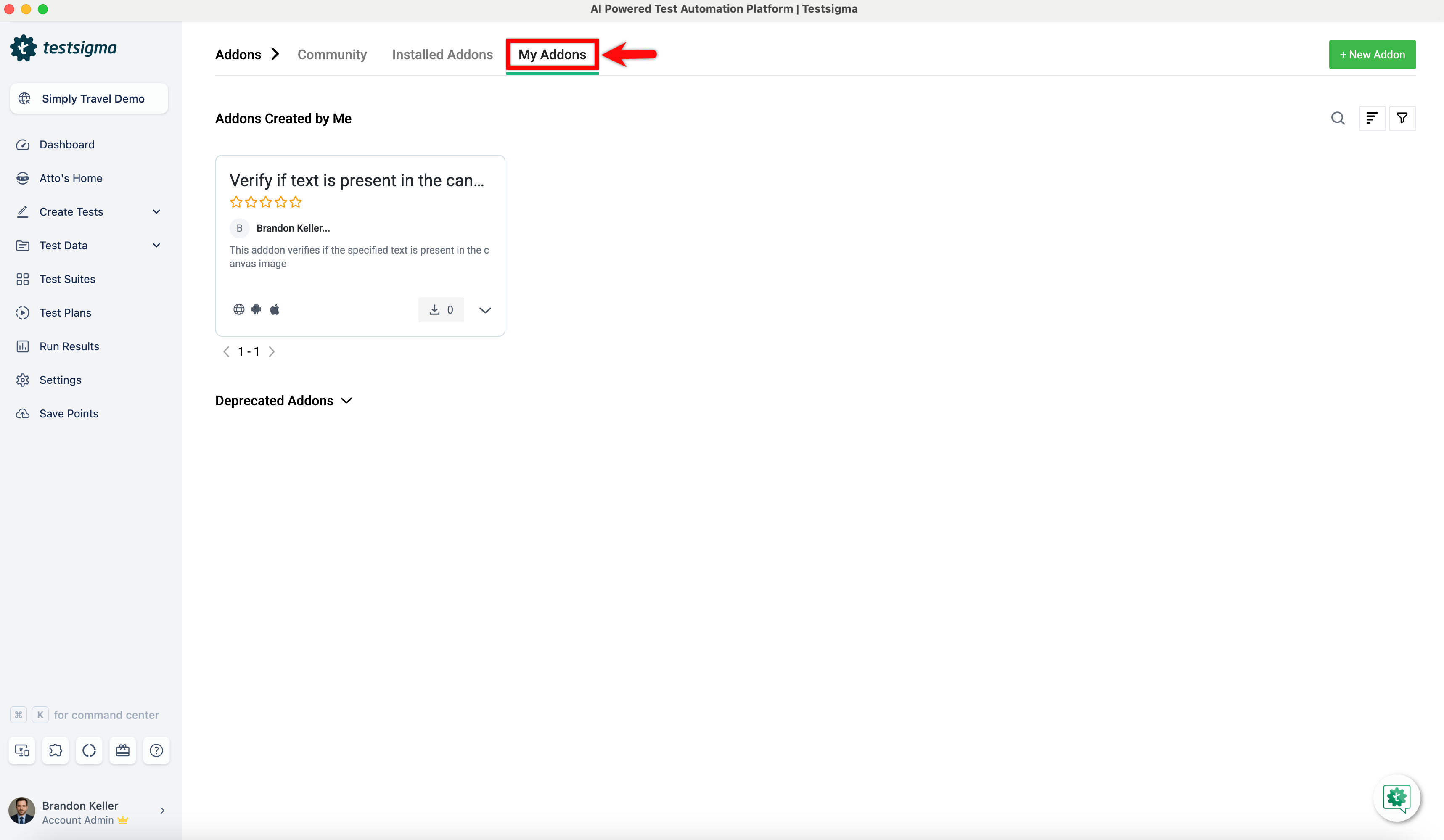
- Go to the My Addons page in Testsigma and select the addon you want to update.
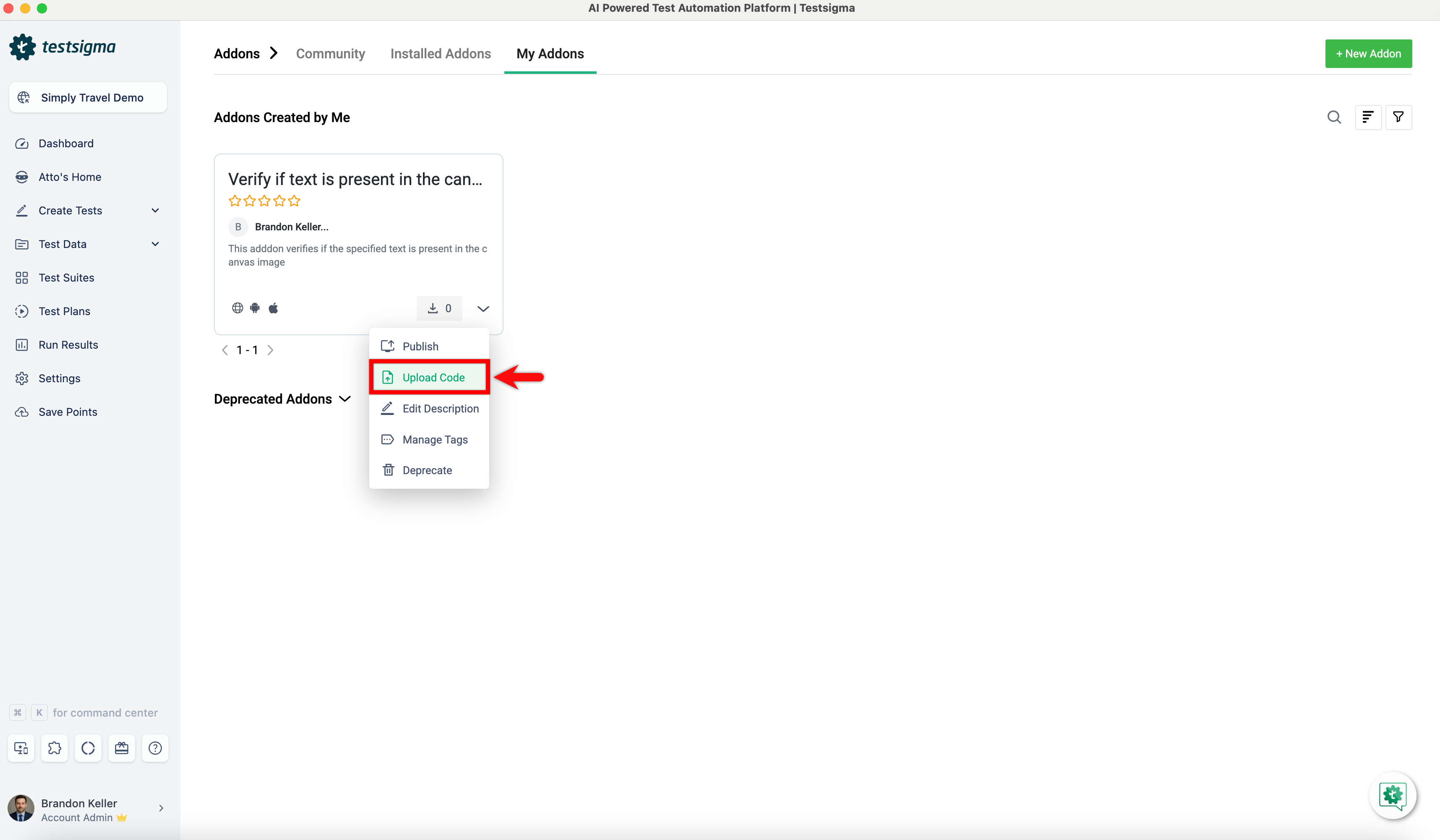
- Select Upload Code from the dropdown.
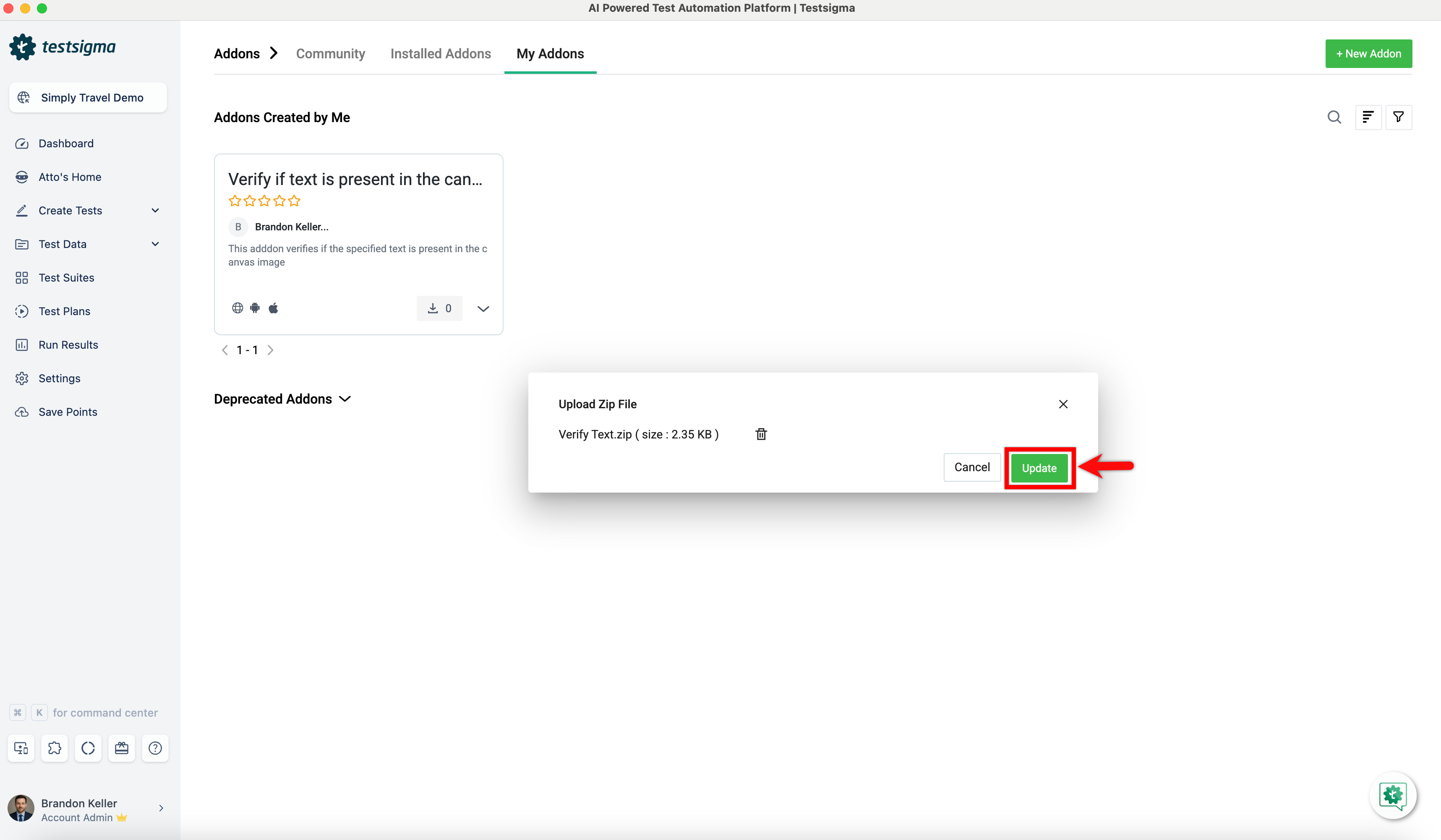
- In Upload Zip File Overlay, Browse and select the zipped file, then click Update.
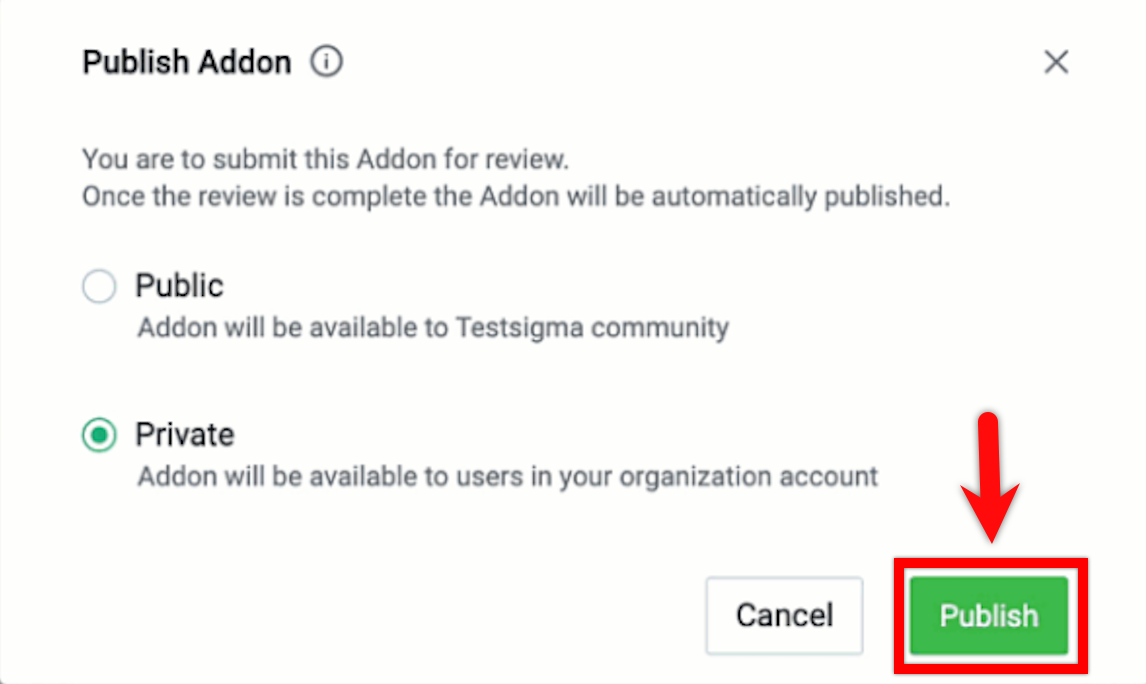
- After uploading the code, click on Publish from the dropdown menu. Then, choose your publish options:
- Public: Make the addon available to the entire Testsigma community.
- Private: Restrict availability to users within your organization.
- An automatic security check will be done. If it passes, the addon will be published. If it fails, you will get an email notification.