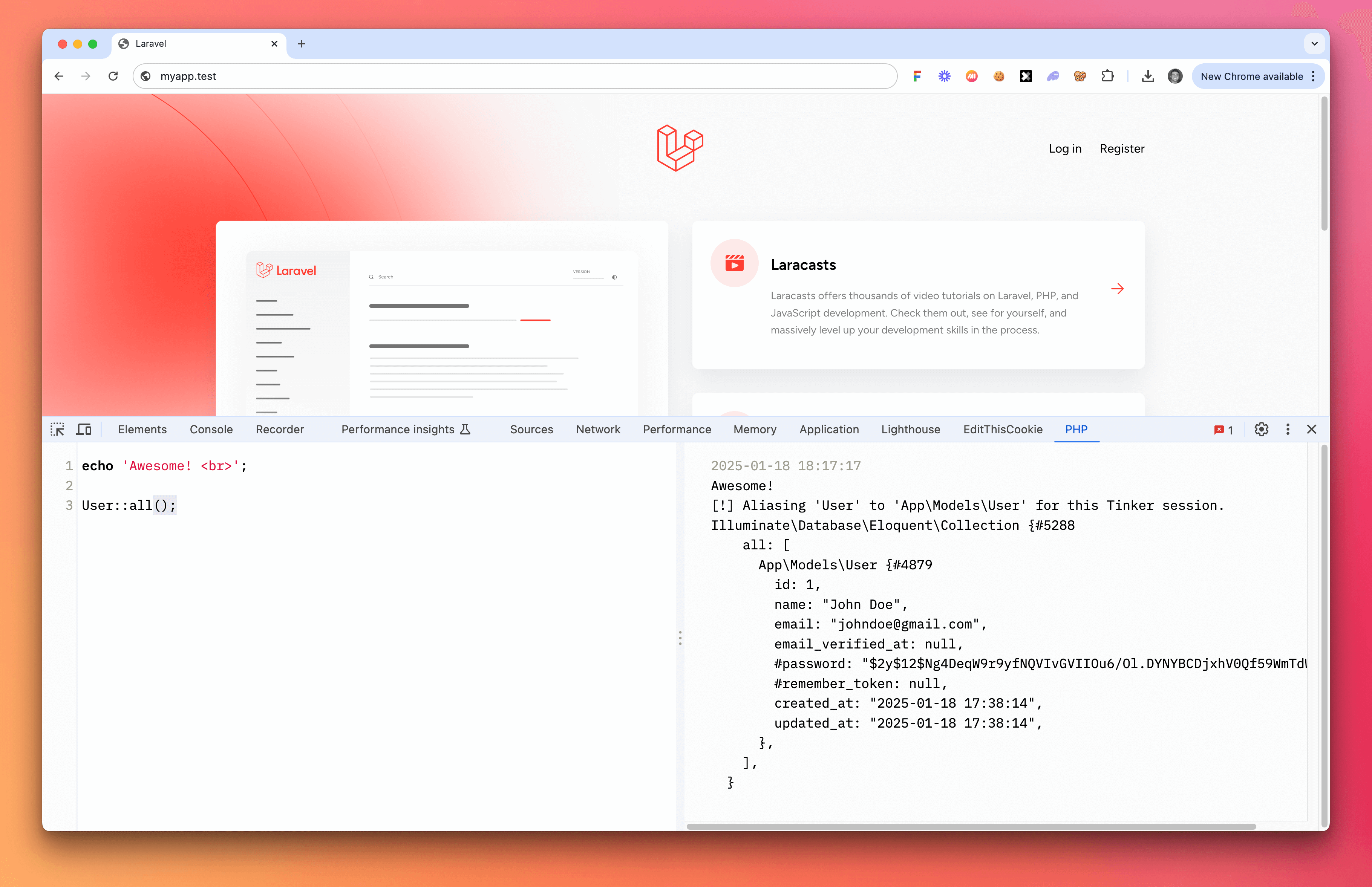
A simple Chrome extension to iframe a PHP console. This package utilizes Spaties Laravel Web Tinker package, and iframes it in the devtools panel, making it accessible from anywhere in the panel.
- Download and unzip this project.
- Navigate to
chrome://extensions/in your browser. - Enable "Developer mode" in the top right corner (if not already enabled).
- Click "Load unpacked" and select the
php-extfolder.
In your Laravel project:
-
Install the Spatie Laravel Web Tinker package:
composer require spatie/laravel-web-tinker
-
Publish the Web Tinker assets:
php artisan vendor:publish --provider="Spatie\WebTinker\WebTinkerServiceProvider" --tag="web-tinker-assets"
-
Compile the assets (if using Laravel Mix):
npm install && npm run dev
If you encounter an error like Mix manifest not found at: /path/to/public/vendor/web-tinker/mix-manifest.json, make sure you've completed steps 2 and 3 of the Laravel package installation.
Now, you'll see a PHP tab in the console. Click on this to open PHP console and run your Laravel/PHP code.