Since release 3.0.0, RefactoringMiner requires Java 17 or newer and Gradle 7.4 or newer.
In order to build the project, run ./gradlew jar (or gradlew jar, in Windows) in the project's root directory.
Alternatively, you can generate a complete distribution zip including all runtime dependencies running ./gradlew distZip.
You can also work with the project with Eclipse IDE. First, run ./gradlew eclipse to generate Eclipse project metadata files. Then, import it into Eclipse using the Import Existing Project feature.
As of release 3.0, all RefactoringMiner tests have been migrated to JUnit 5 and do not require any more to clone repositories.
Moreover, all unit tests can be executed in parallel. The more CPU cores, the faster the test suites will execute.
You can run gradle test to execute all tests.
The available test suites are:
- src/test/java/org/refactoringminer/test/TestAllRefactorings : Tests the overall precision and recall of RefactoringMiner on the Refactoring Oracle (547 commits)
- src/test/java/org/refactoringminer/test/TestAllRefactoringsByCommit : Tests the number of True Positives, False Positives and False Negatives, separately for each commit of the Refactoring Oracle (547 commits)
- src/test/java/org/refactoringminer/test/TestStatementMappings: Tests the statement mapping accuracy of RefactoringMiner (142 commits)
- src/test/java/org/refactoringminer/test/TestJavadocDiff: Tests the comment and Javadoc mapping accuracy of RefactoringMiner
- src/test/java/org/refactoringminer/test/TestCommandLine: Tests the command-line functionality of RefactoringMiner
- src/test/java/org/refactoringminer/test/TestParameterizeTestRefactoring: Tests the Parameterize Test Refactoring detection
- src/test/java/org/refactoringminer/astDiff/tests/Defects4JPerfectDiffTest: Tests the AST node mapping accuracy of RefactoringMiner on the Defects4J dataset
- src/test/java/org/refactoringminer/astDiff/tests/RefactoringOraclePerfectDiffTest: Tests the AST node mapping accuracy of RefactoringMiner on the Refactoring Oracle dataset
- src/test/java/org/refactoringminer/astDiff/tests/SpecificCasesTest: Tests the AST node mapping accuracy of RefactoringMiner on some specific cases

Since version 2.0, RefactoringMiner is available in the Maven Central Repository. In order to use RefactoringMiner as a maven dependency in your project, add the following snippet to your project's build configuration file:
pom.xml
<dependency>
  <groupId>com.github.tsantalis</groupId>
  <artifactId>refactoring-miner</artifactId>
  <version>3.1.2</version>
</dependency>
build.gradle
implementation 'com.github.tsantalis:refactoring-miner:3.1.2'

Since version 3.0, RefactoringMiner is available in DockerHub. A new image is created automatically on every Monday midnight. You can find detailed instructions on how to install and use the image at Docker README.

If you want to get refactoring information when inspecting a commit on GitHub, you can install our Refactoring Aware Commit Review Chrome extension.
The Chrome extension can detect refactorings for public projects and commits matching the following URL patterns:
https://github.com/user/project/commit/idhttps://github.com/user/project/pull/id/commits/id
When you build a distributable application with ./gradlew distZip, you can run Refactoring Miner as a command line application. Extract the file under build/distribution/RefactoringMiner-version.zip in the desired location, and cd into the bin folder (or include it in your path). Then, run RefactoringMiner -h to show its usage:
> ./RefactoringMiner -h

-h											Show options
-a <git-repo-folder> <branch> -json <path-to-json-file>					Detect all refactorings at <branch> for <git-repo-folder>. If <branch> is not specified, commits from all branches are analyzed.
-bc <git-repo-folder> <start-commit-sha1> <end-commit-sha1> -json <path-to-json-file>	Detect refactorings between <start-commit-sha1> and <end-commit-sha1> for project <git-repo-folder>
-bt <git-repo-folder> <start-tag> <end-tag> -json <path-to-json-file>			Detect refactorings between <start-tag> and <end-tag> for project <git-repo-folder>
-c <git-repo-folder> <commit-sha1> -json <path-to-json-file>				Detect refactorings at specified commit <commit-sha1> for project <git-repo-folder>
-gc <git-URL> <commit-sha1> <timeout> -json <path-to-json-file>				Detect refactorings at specified commit <commit-sha1> for project <git-URL> within the given <timeout> in seconds. All required information is obtained directly from GitHub using the OAuth token in github-oauth.properties
-gp <git-URL> <pull-request> <timeout> -json <path-to-json-file>			Detect refactorings at specified pull request <pull-request> for project <git-URL> within the given <timeout> in seconds for each commit in the pull request. All required information is obtained directly from GitHub using the OAuth token in github-oauth.properties
With a locally cloned repository, run:
> git clone https://github.com/danilofes/refactoring-toy-example.git refactoring-toy-example
> ./RefactoringMiner -c refactoring-toy-example 36287f7c3b09eff78395267a3ac0d7da067863fd
If you don't want to clone locally the repository, run:
> ./RefactoringMiner -gc https://github.com/danilofes/refactoring-toy-example.git 36287f7c3b09eff78395267a3ac0d7da067863fd 10
For all options you can add the -json <path-to-json-file> command arguments to save the JSON output in a file. The results are appended to the file after each processed commit.
For the -gc and -gp options you must provide a valid OAuth token in the github-oauth.properties file stored in the bin folder.
You can generate an OAuth token in GitHub Settings -> Developer settings -> Personal access tokens.
In both cases, you will get the output in JSON format:
{
  "commits": [{
    "repository": "https://github.com/danilofes/refactoring-toy-example.git",
    "sha1": "36287f7c3b09eff78395267a3ac0d7da067863fd",
    "url": "https://github.com/danilofes/refactoring-toy-example/commit/36287f7c3b09eff78395267a3ac0d7da067863fd",
    "refactorings": [{
        "type": "Pull Up Attribute",
        "description": "Pull Up Attribute private age : int from class org.animals.Labrador to class org.animals.Dog",
        "leftSideLocations": [{
          "filePath": "src/org/animals/Labrador.java",
          "startLine": 5,
          "endLine": 5,
          "startColumn": 14,
          "endColumn": 21,
          "codeElementType": "FIELD_DECLARATION",
          "description": "original attribute declaration",
          "codeElement": "age : int"
        }],
        "rightSideLocations": [{
          "filePath": "src/org/animals/Dog.java",
          "startLine": 5,
          "endLine": 5,
          "startColumn": 14,
          "endColumn": 21,
          "codeElementType": "FIELD_DECLARATION",
          "description": "pulled up attribute declaration",
          "codeElement": "age : int"
        }]
      },
      {
        "type": "Pull Up Attribute",
        "description": "Pull Up Attribute private age : int from class org.animals.Poodle to class org.animals.Dog",
        "leftSideLocations": [{
          "filePath": "src/org/animals/Poodle.java",
          "startLine": 5,
          "endLine": 5,
          "startColumn": 14,
          "endColumn": 21,
          "codeElementType": "FIELD_DECLARATION",
          "description": "original attribute declaration",
          "codeElement": "age : int"
        }],
        "rightSideLocations": [{
          "filePath": "src/org/animals/Dog.java",
          "startLine": 5,
          "endLine": 5,
          "startColumn": 14,
          "endColumn": 21,
          "codeElementType": "FIELD_DECLARATION",
          "description": "pulled up attribute declaration",
          "codeElement": "age : int"
        }]
      },
      {
        "type": "Pull Up Method",
        "description": "Pull Up Method public getAge() : int from class org.animals.Labrador to public getAge() : int from class org.animals.Dog",
        "leftSideLocations": [{
          "filePath": "src/org/animals/Labrador.java",
          "startLine": 7,
          "endLine": 9,
          "startColumn": 2,
          "endColumn": 3,
          "codeElementType": "METHOD_DECLARATION",
          "description": "original method declaration",
          "codeElement": "public getAge() : int"
        }],
        "rightSideLocations": [{
          "filePath": "src/org/animals/Dog.java",
          "startLine": 7,
          "endLine": 9,
          "startColumn": 2,
          "endColumn": 3,
          "codeElementType": "METHOD_DECLARATION",
          "description": "pulled up method declaration",
          "codeElement": "public getAge() : int"
        }]
      },
      {
        "type": "Pull Up Method",
        "description": "Pull Up Method public getAge() : int from class org.animals.Poodle to public getAge() : int from class org.animals.Dog",
        "leftSideLocations": [{
          "filePath": "src/org/animals/Poodle.java",
          "startLine": 7,
          "endLine": 9,
          "startColumn": 2,
          "endColumn": 3,
          "codeElementType": "METHOD_DECLARATION",
          "description": "original method declaration",
          "codeElement": "public getAge() : int"
        }],
        "rightSideLocations": [{
          "filePath": "src/org/animals/Dog.java",
          "startLine": 7,
          "endLine": 9,
          "startColumn": 2,
          "endColumn": 3,
          "codeElementType": "METHOD_DECLARATION",
          "description": "pulled up method declaration",
          "codeElement": "public getAge() : int"
        }]
      }
    ]
  }]
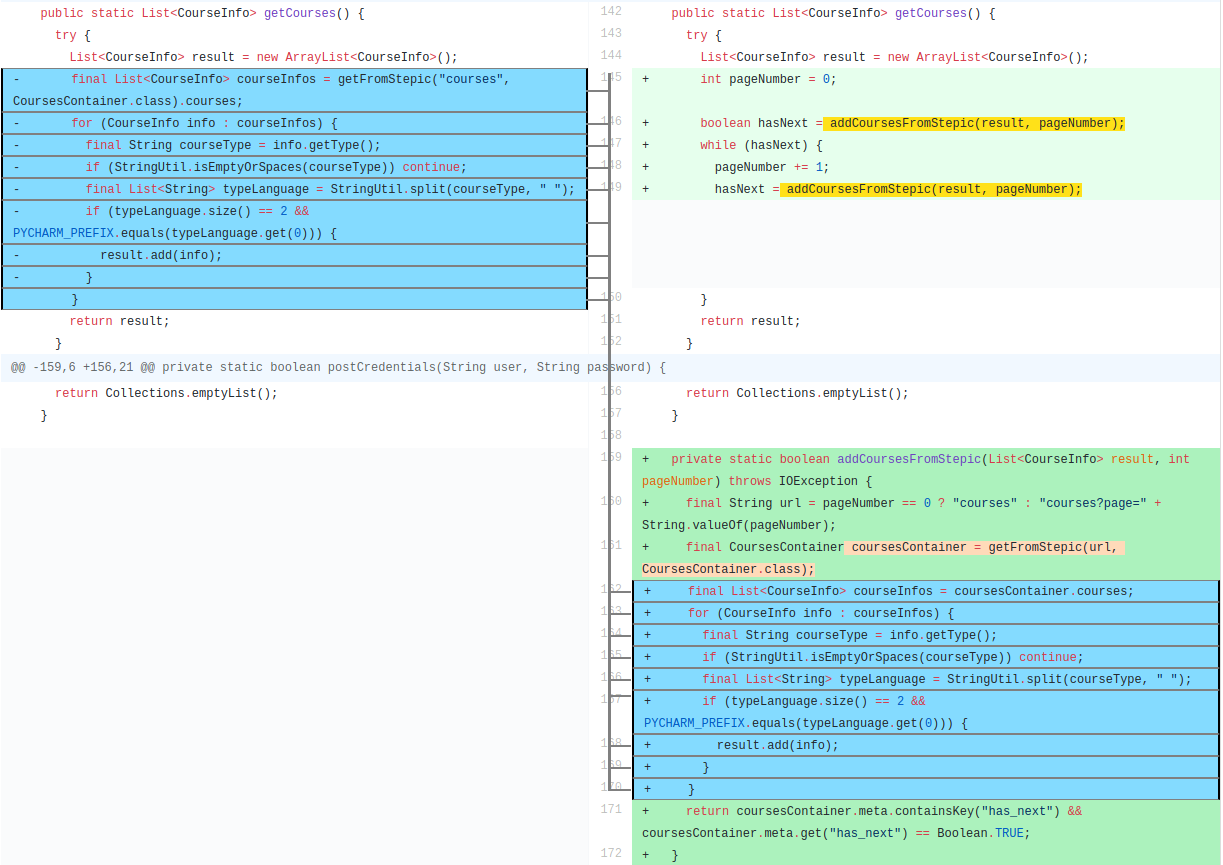
}When you build a distributable application with ./gradlew distZip, you can run Refactoring Miner as a command line application. Extract the file under build/distribution/RefactoringMiner-version.zip in the desired location, and cd into the bin folder (or include it in your path). Then, run RefactoringMiner diff -h to show its usage:
> ./RefactoringMiner diff -h

--url <commit-url> 				Run the diff with a GitHub commit url
--url <pr-url> 					Run the diff with a GitHub PullRequest url
--src <folder1> --dst <folder2> 		Run the diff with two local directories
--repo <repo-folder-path> --commit <commitID>	Run the diff with a locally cloned GitHub repository
Each command creates a jetty server instance to visualize the AST diff in your web browser http://127.0.0.1:6789
To export the mappings/actions, add --export to the end of the command. The files are saved by default in the RefactoringMiner bin directory.
To exclude diffs including only comment formatting changes, add --ignore-formatting to the end of the command.
For example, to visualize the diff of a GitHub Pull Request, run
> ./RefactoringMiner diff --url https://github.com/JabRef/jabref/pull/11180
To visualize the diff of a GitHub commit, run
> ./RefactoringMiner diff --url https://github.com/JetBrains/intellij-community/commit/7ed3f273ab0caf0337c22f0b721d51829bb0c877
For the --url option you must provide a valid OAuth token in the github-oauth.properties file stored in the bin folder.
You can generate an OAuth token in GitHub Settings -> Developer settings -> Personal access tokens.