Class Schedule: Filter toggle, when toggled height is cut in half #90


Description

On a page with the Class Schedule block, when I view the page and click on Filter (far right), the Filter options display but the Filter toggle height is cut in half. (This is before Applying the Filter).
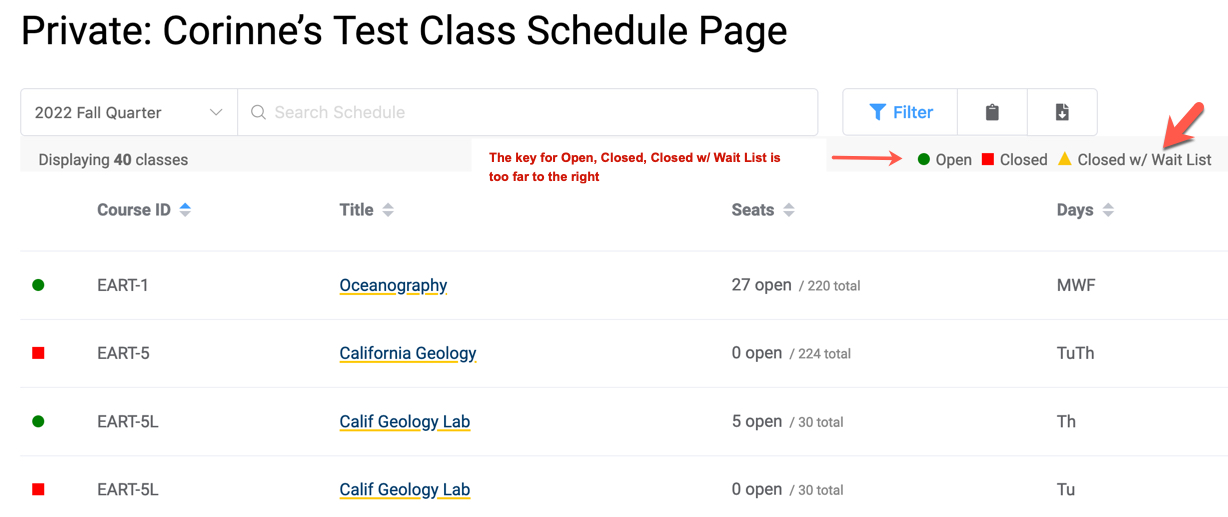
Before Toggling Filter Option (Filter, Copy URL, Download CSV) showing (correct). Below is Open, Closed, Closed w/ Waitlist (notice the position of the options Open, Closed, Closed w/ Waitlist is too far to the right as compared with WCMS).
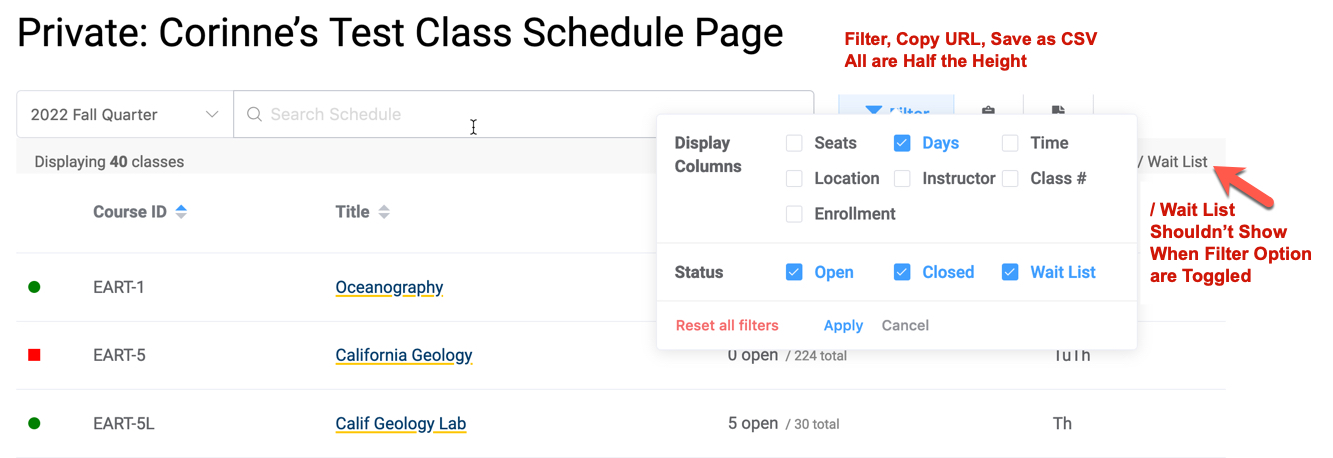
After Toggling Filter Option (Filter, Copy URL, Save as CSV height cut in half). Also / Wait List is showing (it is to the right) The / Wait List is from the "Closed w/ Wait List"
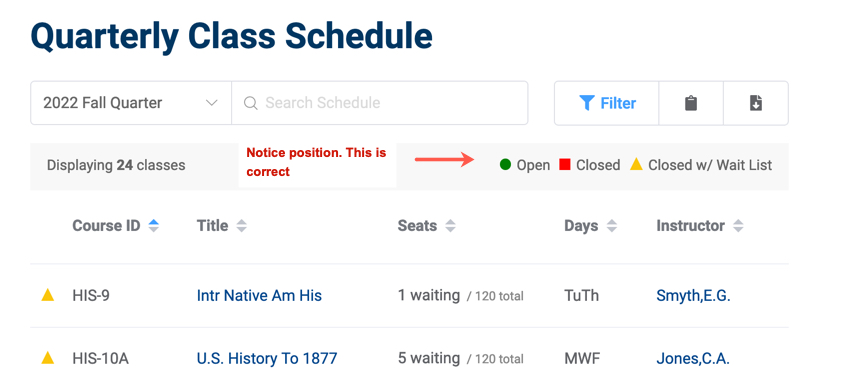
WCMS Before Filter Toggle:
WCMS After Filter Toggle:
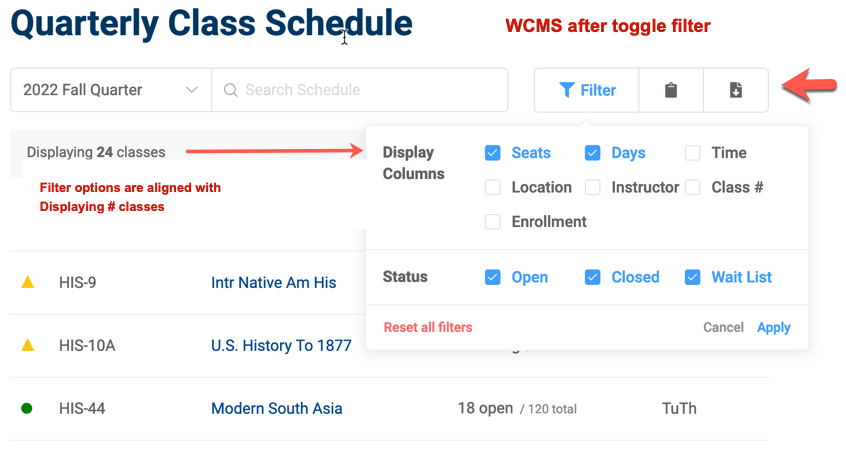
The filter options in WCMS are moved lower than they are in WordPress. The "Display Columns" text is aligned with the "Displaying # classes:" text (at left).