[Grid] setItems should accept filterable data providers #3842

Description

Description
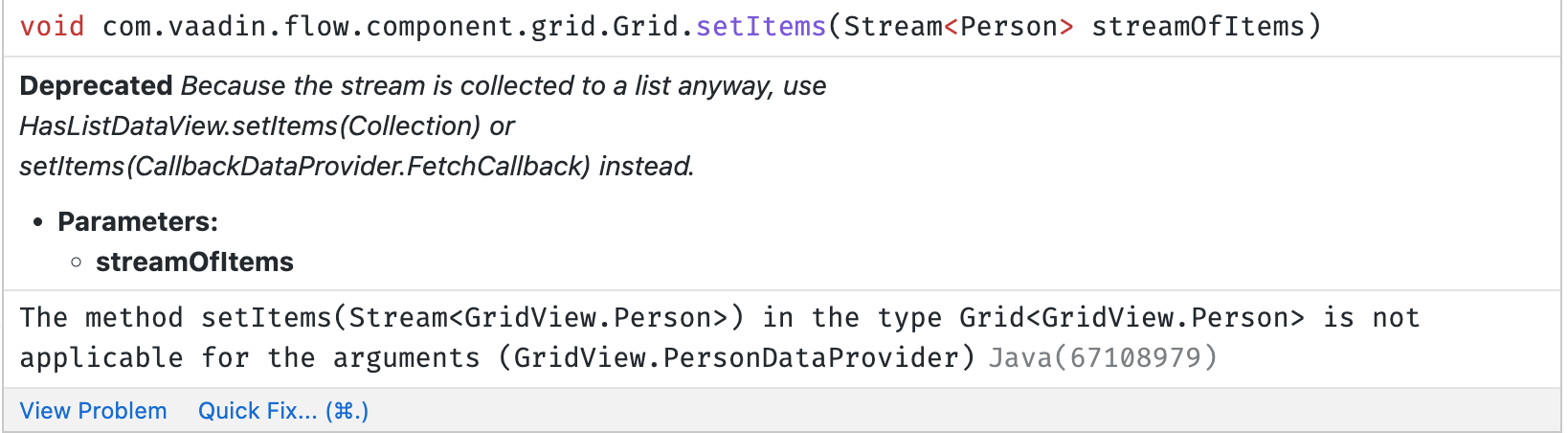
The setItems method doesn't accept filterable data providers unlike the deprecated setDataProvider method, so it becomes not possible to migrate from the deprecated method in some cases unless you use getDataCommunicator().setDataProvider directly.
A good illustration is the Bakery app where we have a grid on the storefront page that is initialized with OrdersGridDataProvider which implements FilterablePageableDataProvider. From the UX perspective, it is the case when there is an external field (e.g search bar) for filtering the grid.
Expected outcome
The setItems method should accept filterable data providers.
Minimal reproducible example
@Route(value = "grid")
public class GridView extends Div {
    public GridView() {
        Grid<Person> grid = new Grid<Person>();
        PersonDataProvider dataProvider = new PersonDataProvider();
        grid.setItems(dataProvider);
        add(grid);
    }

    public class PersonDataProvider
            extends AbstractBackEndDataProvider<Person, String> {

        final List<Person> DATABASE = Arrays.asList(new Person("Anna"),
                new Person("John"), new Person("Michael"));

        @Override
        protected Stream<Person> fetchFromBackEnd(Query<Person, String> query) {
            int offset = query.getOffset();
            int limit = query.getLimit();
            String filter = query.getFilter().orElse("");

            return DATABASE.stream()
                    .filter(person -> person.getName().contains(filter))
                    .skip(offset).limit(limit);
        }

        @Override
        protected int sizeInBackEnd(Query<Person, String> query) {
            return (int) fetchFromBackEnd(query).count();
        }
    }

    public class Person {
        private String name;

        public Person(String name) {
            this.name = name;
        }

        public String getName() {
            return name;
        }

        public void setName(String name) {
            this.name = name;
        }
    }
}
Add the above page to a starter project and you will get the following error:
Environment
Vaadin version(s): 24
OS: MacOS
Browsers
No response