Using codes to connect points automatic
Most instruments allow to add codes to observed points (any alphanumeric data). You can use those codes to generate lines in the graphic window and DXF output.It is usually called linework in land surveying.
There are two modes of linework in GeoEasy simple and multiline mode. User can set up code patterns in geo_easy.msk using four variables: regLine, regLineStart, regLineCont, regLineEnd.
In simple line mode you can generate line one after the other, e.g. before you start a new line, you have to finish the previous one.
In multiline mode you can run more line parallel, e.g. you can start new lines before closing the previous ones.
Besides coordinates the observations have to be stored on the instrument. Lines are draw in the order of observations.
Multilinework uses regLineStart, regLineCont and regLineEnd variables. These work as a regular expressions. The default values for these are (see geo_easy.msk):
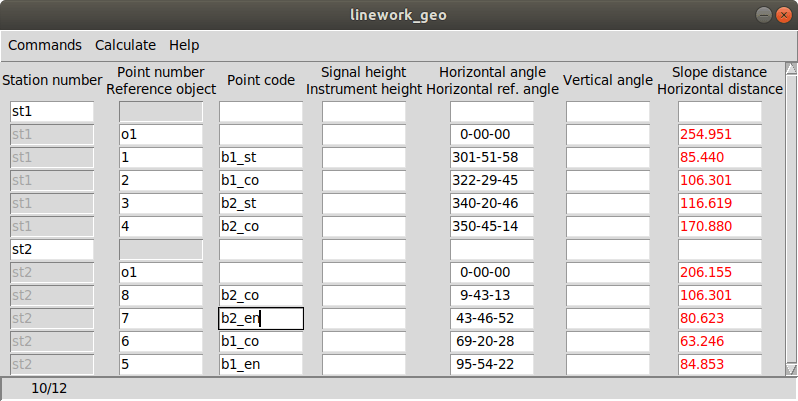
regLineStart "_st$" - that means code ends with "_st", when a code match to this regexp it is considered start of line regLineCont "_co$" - that means code ends with "_co", next point on line where first part of the code is the same regLineEnd "_en$" - that means code ends with "_en", end point of line where first part of the code is the same
The corners of two building were measured:
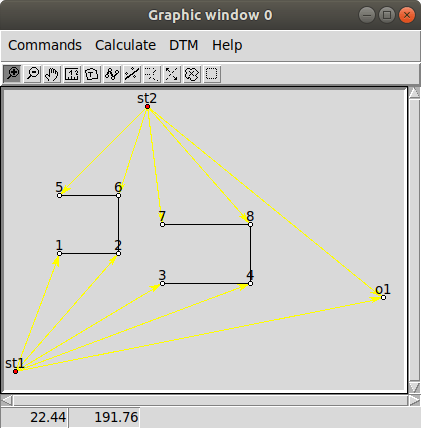
The graphic window when line are turn on (Comands/Lines from the menu) https://raw.githubusercontent.com/zsiki/GeoEasy/master/doc/wiki_images/multilinework2.png
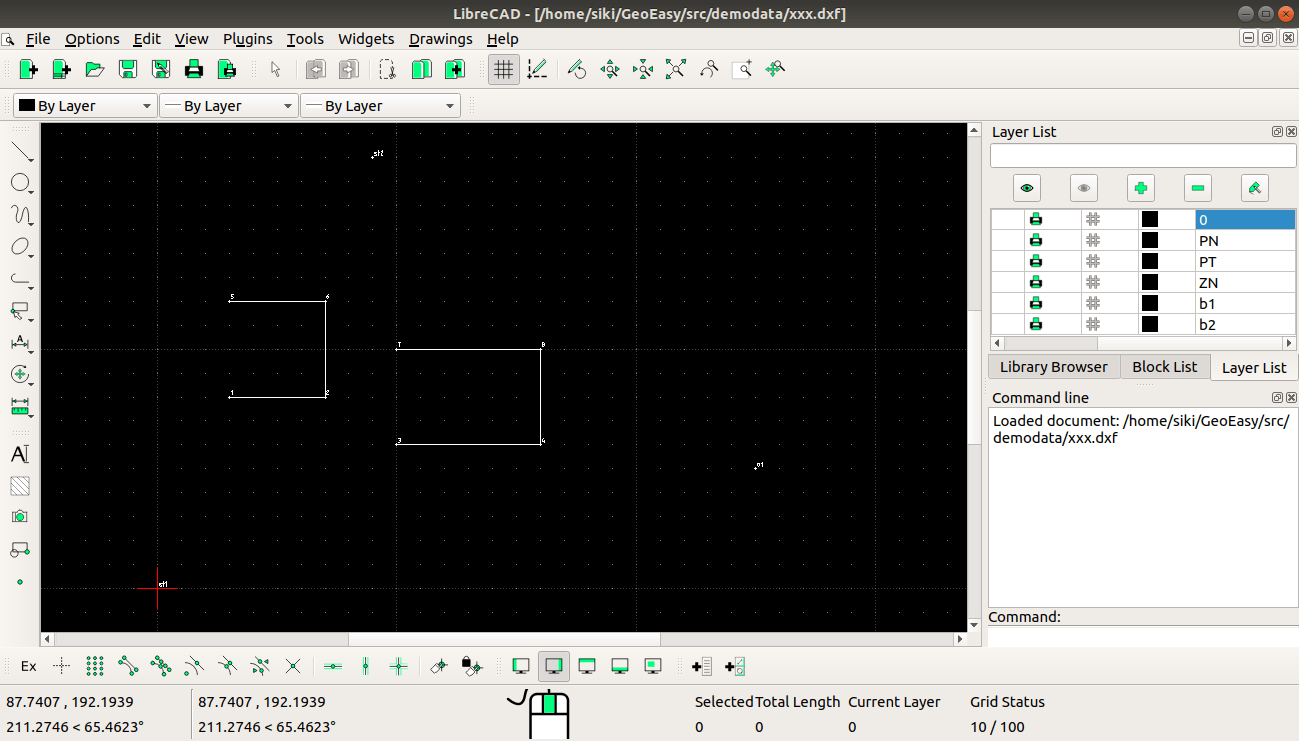
The exported DXF file in LibreCAD https://raw.githubusercontent.com/zsiki/GeoEasy/master/doc/wiki_images/multilinework3.png