



This example shows how to generate background images (thumbnails) for tiles in a TileView and load them asynchronously.
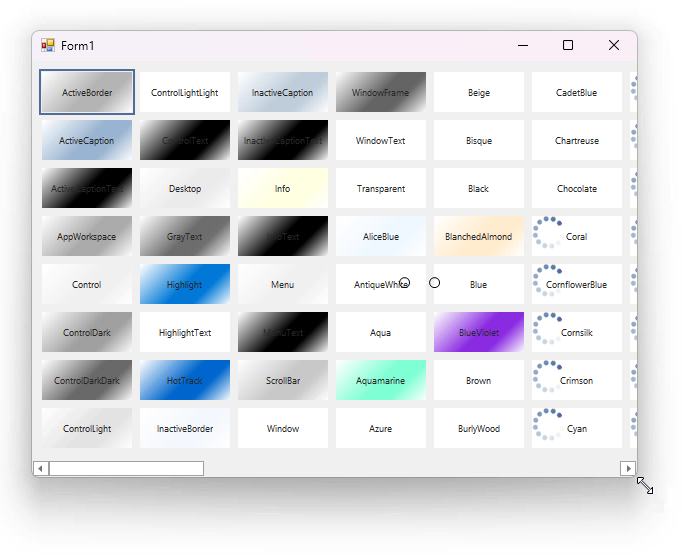
In this example:
The TileView is bound to a list that contains texture names. We created custom background thumbnails for all tiles based on corresponding texture names, and display these images asynchronously. The AsyncLoad setting enables async tile loading.
private void Form1_Load(object sender, EventArgs e) {
    InitData();
    gridControl1.DataSource = textures;
    tileView1.OptionsTiles.ItemSize = new Size(90, 40);
    tileView1.GetThumbnailImage += TileView1_GetThumbnailImage;
    // Specifies a column that contains information on tile images.
    tileView1.ColumnSet.BackgroundImageColumn = colName;
    tileView1.OptionsImageLoad.RandomShow = true;
    tileView1.OptionsImageLoad.LoadThumbnailImagesFromDataSource = false;
    // Enables async image load.
    tileView1.OptionsImageLoad.AsyncLoad = true;
}
Thumbnails are generated within the GetThumbnailImage event.
private void TileView1_GetThumbnailImage(object sender, DevExpress.Utils.ThumbnailImageEventArgs e) {
    string colorName = textures[e.DataSourceIndex].Name;
    e.ThumbnailImage = GetImage(e.DesiredThumbnailSize, colorName);
}

(you will be redirected to DevExpress.com to submit your response)