
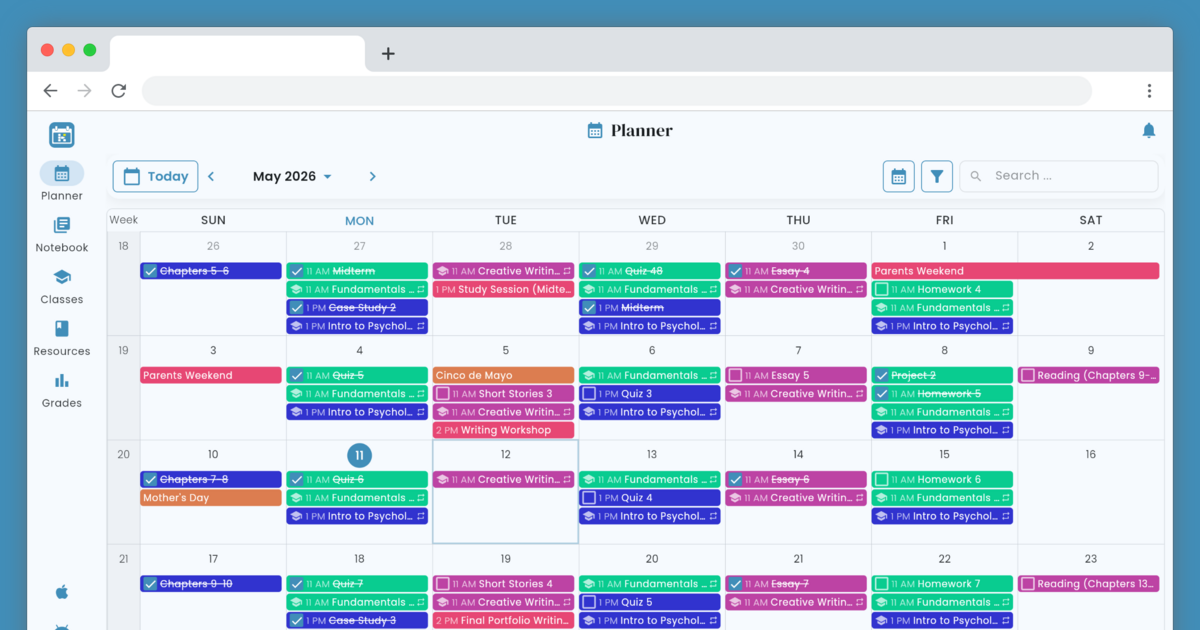
Helium is a free, color-coded online student planner for classes, homework, grades, and notes — the academic calendar built for the way you actually study.





The frontend for Helium - Student Planner, including mobile and web deployments.
- Dart & Flutter
- Android or iOS Emulator
- ChromeDriver (for Integration Tests)
To build a development versions of the app for Android and iOS, execute:
make build-android
make build-ios
Tun run a development version of the app for web, executing:
make run-devserverBefore commits are made, be sure to also run tests.
make test
make test-integration
When running a local web version of the project but hitting prod APIs, CORS will need to be disabled
by passing a flag like --web-browser-flag=--disable-web-security to Flutter so it starts the browser with this
disabled.
The backend platform API is served from a separate repository and can be found here.
If platform has been provisioned and is running locally, and you would like to run the frontend against the local
backend instead of production, run with --dart-define PROJECT_API_HOST=http://localhost:8000, or use PROJECT_API_HOST=http://localhost:8000 make run-devserver.
Note that to reach localhost from within an Android emulator, use 10.0.2.2 instead.
The web app can be built and served locally in Docker as a static SPA on port --web-port=8080.
makeThe Docker image serves the built Flutter web assets on http://localhost:8080.
