TAB2MUSIC is a tool designed to convert musical tablature into XML and sheet music with the ability to play the piece of musical tablature. TAB2MUSIC is a java-based application that is actively supported, with more features being added every week.
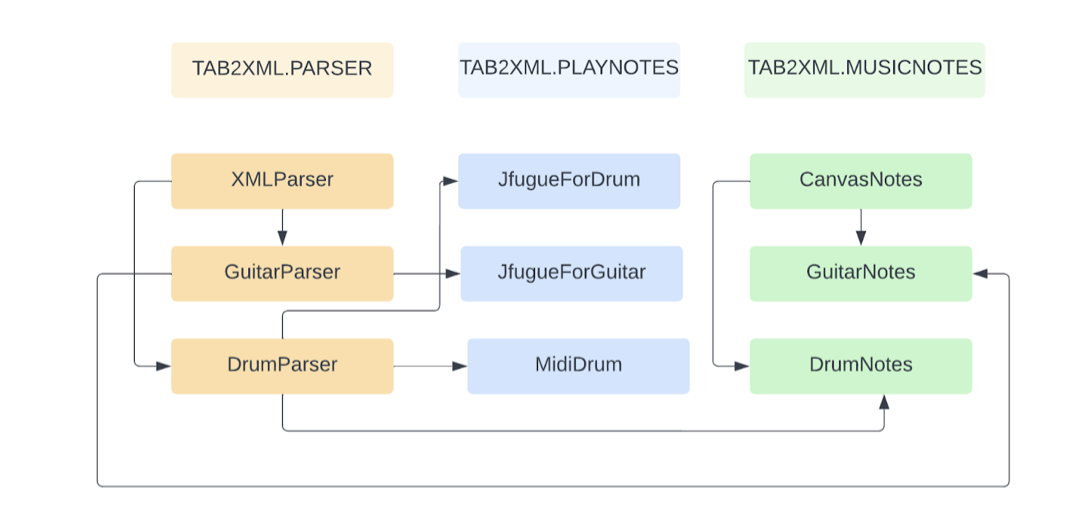
The diagram represents our project's structure. It shows all the major classes, along with their respective packages, that we implemented and how they interact with each other.
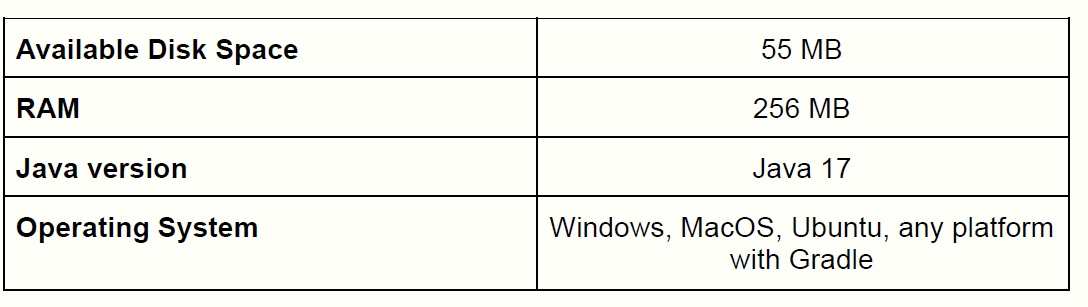
Firstly, make sure you have the latest version of Eclipse installed on your computer and you are working with JDK 17.0.2.
To import the project go to file -> Import -> Git -> projects from Git -> Clone URI, enter the URL for Repository to import the project.
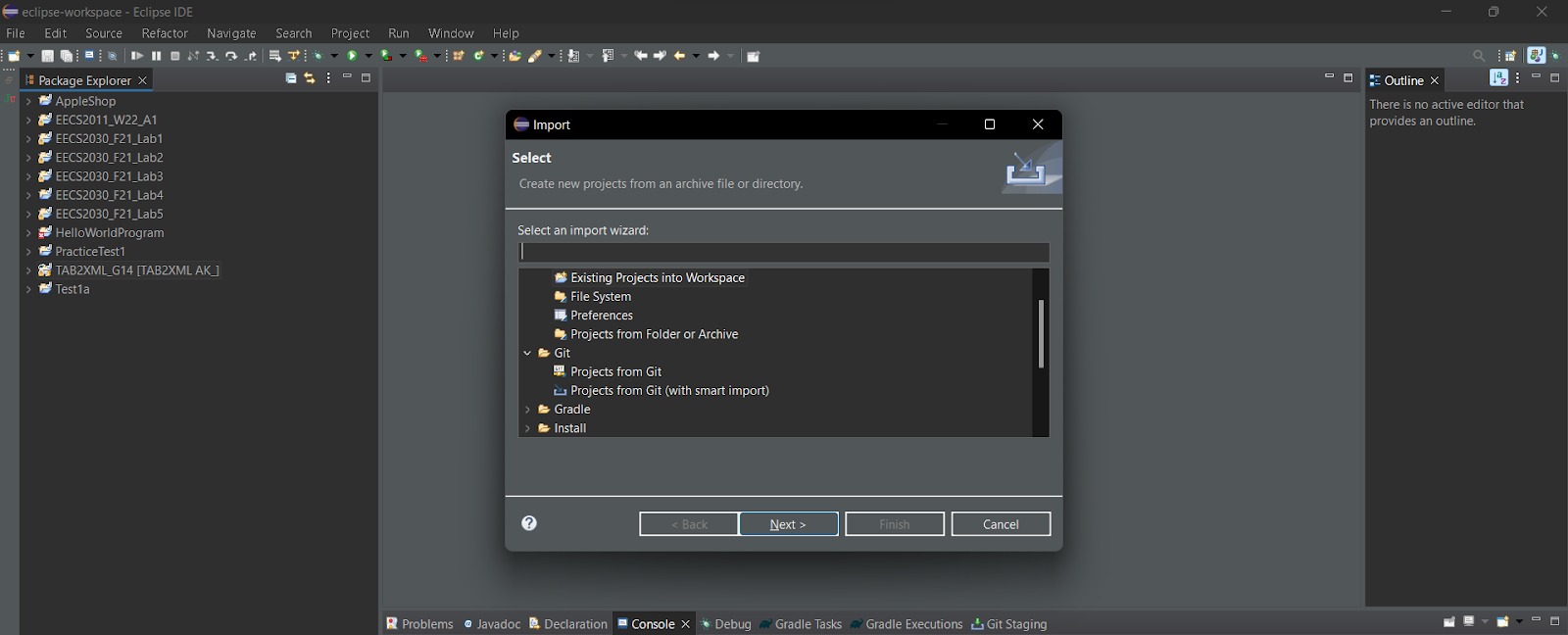
Make sure Gradle is installed and your version is atleast 7.3.3.
For step by step instructions on how how import the project, on github go to project documents -> user manual.
Make sure to run the project throught Gradle. Go to Gradle Tasks -> TAB2XML_G14 -> Application -> run.

A new window should pop up, enter the tabs you want to visualize or play. Click on the preview sheet music to visualise the notes and then the play button to play them.
For Step by Step instructions on how to run the project, on Git hub go to Project documents -> user manual.
This work is licensed under a Creative Commons Attribution-ShareAlike 4.0 International License.
