Get your chromedriver based on your operating system. Here
An automated class enroller for Arizona State University. Build with selenium (python) Python.

Key Features • How To Use • Download • Credits • Related • License
- Cross-compatible (Mac, Unix, Windows)
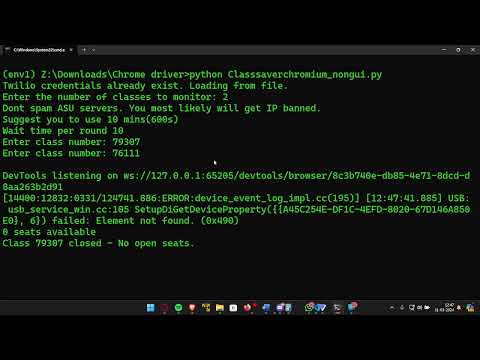
- Scrape Data from classsearch.asu.edu.
- Checks Availability of classes -> saves the class as open and if Twilio is uncommented out sends a call to desired number
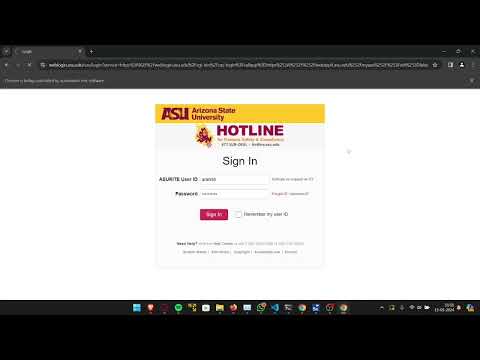
- Duo Push (Passcode) - Will need a new OTP every re-run. To Bypass this you will have to turn off 2fa. (Or Look into Session Cache Stuff)
- Autologins to your asu and enrolls you into the class.
- If you wanna use it for Linux/Mac Autologin script is in /autologin/autoopener.py change the executable from .... .exe to python autologin//autoopener.py
- Visit AutoLogin for more documentation
To clone and run this application, you'll need Git and Python installed on your computer. From your command line:
# Clone this repository
$ git clone https://github.com/Abhinav-ranish/ASU-ClassEnroller

# Go into the repository
$ cd ASU-ClassEnroller

## In Mac OS & Unix

# Set up a virtual environment
$ python3 -m venv env

$ source env/bin/activate

## In Windows

# Set up a virtual environment
$ python -m venv env

$ env/Scripts/activate.bat

# Install dependencies
$ pip install selenium requests

# Add your Configs ( Use your preffered text editor )
$ vim main.py

# Run the app
$ python main.py
Note Do not interact with the browser. It can cause to program to fail. All your credentials should be entered in main.py ·
For Enquiries @ presidentofjoy@asu.edu
Download the pre-build installer found in Releases
This software uses the following open-source packages:
Auto Login - Python selenium script for auto-login ASU

MIT
LinkdIn abhinav_ranish · GitHub @abhinav-ranish · Instagram @abhinav.ranish