WebGL Plugin Modification
Here is a diagram showing the Unity Layer to JS Layer architecture, using JoinChannel as an example.
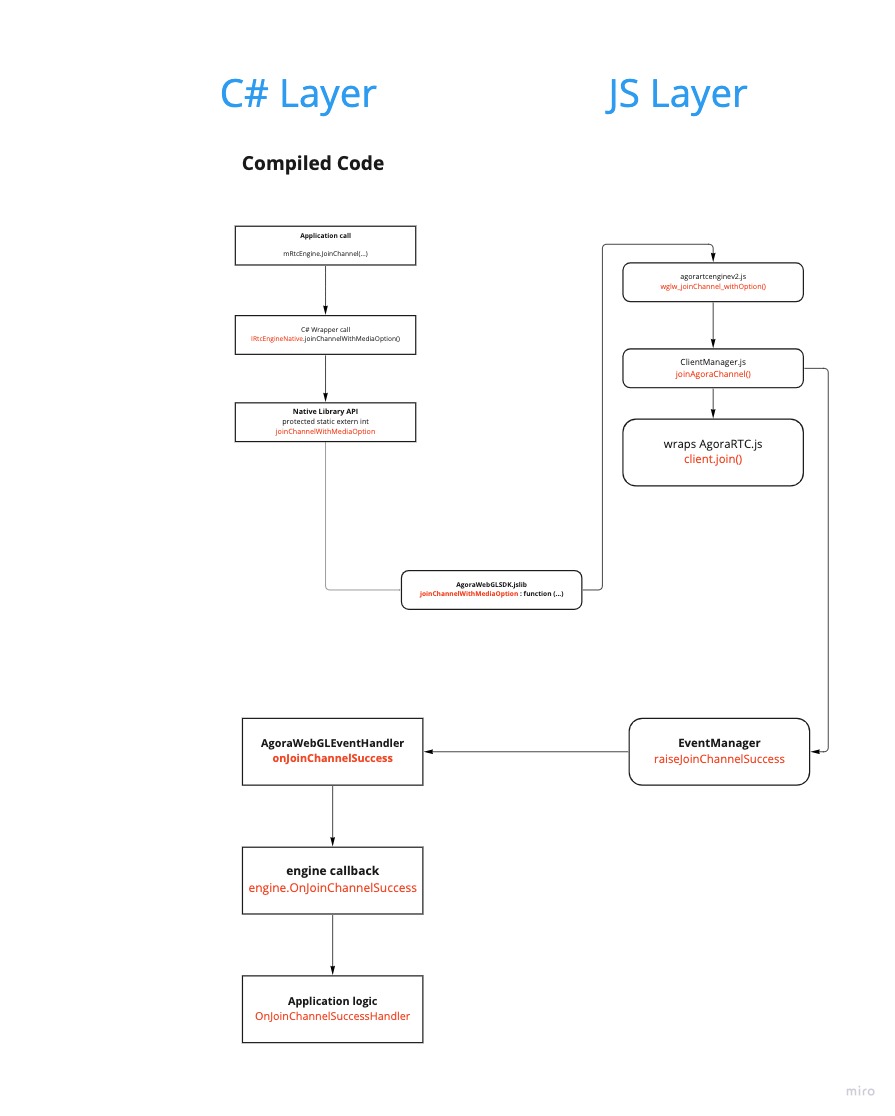
(Or click here to visit the original whiteboard)
In order to add new APIs or fix bugs, you can extend and modify the following components in the WebGL plugin:
The best practice for using browser JavaScript in your project is to add your JavaScript sources to your project, and then call those functions directly from your script code. To do so, place files with JavaScript code using the .jslib extension under a “Plugins” subfolder in your Assets folder. The SDK includes the C# calls to a jslib functions in Plugins/WebGL/AgoraWebGLSDK.jslib.
You can find more information about browser scripting in the official Unity documentation.
The feature wrapper scripts are under Template/AgoraSDK/libs folder:
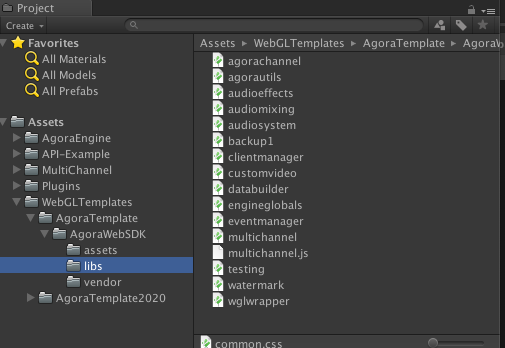
WebGL template is a configuration setting that allows you to control what your HTML page looks like. This enables you to test, demonstrate, and preview your WebGL application in the HTML page.
The AgoraTemplate has been customized from Unity template and it differs because it has to load our javascript SDK and other essentials. You can customize most of the template as long as you keep the SDK source included. Please do not change the following:
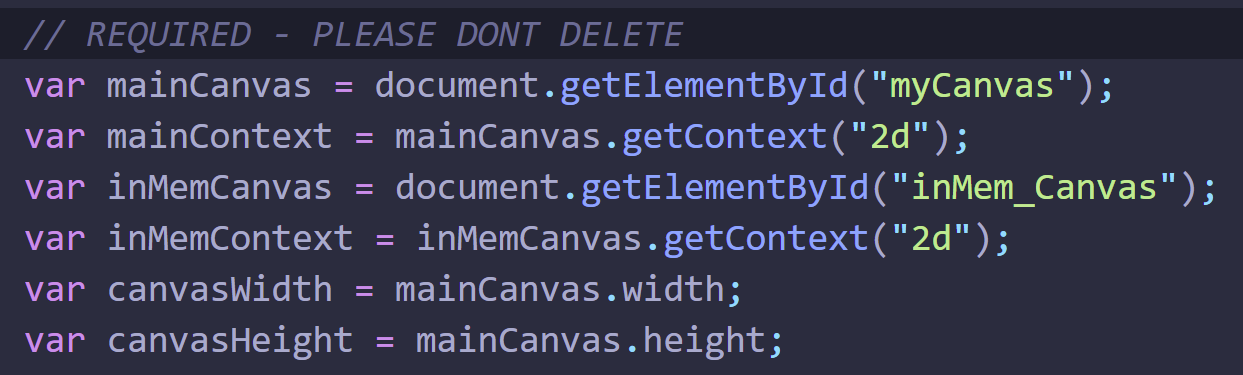
You can find more template information in the official Unity documentation.
Use the SendMessage method to deliver events to the Unity container. AgoraEventHandler catches all the events from Web scripts. Some events such as media device listing receive a lot of data. Hence, there are other helper classes to store this data.