
Steps to run the project:
-
Download and install these 2 beauties : https://www.microsoft.com/en-us/download/details.aspx?id=57467
-
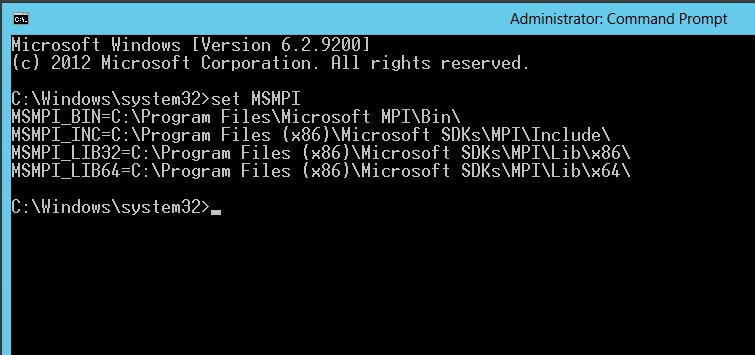
Run "set MSMPI" in cmd
-
Install Visual Studio 2017 (Choose C++ environment)
-
Clone this project
-
Open the project with Visual Studio 2017
-
Right click on "PPC-Project" and click Properties
-
Under Configuration Properties -> C/C++ -> General -> [Additional Include Directories =
$(MSMPI_INC);$ (MSMPI_INC)\x64] -
Under Configuration Properties -> Linker -> General -> [Additional Library Directories = $(MSMPI_LIB64)]
-
Apply & Ok, and you should be able to run the project.