
Here's an expanded description with instructions on how to run the code and the required libraries:
This project is an AI-powered research tool designed to gather, process, and analyze information from online articles. Built with LangChain, Streamlit, and FAISS, it allows users to input article URLs, generate insightful answers, and reference sources for enhanced research capabilities.
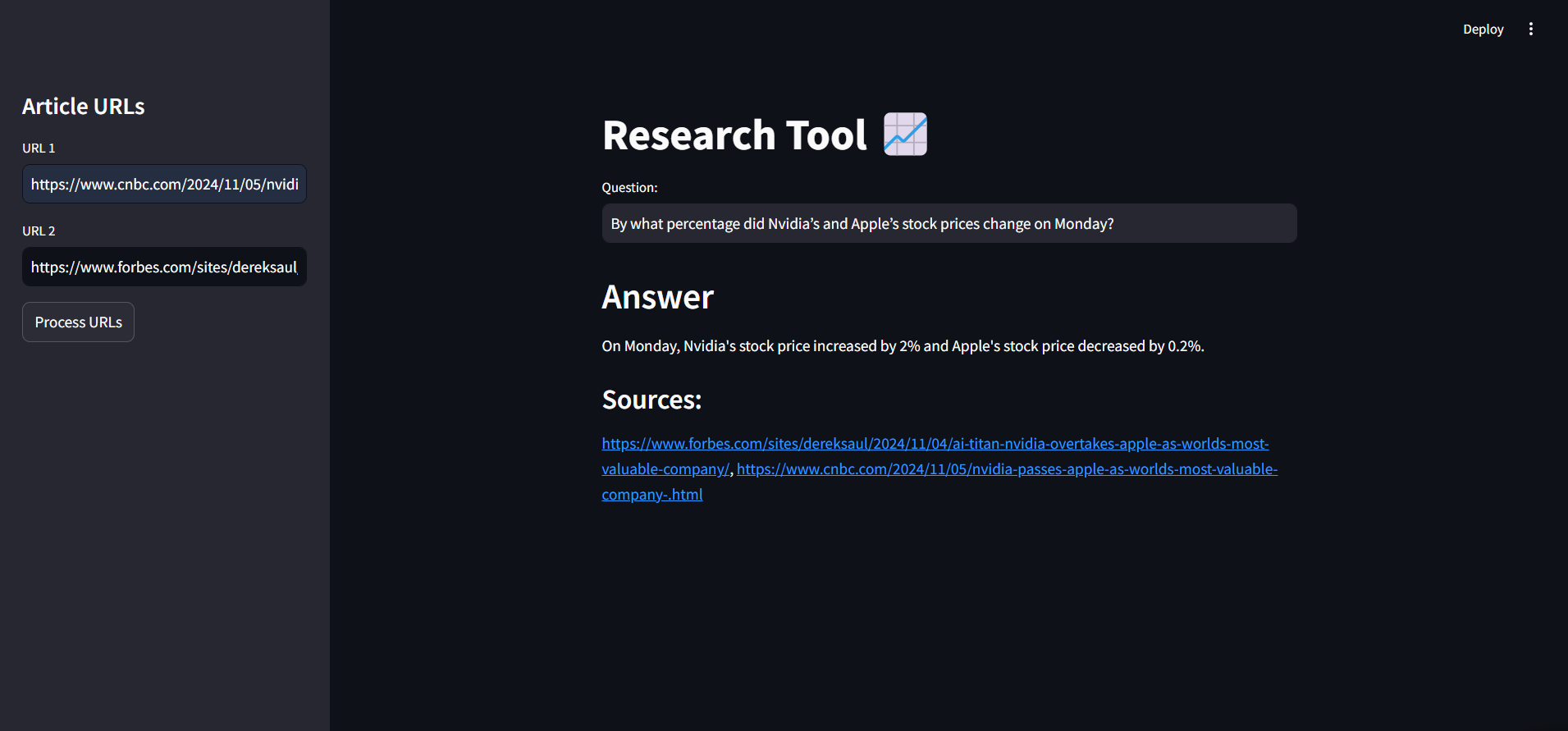
- URL-Based Content Retrieval: Load and process article content directly from URLs.
- Intelligent Text Splitting: Custom chunking to split long articles into manageable sections.
- Embedding and Vector Storage: Generates embeddings using OpenAI, stored in a FAISS index for efficient similarity search.
- Question-Answering with Source Tracking: Answers user questions based on article content with cited sources.
- User-Friendly Interface: Built with Streamlit, featuring a sidebar for URL input and real-time results.
To run this project, ensure you have the following libraries installed:
osstreamlitpickletimelangchainfaissdotenvOpenAI(API access required)
You can install the required libraries using:
pip install streamlit langchain faiss-cpu openai python-dotenv-
Clone the Repository:
git clone <repository-url>
cd <repository-directory>
-
Set Up OpenAI API Key:
- Create a
.envfile in the project root directory. - Add your OpenAI API key:
OPENAI_API_KEY=your_openai_api_key_here
- Create a
-
Run the Streamlit App:
- Start the app with the following command :
streamlit run app.py
- Start the app with the following command :
-
Using the App:
- Enter article URLs in the sidebar, click "Process URLs, " and ask questions about the content. The AI model will respond with answers based on the article data, along with source references.
This tool is perfect for news research, academic study, and general research projects requiring AI-driven insights from web content.
This description now includes setup and run instructions, making it straightforward for users to get started. Let me know if you'd like to add any more details!