OnePlus Flash Control is an Android application designed specifically for OnePlus devices with dual-tone LED flashes, providing precise control over flashlight brightness.
For rooted OnePlus devices, the app leverages root access to directly modify system-level files, enabling full control over individual white and yellow LED brightnesses with advanced features.
For non-rooted devices (Android 13+), the app offers a fallback mode using the CameraManager API with basic flashlight control. While designed for OnePlus, this mode may work on other Android 13+ devices as a bonus feature.

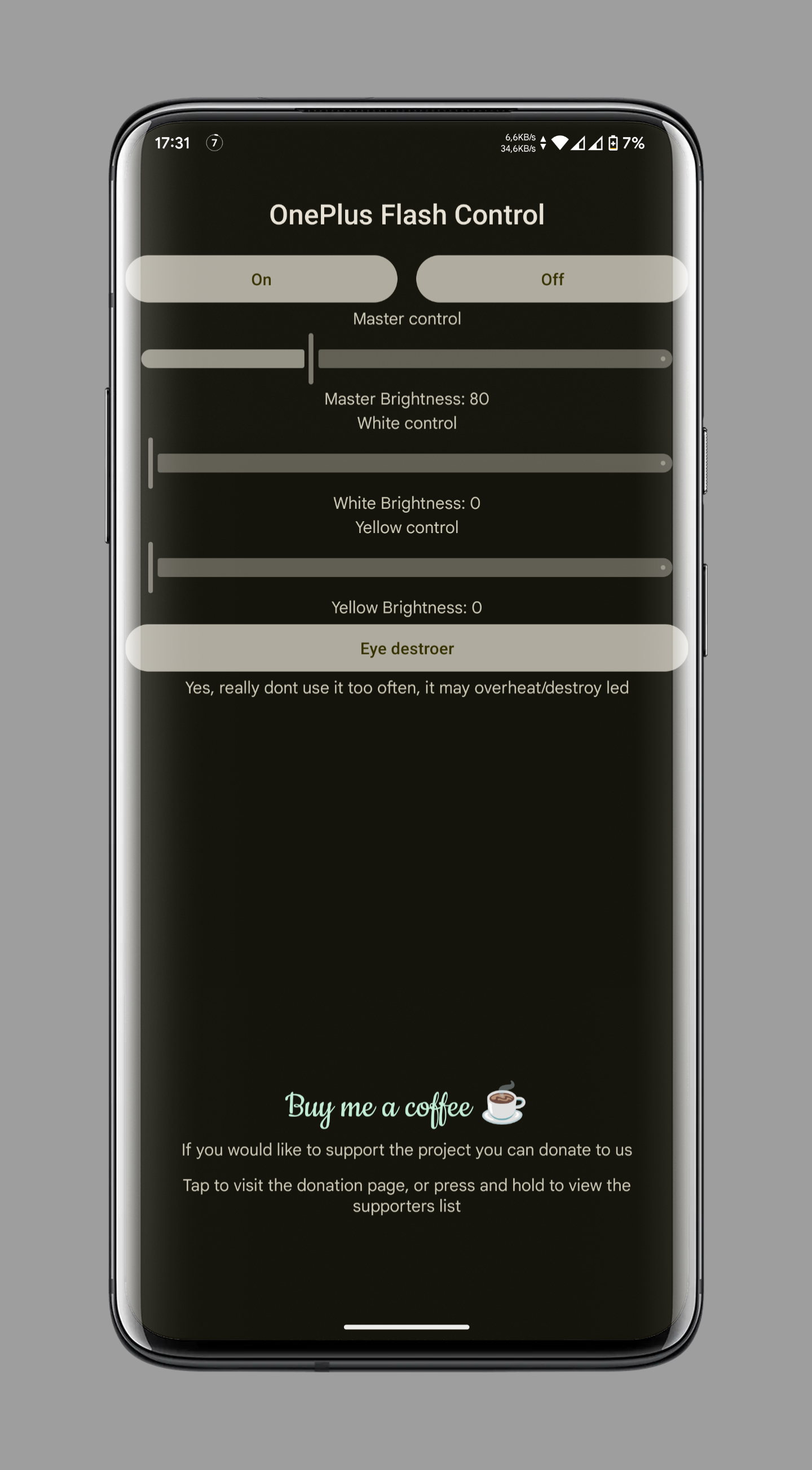
- Master Brightness Control: Adjust overall LED brightness (0-500) with a single slider.
- Individual LED Control: Independently control the brightness of white and yellow LEDs.
- "Eye Destroyer" Mode: A feature to momentarily turn on the LEDs at maximum brightness for both white and yellow LEDs.
⚠️ Use with caution as it emits very intense light and generates significant heat!⚠️ - Safety features to prevent prolonged high brightness usage:
- If brightness exceeds 120 (on a scale of 0-255) for more than 20 seconds, it automatically reduces back to the default Android brightness value to prevent overheating or damage.
- "Eye Destroyer" Mode enforces a 5-second cooldown between uses to ensure safety and prevent excessive heat buildup.
- Basic Brightness Control: Adjust flashlight using available torch strength levels (typically 1-5 levels).
- Simplified UI: Only essential controls are shown for easier use.
- Limited Features: Individual LED control, Eye Destroyer mode, and advanced settings are not available without root.
- Compatibility:
- OnePlus devices (rooted): Full feature access with dual-LED control
- OnePlus devices (non-rooted, Android 13+): Basic flashlight control with torch levels
- Other Android 13+ devices (non-rooted): May also work, but not officially supported
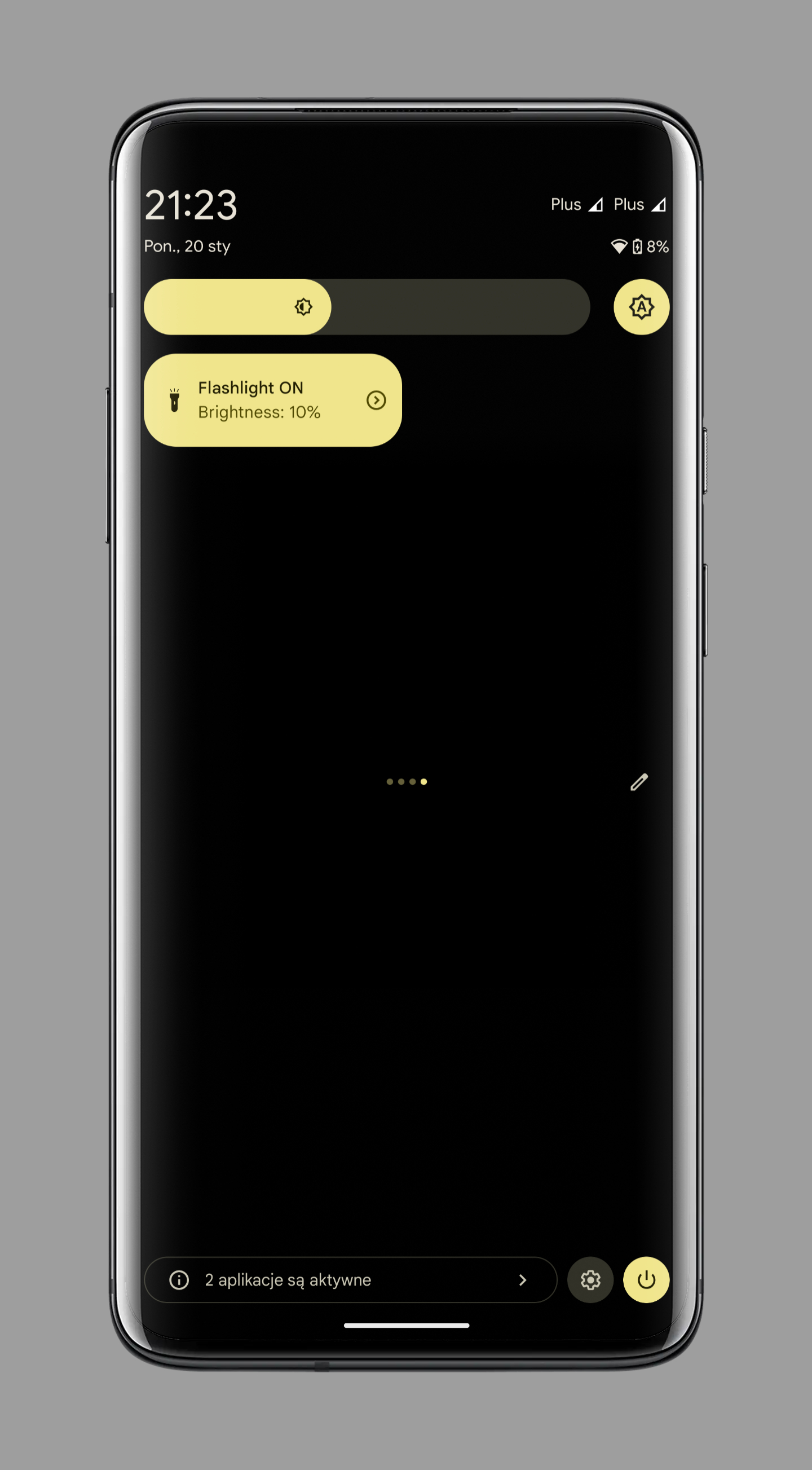
- Quick Settings Tile: Conveniently control LED brightness and state using a Quick Settings tile:
- Single tap cycles through brightness levels.
- Double tap when LEDs are off to turn them on at 80% brightness.
- Double tap when LEDs are on to turn them off.
- Secret Action: Unlock hidden features by tapping the app's title 5 times within 5 seconds, enabling a fun experimental mode.
Once installed on your rooted OnePlus device, you have full access to all features. The main screen provides sliders for adjusting the master brightness (0-500), as well as the brightness of the white and yellow LEDs individually. You can turn the flashlight on and off, and access the "Eye Destroyer" mode for maximum brightness.
On non-rooted devices, the app provides a simplified interface with a single brightness control slider mapped to your device's available torch strength levels (typically 1-5). Individual LED controls and advanced features are automatically hidden.
The Quick Settings tile provides a convenient way to control the flashlight without opening the app. You can cycle through brightness levels with a single tap, and turn the flashlight on or off with a double tap.


Or download the latest APK from the Releases Section.