1.18 Reregistering Dimension
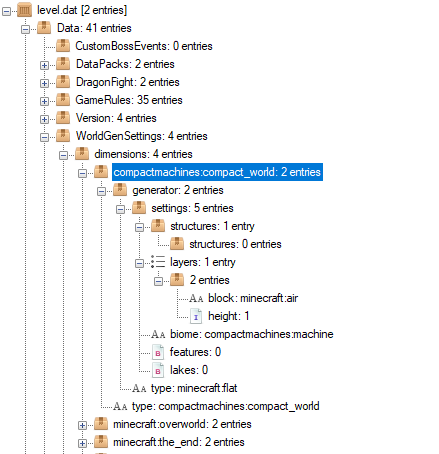
If you find that the compact world dimension doesn't show up in registration, try adding the level information in the level.dat file, in the world. If you are running on version 4.0.0 beta 5 or later, you will be able to use the /compactmachines registerdim command to do this automatically.
While this is not an optimal solution, this should allow the JSON dimension system to pick up the dimension registration and register everything after a world rejoin or server restart. Open the level.dat file in NBT Explorer and add the following entry under WorldGenSettings: