The objective of this application is to create an informative UX-friendly tool for post-secondary students to make course selection decisions. It will allow students to better plan their schedules and progress towards their degree and any minors/certifications. In addition, students will have an easier time finding new courses by improving current tools through better design and features.
Initial course information data obtained from https://github.com/nelaturuk/education_pathways.
This section should list any major frameworks/libraries used to bootstrap your project. Leave any add-ons/plugins for the acknowledgements section. Here are a few examples.
- React.js
- [Material UI] (https://mui.com/)
- Flask
- MongoDB
- VSCode
Asana for Project Management: https://app.asana.com/0/portfolio/1201149350874477/list
Tracking and Managing Work
The team will use an agile development methodology, using the Asana software to keep track of our tasks along the software development process
The team will use the SCRUM framework with bi-weekly sprints, stand up sessions and team meetings to discuss deliverables. SCRUM will be led by the Project Manager.
Production Changes
Changes must be made in any non-master branches
Unit tests must be created and passed whenever applicable, especially for code changes
Pull requests and merges to the master branch must be reviewed by at least two other team members
Detailed explanations for pull requests to explain any complex code
Code Reviews
Everyone should have an equal share for reviewing code
Any member who approves a Pull Request is equally liable for the code as the original Pull Request creator
Perform any code reviews first before picking up a new task
Pull Requests must receive a minimum of two approvals before being merged
Meet the Team!
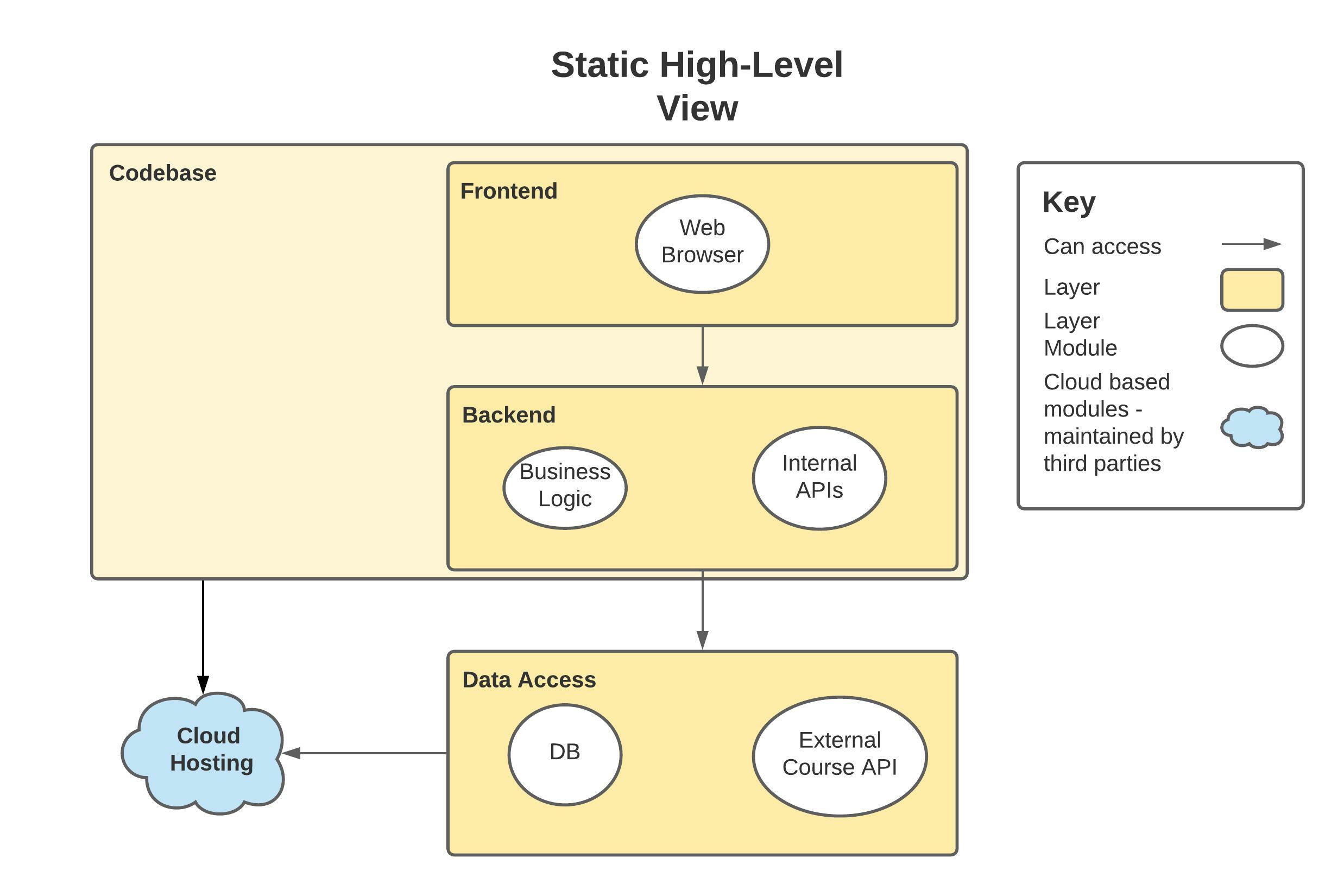
High Level Static Overview
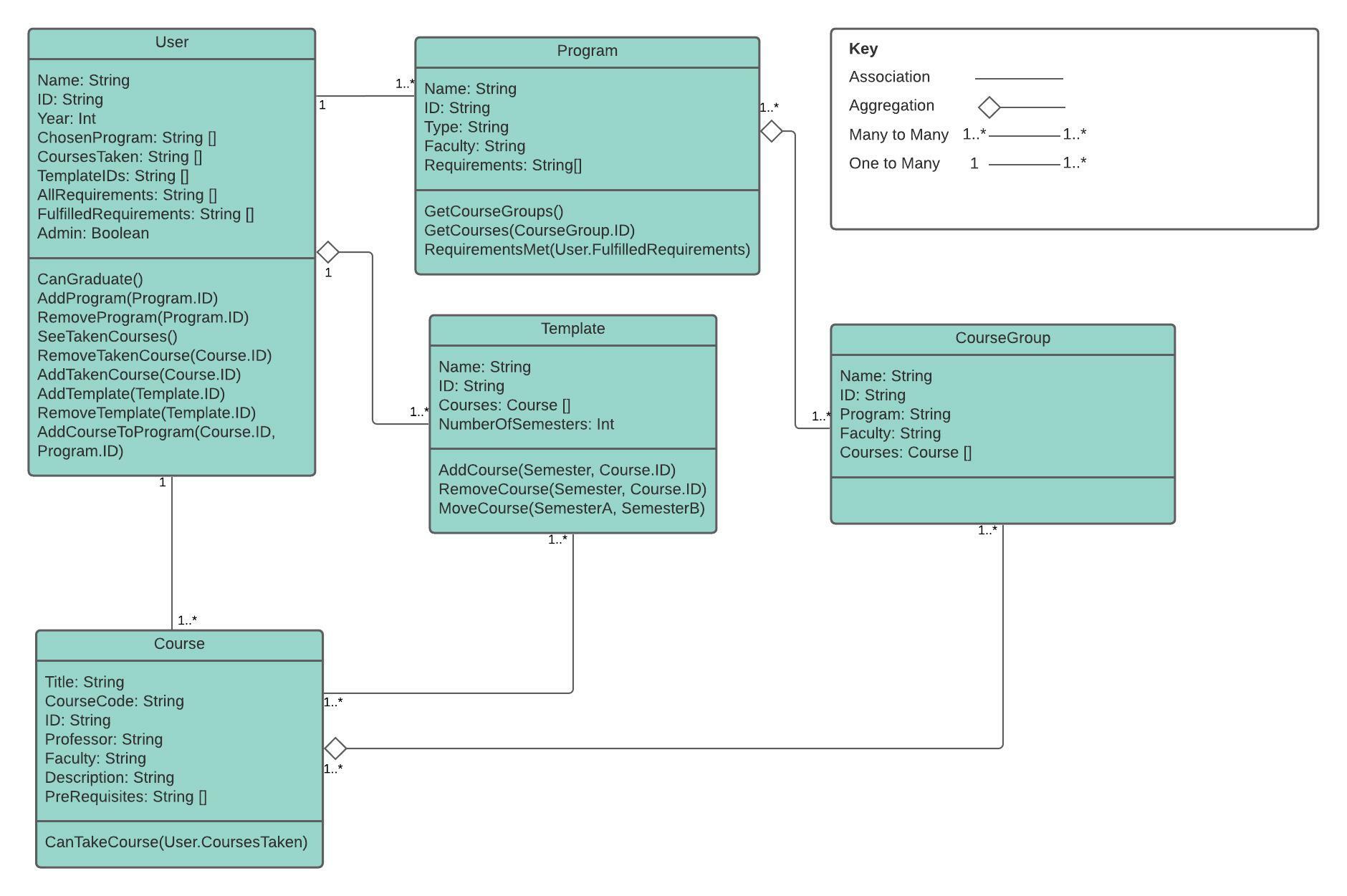
Class Relation Static Overview
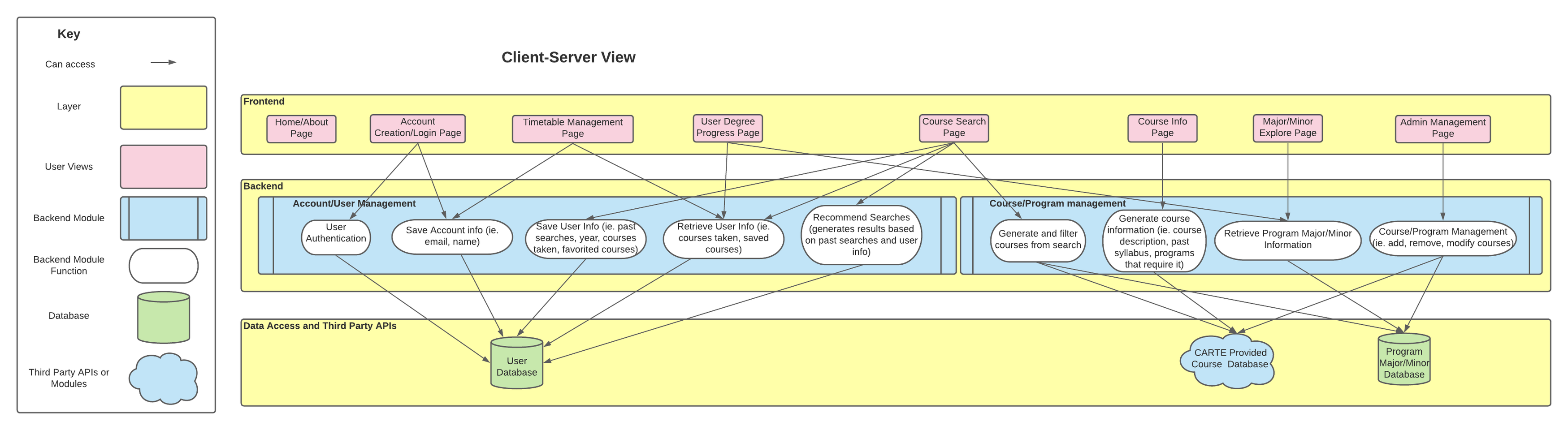
Dynamic View
Nish Patel: [email protected]
Toby Kurniawan: [email protected]
Omar Elzaria: [email protected]
Pranav Agnihotri: [email protected]
Chenyang Wang: [email protected]
Project Link: https://github.com/ECE444-2021Fall/project1-education-pathways-group-7-apollo
- Download and install npm https://docs.npmjs.com/downloading-and-installing-node-js-and-npm
- Open a terminal, then navigate to the root directory of the UI (aka. /project1-education-pathways-group-7-apollo/ui
- Run 'npm i' in the terminal
- Run npm run start
- The project should be running on localhost:3000, try it out in your web browser!