
A feature-rich, multi-personality AI chat and productivity app built with React Native & Expo.


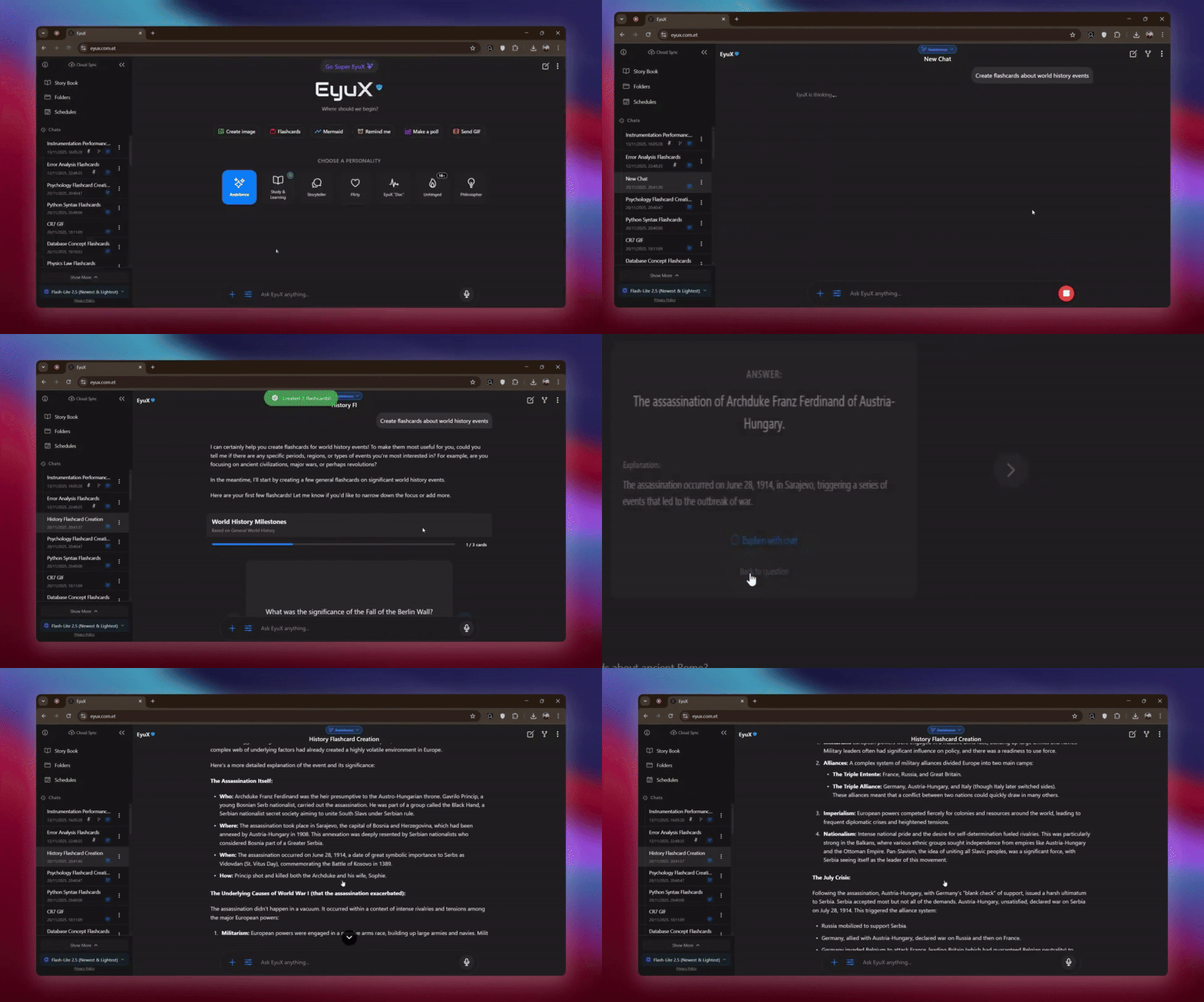
EyuX is more than just a chatbot. It's a versatile mobile and web companion designed to be your assistant, entertainer, and productivity partner. Powered by Google's Gemini models, it features dynamic AI personalities, live web search, AI image generation, interactive code execution, long-term memory, and extensive customization options, all wrapped in a sleek, animated, and user-friendly interface.
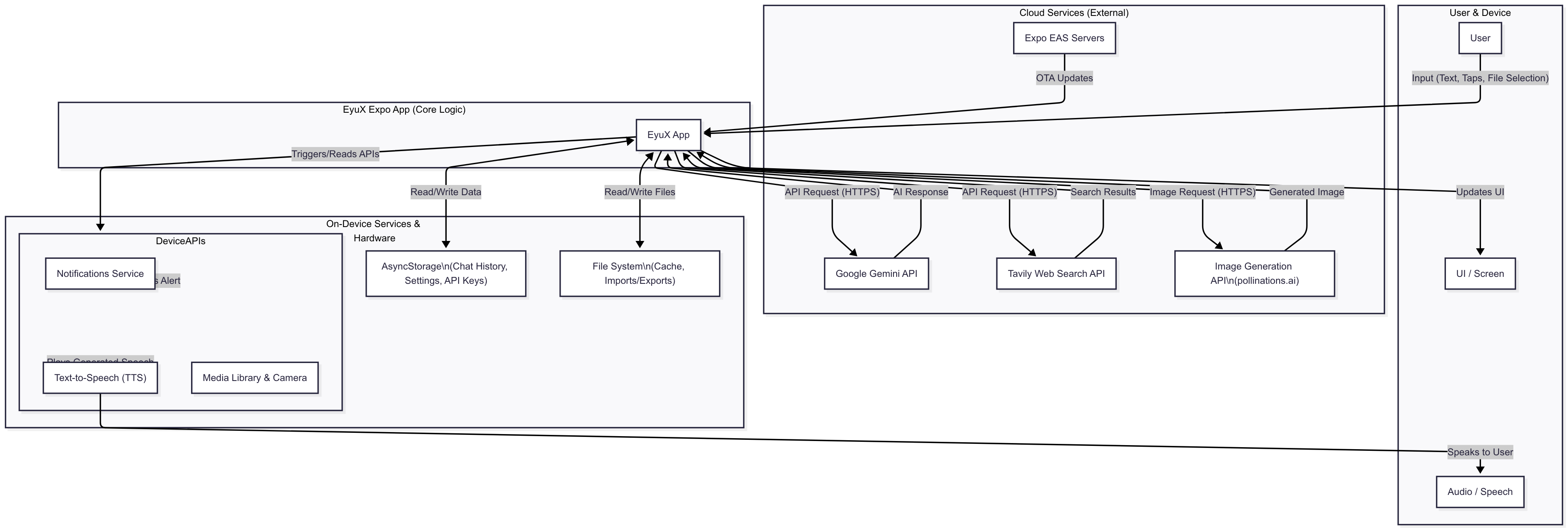
Below is the current project structure, designed for clarity, scalability, and ease of navigation:
EYUXBETA
├── app
│   └── (tabs)
|       ├── index.tsx             // NOW: A clean entry point that renders the main App component.
│       └── storybook.tsx
├── src
│   ├── api                       // For all external API call logic.
│   │   ├── geminiService.ts
│   │   └── tavilyService.ts
│   |
│   ├── components                // Reusable UI components.
│   │   ├── animated              // Purely aesthetic animated components.
│   │   │   ├── AnimatedBackground.tsx
│   │   │   └── StarryBackground.tsx
|   |   |──  AgenticIDE.tsx        // Interactive Code Editor & Previewer
|   |   |── DrawingCanvasModal.tsx // Sketching tool
|   |   |── FlashcardGenerator.tsx // UI for generating cards
|   |   |── FlashcardViewer.tsx   // Interactive Flip-card viewer
|   |   |── MermaidViewer.tsx     // Diagram renderer
|   |   |── SideImageViewer.tsx   // Desktop-specific split-view image viewer
|   |   |── TrialBanner.tsx       // Trial system UI
|   |   |── PythonCell.tsx        // Executes Python codes
│   │   ├── chat                  // Components specific to the chat screen.
│   │   │   ├── ActiveModeIndicator.tsx
│   │   │   ├── AnimatedChatTitle.tsx
│   │   │   ├── ChatInput.tsx
│   │   │   ├── ImageGenerationPlaceholder.tsx
│   │   │   ├── MessageItem.tsx
│   │   │   ├── SpeechControlToast.tsx
│   │   │   ├── TypingIndicator.tsx
│   │   │   └── WebSearchLoader.tsx
│   │   ├── common                // Generic components used across the app.
│   │   │   ├── CodeBlock.tsx
│   │   │   ├── EyuxLogo.tsx
│   │   │   └── GoSuperEyuxButton.tsx
│   │   ├── modals                // All modal components.
│   │   │   ├── ApiKeyPromptModal.tsx
│   │   │   ├── ChatOptionsMenu.tsx
│   │   │   ├── CodeCanvas.tsx
│   │   │   ├── FoldersScreen.tsx
│   │   │   ├── GuidanceModal.tsx
│   │   │   ├── ImageViewerModal.tsx
│   │   │   ├── MemoriesModal.tsx
│   │   │   ├── MoveToFolderModal.tsx
│   │   │   ├── RenameModal.tsx
│   │   │   ├── SchedulesModal.tsx
│   │   │   ├── SelectionModal.tsx
│   │   │   └── SuperEyuXScreen.tsx
│   │   └── navigation            // Components related to navigation (like the drawer).
│   │       └── Drawer.tsx
│   ├── constants                 // All application constants.
│   │   ├── api.ts
│   │   ├── app.ts
│   │   ├── personalities.ts
|   |   ├── flashcard.ts
│   │   └── storage.ts
│   ├── contexts                  // For React Context providers.
│   │   └── ToastContext.tsx
│   ├── hooks                     // Custom React hooks.
│   │   ├── useNavigationBarStyler.ts
│   │   └── usePrevious.ts
│   ├── screens                   // Top-level screen components.
│   │   ├── ApiKeySetupScreen.tsx
│   │   ├── ChatScreen.tsx
│   │   ├── OnboardingScreen.tsx
│   │   └── SettingsNavigator.tsx   // A new component to manage settings navigation.
│   ├── services                  // Services for managing device features.
│   │   ├── fileService.ts
│   │   ├── notificationService.ts
│   │   └── storageService.ts
│   ├── types                     // Centralized TypeScript types and interfaces.
│   │   └── index.ts
│   ├── utils                     // Helper functions.
│   │   ├── systemInstructions.ts
|   |   ├── TrialBanner.tsx       // Trial system UI
|   |   ├── webNotifications.ts   // Web-specific push notification handler
|   |   ├──
│   └── App.tsx                   // The main application component (formerly AppContent).
├── assets                    // Stays as is (fonts, images).
├── package.json
└── ... (other root config files)
EyuX on the web utilizes the full screen real estate for a powerful dashboard experience.
| Split-View Image Preview | Multi-Thread Tree Visualization |
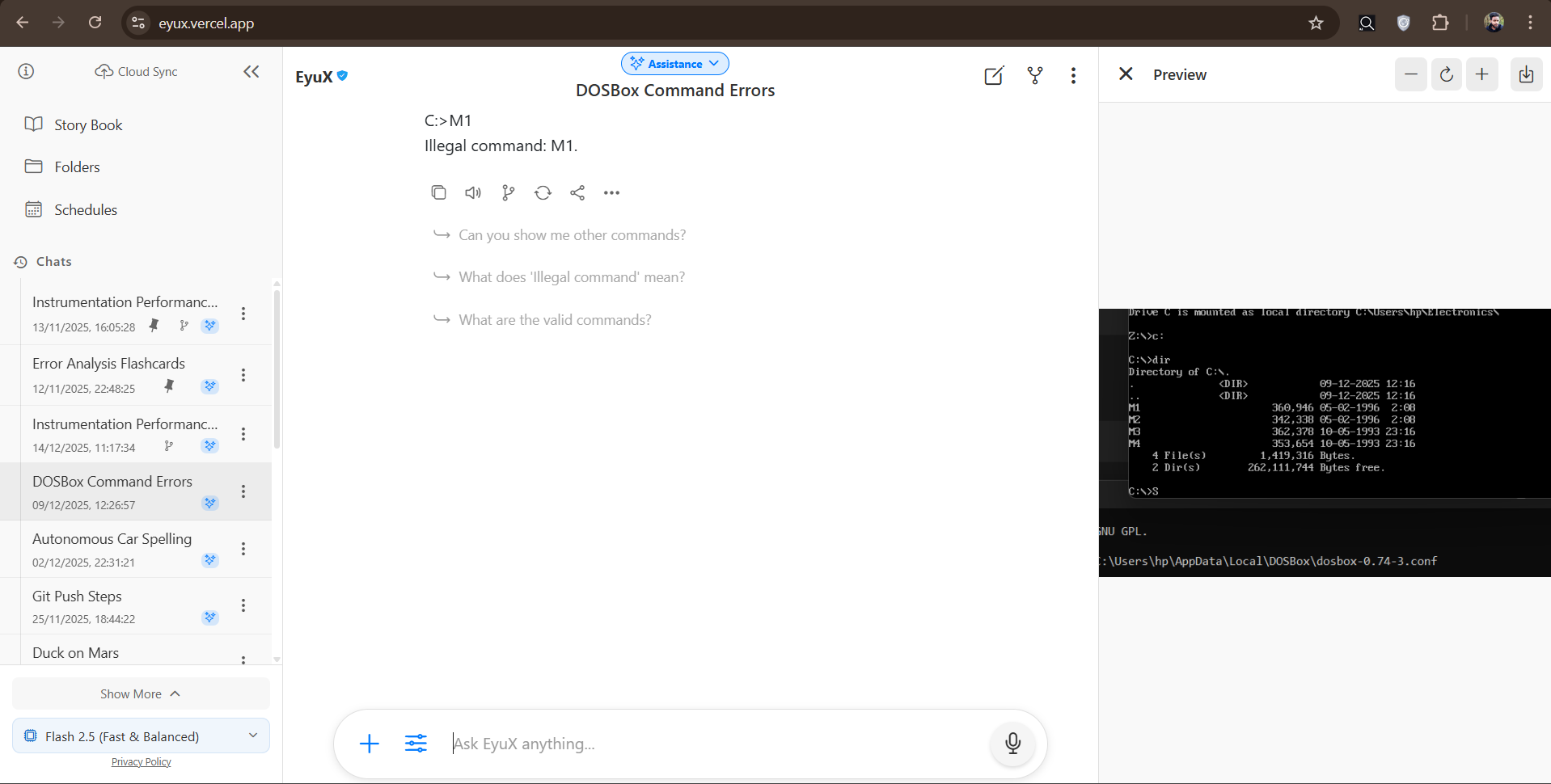
Clicking an image opens it in a dedicated sidebar without blocking the chat history. |
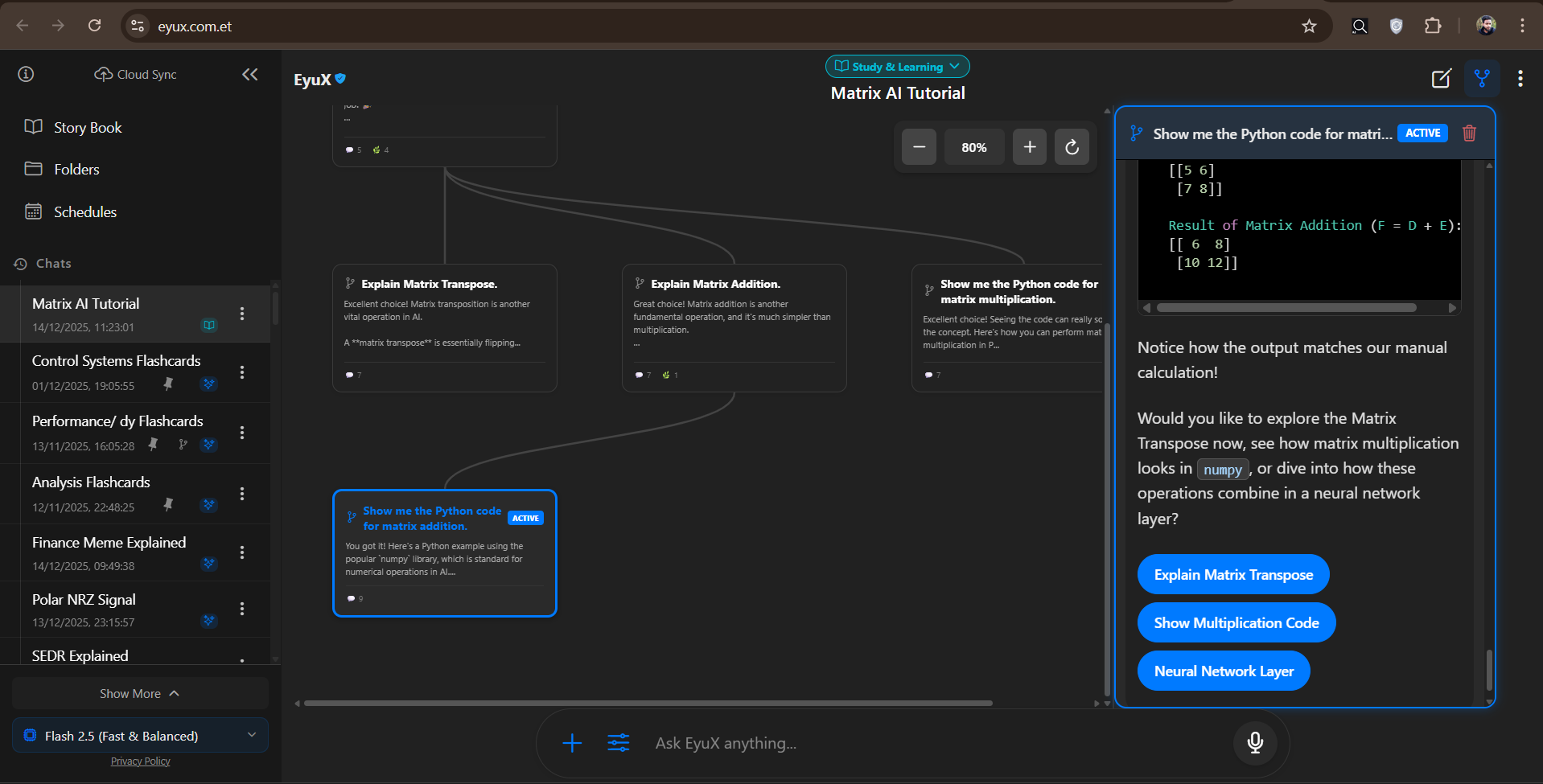
Visualize complex conversation paths and navigate branches like a node graph. |
🛠️ Developer & Study Tools
| Agentic IDE (Code Canvas) | Interactive Flashcards and more |
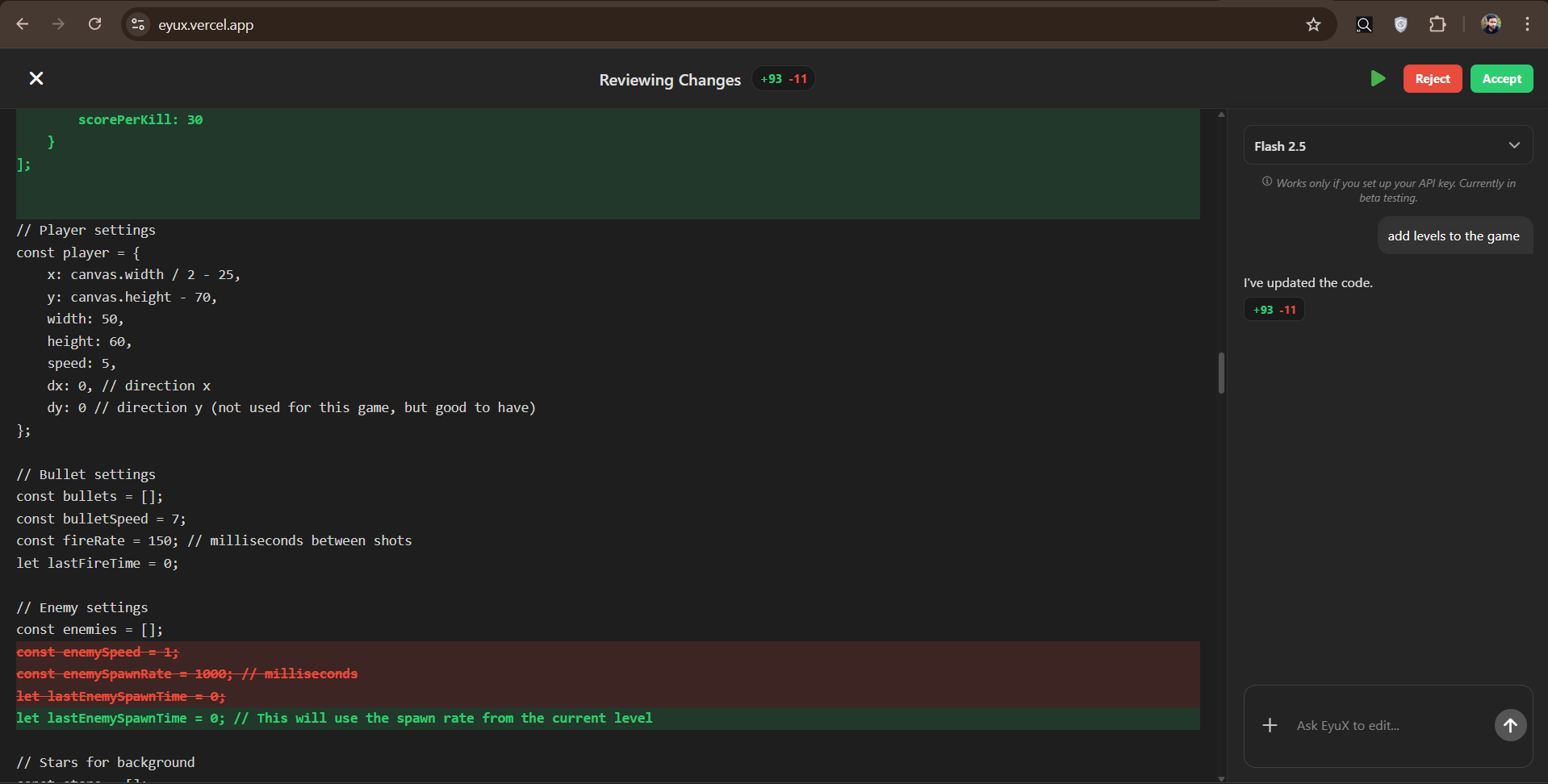
Edit and Run HTML/CSS/JS code generated by the AI in a live sandbox. |
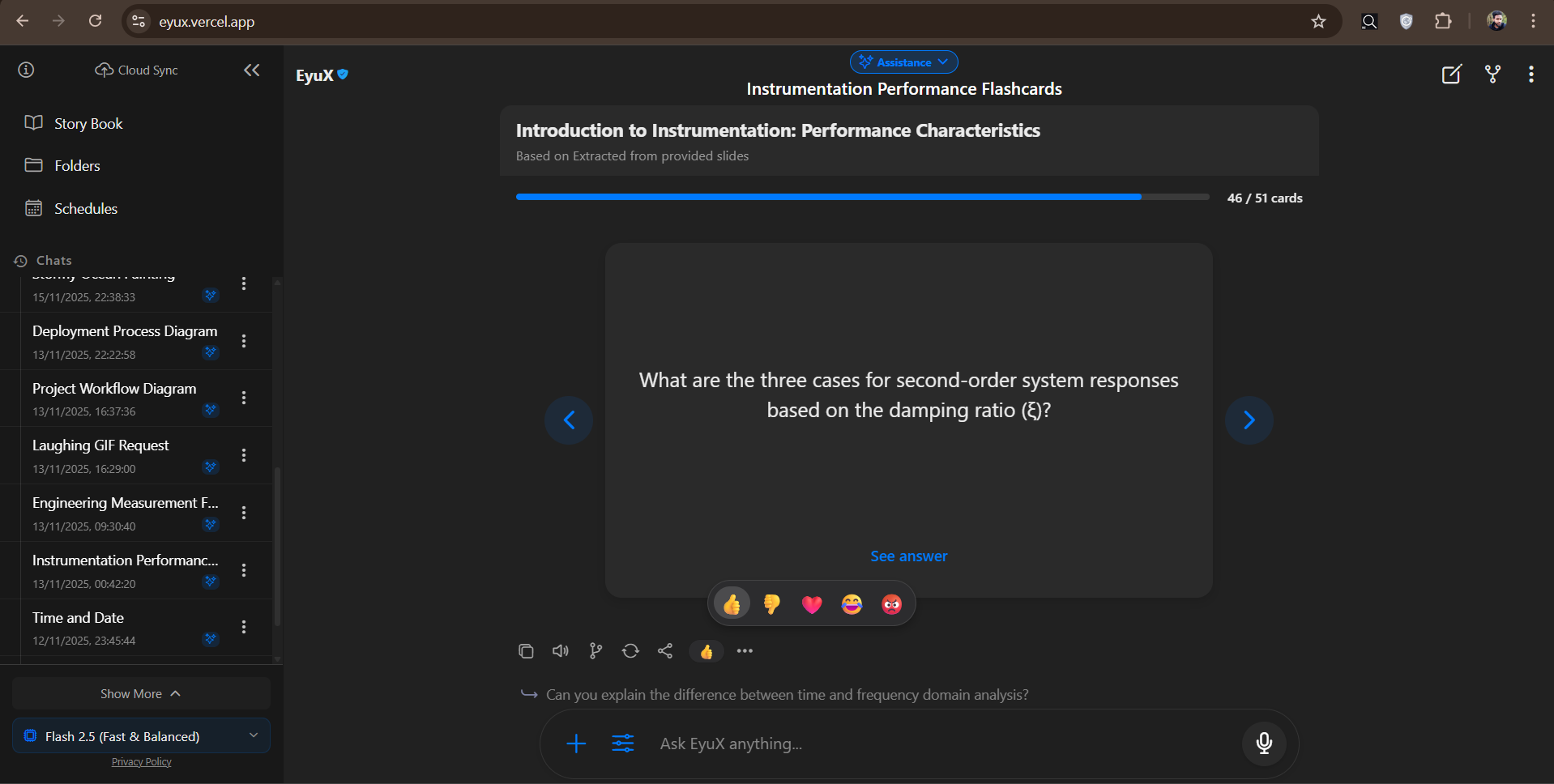
Turn conversation topics into study decks with flip animations. |
🧠 Mermaid Diagram Visualization
| Mermaid Diagram Rendering |
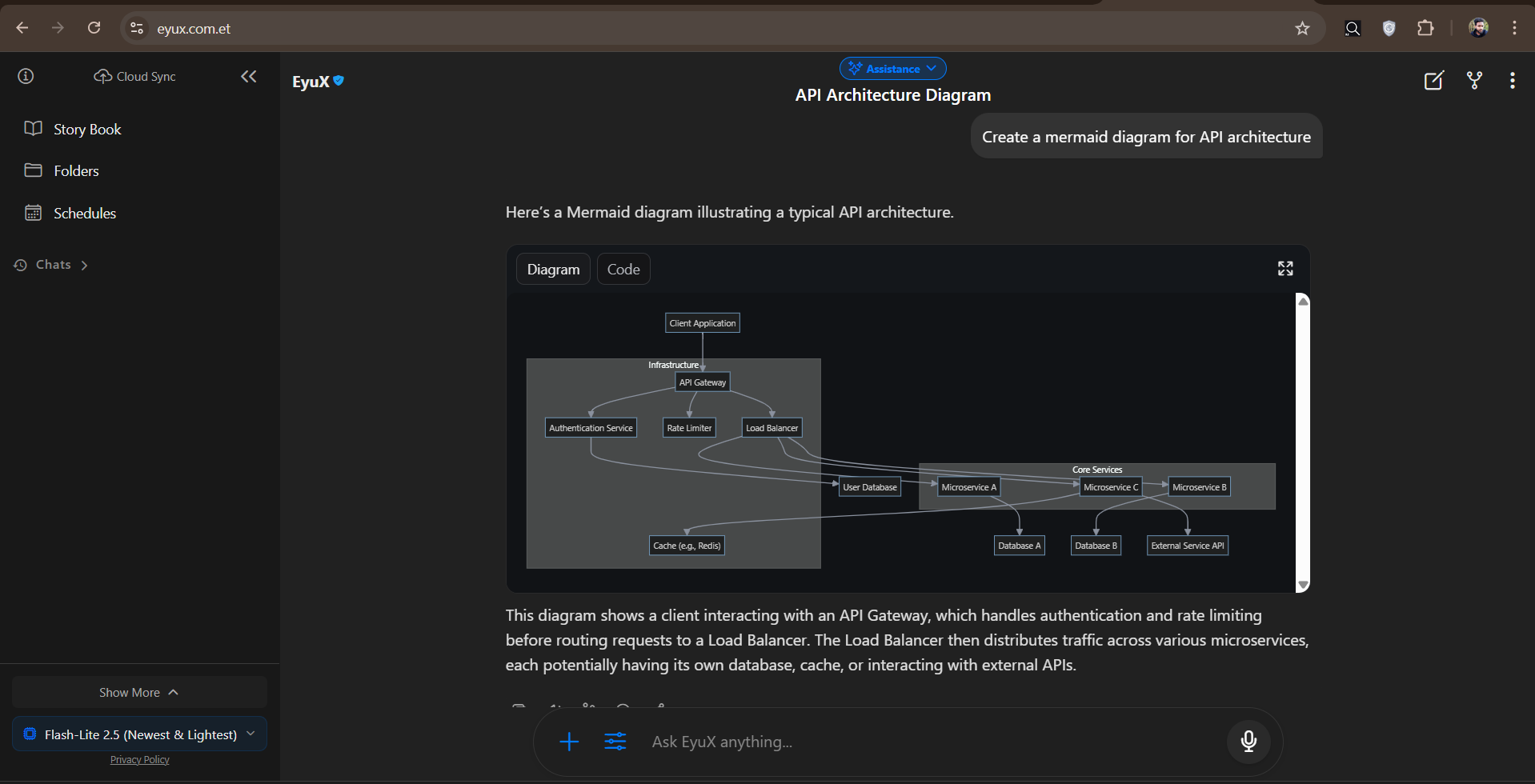
Generate and visualize flowcharts, sequence diagrams, and system architectures directly from Mermaid syntax. |
| In-Browser Python Engine |
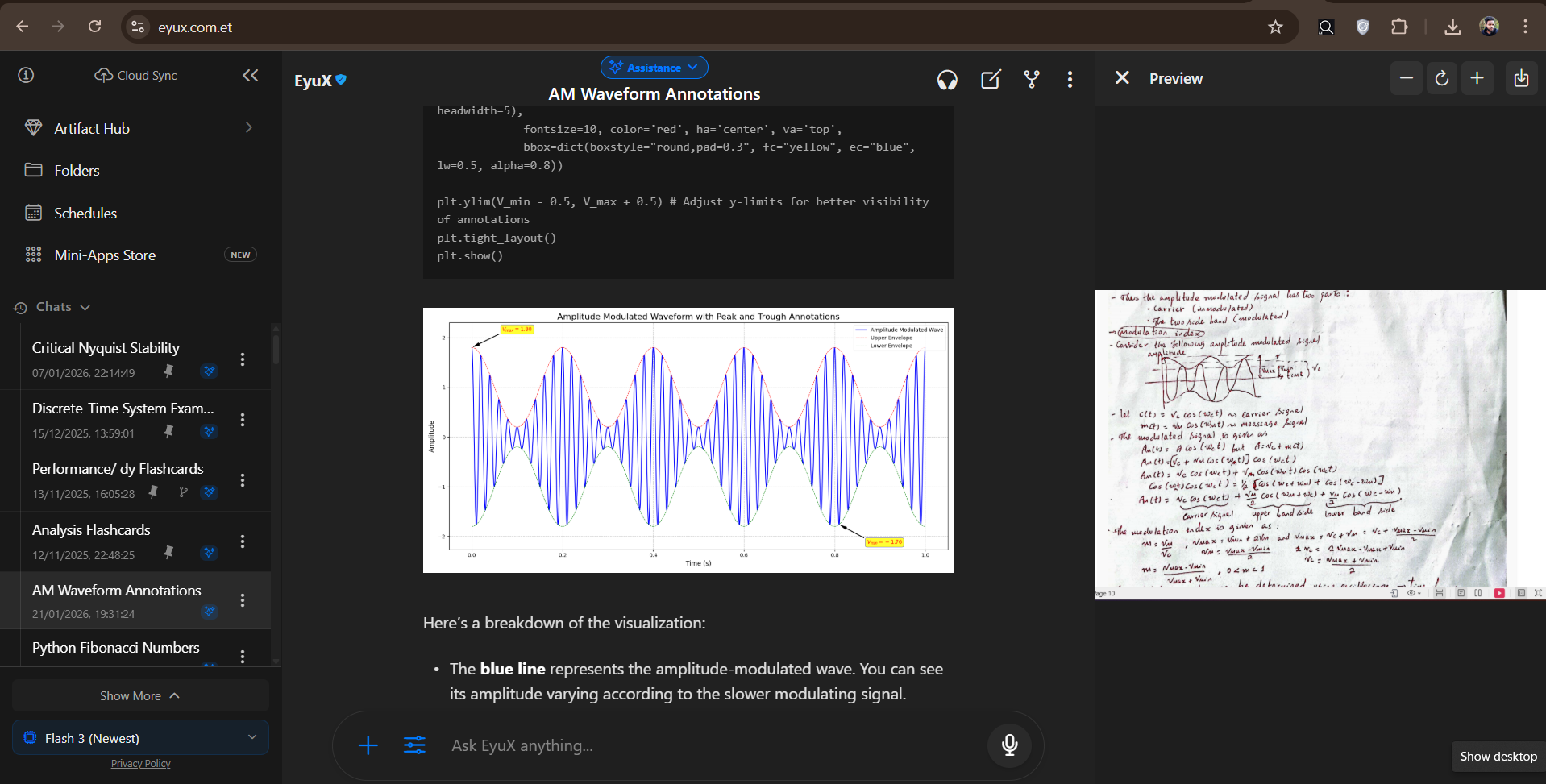
Powered by Pyodide (WASM). Executes Python code, calculates math/stats with NumPy/Pandas, and renders Matplotlib charts directly in the chat interface without a backend. |
EcodeX Multi-File Agentic IDE
| Agentic EcodeX (separate) | |
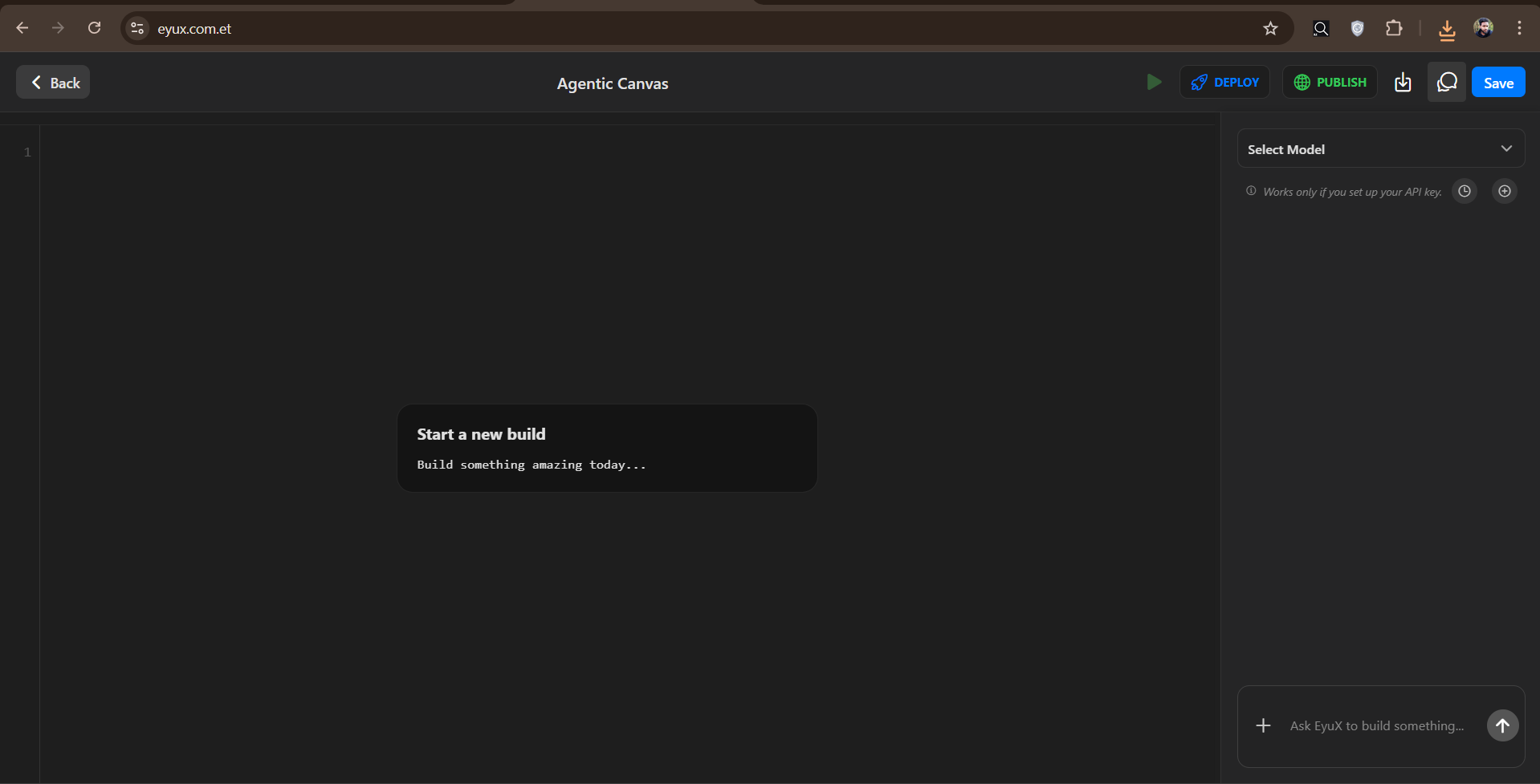
Build & Edit any code file + Run HTML/CSS/JS code generated by the AI in a live sandbox. |
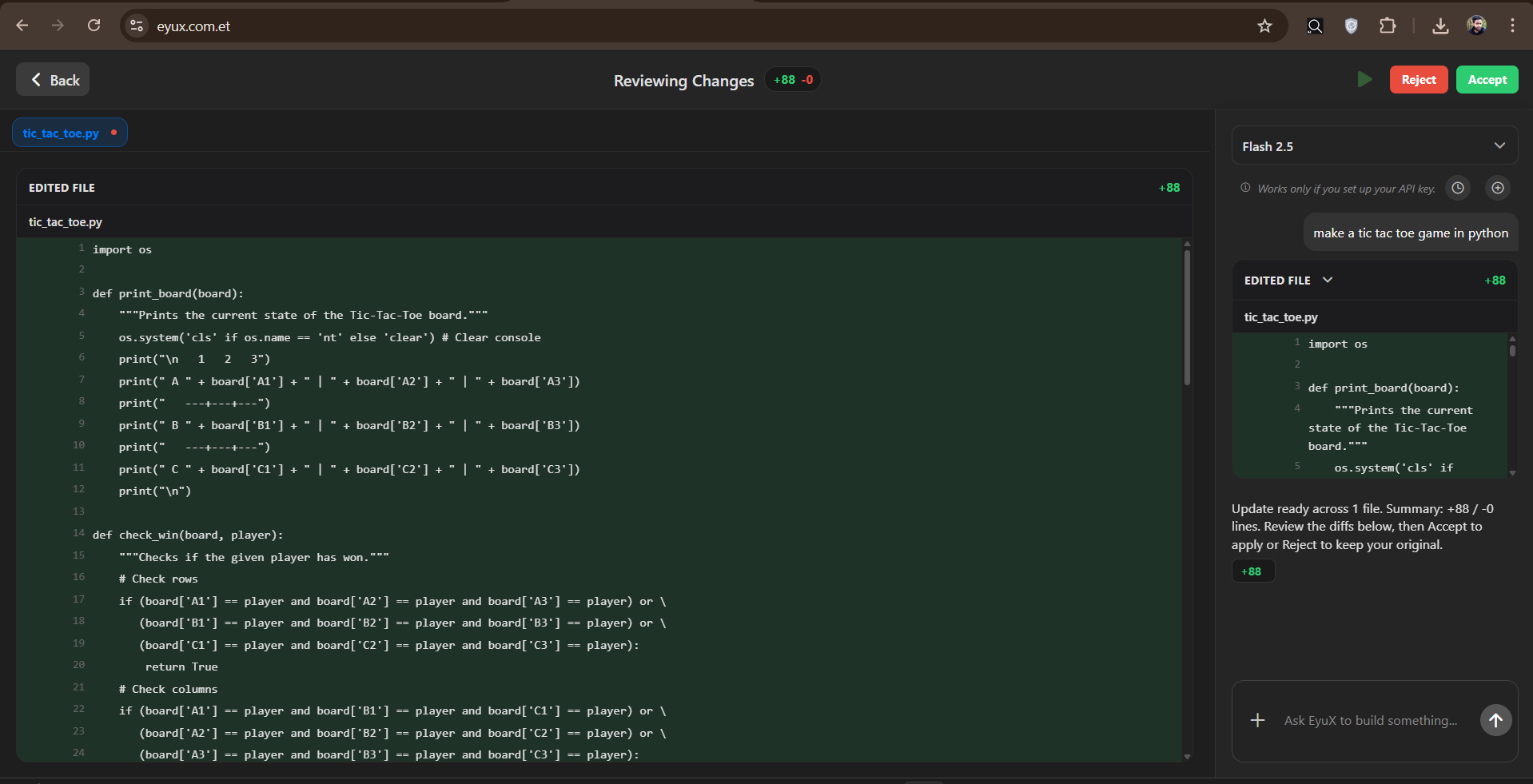
Create multi-file projects (HTML/CSS/JS/Python/TSX), review streaming diffs, and export. |
Optimized for touch, haptics, and quick interactions on Android.
| Data Visualization | Live Web Search | Polls & Interaction |
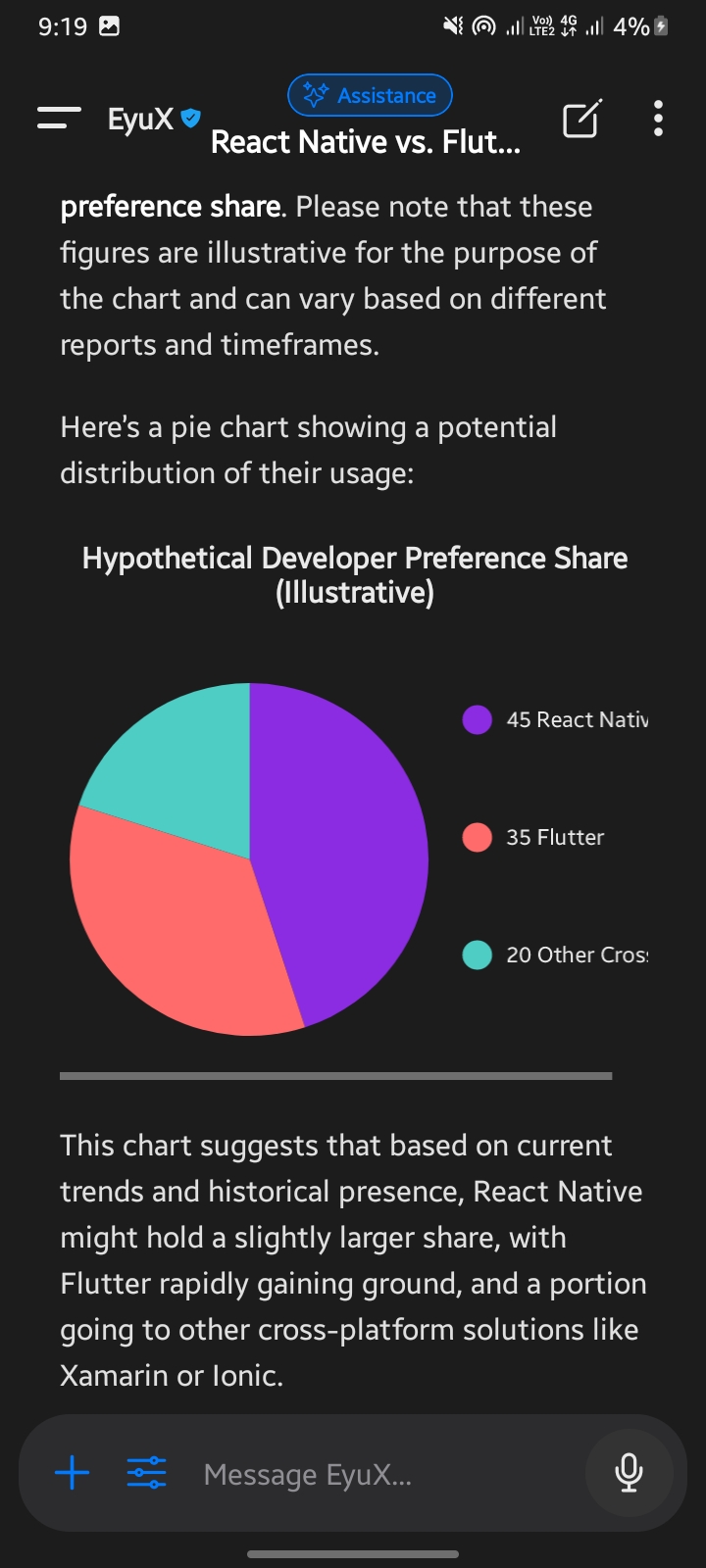
Native rendering of Bar, Line, and Pie charts for data analysis. |
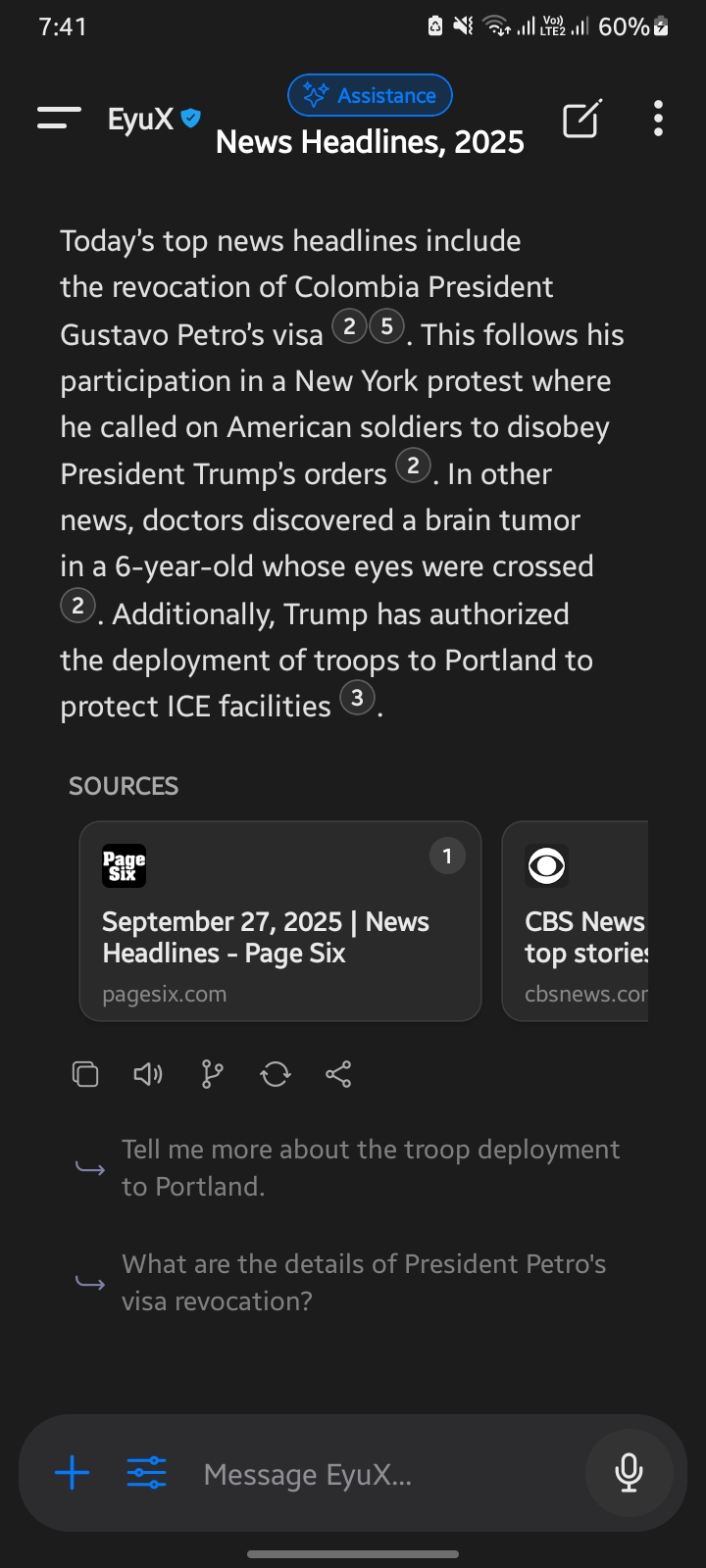
Real-time browsing with cited sources, summaries, and deep links. |
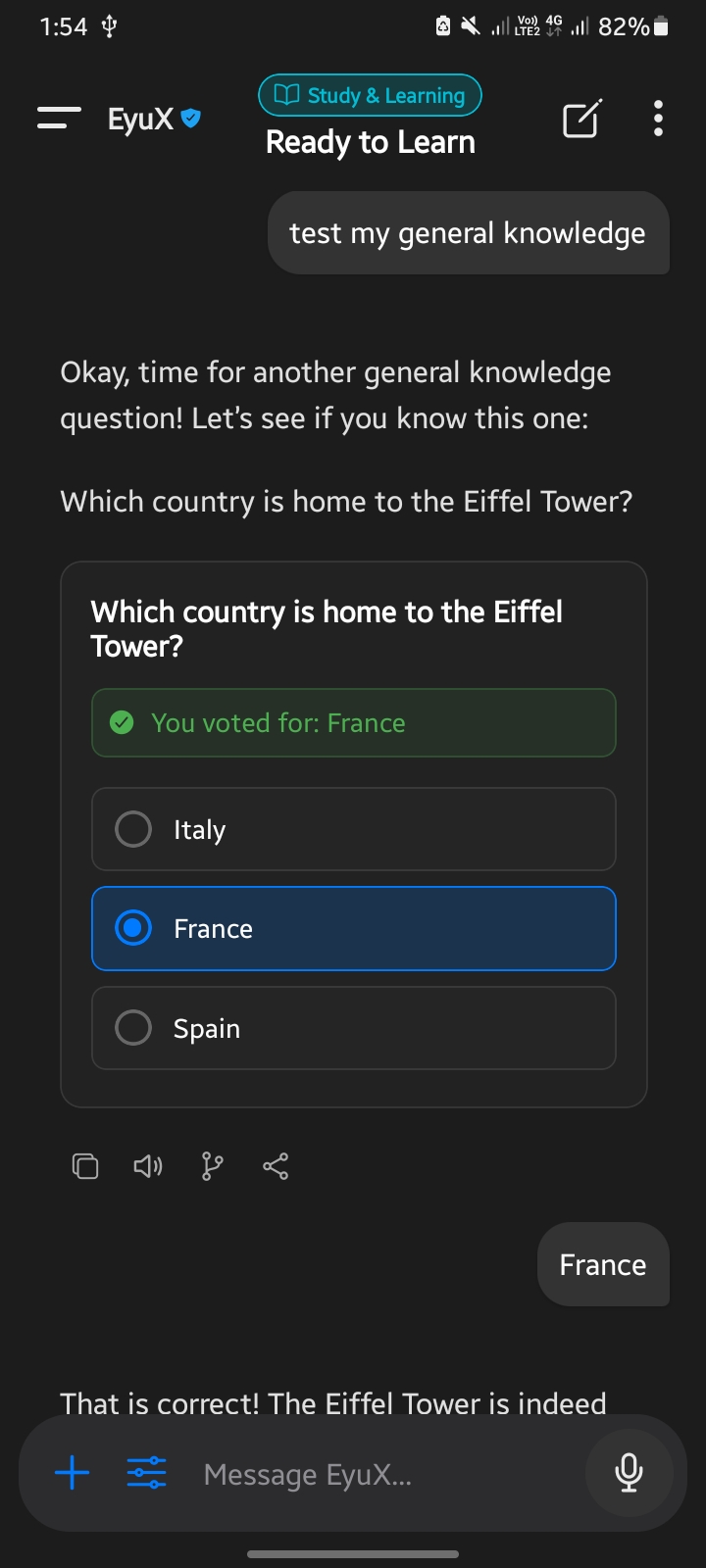
Interactive widgets and polls for instant decision making. |
EyuX is packed with features that create a truly interactive and intelligent chat experience.
- 🤖 Dynamic Personalities: Instantly switch the AI's persona—from a helpful Assistant to a chaotic Storyteller, a witty Gen Z, or even an Unhinged AI.
- 🌐 Live Web Search: The AI automatically detects when it needs fresh information and uses the Tavily API to search the web for real-time events, news, and data.
- 🎨 AI Image Generation: Generate images directly in the chat by describing what you want to see using the
/imaginecommand. - 🌿 Multi-Thread Branching: Visualize your conversation as a tree! Branch off from any message to explore different outcomes without losing the original context.
- 🕵️♂️ Agent Mode: Capable of executing multi-step complex tasks (e.g., "Research X, summarize it in a table, and save it to a folder").
- 💾 Intelligent Memory: EyuX remembers key facts you share, creating a continuous, personalized conversation. You can also manage these memories manually.
- ⏰ Effortless Reminders: Set reminders using natural language (e.g., "remind me to check the oven in 10 minutes"), and EyuX will schedule a device notification.
- 🔄 Multi-Model Support: Switch between different Google Gemini models (e.g., Flash 2.0, Flash 2.5) right from the sidebar to balance speed and power.
- **🔄 Google Drive Cloud Sync: (Web Beta) ** seamless backup and sync of your history across devices using your Google Drive.
- ⚡ Interactive Flashcards: Automatically generate study flashcards from any conversation and review them in a flip-card interface.
- 📊 Data Visualization: Renders interactive Line, Bar, and Pie charts directly from data provided by the AI.
- 🧜♀️ Mermaid Diagrams: Renders complex flowcharts, sequence diagrams, and mind maps from text descriptions using Mermaid.js syntax.
- 💻 Agentic IDE: An interactive coding canvas to edit, run, and preview HTML/CSS/JS code generated by the AI.
- 📐 LaTeX Math Support: Beautiful rendering of complex mathematical equations.
- 🎨 Rich Message Rendering: Full Markdown support for text formatting, plus beautifully rendered code blocks with syntax highlighting and a one-click copy button.
- 🖼️ Interactive Code Canvas: When the AI provides web code (HTML/CSS/JS), you can open it in an interactive canvas to edit and run it live in a WebView.
- 📎 Versatile Attachments: Enhance your prompts by attaching images from your gallery, taking a photo, or uploading documents.
- 🗣️ Text-to-Speech: Have the AI's responses read aloud with an intuitive speech control bar that shows progress.
- 💅 Deep Customization: Full Dark & Light Mode support. Personalize chat bubble colors for both you and the AI.
- ✨ Rich Animations: The UI is full of smooth, delightful animations, from the "Super EyuX" screen transition to the animated chat titles and starry backgrounds.
- 🗂️ Chat Folders: Organize your conversations into custom folders.
- 🤖 Automatic Organization: Let the AI automatically categorize new chats into the most relevant folder.
- 💾 Full Backup & Restore: Export all your chats, folders, settings, and memories to a single JSON file and import it on any device.
- 🔑 Secure API Key Management: Easily add and update your API keys in a dedicated settings screen.
- Framework: React Native with Expo
- AI: Google Generative AI (Gemini) & Tavily AI for Web Search
- State Management: React Hooks (useState, useContext, useCallback)
- Animations: React Native Reanimated
- Local Storage: AsyncStorage (Local) & Google Drive API (Cloud)
- Graphics/Charts: react-native-svg, react-native-chart-kit
- UI Components: @expo/vector-icons, react-native-markdown-display, react-native-webview
- Math/Diagrams: react-katex, react-native-webview (for Mermaid/HTML)
This project is actively developed and used in production.
The core source code is not open-source, as it’s part of a live product and ongoing development.
- Reporting bugs or issues
- Suggesting new features or improvements
- Giving UX, performance, or scalability feedback
- Sharing ideas or use-cases
For serious collaboration, partnership, or research opportunities, feel free to reach out directly:
📩 Email: eyutechservices@gmail.com
💬 Telegram: @Eul_zzz
Thank you for your interest and support!
- Expo Team for their incredible tools and platform.
- Google for the powerful Gemini models.
- Tavily for the excellent search API.
- All the creators of the open-source libraries used in this project.