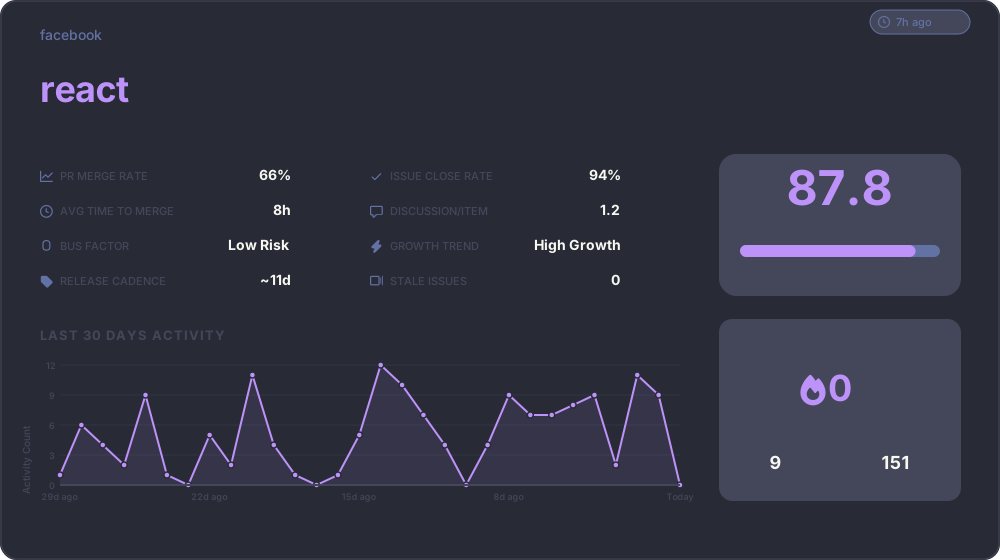
An open-source, fully client-side tool that visualizes real-time GitHub repository statistics in an interactive and customizable format — perfect for developers, open-source maintainers, and portfolio builders.
The widget now includes an intelligent ranking system that evaluates repositories based on multiple weighted metrics and assigns a letter grade (S, A, B, C, D) with a numerical score.
The ranking algorithm analyzes your repository across three main categories:
- Stars (15%): Logarithmic scale - measures community interest
- Forks (8%): Indicates code reusability and adoption
- Watchers (7%): Shows active monitoring and engagement
- Commit Activity (12%): Recent development momentum (high/medium/low)
- Release Cadence (8%): Frequency and regularity of releases
- Recent Updates (10%): How recently the repository was updated
- PR Merge Rate (10%): Percentage of pull requests successfully merged
- Issue Close Rate (10%): Efficiency in resolving issues
- Contributor Diversity (8%): Active vs total contributors ratio
- Discussion Activity (7%): Average comments per issue/PR
- Code Quality (5%): Commit message quality score
| Tier | Score Range | Badge Color | Description |
|---|---|---|---|
| S | 90-100 | 🟡 Gold | Exceptional - Top-tier project with outstanding metrics |
| A | 75-89 | 🟢 Green | Excellent - Highly active and well-maintained |
| B | 60-74 | 🔵 Blue | Good - Solid project with healthy metrics |
| C | 45-59 | 🟠 Orange | Fair - Room for improvement in some areas |
| D | 0-44 | 🔴 Red | Needs Attention - Multiple areas need improvement |
The ranking badge appears automatically in the widget header, showing both the tier letter and numerical score.
Customize your widget with 10 beautiful built-in themes! Each theme provides carefully selected colors for optimal readability and aesthetics.
The classic GitHub light theme with clean whites and subtle grays.
Copy to use:
GitHub's modern dark theme with deep blues and bright accents.
Copy to use:
The popular Dracula color scheme with purple and cyan accents.
Copy to use:
Arctic, north-bluish color palette with soft pastels.
Copy to use:
Vibrant and warm colors inspired by the classic Monokai editor theme.
Copy to use:
Retro groove color scheme with earthy tones.
Copy to use:
Precision colors for optimal readability in dark environments.
Copy to use:
A clean, dark theme inspired by Tokyo's night skyline.
Copy to use:
Soothing pastel theme for the cozy feeling.
Copy to use:
Deep ocean blues with cyan highlights.
Copy to use:
Simply add the theme parameter to your widget URL:
Example: