Chat with AI to build React apps instantly.
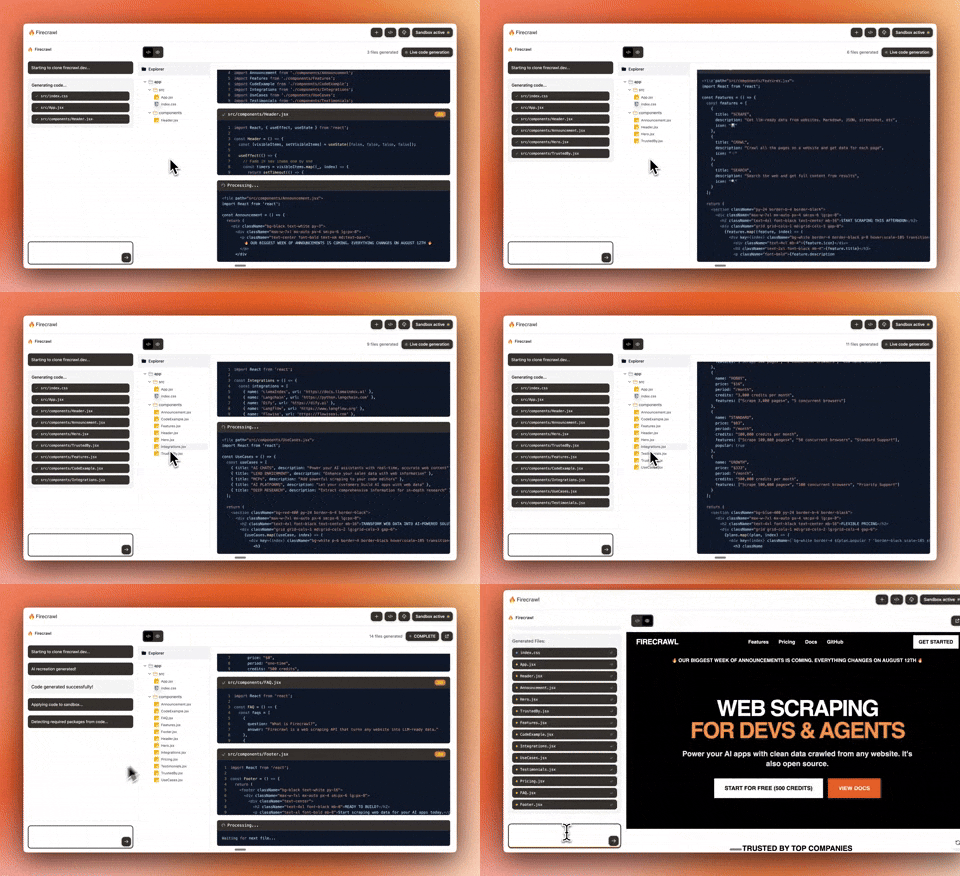
- AI-Powered App Generation: Build React applications by chatting with an AI.
- Subscription System: Monetize your application with a subscription system powered by Paystack and Flutterwave.
- Persistent AI Memory: The AI remembers your conversation history across sessions.
- GitHub Integration: Import your existing GitHub repositories or export your work to a new repository.
- Multi-Language Support: The sandbox environment supports multiple languages, including PHP, Node.js, and more.
- Website Cloning: Re-imagine any website in seconds by providing a URL.
- Clone & Install
git clone https://github.com/mendableai/open-lovable.git
cd open-lovable
npm install- Set up Supabase
- Go to Supabase and create a new project.
- Go to the "Authentication" section and enable the Google and GitHub providers. You will need to get the client ID and secret for each provider from their respective developer consoles.
- In the GitHub provider settings, make sure to request the
reposcope. - Go to the "Database" section and get your database connection string.
- Go to the "Settings" > "API" section and get your Project URL, anon key, and service role key.
- Set up Payment Providers
- Create accounts on Paystack and Flutterwave.
- Get your API keys (public and secret) from your provider dashboards.
- For Flutterwave, you will also need to set up a webhook and get the secret hash.
- Add
.env.localCreate a.env.localfile in the root of the project and add the following environment variables:
# Required
E2B_API_KEY=your_e2b_api_key  # Get from https://e2b.dev (Sandboxes)
FIRECRAWL_API_KEY=your_firecrawl_api_key  # Get from https://firecrawl.dev (Web scraping)

# Optional (need at least one AI provider)
ANTHROPIC_API_KEY=your_anthropic_api_key  # Get from https://console.anthropic.com
OPENAI_API_KEY=your_openai_api_key  # Get from https://platform.openai.com (GPT-5)
GEMINI_API_KEY=your_gemini_api_key  # Get from https://aistudio.google.com/app/apikey
GROQ_API_KEY=your_groq_api_key  # Get from https://console.groq.com (Fast inference - Kimi K2 recommended)

# Supabase credentials
NEXT_PUBLIC_SUPABASE_URL=your_supabase_url_here
NEXT_PUBLIC_SUPABASE_ANON_KEY=your_supabase_anon_key_here
SUPABASE_SERVICE_ROLE_KEY=your_supabase_service_role_key_here
DATABASE_URL=your_supabase_database_url_here

# Payment provider credentials
PAYSTACK_SECRET_KEY=your_paystack_secret_key_here
FLUTTERWAVE_PUBLIC_KEY=your_flutterwave_public_key_here
FLUTTERWAVE_SECRET_KEY=your_flutterwave_secret_key_here
FLUTTERWAVE_SECRET_HASH=your_flutterwave_secret_hash_here

# App URL for redirects
NEXT_PUBLIC_APP_URL=http://localhost:3000- Run Database Migrations
npm run db:generate
npm run db:migrate
This will create the necessary tables in your Supabase database.
- Run
npm run devThe application uses Supabase for authentication, supporting both Google and GitHub providers. When a user signs up, a corresponding entry is created in the users table in the database.
The subscription system is built on top of Supabase and integrates with Paystack and Flutterwave.
- Users can choose from different subscription plans.
- When a user subscribes, a payment intent is created with the selected payment provider.
- After a successful payment, the provider sends a webhook to the application, which verifies the payment and updates the user's subscription status in the
subscriptionstable.
- The application uses E2B sandboxes to provide an isolated environment for running the AI-generated code.
- The AI's memory is persistent, thanks to the conversation history being stored in the Supabase database.
- The sandbox environment comes with support for multiple languages, including PHP and Node.js.
- Users can connect their GitHub accounts to the application.
- They can import their existing repositories into a new sandbox to work on them with the AI.
- They can also export their work from the sandbox to a new GitHub repository.
MIT