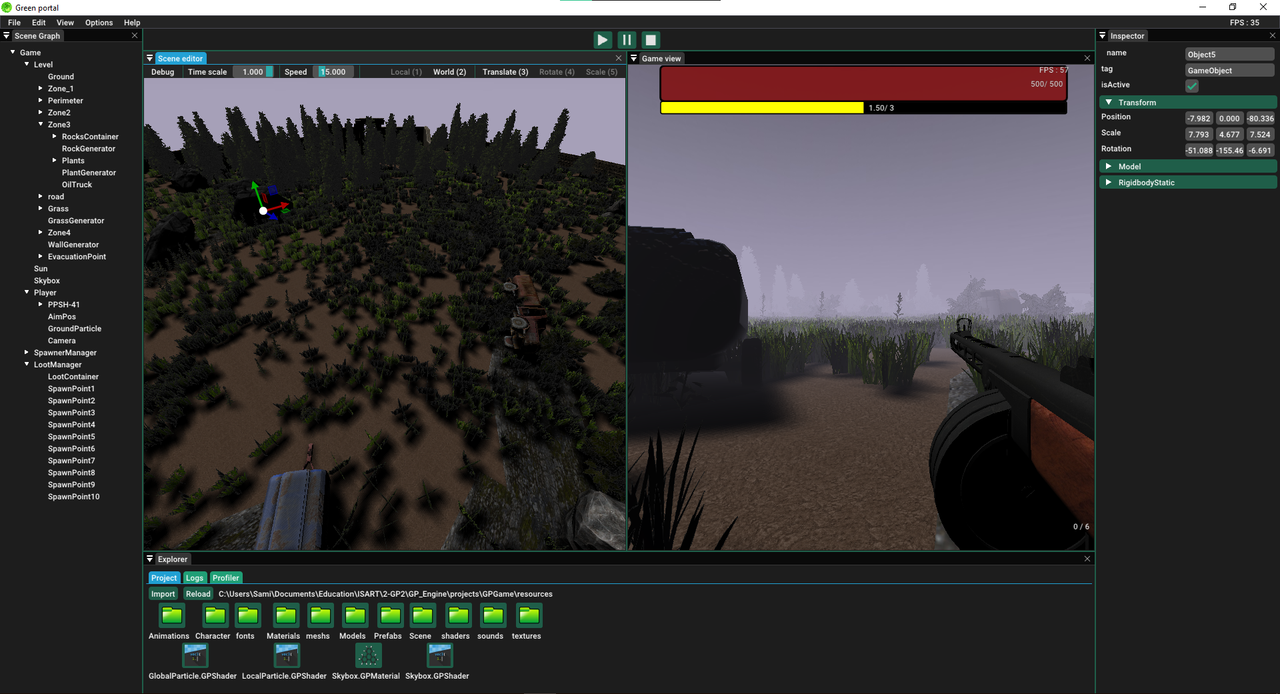
Editor graphical user interface
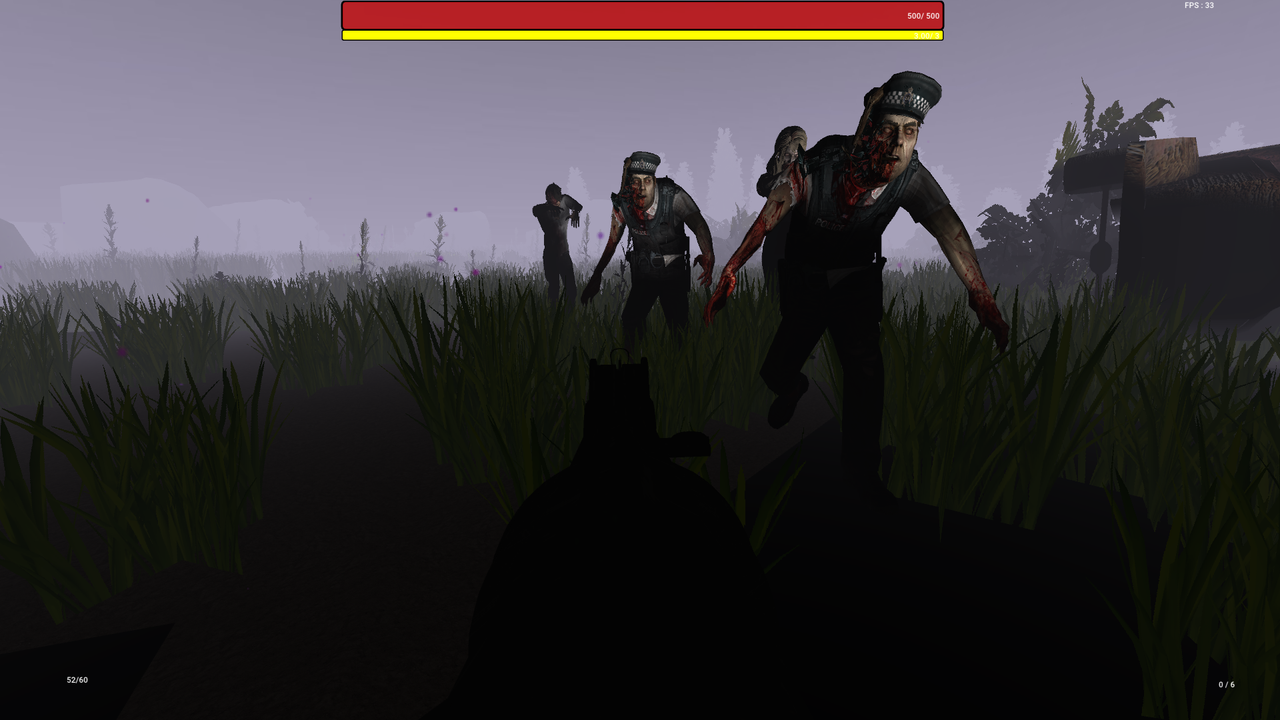
Game made entirely with the engine
Production Pipeline document
Architecture diagrams
Google Drive
- Clone this repository with:
git clone --recurse-submodules https://github.com/GP-Engine-team/GP_Engine.gitIf you already cloned the repository, you can use:
git submodule update
- Download the assets from the Drive (
projectsfolder orproject.zip) and extract them from the root of your local copy of this repository. For now, they are only accessible by someone with an ISART email address - Open projects/GPGame/GPGame.sln in Visual Studio
- Either set the "GPLauncher" or "GPEditor" project as startup project to launch the game alone, or with the editor, respectively
- Choose either Debug or Release mode, and hit F5 to compile
Here is a link toward a build.
- Fully-fledged game editor with various edition tools
- Game launcher
- Serialization
- Reflexion
- Resource manager
- Custom resource and resource importation under multiple formats (.fbx, .obj, .wav, .jpeg, ...)
- Custom prefab exportation and importation
- Sound (Stereo, mono, spatialized)
- In-game UI
- Lights
- Shadows
- Scripts
- Hot reload with Visual Studio
- Particle system
- Animation system
- PhysX-based physics
- Custom math library implemented with unit tests (see the GPM repository)
- A game made entirely with the engine's editor
| Key | Action |
|---|---|
| S | Move backward |
| Z | Move forward |
| Q | Strafe left |
| D | Strafe right |
| R | Reload |
| Space | Jump |
| Shift | Toggle sprint |
| Right-click | Aim |
| Left-click | Fire |
| Esc | Exit the program |
- Sounds sometimes stutter when there are several sources playing sound simultaneously
- On older/low-end machines, FPS drops may sometimes be experienced
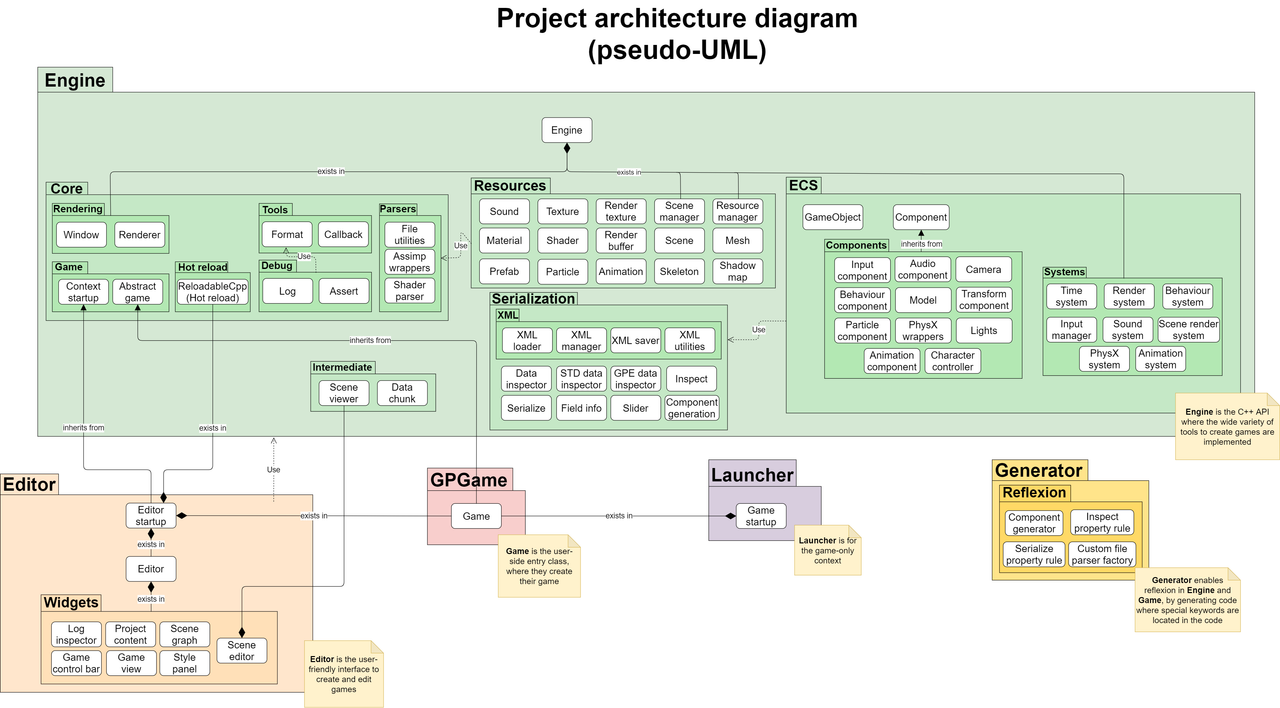
editor/: code relative to the editorengine/: the heart of the engine's C++ APIgenerator/: reflexion with Refurekulauncher/: game-only launcher codeprojects/: where the games made with the engine are edited
The following diagram, as well as other more specific UML diagrams, are available on the project's Google Drive.
Click the image to get a zoomable version of it.