Warning
This project has migrated to Codeberg: codeberg.org/Gurjaka/Dotfiles
From now on, it will only receive updates, issues, and pull requests on Codeberg. This GitHub repository is now archived and read-only.


Welcome to my NixOS Dotfiles repository! Here, you'll find my personal configuration files for NixOS, tailored to create an efficient and productive development environment.


I Clone the repository in home directory:
git clone https://github.com/Gurjaka/Dotfiles.git ~/II Modify flake.nix to set Hostname, Username, and Drivers in ~/Dotfiles/flake.nix
Note: Don't forget to edit the appropriate settings such as username & hardware configuration You can use
cp /etc/nixos/hardware-configuration.nix ~/Dotfiles/nixos/
III Rebuild your system (Change HOSTNAME/USERNAME):
sudo nixos-rebuild switch --flake ~/Dotfiles#HOSTNAME # Apply system configuration

# Apply home configuration
nix run home-manager -- switch --flake ~/Dotfiles#USERNAME
Note: If your browser of choice is Vivaldi, you need to open Vivaldi atleast once to generate it's settings, and rebuild afterwards in order to apply preconfigured settings

- Linux Kernel: Zen
- Desktop Environment: Qtile
- Terminal Emulator: Foot and Ghostty
- Shell: Fish and Zsh
- Compositor: Qtile Wayland
- Notifier: SwayNC


| This configuration blends the ❄️ Nord theme's icy calmness with the earthy tones of 🌲 Everforest. |
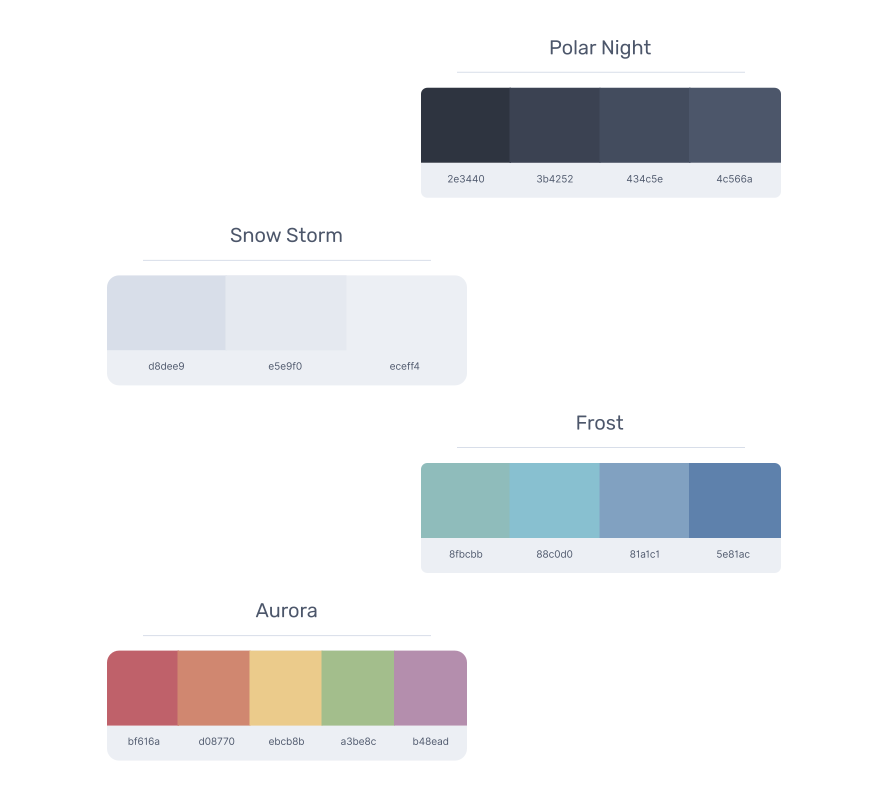
Nord Palette |

Everforest Palette |
