


A simple and lightweight process manager for Go applications. Meeseeks can be used both as a standalone CLI tool for managing processes and as a reusable Go package for embedding process management into your applications.
- Dual Usage: CLI tool and Go package
- Process Management: Start, stop, and monitor multiple processes
- Daemon Mode: Run processes in the background with Docker Compose-like commands
- Auto-Start at Login: Cross-platform service management for macOS, Linux (TODO), and Windows (TODO)
- Configuration Files: YAML and JSON support
- Scheduled Execution: Run processes at intervals
- Automatic Retries: Configurable retry count and delay for failed processes
- Execution Deadlines: Kill programs that exceed a configured duration
- Real-time Monitoring: Process status, logs, and statistics
- Output Redirection: Capture or redirect stdout/stderr
- Graceful Shutdown: Context-based cancellation and signal handling
- Security-First: Input validation, privilege minimization, and secure defaults
Grab a binary from releases or:
go install github.com/GustavoCaso/meeseeks/cmd/meeseeks@latestgo get github.com/GustavoCaso/meeseeksFor more information, see the meeseeks documentation.
package main

import (
    "context"
    "time"

    "github.com/GustavoCaso/meeseeks/pkg/meeseeks"
    "github.com/GustavoCaso/meeseeks/pkg/program"
)

func main() {
    // Create a new meeseeks instance
    m := meeseeks.New()

    // Add programs
    webServer := program.New("web-server", "python",
        program.Args("-m", "http.server", "8080"),
        program.BufferSizeLimit(3 * 1024 * 1024) // 3MB
    )

    healthCheck := program.New("health-check", "curl",
      program.Args("http://localhost:8080"),
      program.Interval(30*time.Second)
    )

    m.AddProgram(webServer)
    m.AddProgram(healthCheck)

    // Start all programs
    ctx := context.Background()
    m.Start(ctx)

    // Wait for completion or cancellation
    m.Wait(ctx)

    // Print statistics
    for _, stat := range m.Statistics() {
        fmt.Printf("Program: %s, Successful: %d, Failed: %d\n",
            stat.ProgramName, stat.Successful, stat.Failed)
    }
}Subscribe to program logs in real-time using SubscribeLogs():
package main

import (
    "context"
    "fmt"
    "os"

    "github.com/GustavoCaso/meeseeks/pkg/program"
)

func main() {
    // Create a program
    p := program.New("web-server", "python",
        program.Args("-m", "http.server", "8080"),
        program.Async(),
    )

    // Subscribe to logs before starting
    ctx, cancel := context.WithCancel(context.Background())
    defer cancel()

    logCh := p.SubscribeLogs(ctx)

    // Process logs in a separate goroutine
    go func() {
        for log := range logCh {
            if log.IsError {
                fmt.Fprintf(os.Stderr, "[ERROR] %s", log.Content)
            } else {
                fmt.Fprintf(os.Stdout, "[OUTPUT] %s", log.Content)
            }
        }
    }()

    // Start the program
    done, err := p.Start(context.Background())
    if err != nil {
        fmt.Printf("Failed to start: %v\n", err)
        return
    }

    // Wait for program to finish (logs continue streaming)
    <-done

    // Cancel context to stop log subscription
    cancel()
}When using Meeseeks as a Go package, you can configure programs with various options:
program.New("name", "command",
    program.Args("arg1", "arg2"),           // Command arguments
    program.Envs("VAR=value"),              // Environment variables
    program.KeepStdinOpen(),                // Keep stdin open
    program.Stdout(file),                   // Redirect stdout
    program.Stderr(file),                   // Redirect stderr
    program.Stdin(reader),                  // Provide stdin input
    program.BufferSizeLimit(1024 * 1024),   // Limit output buffers (1MB)
    program.Interval(30*time.Second),       // Interval. Useful when used with meeseeks package
    program.InitialDelay(5*time.Second),    // Wait before first execution
    program.RetryCount(3),                  // Retry up to 3 times on failure
    program.RetryDelay(5*time.Second),      // Wait 5 seconds between retries
    program.Deadline(5*time.Minute),        // Kill program if it runs longer than deadline
)Meeseeks uses a single environment variable to simplify configuration:
| Variable | Default | Description |
|---|---|---|
MEESEEKS_CONFIG_DIR |
~/.meeseeks |
Base directory for all configuration and runtime files |
When MEESEEKS_CONFIG_DIR is set, all meeseeks files are placed in this directory:
config.yaml- Default configuration filemeeseeks.sock- Unix socket for daemon IPCmeeseeks.pid- PID file for process trackingmeeseeks.log- Daemon internal log file
Create a configuration file (${MEESEEKS_CONFIG_DIR}/config.yaml):
programs:
  - name: "web-server"
    command: "python"
    args: ["-m", "http.server", "8080"]

  - name: "health-check"
    command: "curl"
    args: ["http://localhost:8080"]
    interval: "30s"
Start in detached mode:
meeseeks start -d -config config.yamlCheck status:
meeseeks status # Status of all programs
meeseeks status web-server  # Status of a single program
meeseeks status -f json web-server # Status of a single program with json output
Run particular program
meeseeks run health-check
meeseeks run -f health-check # Run and print logs in real-time
View logs:
meeseeks logs web-server
meeseeks logs -f web-server # Get logs in real-time
Stop processes:
meeseeks stop web-server  # Stop specific program
meeseeks stop             # Stop all programs
Stop meseesks process:
meeseeks exit # Stop meeseeks processLaunch interactive TUI:
meeseeks tui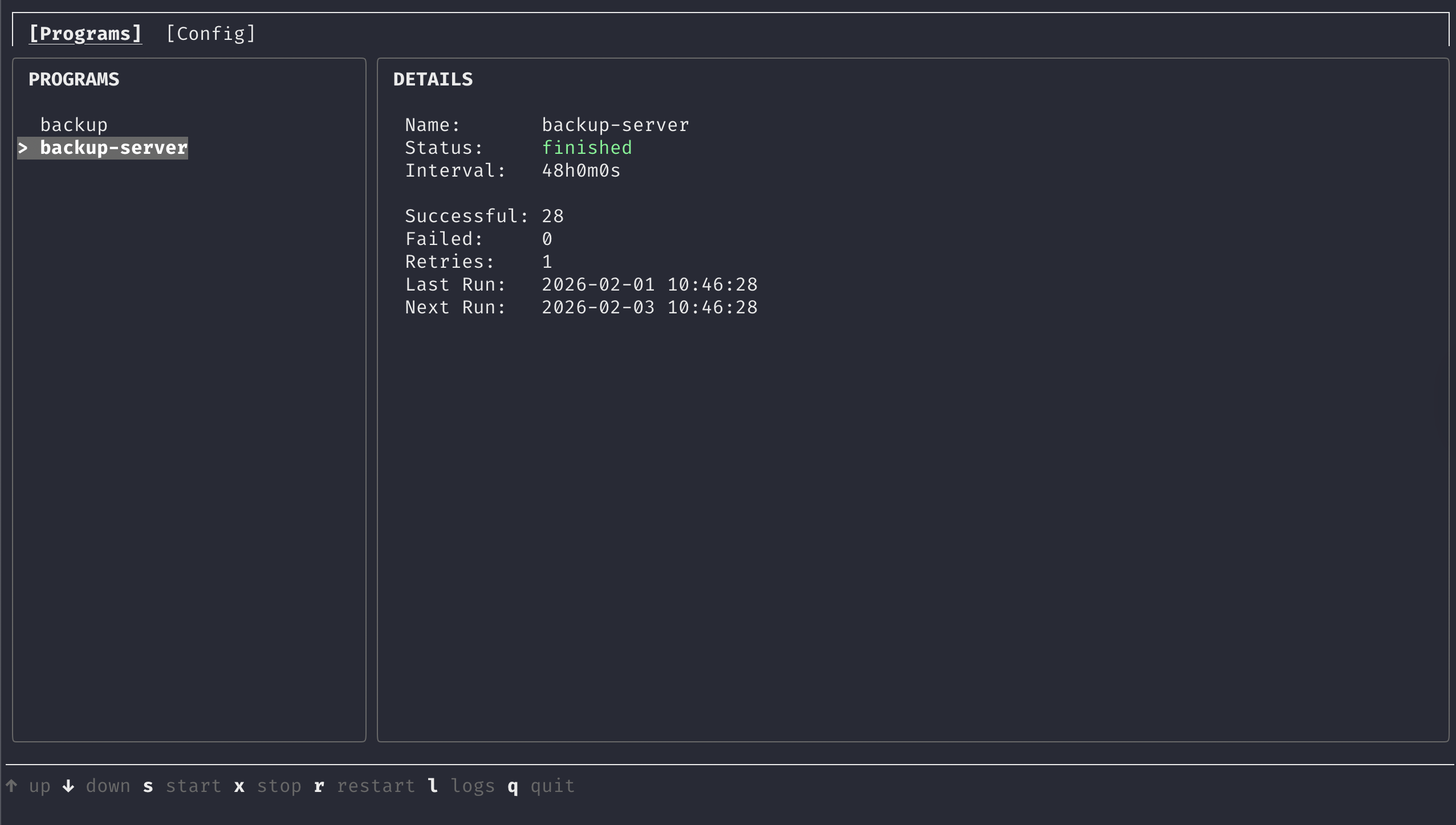
Programs tab - View and control running programs
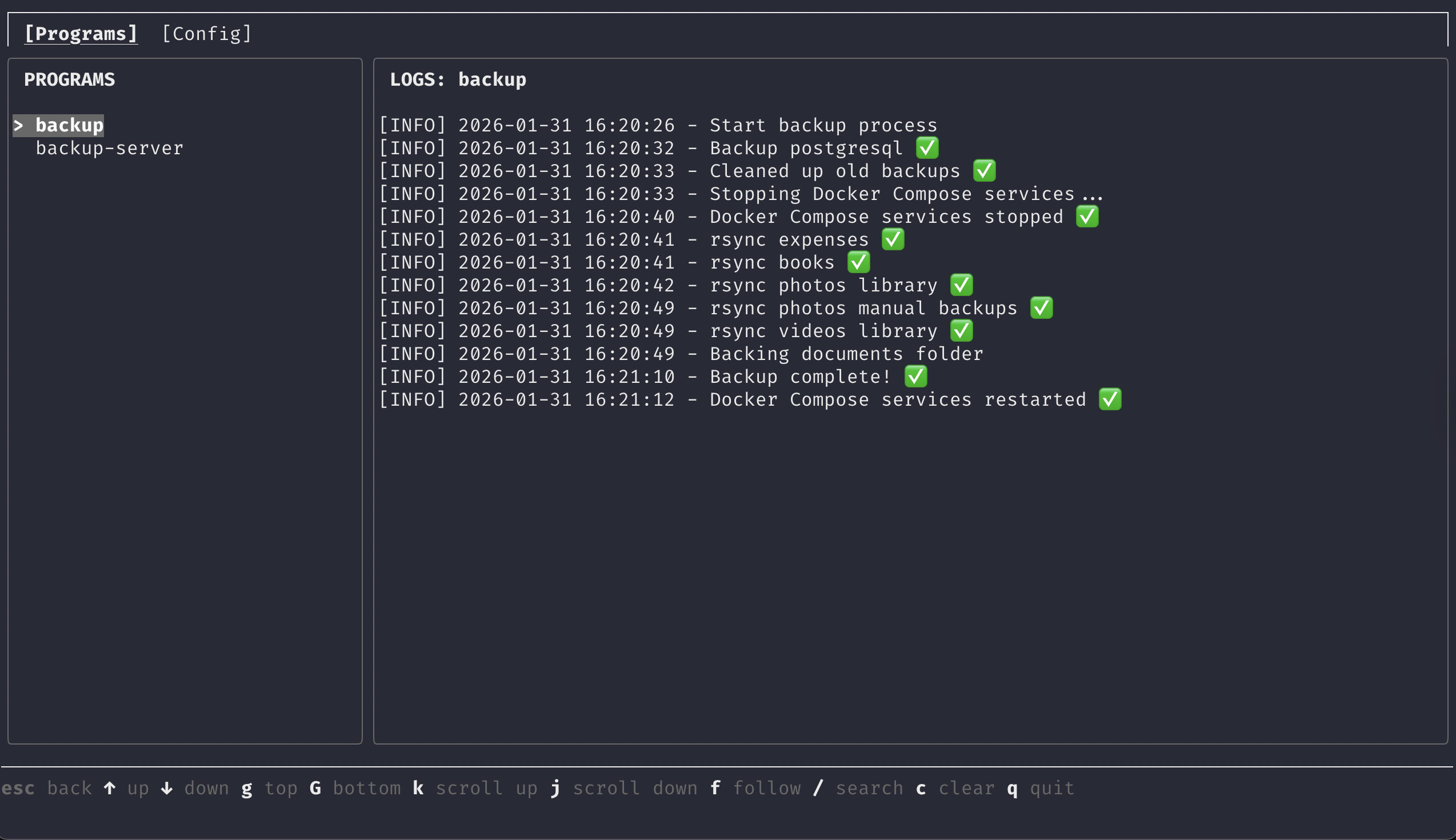
Logs tab - View program output in real-time
The TUI provides four tabs:
- Programs - Detailed view with start/stop/restart controls and access to logs
- Config - YAML editor with save and reload options
Key bindings:
Tab/Shift+Tab- Switch tabs↑/↓- Navigateq- Quit
Reload configuration changes
meeseeks reloadConfigure auto-start at login:
meeseeks start-at-login enable
meeseeks start-at-login status
meeseeks start-at-login disableMeeseeks supports both YAML and JSON configuration files. Format is automatically detected by file extension.
programs:
  - name: "unique-program-name"         # Required: Unique identifier
    command: "executable"               # Required: Command to run
    args: ["arg1", "arg2"]              # Optional: Command arguments
    env: ["VAR=value"]                  # Optional: Environment variables
    interval: "30s"                     # Optional: Run every interval (e.g., "1m", "30s")
    initial_delay: "5s"                 # Optional: Wait before first execution (e.g., "1m", "30s")
    retry_count: 3                      # Optional: Number of times to retry on failure (default: 0)
    retry_delay: "5s"                   # Optional: Delay between retries (e.g., "5s", "1m")
    deadline: "5m"                      # Optional: Kill program if it exceeds this duration (e.g., "5m", "1h")
    keep_stdin_open: true               # Optional: Keep stdin open for input (default: false)
    stdout: "/path/to/stdout.log"       # Optional: Redirect stdout to file
    stderr: "/path/to/stderr.log"       # Optional: Redirect stderr to file
buffer_size_limit: "1MB" # Optional: Limit memory usage for output buffersControl memory usage by limiting output buffer sizes. When the limit is reached, older output is discarded and a truncation message is added.
Valid formats: 512B, 2KB, 1MB, 1GB, 1TB
Default: Unlimited (if not specified)
Recommended: 1MB for most applications
programs:
  - name: "api-server"
    command: "go"
    args: ["run", "main.go"]
    env: ["PORT=8080", "ENV=production"]
    stdout: "/var/log/api.log"
    stderr: "/var/log/api.error.log"

  - name: "health-monitor"
    command: "curl"
    args: ["-f", "http://localhost:8080/health"]
    interval: "60s"

  - name: "log-rotator"
    command: "logrotate"
    args: ["/etc/logrotate.conf"]
interval: "24h"- Fork the repository
- Create a feature branch
- Make your changes
- Add tests if applicable. Ensure test are passing
make test - Run linting:
make lint - Submit a pull request
MIT License - see LICENSE file for details.