

| Package | NuGet |
|---|---|
| Kentico.Xperience.VirtualInbox |  |
| Kentico.Xperience.VirtualInbox.Admin |  |
| Kentico.Xperience.VirtualInbox.MCP |  |
An in-app hosted virtual inbox for email channel development, testing, and AI agent email access.
What are some use cases for this integration?
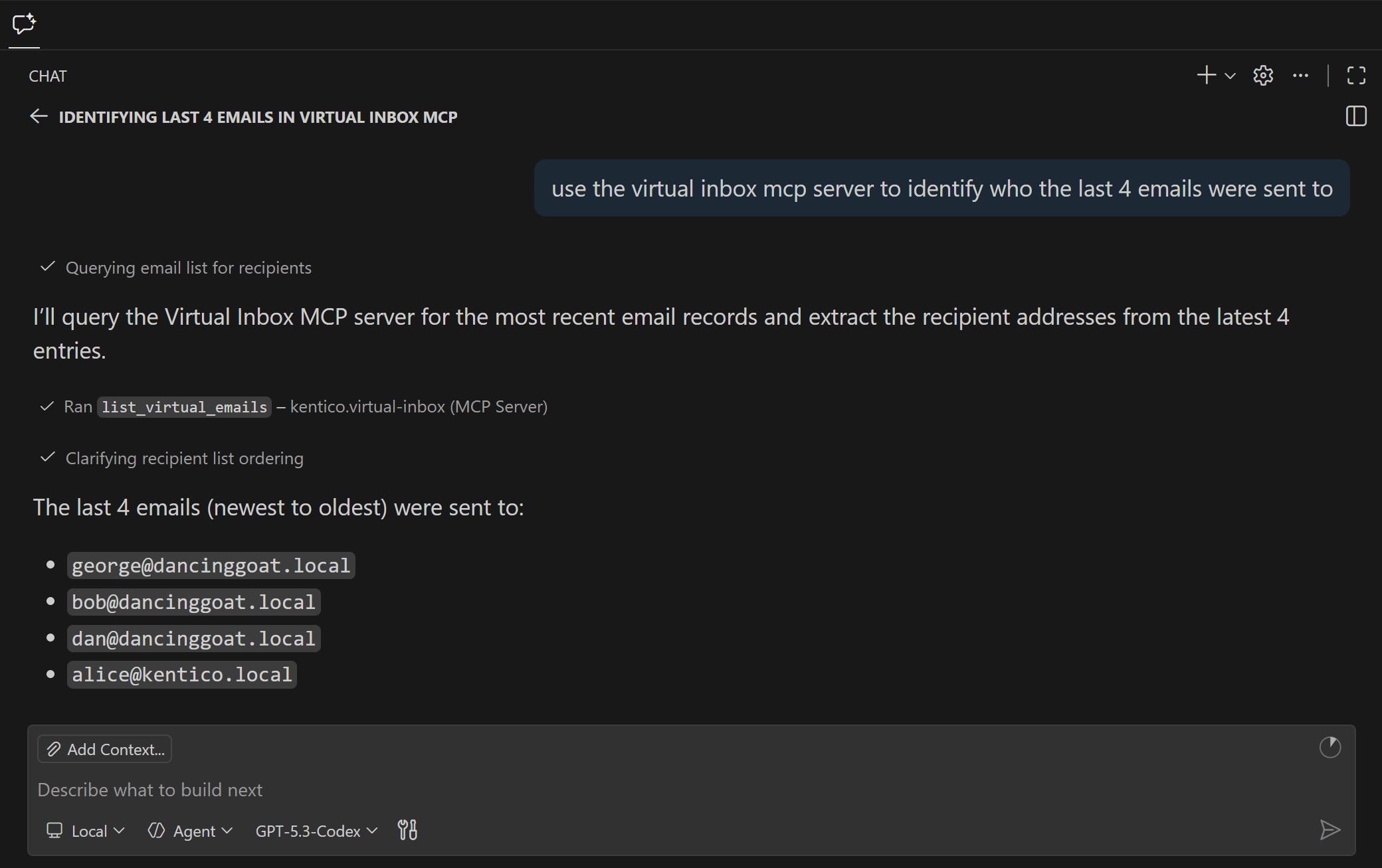
- AI agent validation of email content and rendering after code changes.
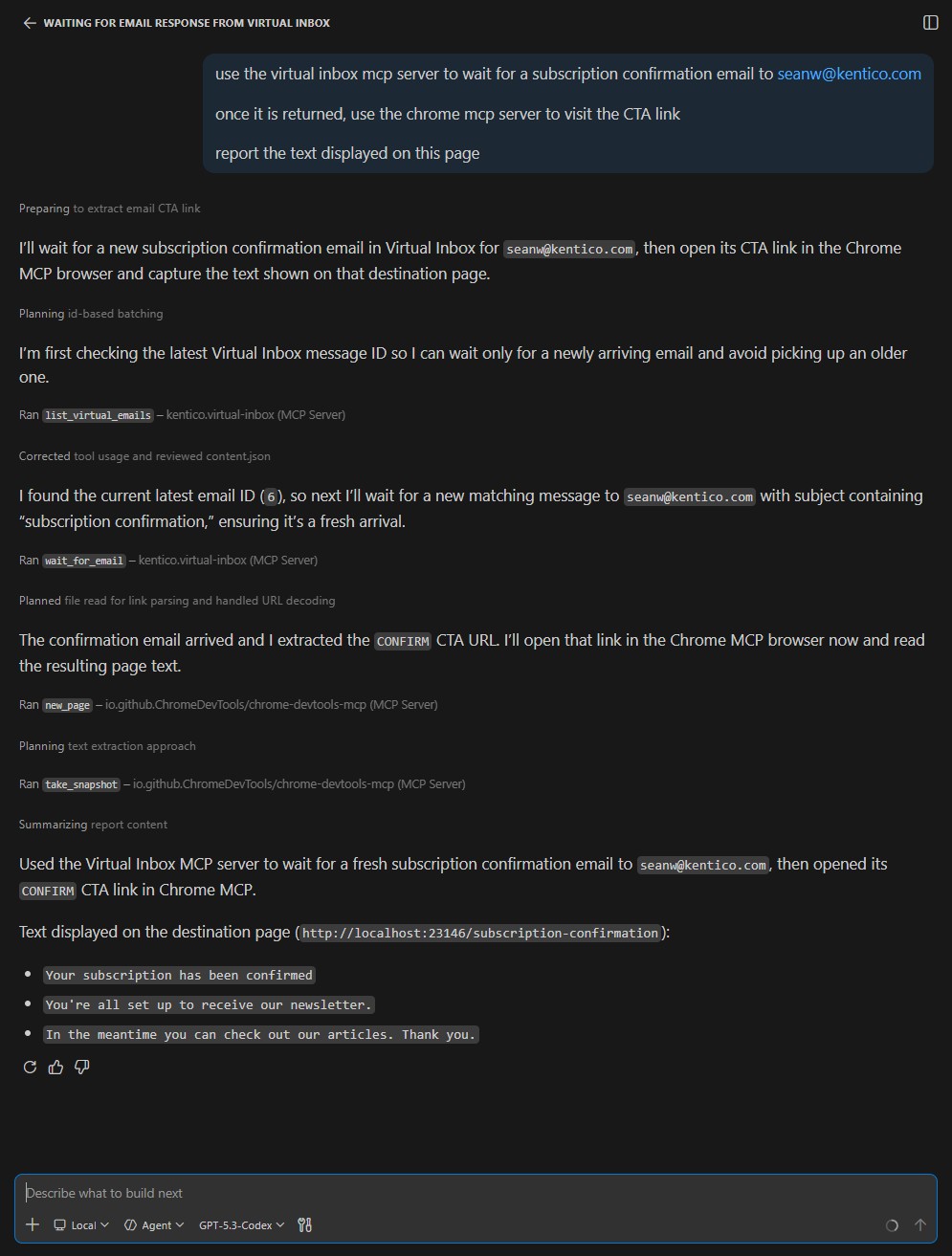
- AI agent-driven E2E testing of visitor journeys, like automations and membership experiences.
- AI agent-driven customer data generation to validate marketing features like activity tracking for emails and custom activities, content personalization, and customer journeys.
- Demo environments that need email "delivery" without delivering to a real inbox.
- "View this email in your browser" by displaying captured email on a website channel.
- Maintain a clean email queue when you don't have SMTP delivery support in your environment.

| Xperience Version | Library Version |
|---|---|
| >= 31.2.0 | 1.0.0 |
Add these package to your application using the .NET CLI.
The core package adds the integration's object types and custom email client.
dotnet add package Kentico.Xperience.VirtualInboxThe admin project adds the virtual inbox administration UI application to the project.
dotnet add package Kentico.Xperience.VirtualInbox.AdminThe MCP project adds Virtual Inbox MCP tools that you can register on your application's MCP server.
dotnet add package Kentico.Xperience.VirtualInbox.MCP-
Add the Admin and MCP NuGet packages to your Xperience by Kentico ASP.NET Core application.
-
Register the integration's services, an MCP server and the integration's MCP tools:
// ...

if (env.IsDevelopment())
{
   builder.Services
     // Adds this library's services
     .AddVirtualInboxClient(builder.Configuration)
     .AddMcpServer() // Host application is responsible for adding the McpServer
     .WithHttpTransport()
     .WithVirtualInboxTools(); // Adds this library's MCP tools
}
else
{
   // Adds this library's services without email capture
   builder.Services.AddVirtualInboxCore();
}
// ...
-
Enable the MCP server in the middleware pipeline:
// ...
app.Kentico().MapRoutes();

if (env.IsDevelopment())
{
   app.MapMcp("/mcp"); // Host application is responsible for adding the endpoint
}
// ...
-
Update your
appsettings.Development.jsonto enable the library features:"Kentico": { "VirtualInbox": { "Enabled": true, } },
-
Configure your MCP server for your AI enabled development tool
{
  "servers": {
    "kentico.docs.mcp": {
      "type": "http",
      "url": "https://docs.kentico.com/mcp"
    },
    "your-app": {
      "type": "http",
      "url": "http://localhost:23146/mcp"
    }
  }
}
Warning
If used in a production environment, the MCP server exposes customer data without any authentication. The MCP server feature is intended for development-environments only.
Use environment identification extensions or environment specific settings to disable the MCP server for non-local deployments.
View the Usage Guide for more detailed instructions.
To see the guidelines for Contributing to Kentico open source software, please see Kentico's CONTRIBUTING.md for more information and follow the Kentico's CODE_OF_CONDUCT.
Instructions and technical details for contributing to this project can be found in Contributing Setup.
Distributed under the MIT License. See LICENSE.md for more information.
This project has Kentico Labs limited support.
See SUPPORT.md for more information.
For any security issues see SECURITY.md.