

Codebase Notebook is a VS Code extension that lets you take structured notes across your codebase and quickly jump between code and the notes that describe it.
-
Browse all notes
-
Open, preview, and delete notes
-
Refresh with one click
-
Attach notes to specific files + line numbers
-
Jump directly back to referenced code
-
Works great for reviews, onboarding, debugging, refactoring
-
Notes are stored as readable Markdown
-
Easy to version, sync, and share
-
You own your notes (no database, no vendor lock)
-
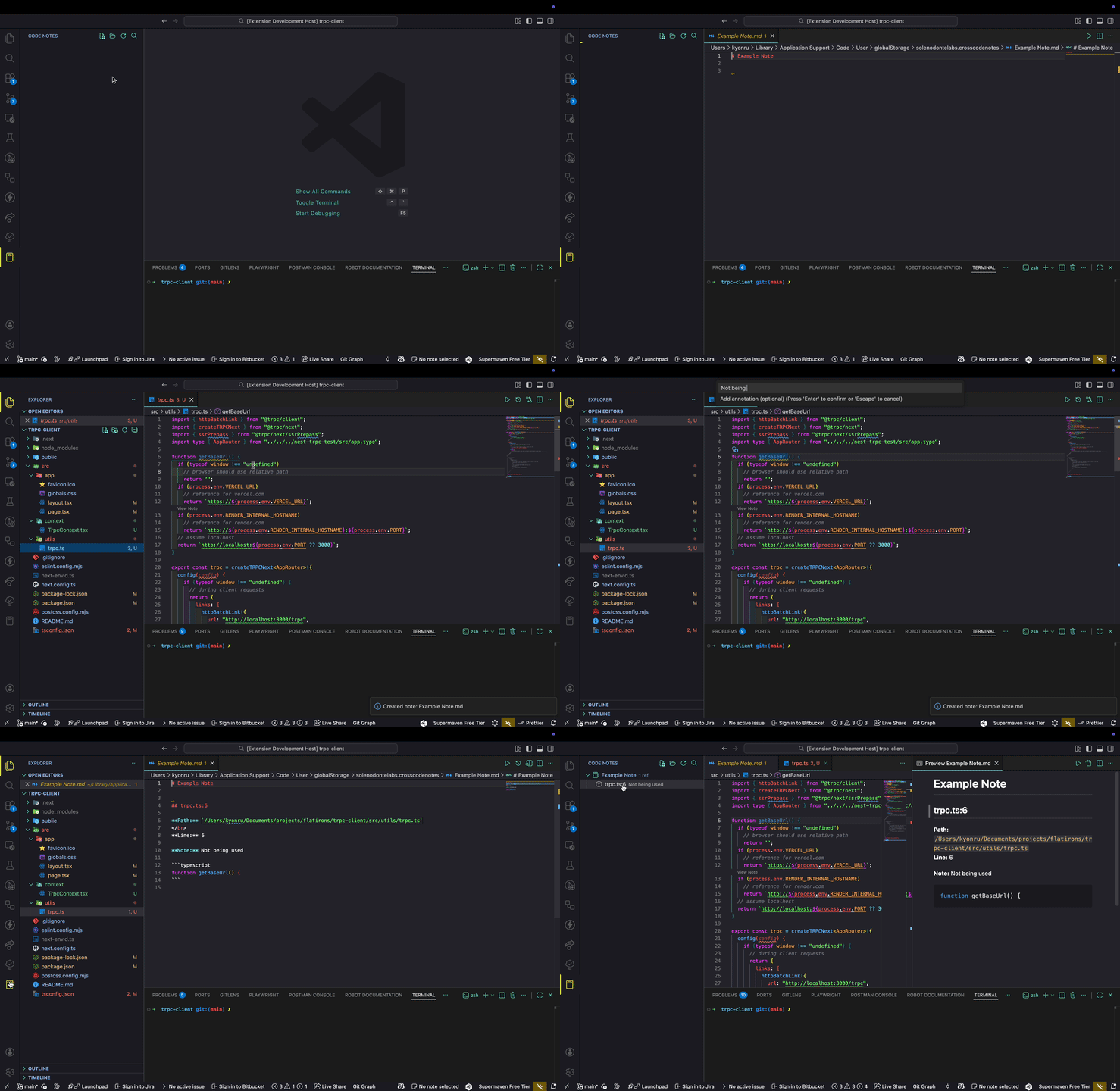
Open notes from the tree view
-
Open associated code reference in one click
-
Activity Bar → Codebase Notebook
-
Sidebar tree listing all your notes
-
Commands available in the view header & context menu
You can customize where Codebase Notebook stores your notes.
Add this in Settings → Search “Codebase Notebook” or in your settings.json:
{
  "crosscodenotes.notesDirectory": ""
}| Command | Description |
|---|---|
Codebase Notebook: Create Note |
Create a new note |
Codebase Notebook: Select Note |
Switch the active note |
Codebase Notebook: Add Reference |
Attach a code reference to a note |
Codebase Notebook: Go to Reference |
Jump to referenced file + line |
Codebase Notebook: View Note |
Open preview of current note |
Codebase Notebook: Open Notes Directory |
Open storage folder for notes |
Codebase Notebook: Delete Note |
Remove note |
Codebase Notebook: Refresh Notes |
Reload the notes list |
Codebase Notebook: Open Note from Tree |
Open a note directly from the tree view |
Codebase Notebook: View Note at |
View note related to the current cursor |
Codebase Notebook: Search Notes |
Search existing notes |
Codebase Notebook: Change Notes Directory |
Select / change the directory used for notes |
You’ll find most actions in:
- Command Palette (Cmd/Ctrl + Shift + P)
- Codebase Notebook sidebar
- Tree item right-click menus
| Action | Windows / Linux | macOS |
|---|---|---|
| Add Reference to Notebook | Ctrl + Shift + J |
Cmd + Shift + J |
Notes are stored locally in a Markdown directory (managed by the extension).
They’re human readable and version-control friendly.
If you have ideas or feature requests, open an issue!
- Rename
- Improved Note taking
- Multi Line Notes and Highlighting
If this helps your workflow, consider sponsoring: 👉 https://github.com/sponsors/kyonru
MIT — feel free to hack, extend, and share.