Search screen
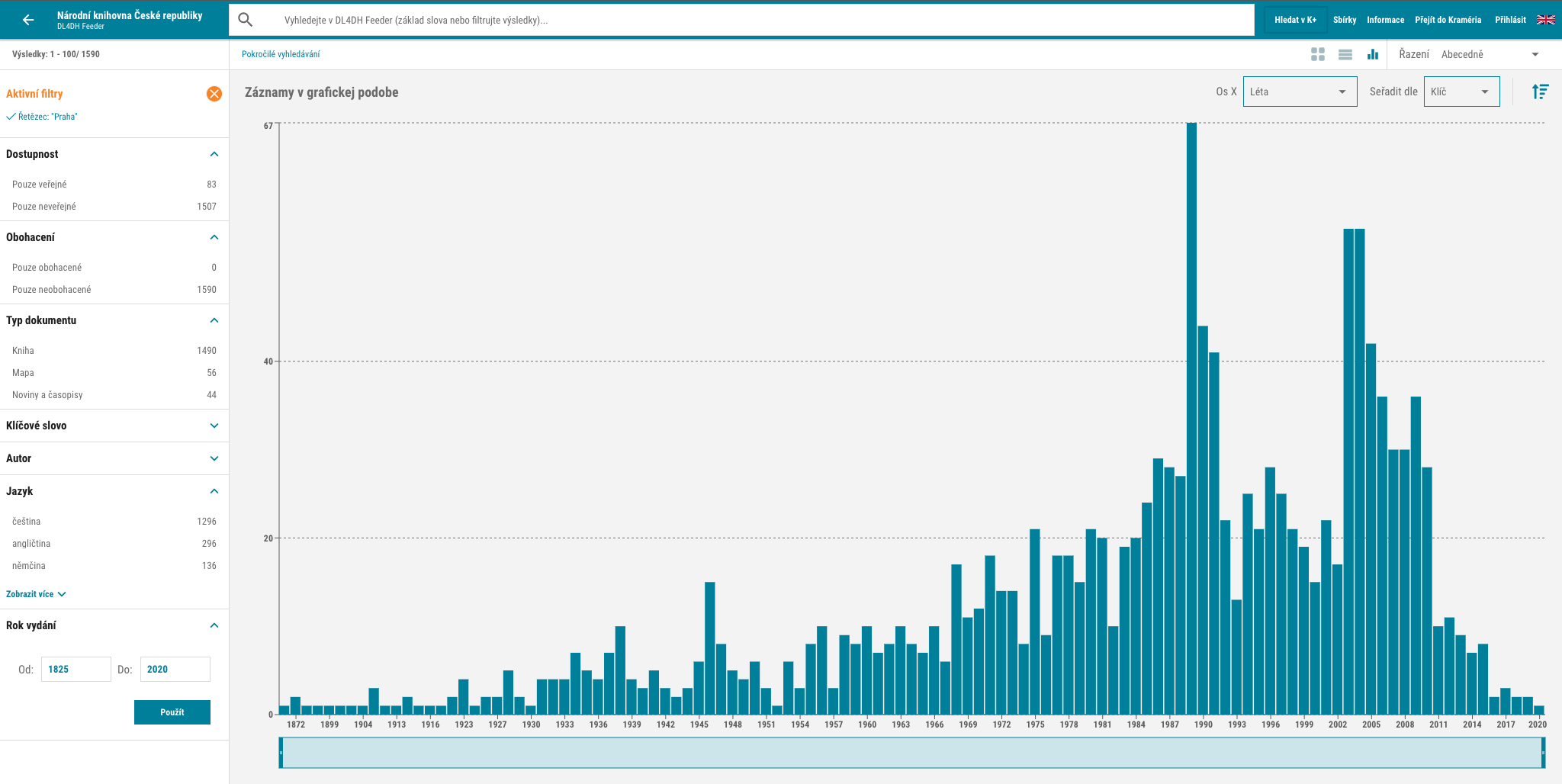
Upon entering the DL4DH Feeder, the user will be taken to a screen with the search results, orwith the entire contents of the Feeder if no search term has been entered. The search field at the top of the screen is used to search for documents containing entities identified in the enrichment phase (e.g., geographic data, institutions, or persons); when a condition is entered, the whisperer displays values in this field that are relevant to the currently filtered set of documents. Advanced search is used to formulate a query that combines multiple search attributes, logical operators, and wildcards.
The left side of the screen contains facets designed to refine the search result. It is possible to filter by document availability, document type (books, newspapers and magazines, music...), keywords, authors, geographical names, but also by data obtained by enriching the publications (by technical data about the image document, software used in digitization, etc.). The items offered within each facet are based on the metadata about the documents in Kramerius+ and Kramerius systems, and therefore depend on the specific digital library on top of which the DL4DH tools are deployed. The filters used to restrict simultaneous searches are placed at the top of the left-side facet column. By clicking on a specific filter, it can be deselected. A combination of query and applied filters is responded to by a list of publications in the main part of the screen. Documents found can then be sorted by relevance or publication date, or alphabetically by title, author, etc.
By default, individual documents are presented as tabs offering basic bibliographic information and a document preview page.

The display can be switched to a table or graph in the header of the screen, where values plotted on the horizontal axis can be selected. Search results can be displayed by entire publications or individual pages with the occurrence of the search term or concept. In addition to switching the view, a sort order of search items and a button for exporting data are also available at the top of the screen. Only a limited number of results are displayed on a single screen, and more can be accessed by scrolling using the arrows in the bottom right corner of the screen.
Po vstupu do DL4DH Feederu se uživatel dostane na obrazovku s výsledky vyhledávání, případně s veškerým obsahem Feederu, pokud nebyl žádný vyhledávací výraz zadán. Vyhledávací pole v horní části obrazovky se využije při hledání dokumentů obsahujících rozpoznané entity identifikované ve fázi obohacování (např. geografické údaje, instituce či osoby); při zápisu podmínky našeptávač zobrazuje v tomto poli hodnoty, které jsou relevantní pro aktuálně vyfiltrovanou sadu dokumentů. Pokročilé vyhledávání slouží k formulování dotazu, který kombinuje více prohledávaných atributů, logické operátory a zástupné znaky.
V levé části obrazovky se nacházejí fasety určené ke zpřesnění výsledku vyhledávání. Filtrovat je možné podle dostupnosti dokumentů, typu dokumentu (knihy, noviny a časopisy, hudebniny…), klíčových slov, autorů, geografických názvů, ale také podle dat získaných obohacením publikací (podle technických údajů o obrazovém dokumentu, softwaru použitém při digitalizaci aj.). Položky nabízené v rámci jednotlivých faset vycházejí z metadat o dokumentech v systémech Kramerius+ a Kramerius, a závisejí tedy na konkrétní digitální knihovně, nad níž jsou nástroje DL4DH nasazeny. Použité filtry omezující současné vyhledávání se řadí na začátek levého sloupce s fasetami. Kliknutím na konkrétní filtr ho lze zrušit. Na kombinaci dotazu a aplikovaných filtrů reaguje seznam publikací v hlavní části obrazovky. Nalezené dokumenty je potom možné řadit podle relevance či data vydání nebo abecedně podle titulu, autora apod.
Ve výchozím nastavení jsou jednotlivé dokumenty prezentovány ve formě karet nabízejících základní bibliografické informace a náhledovou stránku dokumentu.
Zobrazení je možné v záhlaví obrazovky přepnout do podoby tabulky nebo grafu, u něhož lze volit hodnoty vynesené na horizontální ose. Výsledky hledání lze zobrazit po celých publikacích nebo jednotlivých stranách s výskytem hledaného výrazu či pojmu. Kromě přepínání zobrazení je v horní části obrazovky dostupné také řazení vyhledaných položek a tlačítko pro export dat. Na jedné obrazovce se zobrazuje pouze omezené množství výsledků, k dalším je možné se dostat listováním pomocí šipek v pravém dolním rohu obrazovky.