dev setup
手順に沿ってaccess tokenを作成してください。
Flutter SDKのバージョン管理にfvmを利用しています。
手順に沿ってインストールしてください。
flutter_github_search をVscodeで開く。
git clone https://github.com/LeoAndo/flutter_github_search.git
cd flutter_github_search
次に、Vscode上のターミナルで以下のコマンドを実行します。
https://github.com/LeoAndo/flutter_github_search/blob/develop/.fvm/fvm_config.json#L2 に記載のバージョンを指定してください。
fvm use 3.7.3
コマンド実行が完了したらVS codeを再起動してください。
Vscodeの拡張機能でチーム内で統一させたいものはextensions.jsonに定義しています。
extensions.jsonに指定した拡張機能を以下の手順に沿ってインストールします。すでにインストール済みの人はスキップしいてください
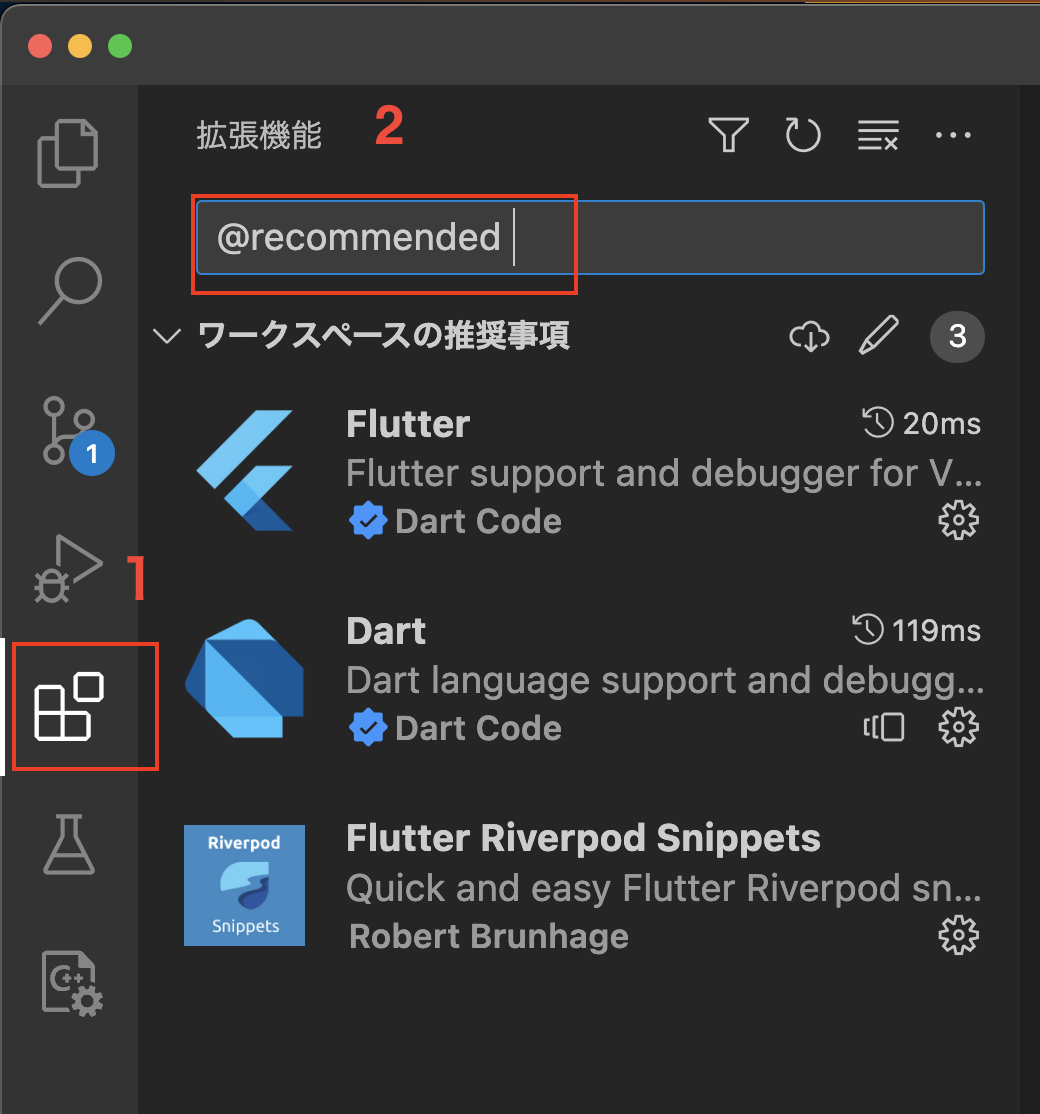
1: 拡張機能ボタンをクリック
2: 入力欄に「@recommended」と入力する
3: 結果表示された拡張機能を全てインストールする (extensions.jsonの設定値により、ここの表示内容は変わります。)
STEP1で作成した「fine-grained personal access token」をdart_defineは以下のjsonの環境変数に設定してください。
https://github.com/LeoAndo/flutter_github_search/blob/develop/dart_define/development.json#L5
https://github.com/LeoAndo/flutter_github_search/blob/develop/dart_define/production.json#L5
https://github.com/LeoAndo/flutter_github_search/blob/develop/dart_define/staging.json#L5
アプリ実行時のパラメータ設定をチーム内で統一させたいものはlaunch.jsonに定義しています。
また、Dart-define-from-fileを使ってビルドタイプごとの環境変数を切り替えています。
以下の通り、アプリのデバック実行を行ってください。
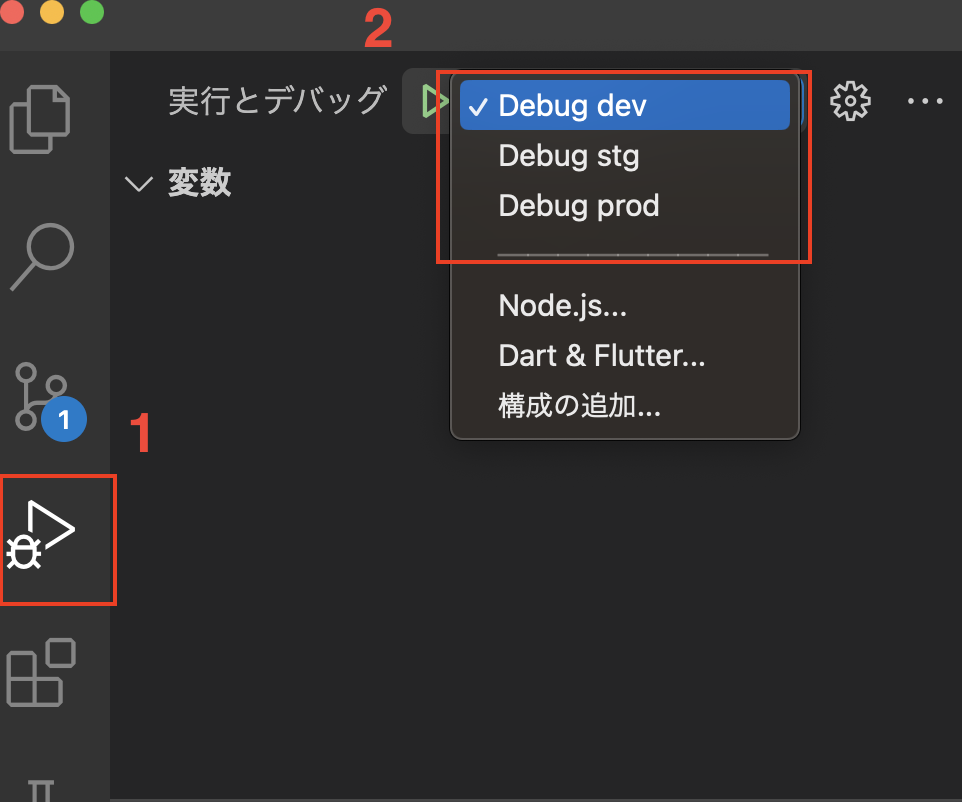
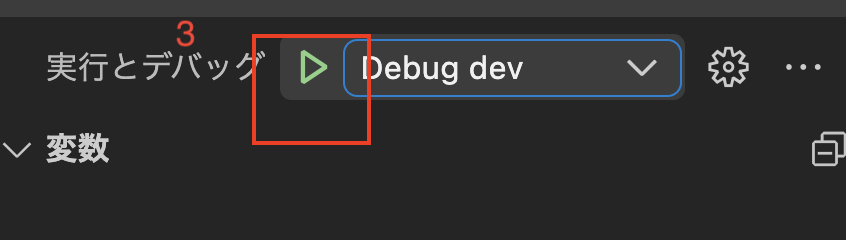
STEP7以降は、ローカル環境でリリースビルドを行いたい場合に必要です。
手順 を参考に作成してください。
作成した署名ファイルをrelease.keystoreにrenameし、「プロジェクト/android/」直下に配置してください。
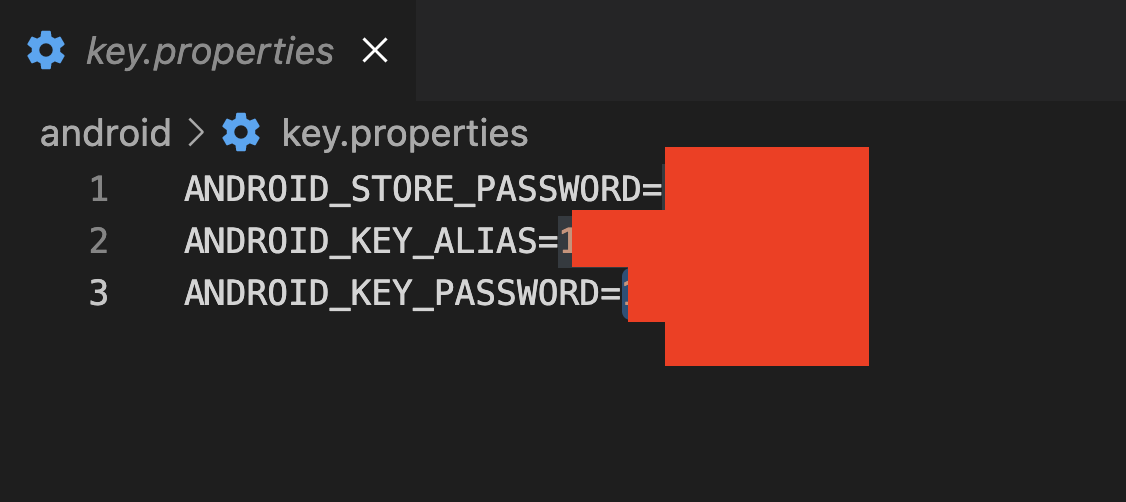
https://github.com/LeoAndo/flutter_github_search/blob/develop/Makefile#L44:L46
make build-android-prod