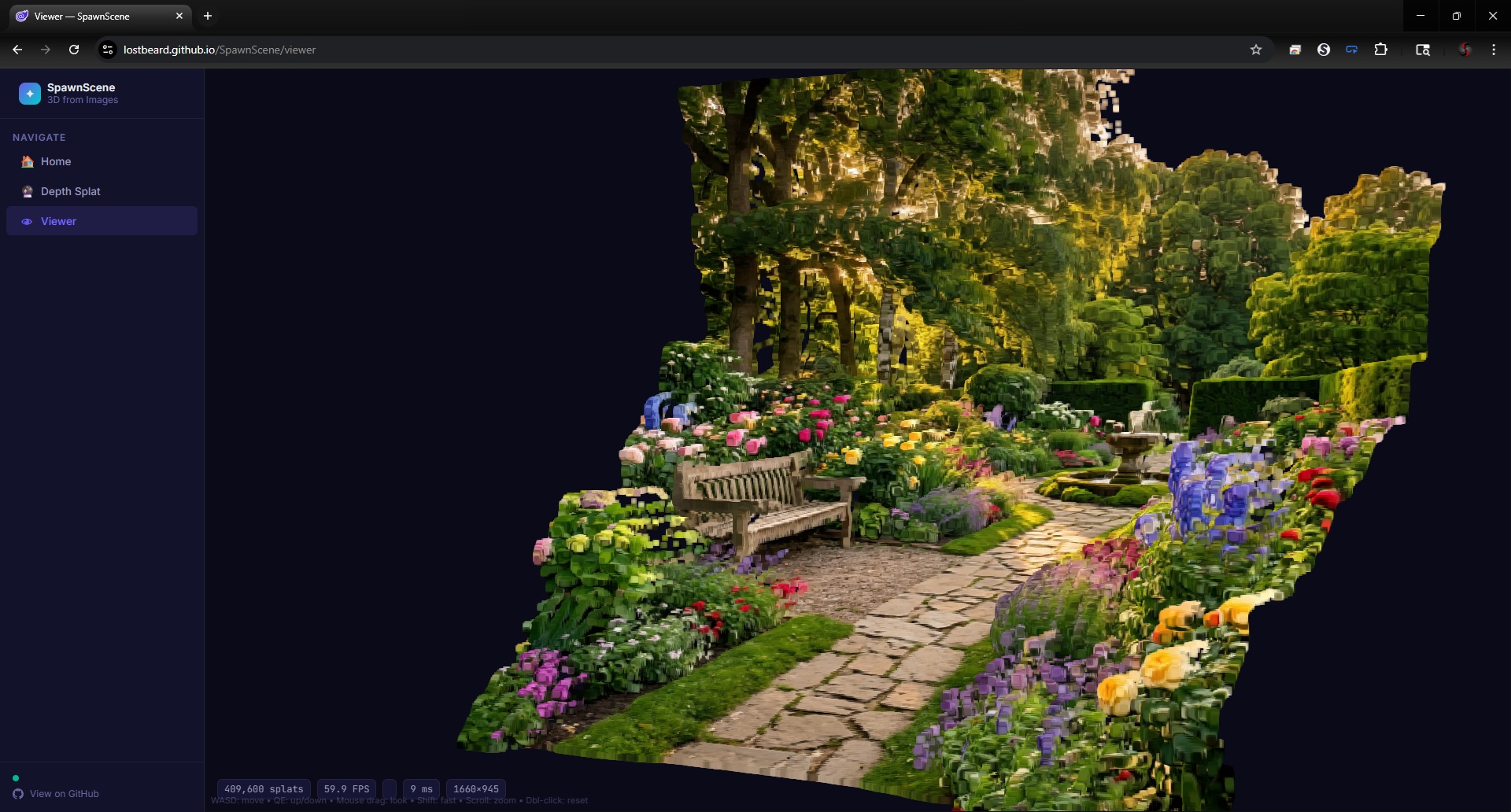
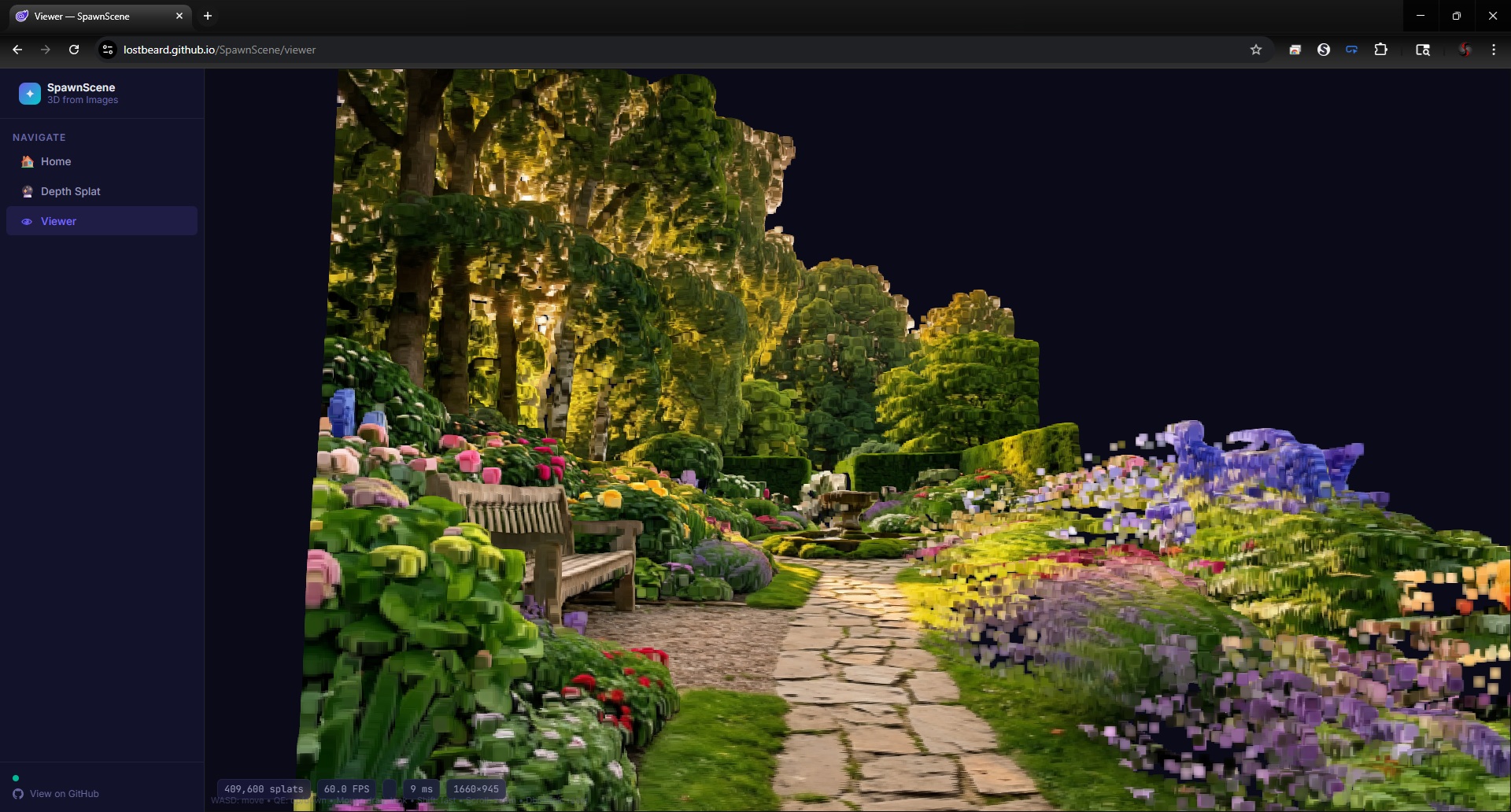
Create interactive 3D Gaussian Splat scenes from a single photo — entirely in your browser.


SpawnScene is a fully client-side Gaussian Splatting application built with Blazor WebAssembly. It uses monocular depth estimation (DistillAnyDepth / DepthAnything V2) to generate 3D scenes from a single photograph, with the entire pipeline running on the GPU via WebGPU and SpawnDev.ILGPU.
- 🔮 Depth Estimation — DistillAnyDepth (default) and DepthAnything V2 via ONNX Runtime Web on the WebGPU execution provider
- ⚡ GPU Gaussian Generation — ILGPU compute kernel unprojects depth + color into 14M+ packed Gaussian splats
- 🎲 Stochastic Rasterization — Sort-free rendering via Monte Carlo estimation (StochasticSplats, ICCV 2025). Eliminates the radix sort bottleneck entirely, maintaining 45-60 FPS with 14M+ splats
- 🔄 Temporal Accumulation — Multi-SPP with velocity-adaptive EMA blending for progressive convergence
- 👁 Real-Time Viewer — WebGPU splat renderer with EWA anti-aliasing and CAS post-processing sharpening
- 📦 PLY / SPLAT Loading — Load pre-built scenes from
.plyor.splatfiles - 🔒 Fully Client-Side — No server, no uploads. All GPU compute runs in your browser.


Single photo
  → GPU (one-time upload)
  → ILGPU PreprocessKernel        RGBA → NCHW float[1,3,518,518]
  → ONNX WebGPU inference         DistillAnyDepth Small (default)
  → ILGPU ResizeKernel            518×518 → original resolution
  → ILGPU MinMaxReduce            2 floats to CPU (UI metadata only)
  → ILGPU UnprojectAndPackKernel  depth + RGBA → 10 floats/splat
  → WebGPU pack compute           Float32 → Float16/UNorm8 (once at upload)
  → Per frame (stochastic mode):
      → WebGPU stochastic render  billboard quads + stochastic discard + depth test
      → WebGPU accumulate blend   temporal EMA into persistent texture
      → WebGPU CAS display        sharpening → canvas
| Component | Technology |
|---|---|
| App framework | Blazor WebAssembly (.NET 10) |
| JS interop | SpawnDev.BlazorJS |
| GPU compute | SpawnDev.ILGPU 4.0.0 (WebGPU backend) |
| Depth estimation | ONNX Runtime Web 1.25 (WebGPU EP) |
| Depth models | DistillAnyDepth Small (default), DepthAnything V2 Small |
| Rendering | Native WebGPU (WGSL shaders) |
| Language | C# 13 |
- WebGPU-capable browser: Chrome 113+, Edge 113+, or Safari 18+
- No installation required — runs entirely client-side
SpawnScene/
├── Models/
│   ├── Gaussian3D.cs              # 3D Gaussian splat struct
│   ├── GaussianScene.cs           # Scene container (CPU or GPU-resident)
│   ├── CameraParams.cs            # Camera intrinsics/extrinsics + view matrix
│   ├── DepthResult.cs             # GPU-resident depth map + metadata
│   └── Project.cs                 # Project, ProjectSettings, ProjectSource, ProjectScene
├── Services/
│   ├── GpuShareService.cs         # WebGPU device sharing (monkey-patches navigator.gpu)
│   ├── GpuService.cs              # ILGPU WebGPU accelerator lifecycle
│   ├── DepthEstimationService.cs  # ONNX depth inference + GPU pre/post-processing
│   ├── DepthToGaussianKernel.cs   # ILGPU kernel: depth → packed Gaussian buffer
│   ├── GpuSplatSorter.cs          # ILGPU radix sort + velocity tracking
│   ├── GpuGaussianRenderer.cs     # WebGPU renderer (stochastic + sorted + CAS)
│   ├── GpuDepthColorizer.cs       # GPU Turbo colormap for depth preview
│   ├── RenderService.cs           # Render loop + scene upload coordination
│   ├── SceneManager.cs            # Active scene + camera state
│   ├── CameraController.cs        # FPS-style camera (WASD + mouse look)
│   └── ProjectService.cs          # OPFS-backed project CRUD + storage
├── UI/                            # WebGPU UI framework (VR-ready, no HTML elements)
│   ├── FontAtlas.cs               # Runtime bitmap font atlas generation
│   ├── UIRenderer.cs              # Batched quad renderer (single draw call overlay)
│   ├── UIShaders.cs               # WGSL vertex/fragment for UI quads
│   ├── InputManager.cs            # Unified input (mouse, keyboard, gamepad)
│   ├── UIElement.cs               # Base element with hit testing
│   └── Elements/
│       ├── UILabel.cs             # Text rendering
│       ├── UIButton.cs            # Clickable button with states
│       ├── UIPanel.cs             # Container with background
│       └── UISlider.cs            # Horizontal drag slider
├── Pages/
│   ├── Home.razor                 # Landing page (Blazor HTML)
│   ├── Studio.razor               # Unified tool: projects + generation + viewer (WebGPU UI)
│   ├── DepthSplat.razor           # Legacy: standalone depth estimation UI
│   └── Viewer.razor               # Legacy: standalone 3D viewer
└── Formats/
    ├── PlyParser.cs               # PLY file parser
    └── SplatParser.cs             # SPLAT file parser
- .NET 10 SDK
- A WebGPU-capable browser (Chrome 113+ recommended)
cd SpawnScene
dotnet run
Navigate to https://localhost:5001 (or the URL shown in the terminal).
- Depth Splat — Load a depth model (DistillAnyDepth or DepthAnything V2), upload a photo, estimate depth, generate Gaussians
- View in Splat Viewer — Navigate to the 3D viewer to explore the generated scene
- Viewer — Can also load
.plyor.splatfiles directly
- ✅
Sort-free stochastic rasterization— eliminates radix sort bottleneck for 14M+ splat scenes - 🔲 Full zero-copy depth pipeline — keep ONNX output on GPU (blocked by ORT bug #26107)
- 🔲 Multi-image scenes — merge depth splat clouds from multiple photos
- 🔲 Live camera input — real-time scene generation from device camera
- 🔲 WebXR / VR headset viewing
- 🔲 Scene export (PLY / SPLAT)
- 🔲 Improved Gaussian quality — learned opacity, covariance, spherical harmonics
- 🔲 Peer-to-peer cooperative scanning via WebRTC
- 🔲 Video input support
MIT License — see LICENSE for details.
Todd Tanner (@LostBeard)