This is an inventory manager service built as part of the shopify developer challenge. Feel free to demo the project using this link The project frontend and backend are both hosted here: https://madhu-shopify-challenge.herokuapp.com/. Documentation can be found at https://madhu-shopify-challenge.herokuapp.com/api-docs.
Note: The frontend was not thoroughly tested and may have bugs, it is primarily meant as a method to test the backend and its ability to handle different types of requests.
- What does it do
- Tech stack
- Instructions on how to access demo or setup locally
- API information
- Run tests
- Features
- Future improvements
This is an inventory management app where users can create, read, update and delete inventory items. The bonus component I added is image upload and thumbnail generation where users can upload images as part of their inventory item and the backend automatically generates a thumbnail from that image which will be linked to the inventory item.
Back end service is built with Node.js and Express.js framework. The inventory items are stored and retrieved from a MongoDB database. The cloudinary API is used for image storage, thumbnail generation and image hosting. Uri's from cloudinary are then stored on MongoDB so that the image can be accessed. I used Jest for unit testing and the app is hosted using Heroku. The documentation is made with Swagger and JsDoc. The frontend is built with React and redux.
This is the recommended option since you will not need API keys to setup. The frontend and backend of the project can easily be accessed at https://madhu-shopify-challenge.herokuapp.com/. You can freely use this url if you would like to test the app in any way. Test requests can also be made using that as the base url.
If you choose not to use the demo version (https://madhu-shopify-challenge.herokuapp.com/), you can follow the following steps. Please keep in mind the heroku hosted demo is recommended since you won't need to create a new mongodb or cloudinary account.
Prerequisites:
- Have Node.js installed (The project is confirmed to work with Node.js version 14.17.3)
- Create a cloudinary account at https://cloudinary.com/users/register/free
- Create a mongodb account and then create a mongodb cluster which will be used as the project database, this can be done at https://www.mongodb.com/cloud/atlas/register/
Instructions:
- Clone this repository
- Run
npm installin project root to install dependencies,cdinto the client folder and runnpm installagain to install client dependencies. Then cd back into the project root. - Create a .env file in the project root and add the following fields by using the keys from the mongodb and cloudinary account.
MONGODB_URI=mongodb+srv://user:password@cluster0.example.mongodb.net/<data>?retryWrites=true&w=majority
CLOUDINARY_CLOUD_NAME=XXXXXX
CLOUDINARY_API_KEY=XXXXXXXXX
CLOUDINARY_API_SECRET=XXXXXXXXXXXXXXX
- You can now run the project by running
npm run devin the project root which will run the client atlocalhost:3000and the server atlocalhost:5000. You can also choose to run justnpm run serverif you only want to run the server. - You can either test the endpoints using the client or you use postman or a similar service to test endpoints directly through the server. More information about the endpoints will be provided below.
- Feel free to reach out to me at madhuran.siva@gmail.com if you need any help.
Requests can be made to the hosted api server using base url: https://madhu-shopify-challenge.herokuapp.com
Or requests can be made by following the instructions to setup the project locally and then make requests using base url: http://localhost:5000
name: String            //Must be string with at least length of 1, required
description: String     //Must be string with at least length of 1, required
quantity: Integer       //Must be a positive integer, required
thumbnail: {
    url: String         //Url that redirects to the cloudinary image, required
    public_id: String   //Id of the image which can be used to access and delete the image, required
}
There are 5 main endpoints:
| Endpoint | Description |
|---|---|
POST /api/items |
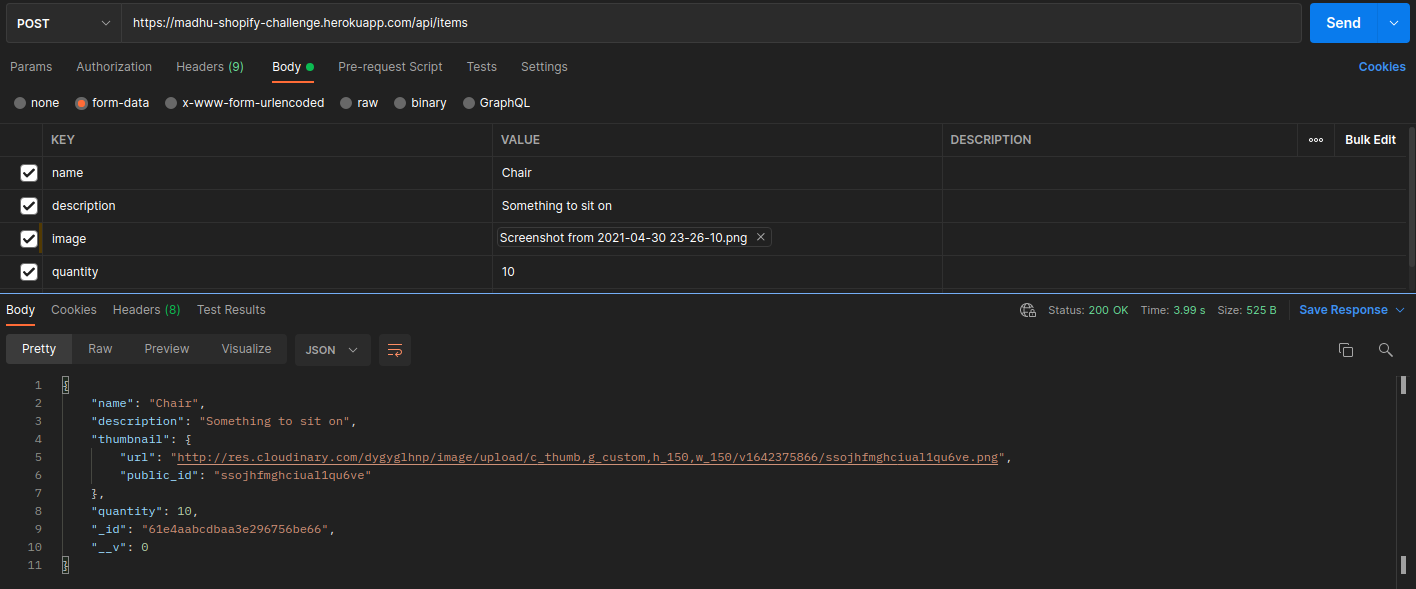
Accepts a request with Content-Type: multipart/form-data with required text inputs of name, description, and quantity. It also requires a file input of image. Middleware validation confirms that all inputs fit required criteria (name and description are strings of at least length 1, quantity is a positive integer and image is an image type file). If successful, the endpoint will return the Item object which will contain all the listed string fields as well as a thumbnail field which will link to the generated cloudinary thumbnail. Invalid inputs will return a 400 error with an array of all errors. |
PATCH /api/items/:id |
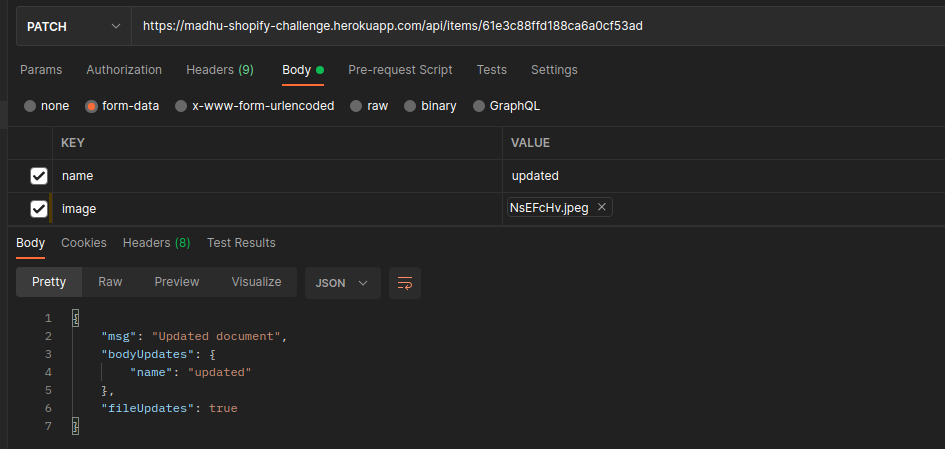
Accepts a request with Content-Type: multipart/form-data and optional text inputs of name, description, and quantity. It also accepts an optional file input of image. The request updates the item with the specified id using the fields passed into the request. If there are fields that were not passed in, then those fields don't change. Middleware validation still checks updated fields to ensure they are valid. Successful request will return an object that shows the updates made. |
GET /api/items |
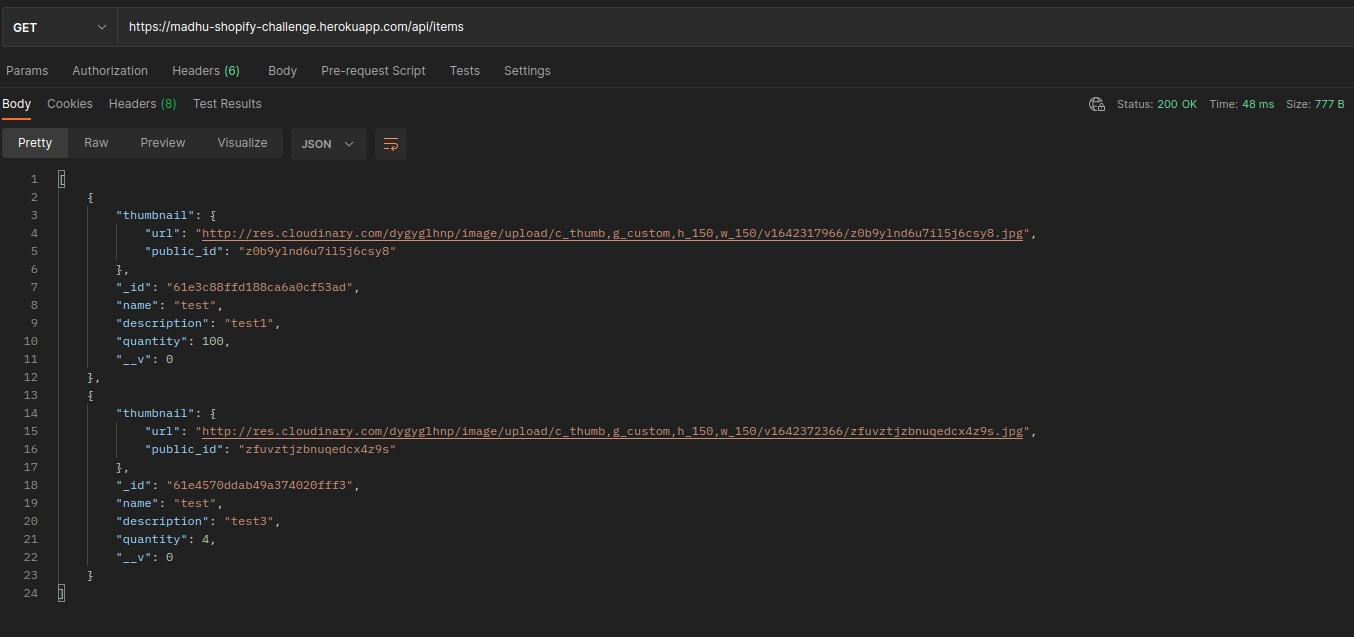
Request that returns an array of all stored inventory items. |
GET /api/items/:id |
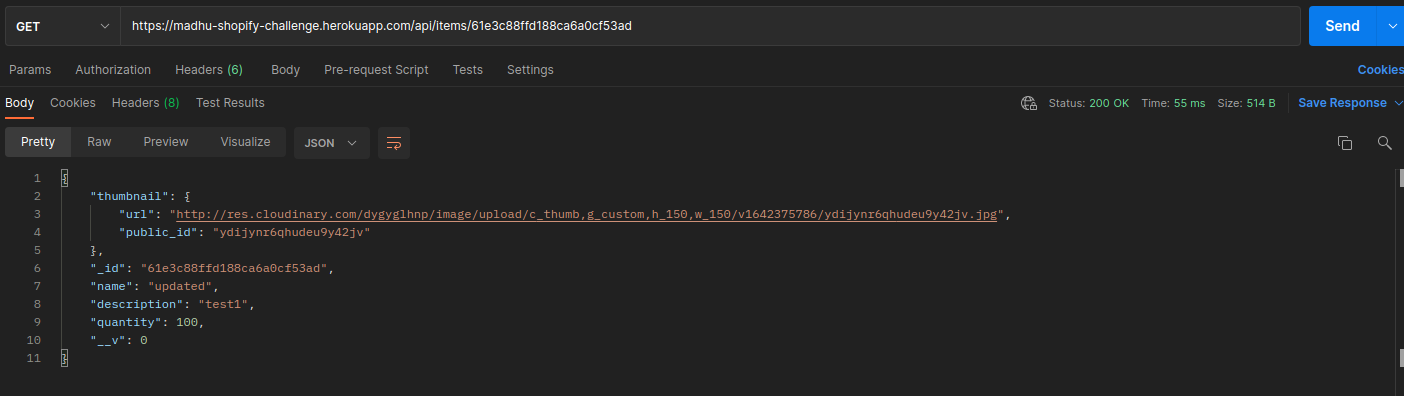
Request that returns the specified item object. If the object cannot be found a 404 error is returned. |
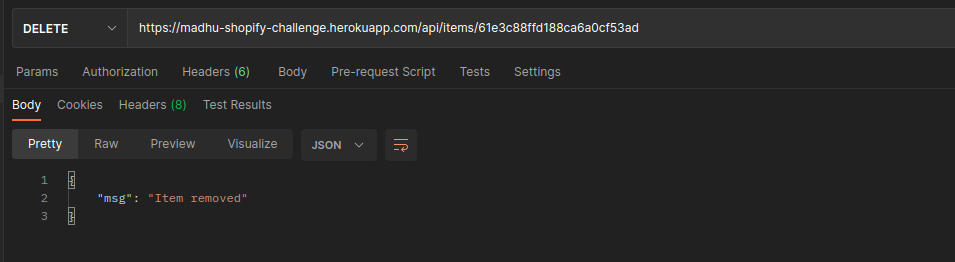
DELETE /api/items/:id |
Request that deletes an item with specified id from the mongodb database. The item is also deleted from cloudinary. If the object cannot be found a 404 error is returned. |
POST /api/items:
PATCH /api/items/:id:
GET /api/items:
GET /api/items/:id:
DELETE /api/items/:id:
Instructions:
- Follow the local setup guide to ensure that all dependencies are installed at that a .env file exists in the project root with all nessecary api keys
- In project root, run
npm run serverto start the backend server - In a seperate window run
npm run testto run the e2e tests.
- Create, read, update and delete inventory items
- Upload and host images with cloudinary
- Middleware validation to check for valid requests
- Middleware for rate limiting
- internal logs and metrics
- e2e tests
- MongoDB storage
- Frontend made for testing purposes
- Hosted with Heroku
- Add more fields to the inventory items
- Add other bonus features listed in the assignment spec