Self-hostable, open-source LaTeX editor with live PDF preview and a full REST API.
Write beautiful documents with a modern editing experience — on your own infrastructure.


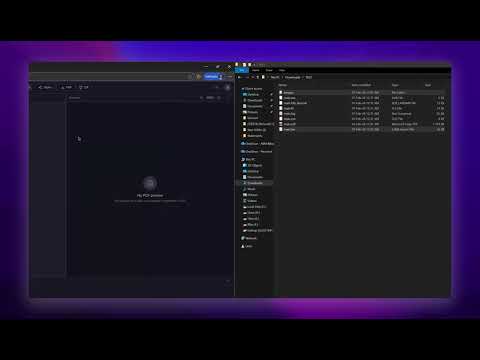
- Live PDF Preview — See your document update in real-time as you type. Auto-compilation on save with real-time WebSocket status updates via a standalone server.
- Full LaTeX Engine Support — Compile with
auto,pdflatex,xelatex,lualatex, orlatex.autois the default and selects the engine from source heuristics at build time. - Project Management — Create, organize, and manage multiple LaTeX projects from a clean dashboard.
- Built-in File Tree — Navigate project files with a sidebar file explorer. Create, rename, upload, and delete files.
- Code Editor — Syntax-highlighted LaTeX editing powered by CodeMirror 6 with search, autocomplete, and keyboard shortcuts.
- Build Logs & Error Parsing — Structured build output with clickable errors that jump to the offending line in the editor.
- Resizable Panels — IDE-like layout with draggable dividers between file tree, editor, PDF viewer, and build logs.
- Template System — Start new projects from built-in templates: Blank, Article, Thesis, Beamer (Presentation), and Letter.
- Sandboxed Compilation — Each build runs in an isolated Docker container with memory/CPU limits, network disabled, and auto-cleanup.
- BullMQ Build Queue — Web/API processes enqueue and cancel jobs in BullMQ (Redis-backed); compile execution runs in the dedicated worker by default.
- REST API — Full public API with API key authentication. Compile LaTeX to PDF, manage projects, upload files — all via HTTP.
- Developer Dashboard — Generate and manage API keys from the UI. Built-in API documentation page.
- User Authentication — Session-based auth with secure password hashing (bcrypt), JWT-signed session cookies, and DB-backed session records.
- Dark & Light Themes — Toggle between dark and light mode with a single click.
- One-Click Self-Hosting — Deploy with a single
docker compose up -d. Includes PostgreSQL, Redis, web app, WebSocket server, and dedicated compile worker. - Configurable Limits — File size, compile timeout, and concurrency limits are configurable via environment variables.
- Open Source — Fully open-source under the MIT license.
- Docker and Docker Compose
- A PostgreSQL database — either use the built-in Docker container or an external hosted instance (Neon, Supabase, Railway, your own server, etc.)
git clone https://github.com/Manan-Santoki/Backslash.git
cd Backslash
cp .env.example .env
# (optional) edit .env to change SESSION_SECRET, PORT, etc.
docker compose up -d
That's it. PostgreSQL, Redis, web app, WebSocket server, and compile worker all start together.
Open http://localhost:3000 (or whichever PORT you set) and create your account.
Using an external database? Set
DATABASE_URLin.envto your connection string. The bundled PostgreSQL will still start but will sit idle using minimal resources.
Docker Compose automatically:
- Builds the TeX Live compiler image (~2–5 min on first run)
- Starts PostgreSQL 16 with persistent storage
- Starts Redis 7 for job queuing
- Builds and launches the web application on port 3000
- Starts the dedicated BullMQ compile worker
- Starts the WebSocket server on port 3001 for real-time build updates
If your platform handles networking and reverse proxy for you, add this line to .env to disable host port exposure:
COMPOSE_FILE=docker-compose.ymlThis tells Docker Compose to skip the override file that publishes the port. Your platform's reverse proxy connects to the container over the Docker network — no port leaks to the host.
Direct access (no reverse proxy): WebSocket works out of the box. The frontend auto-detects the ws server on port 3001.
Behind a reverse proxy (Nginx, Traefik, Caddy, etc.): You need to route WebSocket traffic to the ws container. The frontend auto-detects and connects to wss://your-domain.com/ws/socket.io when served over HTTPS.
- Route
/ws/*to the ws container (port 3001) - Set
WS_PATH_PREFIX=/wsin.envso the ws server listens on/ws/socket.ioinstead of/socket.io - Enable
SECURE_COOKIES=trueif behind HTTPS
Nginx example
server {
    listen 443 ssl;
    server_name your-domain.com;

    # App
    location / {
        proxy_pass http://app:3000;
        proxy_set_header Host $host;
        proxy_set_header X-Real-IP $remote_addr;
        proxy_set_header X-Forwarded-For $proxy_add_x_forwarded_for;
        proxy_set_header X-Forwarded-Proto $scheme;
    }

    # WebSocket server
    location /ws/ {
        proxy_pass http://ws:3001;
        proxy_http_version 1.1;
        proxy_set_header Upgrade $http_upgrade;
        proxy_set_header Connection "upgrade";
        proxy_set_header Host $host;
        proxy_set_header X-Real-IP $remote_addr;
        proxy_set_header X-Forwarded-For $proxy_add_x_forwarded_for;
        proxy_set_header X-Forwarded-Proto $scheme;
    }
}
Caddy example
your-domain.com {
    handle /ws/* {
        reverse_proxy ws:3001
    }
    handle {
        reverse_proxy app:3000
    }
}
Platform-managed proxies (Dokploy, Coolify): Create a separate route/domain entry for the
wsservice with path/ws, container port3001, and do not strip the path prefix. SetWS_PATH_PREFIX=/wsin your environment.
Create a .env file in the project root (or edit the one from .env.example):
PORT=3000
WS_PORT=3001
SESSION_SECRET=change-me-to-a-random-64-char-string

# Only set this if you want to use an external database.
# By default, the bundled PostgreSQL is used automatically.
# DATABASE_URL=postgresql://user:password@your-host:5432/backslash
MIGRATE_MAX_ATTEMPTS=30
MIGRATE_RETRY_DELAY_SECONDS=2

# Compilation (optional)
COMPILE_MEMORY=1g
COMPILE_CPUS=1.5
MAX_CONCURRENT_BUILDS=5
COMPILE_TIMEOUT=120
STALE_BUILD_TTL_MINUTES=60
RUN_COMPILE_RUNNER_IN_WEB=false
WORKER_HEARTBEAT_KEY=compile:worker:heartbeat
WORKER_HEARTBEAT_MAX_AGE_MS=30000
WORKER_HEARTBEAT_INTERVAL_MS=5000
ASYNC_COMPILE_RESULT_TTL_MINUTES=60
ASYNC_COMPILE_MAX_CONCURRENT_BUILDS=5

# Registration
DISABLE_SIGNUP=false

# Set to true if behind HTTPS (reverse proxy with TLS)
SECURE_COOKIES=false

# WebSocket — set prefix when behind a reverse proxy that routes /ws/* to the ws container
# WS_PATH_PREFIX=/ws

# WebSocket — override the URL the frontend connects to (usually auto-detected)
# NEXT_PUBLIC_WS_URL=https://your-domain.com/ws

# Platform deployments (Dokploy, Coolify, etc.) — disables host port binding
# COMPOSE_FILE=docker-compose.yml| Variable | Default | Description |
|---|---|---|
PORT |
3000 |
Host port to expose the app on |
WS_PORT |
3001 |
Host port to expose the WebSocket server on |
SESSION_SECRET |
— | Secret key for signing/verifying JWT session cookies across app and ws (required) |
DATABASE_URL |
(bundled postgres) | Override to use an external PostgreSQL instance |
MIGRATE_MAX_ATTEMPTS |
30 |
Maximum migration retry attempts on startup |
MIGRATE_RETRY_DELAY_SECONDS |
2 |
Delay between migration retry attempts |
COMPILE_MEMORY |
1g |
Memory limit per compile container |
COMPILE_CPUS |
1.5 |
CPU limit per compile container |
MAX_CONCURRENT_BUILDS |
5 |
Maximum simultaneous compilations |
COMPILE_TIMEOUT |
120 |
Compilation timeout in seconds |
STALE_BUILD_TTL_MINUTES |
60 |
Minimum age (in minutes) before queued/compiling builds are considered stale during startup cleanup |
RUN_COMPILE_RUNNER_IN_WEB |
false |
When false, web only enqueues/cancels jobs and a dedicated worker executes compiles; set true only for single-process/dev mode |
WORKER_HEARTBEAT_KEY |
compile:worker:heartbeat |
Redis key used by worker heartbeat and health checks |
WORKER_HEARTBEAT_MAX_AGE_MS |
30000 |
Maximum heartbeat age before health check marks worker as stale |
WORKER_HEARTBEAT_INTERVAL_MS |
5000 |
Worker heartbeat publish interval |
ASYNC_COMPILE_RESULT_TTL_MINUTES |
60 |
Retention window for async one-shot compile artifacts before cleanup |
ASYNC_COMPILE_MAX_CONCURRENT_BUILDS |
5 |
Max concurrent async one-shot compile jobs per worker |
DISABLE_SIGNUP |
false |
Set to true to disable new user registration |
SECURE_COOKIES |
false |
Set to true if serving over HTTPS (reverse proxy with TLS) |
WS_PATH_PREFIX |
(empty) | Set to /ws when behind a reverse proxy that routes /ws/* to the ws container |
NEXT_PUBLIC_WS_URL |
(auto-detect) | Override WebSocket server URL for the frontend (e.g. wss://your-domain.com/ws) |
COMPOSE_FILE |
(unset) | Set to docker-compose.yml to disable host port exposure (for platforms) |
Backslash includes a full REST API for programmatic access. Generate an API key from the Developer Settings page in the dashboard, then use it in the Authorization header.
# Submit async one-shot compile job
curl -X POST https://your-instance.com/api/v1/compile \
  -H "Authorization: Bearer bs_YOUR_API_KEY" \
  -F "file=@document.tex"

# Poll status
curl https://your-instance.com/api/v1/compile/JOB_ID \
  -H "Authorization: Bearer bs_YOUR_API_KEY" \
  -H "Accept: application/json"

# Fetch JSON output (base64 PDF + logs/errors)
curl "https://your-instance.com/api/v1/compile/JOB_ID/output?format=json" \
  -H "Authorization: Bearer bs_YOUR_API_KEY" \
  -o output.json

# Fetch raw PDF
curl "https://your-instance.com/api/v1/compile/JOB_ID/output?format=pdf" \
  -H "Authorization: Bearer bs_YOUR_API_KEY" \
--output output.pdf| Method | Endpoint | Description |
|---|---|---|
POST |
/api/v1/compile |
Submit async one-shot compile job |
GET |
/api/v1/compile/:jobId |
Poll async one-shot compile status |
GET |
/api/v1/compile/:jobId/output |
Fetch one-shot output (`format=json |
POST |
/api/v1/compile/:jobId/cancel |
Cancel async one-shot compile job |
GET |
/api/v1/projects |
List all projects |
POST |
/api/v1/projects |
Create a project from template |
GET |
/api/v1/projects/:id |
Get project details + files |
PUT |
/api/v1/projects/:id |
Update project settings |
DELETE |
/api/v1/projects/:id |
Delete a project |
GET |
/api/v1/projects/:id/files |
List project files |
POST |
/api/v1/projects/:id/files |
Create a file |
POST |
/api/v1/projects/:id/files/upload |
Upload files (FormData) |
GET |
/api/v1/projects/:id/files/:fileId |
Get file content |
PUT |
/api/v1/projects/:id/files/:fileId |
Update file content |
DELETE |
/api/v1/projects/:id/files/:fileId |
Delete a file |
POST |
/api/v1/projects/:id/compile |
Trigger project compilation |
GET |
/api/v1/projects/:id/pdf |
Download compiled PDF |
GET |
/api/v1/projects/:id/builds |
Get build logs & status |
GET |
/api/v1/labels/ |
Get all project labels associated with a user |
PUT |
/api/v1/labels/attach |
Attach a label to a project. This will create a new label if one doesn't already exist. |
PUT |
/api/v1/labels/detach |
Detach a label to a project. This will also delete the label if no projects are attached to it anymore. |
- Navigate to Dashboard → Developer Settings (or the user menu → "API Keys")
- Create up to 10 API keys per account
- Keys can have optional expiration dates
- Full key is shown only once at creation — store it securely
- Revoke keys at any time from the dashboard
Full interactive API documentation is available at /dashboard/developers/docs after signing in.
backslash/
├── apps/
│   ├── web/              # Next.js 15 app (frontend + API)
│   ├── ws/               # Standalone WebSocket server (Socket.IO + Redis pub/sub)
│   └── worker/           # Standalone build runner service (BullMQ + Redis)
├── packages/
│   └── shared/           # Shared types, constants, and utilities
├── docker/
│   ├── postgres/         # PostgreSQL init scripts
│   └── texlive/          # LaTeX compiler Docker image
├── templates/            # Built-in project templates
├── docker-compose.yml           # Production deployment (one-click)
├── docker-compose.override.yml  # Port exposure (auto-loaded, skip for platforms)
└── docker-compose.dev.yml       # Development services (PostgreSQL + Redis)
| Layer | Technology |
|---|---|
| Frontend | Next.js 15 (App Router), React 19, Tailwind CSS 4, CodeMirror 6, react-pdf |
| Backend | Next.js API Routes, BullMQ compile queue, Redis pub/sub |
| Real-time | Standalone Socket.IO server (WebSocket), Redis pub/sub bridge |
| Database | PostgreSQL 16 with Drizzle ORM |
| Queue / Messaging | BullMQ + Redis 7 (compile queue + pub/sub messaging) |
| Compilation | Docker containers via dockerode (ephemeral, sandboxed, per-build) |
| LaTeX | TeX Live (full distribution) with latexmk |
| Auth | bcrypt password hashing, JWT-signed DB-backed sessions, API key auth (SHA-256) |
If you want to contribute or run Backslash locally for development:
1. Clone and install:
git clone https://github.com/Manan-Santoki/Backslash.git
cd Backslash
2. Start dev services (PostgreSQL + Redis):
docker compose -f docker-compose.dev.yml up -d3. Set up environment variables:
Create apps/web/.env:
DATABASE_URL=postgresql://backslash:devpassword@localhost:5432/backslash
REDIS_URL=redis://localhost:6379
STORAGE_PATH=./data
TEMPLATES_PATH=../../templates
COMPILER_IMAGE=backslash-compiler
SESSION_SECRET=dev-secret-change-in-production
RUN_COMPILE_RUNNER_IN_WEB=false
If you run the standalone WebSocket server in dev, use the same session secret:
# apps/ws/.env
DATABASE_URL=postgresql://backslash:devpassword@localhost:5432/backslash
REDIS_URL=redis://localhost:6379
SESSION_SECRET=dev-secret-change-in-production
4. Push the database schema:
cd apps/web && pnpm db:push5. Build the compiler Docker image:
docker compose build compiler-image6. Start app services (separate terminals):
cd apps/web && pnpm dev
cd apps/ws && pnpm dev
cd apps/worker && pnpm dev
If you prefer compile execution inside the web process during local development, set RUN_COMPILE_RUNNER_IN_WEB=true and skip apps/worker.
7. Open http://localhost:3000
Backslash supports the following LaTeX engines. Project default is auto, and one-shot or project-compilation API requests can override engine explicitly.
auto detection rules:
luacode,directlua,luatextra→lualatexfontspec,unicode-math,polyglossia→xelatex- otherwise →
pdflatex
| Engine | Flag |
|---|---|
auto |
Detect at runtime (lualatex / xelatex / pdflatex) |
pdflatex |
-pdf |
xelatex |
-xelatex |
lualatex |
-lualatex |
latex |
-pdfdvi |
New projects can be initialized from the following built-in templates:
| Template | Description |
|---|---|
| Blank | Empty document with minimal preamble |
| Article | Standard academic article with sections |
| Thesis | Multi-chapter thesis with bibliography |
| Beamer | Slide presentation |
| Letter | Formal letter |
| Shortcut | Action |
|---|---|
Ctrl+S / ⌘+S |
Save current file and compile |
Ctrl+Enter / ⌘+Enter |
Compile project |
apps/web/src/
├── app/                      # Next.js App Router pages
│   ├── page.tsx              # Landing page
│   ├── layout.tsx            # Root layout
│   ├── globals.css           # Global styles & theme variables
│   ├── (auth)/               # Auth pages (login, register)
│   ├── api/                  # API routes
│   │   ├── auth/             #   Authentication (login, logout, register, me)
│   │   ├── projects/         #   Projects (CRUD, files, compile, PDF, logs)
│   │   ├── keys/             #   API key management (create, list, revoke)
│   │   └── v1/              #   Public REST API (API key authenticated)
│   │       ├── compile/      #     One-shot TeX→PDF compilation
│   │       └── projects/     #     Projects, files, builds, PDF download
│   ├── dashboard/            # Project dashboard
│   │   ├── page.tsx          #   Project list
│   │   └── developers/       #   Developer settings & API docs
│   └── editor/[projectId]/   # LaTeX editor page
├── components/               # React components
│   ├── AppHeader.tsx         # Global header with user menu & theme toggle
│   ├── ThemeProvider.tsx     # Dark/light theme context provider
│   ├── editor/               # Editor-specific components
│   │   ├── BuildLogs.tsx     # Build output panel with error parsing
│   │   ├── CodeEditor.tsx    # CodeMirror 6 LaTeX editor
│   │   ├── EditorHeader.tsx  # Editor toolbar (compile, auto-compile toggle)
│   │   ├── EditorLayout.tsx  # Main editor layout with resizable panels
│   │   ├── EditorTabs.tsx    # Open file tab bar
│   │   ├── FileTree.tsx      # File explorer sidebar
│   │   └── PdfViewer.tsx     # PDF preview panel (react-pdf)
│   └── ui/                   # Shared UI primitives (Radix UI)
├── hooks/                    # Custom React hooks
│   ├── useCompiler.ts        # Compilation logic
│   ├── useEditorTabs.ts      # Tab management
│   ├── useFileTree.ts        # File tree state
│   ├── useProject.ts         # Project data fetching
│   └── useWebSocket.ts       # WebSocket connection management
├── lib/                      # Server-side libraries
│   ├── auth/                 # Authentication (config, middleware, sessions, API keys)
│   ├── compiler/             # Docker compilation engine
│   │   ├── docker.ts         # Container management & compilation execution
│   │   ├── logParser.ts      # LaTeX log parsing & error extraction
│   │   ├── runner.ts         # Redis-backed compilation runner
│   ├── db/                   # Database layer
│   │   ├── index.ts          # Drizzle client
│   │   ├── schema.ts         # Database schema (users, sessions, projects, files, builds, API keys)
│   │   └── queries/          # Query helpers (users, projects, files)
│   ├── storage/              # File storage abstraction
│   ├── utils/                # Utilities (cn, errors, validation)
│   └── websocket/            # Real-time communication
│       ├── events.ts         # WebSocket event types & room helpers
│       └── server.ts         # Redis pub/sub broadcast (publishes build updates)
└── stores/                   # Zustand state stores
    ├── buildStore.ts         # Build state management
    └── editorStore.ts        # Editor state management
- Sandboxed compilation — Each LaTeX build runs in an isolated Docker container with:
- Network disabled (
NetworkDisabled: true) - All Linux capabilities dropped (
CapDrop: ["ALL"]) no-new-privilegessecurity option- PID limit of 256
- Configurable memory and CPU limits
- Automatic container removal after build completion
- Network disabled (
- Authentication — bcrypt password hashing with JWT-signed session cookies backed by DB session records (default 7-day expiry)
- API key auth — Keys are SHA-256 hashed before storage. Only the prefix (
bs_...) is stored in plaintext for identification. - Input validation — Zod schemas for all API inputs
- Path traversal protection — File paths are validated and sanitized
Backslash uses PostgreSQL with Drizzle ORM. The schema includes:
- users — User accounts (email, name, password hash)
- sessions — Server-side session records keyed by session ID (referenced from signed JWT cookies)
- projects — LaTeX projects (name, description, engine, main file)
- project_files — File metadata (path, MIME type, size, directory flag)
- builds — Compilation history (status, engine, logs, duration, exit code)
- api_keys — API keys (hashed key, prefix, usage stats, expiration)
- labels — Labels for project organization (name, user)
- project_labels — Relationship between projects and labels
The database schema is automatically applied when deploying with Docker Compose.
Backslash is built on the shoulders of incredible open-source projects. We're grateful to every maintainer and contributor behind them.
| Project | Description | License |
|---|---|---|
| Next.js | React framework for production — App Router, API routes, SSR | MIT |
| React | UI library | MIT |
| TypeScript | Typed JavaScript | Apache-2.0 |
| Tailwind CSS | Utility-first CSS framework | MIT |
| Node.js | JavaScript runtime | MIT |
| Project | Description | License |
|---|---|---|
| CodeMirror 6 | Extensible code editor component (syntax highlighting, autocomplete, search) | MIT |
| Radix UI | Unstyled, accessible UI primitives (dialog, dropdown, tooltip, tabs, etc.) | MIT |
| Lucide | Beautiful open-source icon set | ISC |
| react-pdf | PDF viewer for React (powered by PDF.js) | MIT |
| react-resizable-panels | Draggable resizable panel layouts | MIT |
| Zustand | Lightweight state management | MIT |
| class-variance-authority | Component variant utility | Apache-2.0 |
| clsx / tailwind-merge | Class name utilities | MIT |
| Project | Description | License |
|---|---|---|
| PostgreSQL | Relational database | PostgreSQL License |
| Drizzle ORM | TypeScript ORM with zero overhead | Apache-2.0 |
| postgres.js | Fastest PostgreSQL client for Node.js | Unlicense |
| Redis | In-memory data store for caching and queuing | BSD-3-Clause |
| BullMQ | Redis-backed job queue for compilation workloads | MIT |
| ioredis | Redis client for Node.js | MIT |
| Socket.IO | Real-time WebSocket communication (standalone server) | MIT |
| Project | Description | License |
|---|---|---|
| TeX Live | Comprehensive TeX distribution | Free Software |
| latexmk | Automated LaTeX document generation | GPL-2.0 |
| Docker | Container platform for sandboxed builds | Apache-2.0 |
| dockerode | Docker Remote API client for Node.js | Apache-2.0 |
| Project | Description | License |
|---|---|---|
| bcrypt.js | Password hashing | MIT |
| jose | JWT signing and verification | MIT |
| Zod | TypeScript-first schema validation | MIT |
| Project | Description | License |
|---|---|---|
| pnpm | Fast, disk-efficient package manager | MIT |
| PostCSS | CSS transformations | MIT |
| Drizzle Kit | Database migration toolkit | Apache-2.0 |
| Archiver | Streaming archive generation | MIT |
| uuid | RFC-compliant UUID generation | MIT |
Special thanks to the entire open-source community. If we've used your project and missed listing it here, please open an issue — we'd love to add it.
This project is licensed under the MIT License.
Built with ❤️ and open-source software.


