
A highly configurable Meteor package that adds delay to method calls on your development machine.
It also has a Constellation UI plugin to easily configure it and its companion package, alon:lag-publications.
$ meteor add alon:lag-methodsThis package allows you to delay your method calls on your dev machine so that you don't have to use stuff like Meteor._sleepForMs() in your methods in order to simulate it.
You can configure it to only delay certain methods for the amount of time you choose.
It is recommended to use lag-console in order to control it.
Since development is often done on a powerful local machine without much load, the method call round-trip is usually very quick. Any UI changes that reflect the intermediate state often appear as a short flash of content before the view renders with the new data or state.
This behavior is different from the one that will be experienced by users of the production server, and therefore developers sometimes resort to quick and dirty ways for adding delay to their method calls (by calling Meteor._sleepForMs() - or dirtier solutions - directly in method code). If left alone and not cleaned up, it could eventually cause undesired delay of the deployed application.
This package is intended to provide a cleaner alternative to those dirty fixes.
The package adds delay to methods on the server only. Different delays can be configured for specific methods and the default delay can also be set (it is 1000 ms by default).
A Constellation plugin called lag-console was created in order to control it with more ease.
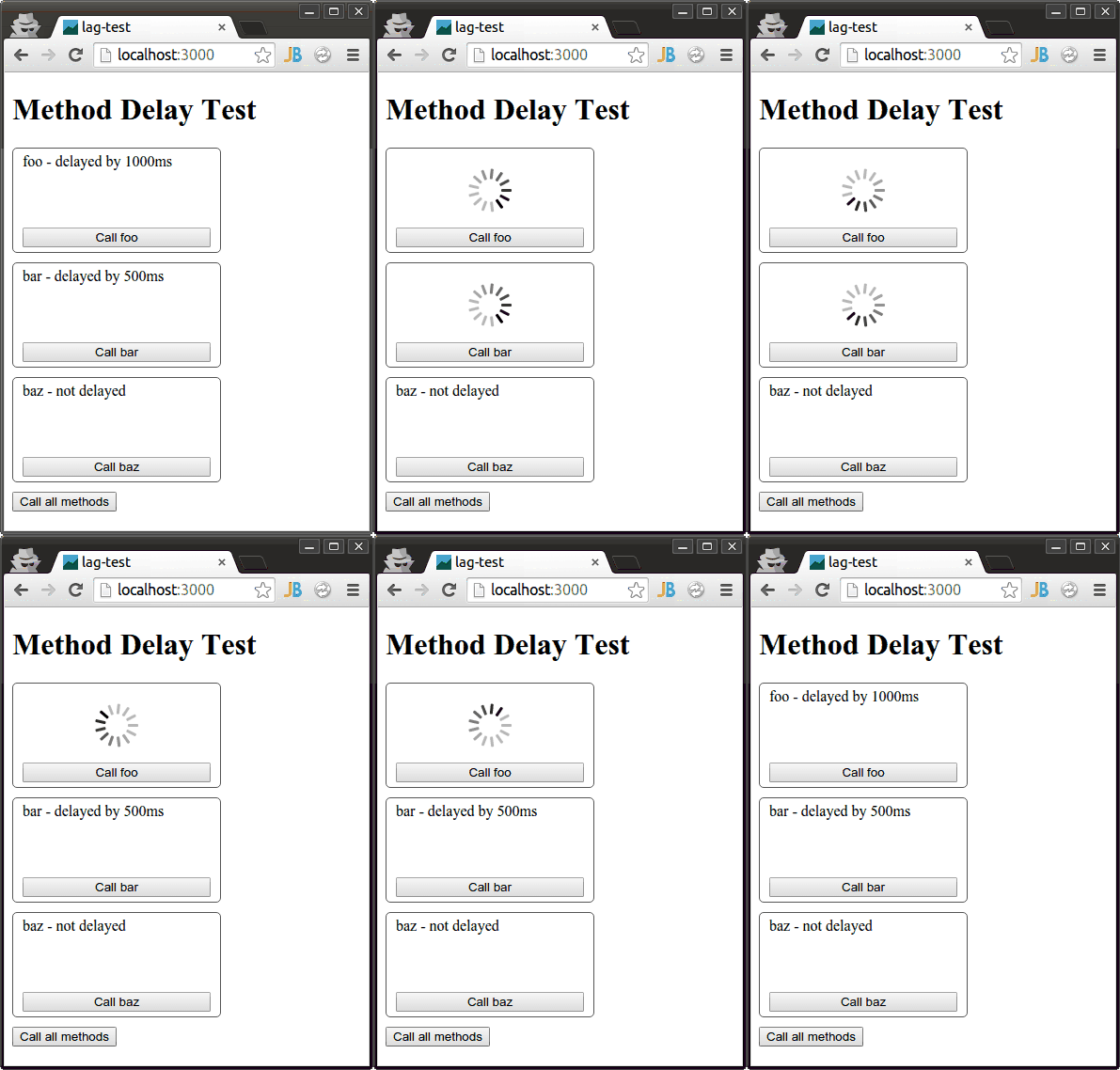
The package can be configured via a settings file or by calling its API configuration methods.
This is probably the cleanest way to use the package.
This package uses the lagMethods property of the configuration file.
All settings are optional.
All methods wll have defaultDelay, except for the ones that are explicitly set in methods, or the ones that are excluded.
{
  "lagConfig": {
    "base": {
      "disable": "<Boolean, default: false>",
      "persist": "<Boolean, default: false>",
      "defaultDelay": "<Integer, default: 2000>",
      "usePredefinedExcludes": "<Boolean, default: true>",
      "log": "<Boolean, default: false>",
      "unblock": "<Boolean, default: true>"
    },
    "methods": {
      "delays": {
        "methodName1": 1000,
        "methodName2": 500
      },
      "exclude": [
        "excludedMethod1",
        "excludedMethod2"
      ],
      "forceBlocking": [
        "blockingMethod1",
        "blockingMethod2"
      ]
    }
  }
}disable: Boolean
If set to true, the package is deactivated.
This setting is false by default.
persist: Boolean
If set to true, the method delays and other settings will be saved in a Mongo collection on the server and changes to them will persist across server restarts.
In this case, all options will be set only during the first time the server starts after this option is set to true and all other settings (except disable) will be ignored in subsequent restarts.
You can use the API method setConfigOptions(configs) (explained later) to change them later.
This setting is false by default.
defaultDelay: Integer
If set, it will be the default delay for methods without specific settings.
usePredefinedExcludes: Boolean
The package contains a built-in list of method names that should probably not be delayed even when the package is active.
Those methods are generally related to testing and other aspects that do not affect user experience and can have adverse effects if delayed (such as slowing down test runs).
If set to true, those methods will not be delayed.
This setting is true by default.
log: Boolean
If set to true, the package logs all of the method calls.
This can help you track the server calls temporarily or figure out which methods to delay/exclude.
This setting is false by default.
unblock: Boolean
If set to true, this.unblock() is called before setting the delay, so methods can run in parallel.
This setting is true by default.
delays: Object
An object with method names as keys and desired delays in millisecond as values.
Overrides default delays.
exclude: Array
An array of method names that should not be delayed.
forceBlocking: Array
An array of method names that should not be unblocked (should not run in parallel to other method) even if the unblock option is switched on.
Some methods, such as login() or logout(), cannot be unblocked and trying to do so produces an error.
By default, login() and logout() are forced to be blocking and any other method specified in this array will be added to the list.
Create a json file (e.g, config/development-settings.json, but you can put it anywhere) that contains a top-level property called lagMethods.
{
  "lagConfig": {
    "base": {
      "defaultDelay": 1000,
    },
    "methods": {
      "delays": {
       "bar": 500
     },
      "exclude": [
        "baz",
      ]
    }
  }
}
Then, run Meteor using:
$ meteor run --settings config/development-settings.jsonThe settings will be applied and will have the following effects:
- calls to
barwill be delayed by 0.5 seconds. - calls to
barwill have no delay, since it is excluded. - calls to any other method, such as
foo, will be delayed by the default value, which is now set to 1 second.
These settings were used for producing the example animation shown above.
The delays and other options can be set dynamically by calling the API configuration functions available on the server.
Since this package is a devOnly package, it does not create any top-level global variable, so the API is available via the Package global object:
Package['alon:lag-base'].APIThe following examples use the shorthand api instead:
var api = Package['alon:lag-base'].API;It has the following methods:
Gets the current default delay
Returns: Number, current delay, in ms
Set the default delay for methods.
Parameters
delay: Number, the default delay to set (in ms)
Returns: Number, the previous delay value
Example:
//sets the default delay to 1500 ms
api.setDefaultDelay(1500);Get the delay for a given target name (or the default delay if it is not explicitly set).
Parameters
type: String, the type of target (publication/method)
name: String, the target name
Returns: Number, the delay, in ms
Set the delays for specific methods. Specify the delays in an object which keys are method names:
Parameters
type: String, the target type
delays: Object, a key-value collection of method names and delays
Example:
api.setDelaysFor('method', {
  'baz': 1500,
  ...
});Set the delays for specific targets. Specify the delays in an object which keys are method names:
Parameters
type: String, the target type
names: Array, an array of method names
doExclude: Boolean, whether or not to replace exclude given methods
Example:
// prevent delay for methods 'foo' and 'bar'
api.setExclude('method', [
  'foo',
  'bar'
], true);Sets the config options to those specified.
Parameters
configs: Object, a configuration object, as the one in the json config file
Example:
// set multiple config basic config options
api.setConfigOptions({
  "disable": false,
  "defaultDelay": 450,
  "log": true,
  "unblock": true
});$ git clone https://github.com/MasterAM/meteor-lag-methods.git
$ cd meteor-lag-methods
$ meteor test-packages ./and pointing your browser to the relevant URL (usually http://localhost:3000).
See the changelog file.
MIT