- Consistency while annotation is must.
- There should not be wrong annotations i.e. car marked as person or person marked as car. As it would lead to classification loss in object detection.
- A clearly visible object should not be left un-annotated, as it will correspond to a huge loss if model is able to predict correctly and there is no ground truth, which might end up confusing the model.
- Bounding box should capture most of the feature of the particular object. If most of the features of an object is not visible no annotation must be done for it.
Since we have data in coco format, first convert it into pascal voc xml format. So we can use Tensorflow Object Detection API code to convert it into tf-records.
Create a virtual environment and use the requirement.txt to install the packages required.
pip3 install -r requirements.txt
Run jsonToXml.py to convert json format to xml format with two arguments:
- path to json file (j)
- path to image folder (i)
The xml will be created in the image folder itself.
python jsonToXml.py -i "path_to_image_folder" -j "path_to_json_file"
Run dataPrepare.py to split data into train and test and create label_map.pbtxt file after doing few sanity checks :
- Whether the images and xml count matches
- Check for missing xml or missing images
- Whether bounding box exceeds image coordinates, if so trimming the bounding box so that bounding box coordinates are within the image itself.
The script take three mandatory arguments as input:
- path to image folder (i)
- image extension (ie)
- path to store the train and test data (t)
python dataPrepare.py -i "path_to_image_folder" -ie "image_extension" -t "path_to_store_train_test_data"
https://tensorflow-object-detection-api-tutorial.readthedocs.io/en/latest/install.html
following the above mentioned blog, we can setup the object detection api and create train.tfrecord and test.tfrecord which will be used for training of the model itself.
EfficientDet Model :
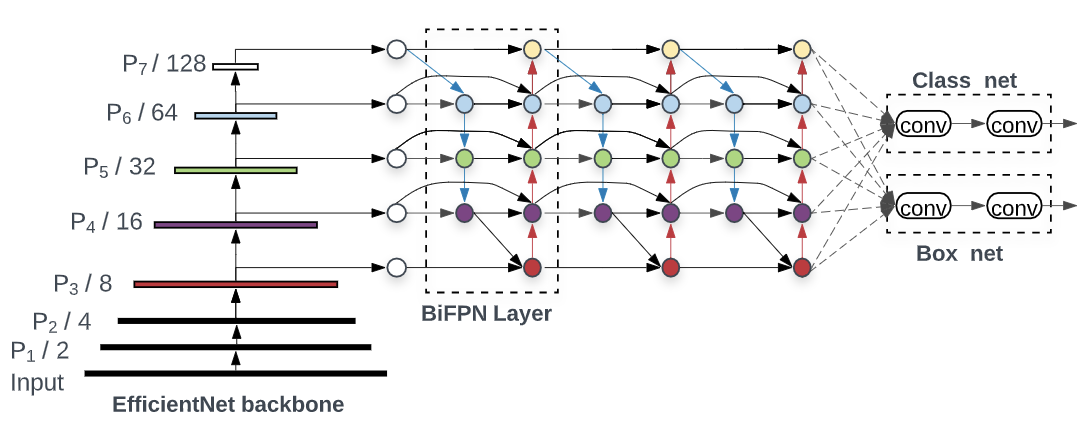
- It uses EfficientNet backbone that extracts features from the given image.
- It uses Bi-FPN which incorporates the multi-level feature fusion idea from FPN/PANet/NAS-FPN that enables information to flow in both the top-down and bottom-up directions, while using regular and efficient connections.
- Combining the new backbone and BiFPN, they develop a small-size EfficientDet-D0 baseline, and then apply a compound scaling to obtain EfficientDet-D1 to D7 to achieve better accuracy and efficiency trade-offs.
- Here we have used D2 to achieve good mAP at resonable speed.
-
Mean Average Precision(mAP) is the current benchmark metric used by the computer vision research community to evaluate the robustness of object detection models.
-
Precision measures the prediction accuracy, whereas recall measures total numbers of predictions w.r.t ground truth.
-
mAP encapsulates the tradeoff between precision and recall and maximizes the effect of both metrics.
-
The object detection task's true and false positives are classified using the IoU threshold.
-
Calculating mAP over an IoU threshold range avoids the ambiguity of picking the optimal IoU threshold for evaluating the model's accuracy.
Best Test mAP :
- mAP@50 : 63.85
- mAP@75 : 30.45
- mAP : 33.1 (IOU 0.5:0.95)
TrainEagle.ipynb contains the training code as well as the inference code(Object Oriented code).
Note: Choose ipynb, so that it will be easier to see the output of detections in the notebook. The input can be any colored image and output will be image with bounding boxes. No post processing is added as of now, in the interest of time i.e. checking of iou for various boundning boxes for same object and getting rid of them based on probability.
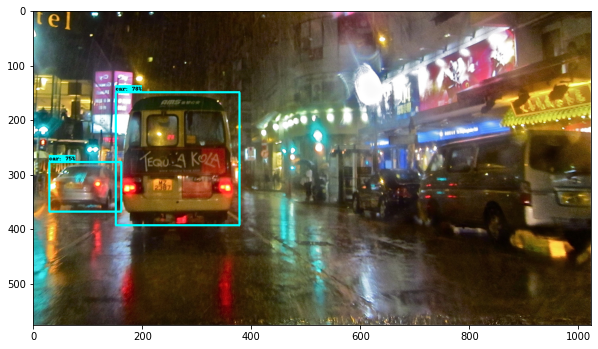
- In the below image a van is detected as car, which is one of the possible case.
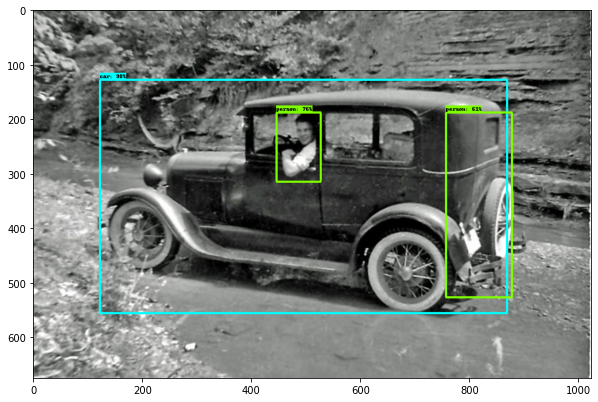
- In the below image a car's back portion is detected as person, which is not acceptable case.
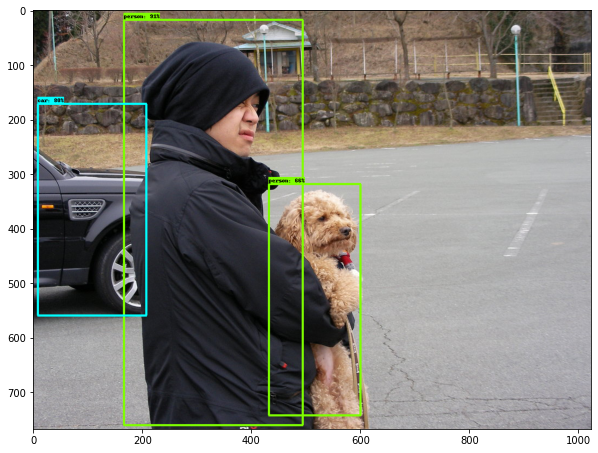
- In the below image a dog is detected as human, which is not acceptable case.
-
We can use https://github.com/rafaelpadilla/Object-Detection-Metrics repository to calculate the number of true positives, false positives and average presion for each object(person or car) for each threshold.
-
Based on business requirement we can decide the higher threshold for a particular label, to get rid of false positives.
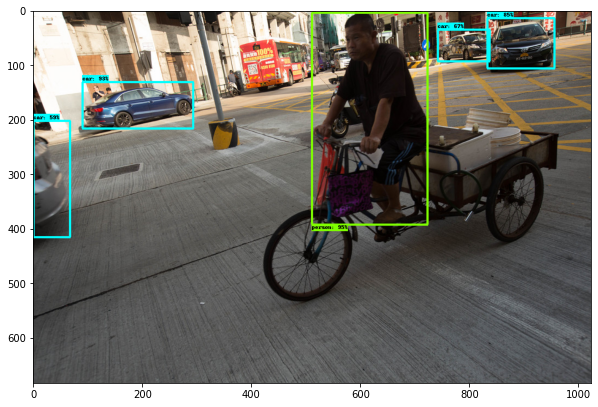
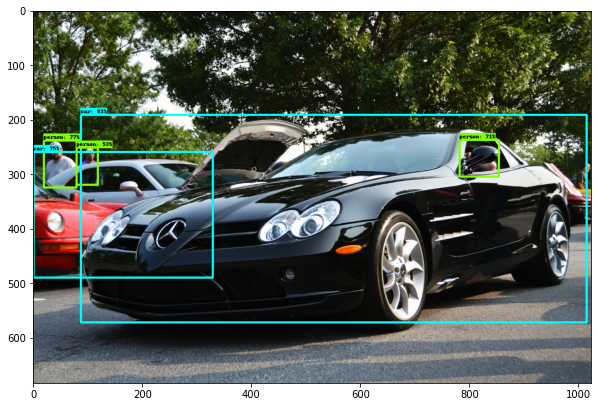
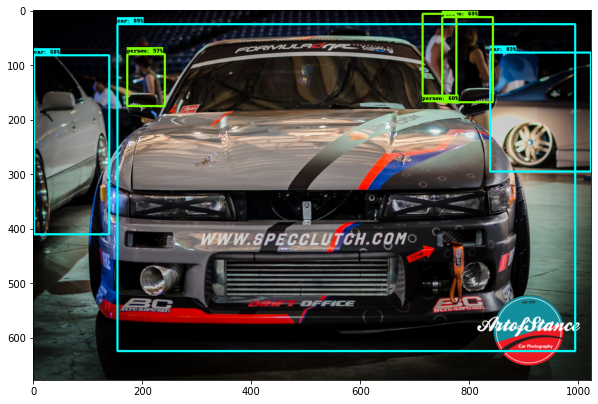
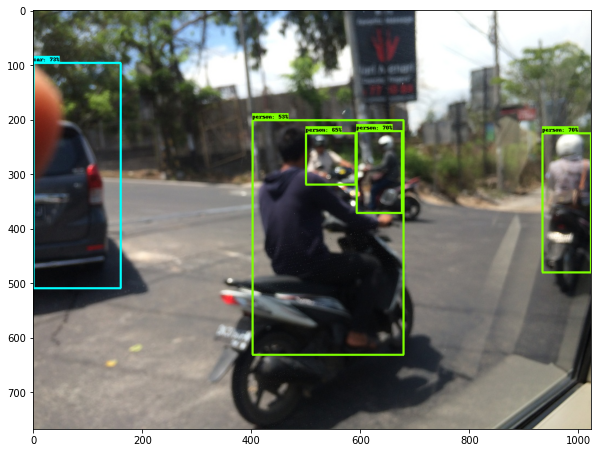
-
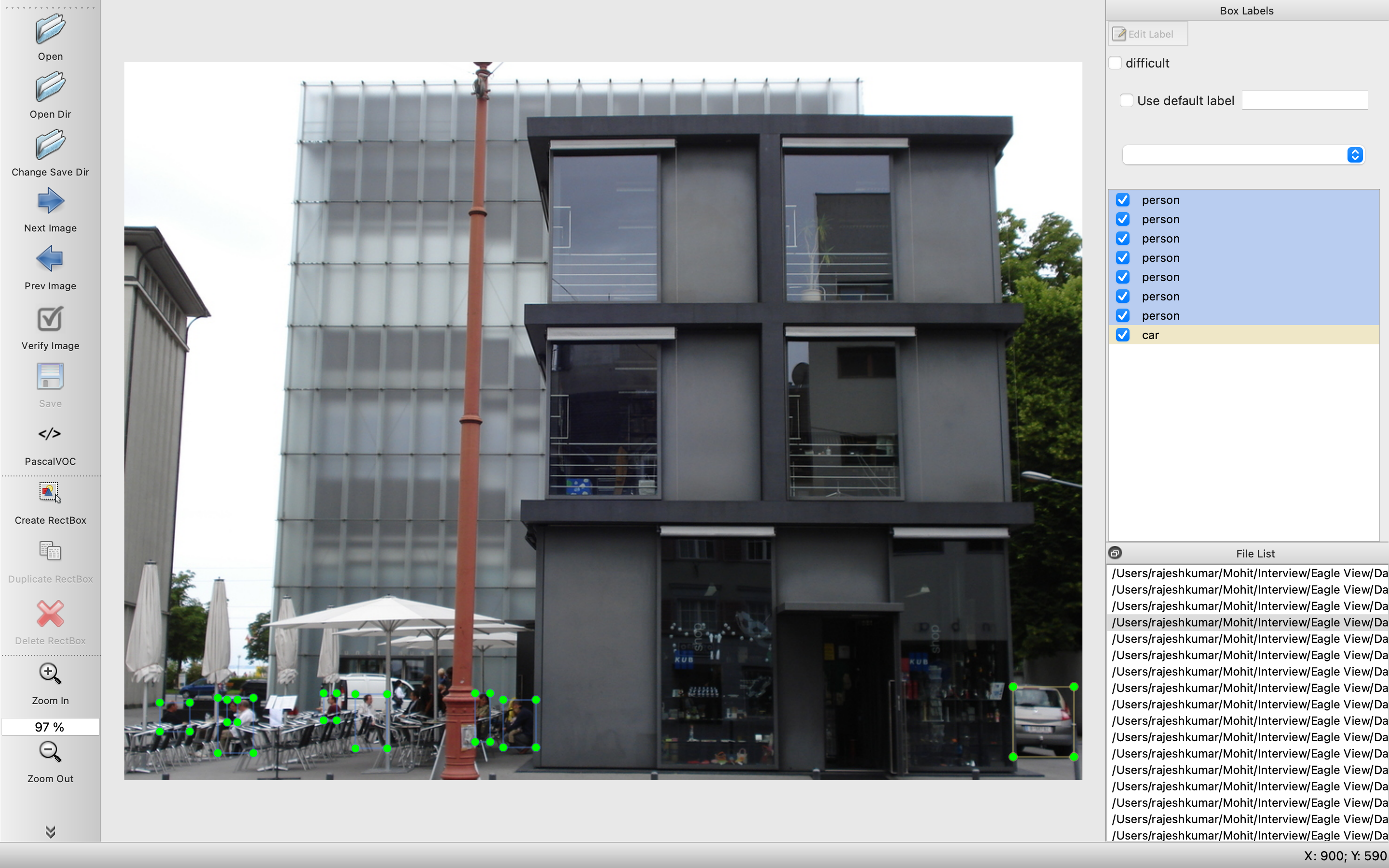
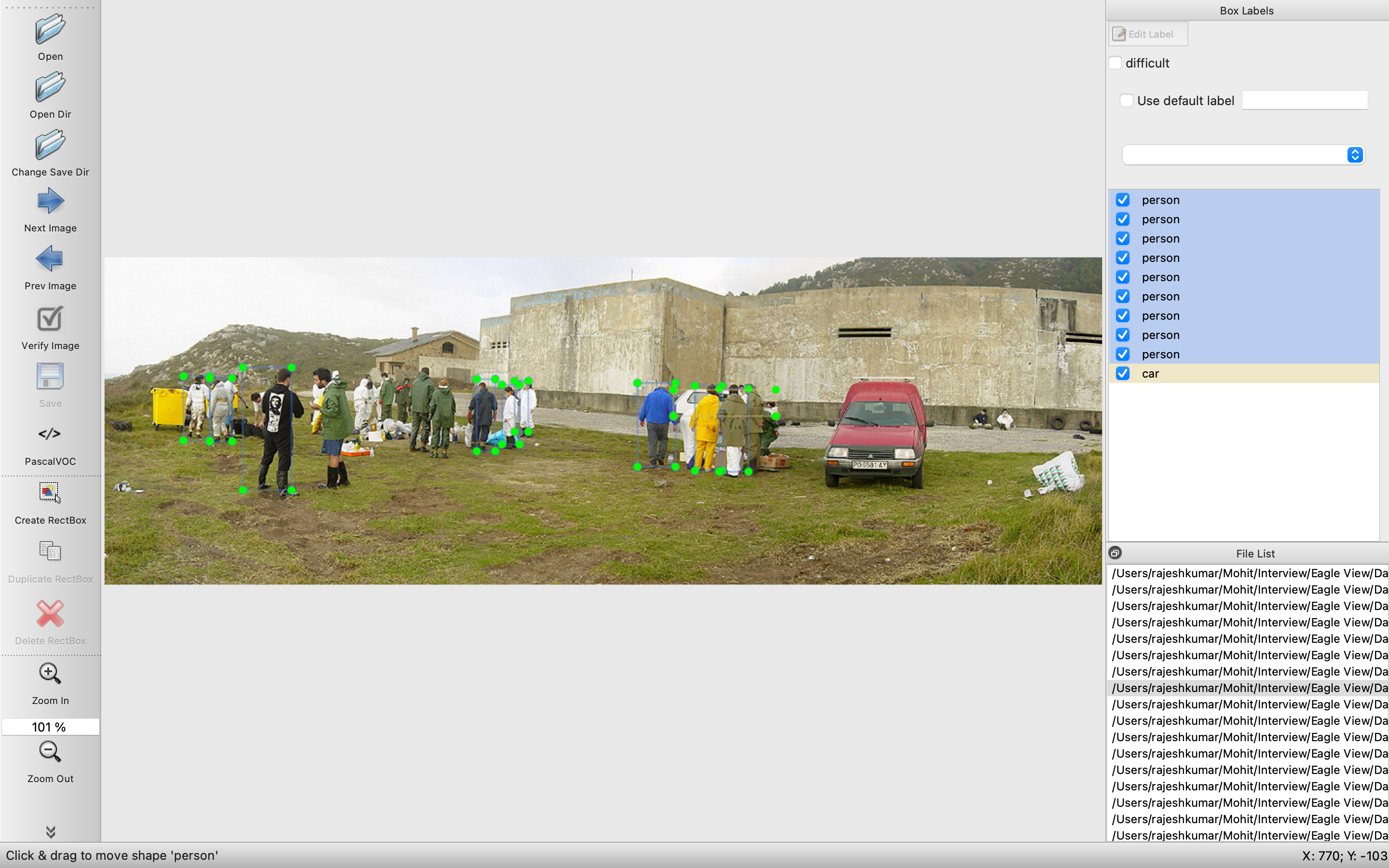
The annotations are not consistent as there are images where human's who are very far or just there hand is visible are tagged as human and in some images the human who are clearly visible aren't tagged. This might confuse the model and untagged labels will be loss even though model was right.
-
In the below image we can see very far has been tagged.
- In the below image person who are clearly visible are not tagged and a car on the right side is not tagged.
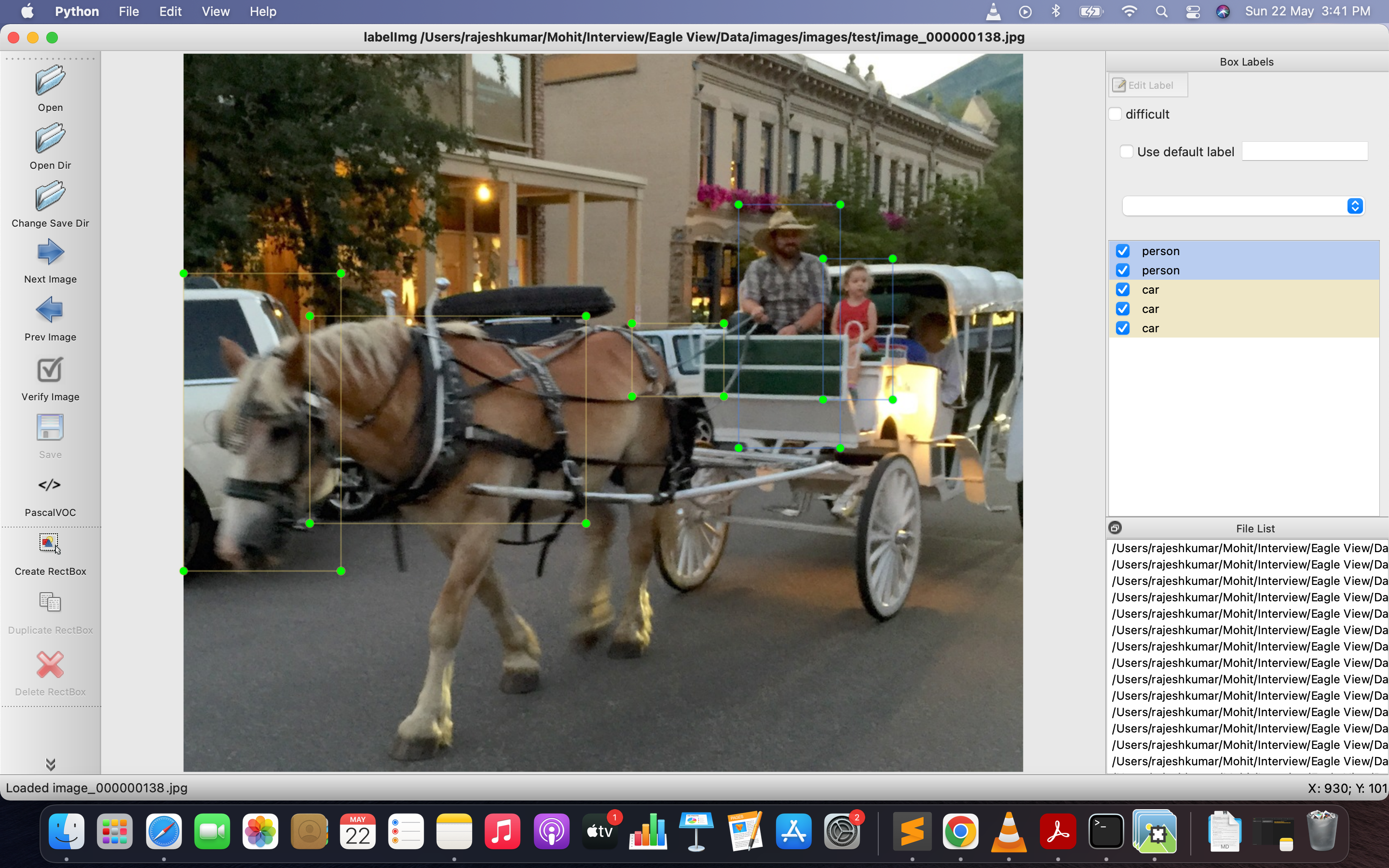
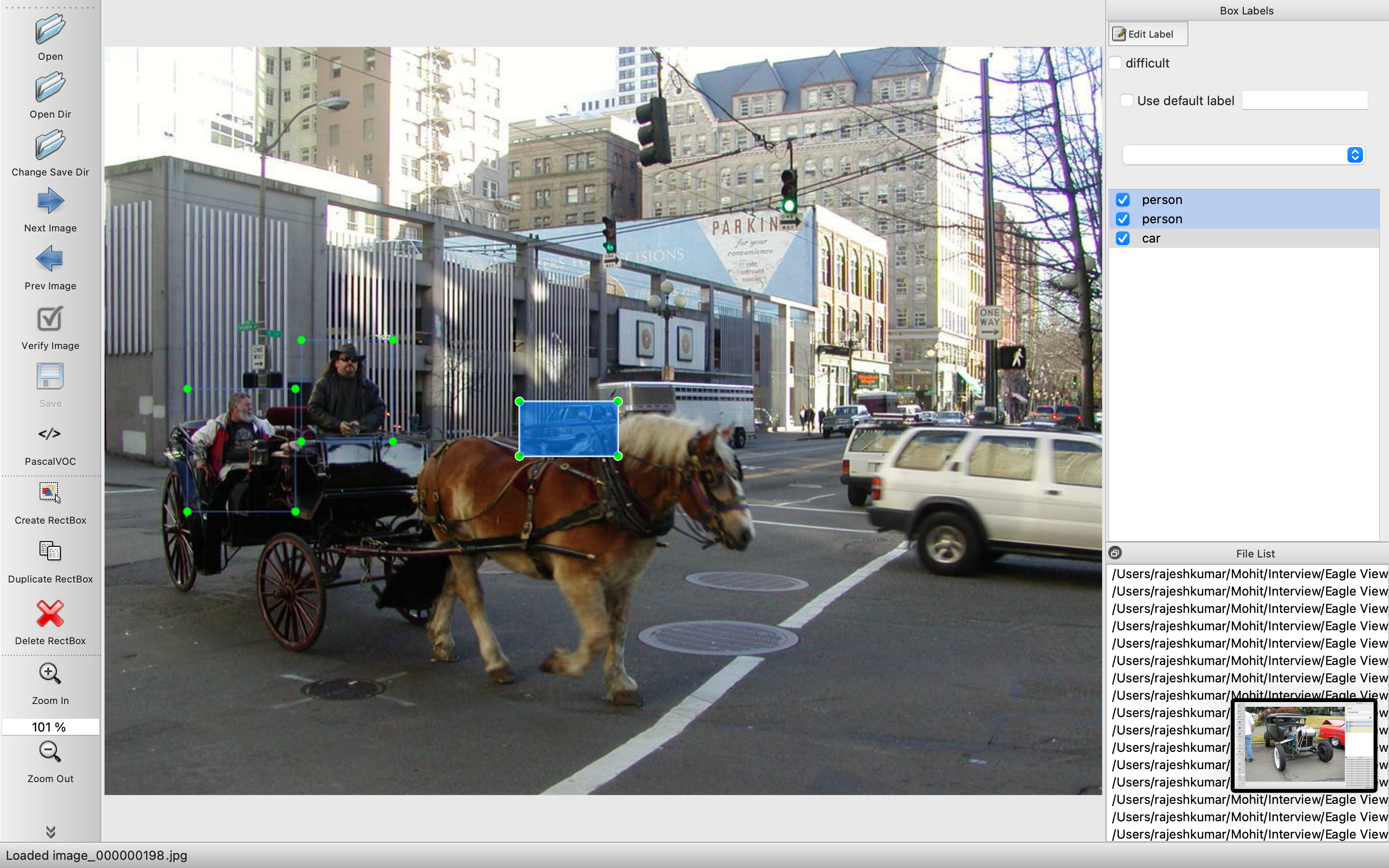
- In the below image the car is tagged which is behind the horse, the car like features are not captured in the annotation. That tag could have been avoided instead of confusing the model. If these kind of samples are corresponds to just 1-5% of the image then it can be overlooked.
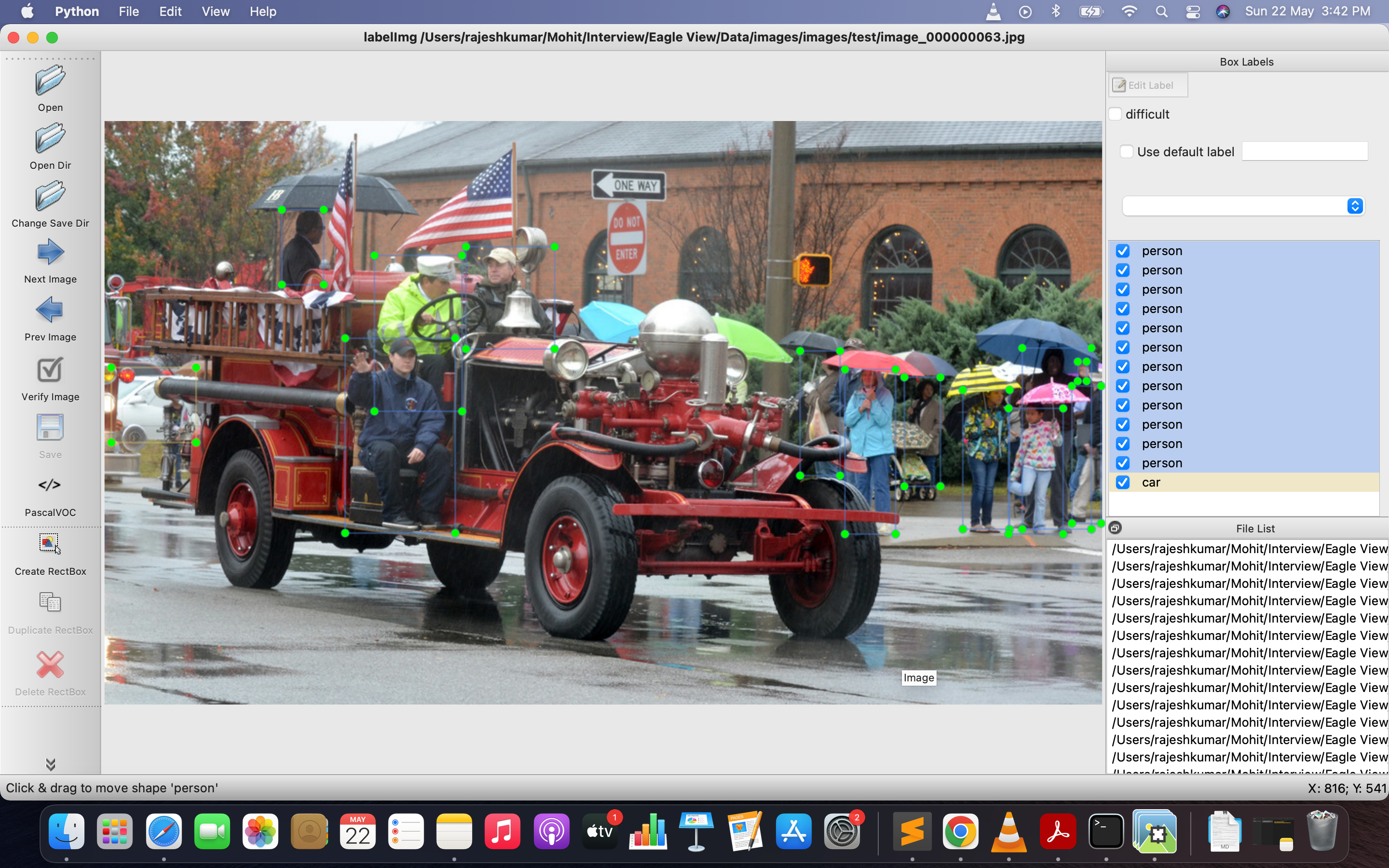
- In one image the vehicle is considered as car and in other it is not.
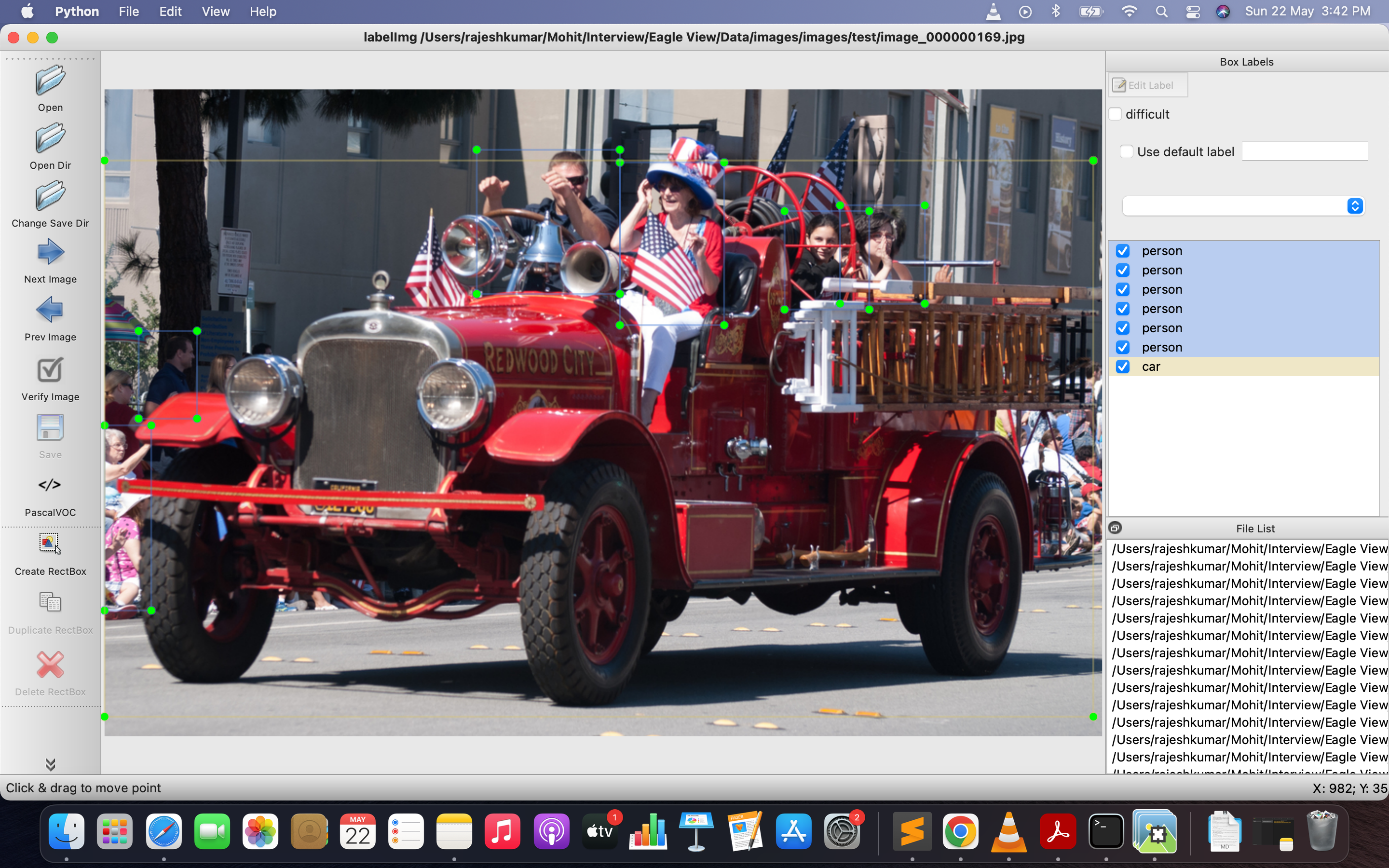
- In the below image only 2 cars is clearly visible but 4 are tagged.
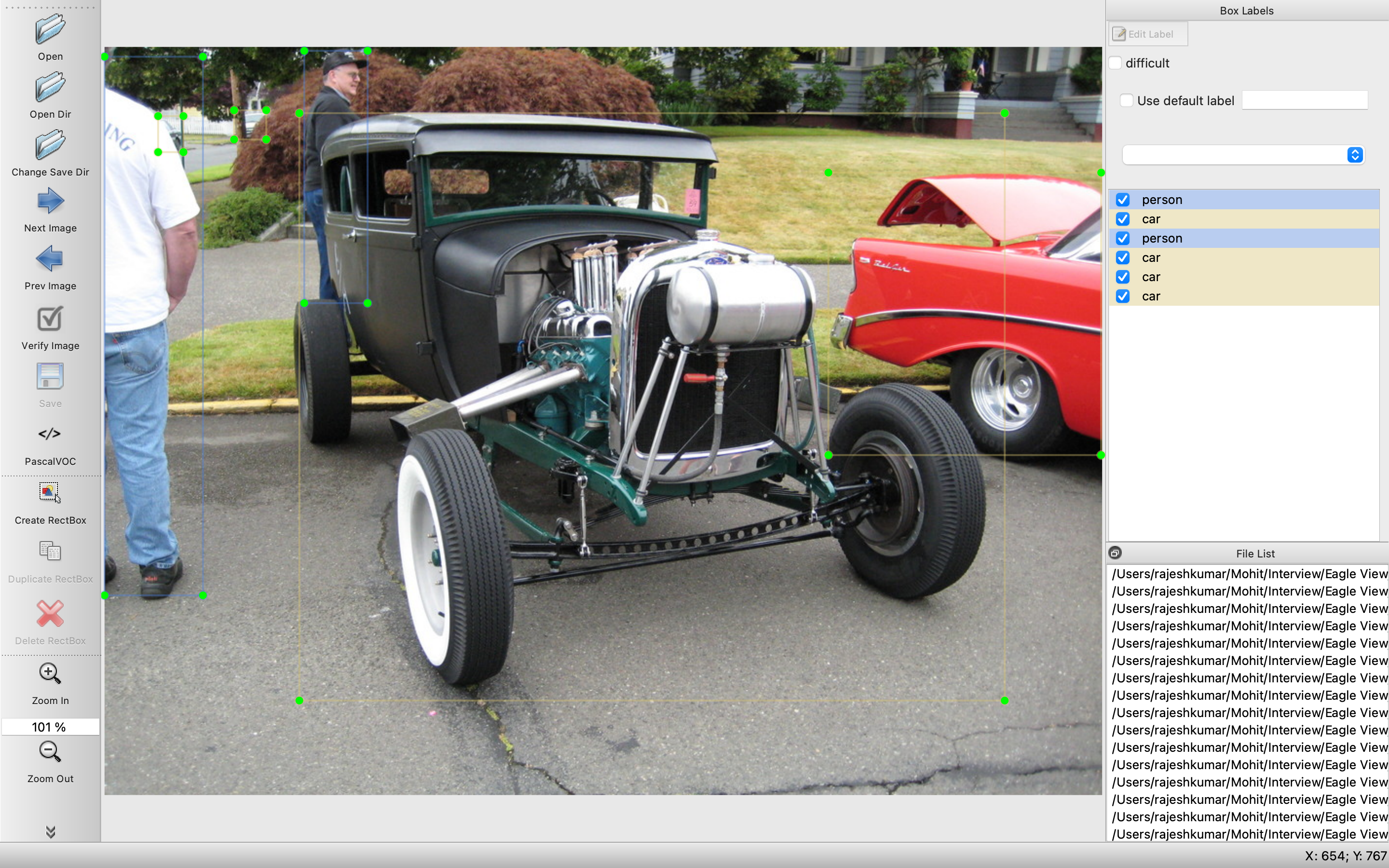
- In this image many cars are clearly visible, but just one is annotated.
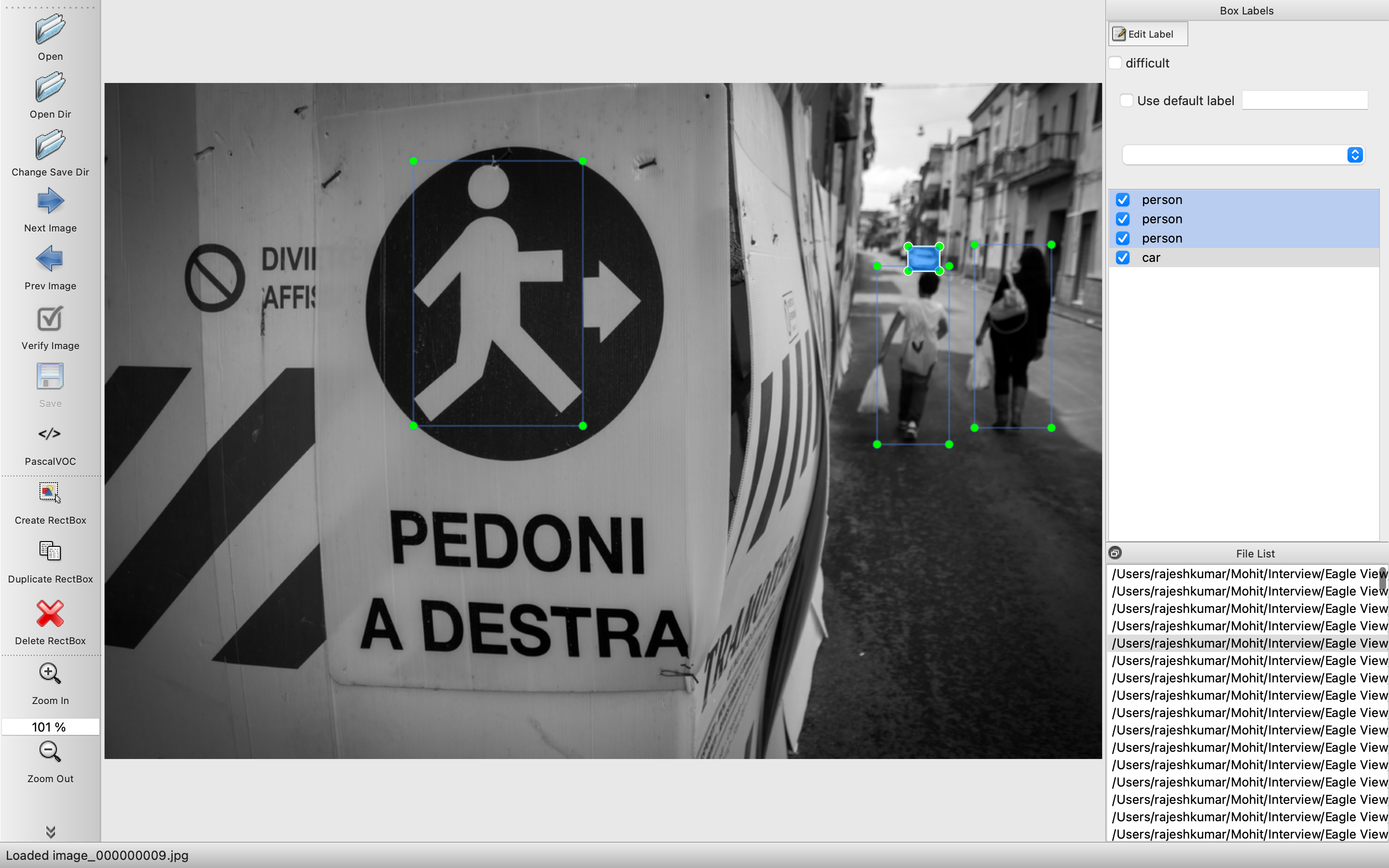
- In this image a stick drawing is annotated as person.
- The model which we have is performing fairly well on the given dataset with the [email protected] : 63.85
-
The annotation must be kept consistent.
-
There are instances where very small boudning boxs are drawn for car or person, we can decide a threshold of IOU of an object with respect to image, if the IOU is less than that threshold then we should get rid of the bounding box as it might correspond to object being very far and its features might not properly be learned or only a part of the object is tagged, like in person if just hand or just legs or just the clothes are visible as the person is standing behind a car.