

End-to-end Deep Reinforcement Learning for Real-World Robotics Navigation in PyTorch
RNL (Robot Navigation Learning) is a comprehensive framework for training autonomous robots to navigate in unknown environments using Deep Reinforcement Learning (DRL). The framework provides a complete pipeline from environment simulation to model deployment, with support for both training and inference phases.

- 3D environment
- Wandb integration
- LIDAR simulation
- Robot parameters
- Differential drive
- Physics simulation
- Dynamic maps
- LLM integration
- Python 3.10+
- PyTorch 2.5.1+
- CUDA (optional, for GPU acceleration)
pip install rnlimport numpy as np
import rnl as vault
# Configure robot parameters
robot_config = vault.robot(
base_radius=0.105, # Robot radius in meters
max_vel_linear=0.22, # Maximum linear velocity
max_vel_angular=2.84, # Maximum angular velocity
wheel_distance=0.16, # Distance between wheels
weight=1.0, # Robot weight in kg
threshold=1.0, # Obstacle detection threshold
collision=0.5, # Collision radius
path_model="None" # Path to pretrained model
)
# Configure LIDAR sensor
sensor_config = vault.sensor(
fov=2 * np.pi, # Field of view (360 degrees)
num_rays=20, # Number of LIDAR rays
min_range=0.0, # Minimum detection range
max_range=6.0 # Maximum detection range
)
# Configure environment
env_config = vault.make(
scale=100, # Environment scale
folder_map="None", # Custom map folder
name_map="None", # Custom map name
max_timestep=10000 # Maximum episode length
)
# Configure rendering
render_config = vault.render(
controller=False, # Disable manual control (set True to control robot with arrow keys)
debug=True, # Enable debug visualization
plot=False # Disable plotting
)
# Initialize trainer
trainer = vault.Trainer(robot_config, sensor_config, env_config, render_config)
# Start training
trainer.learn(
max_timestep_global=3000000, # Total training steps
seed=1, # Random seed
batch_size=1024, # Training batch size
hidden_size=128, # Neural network hidden size
num_envs=4, # Parallel environments
device="cuda", # Training device
checkpoint=10000, # Checkpoint frequency
use_wandb=True, # Enable Wandb logging
lr=0.0003, # Learning rate
learn_step=512, # Learning step size
gae_lambda=0.95, # GAE lambda parameter
ent_coef=0.0, # Entropy coefficient
vf_coef=0.5, # Value function coefficient
max_grad_norm=0.5, # Gradient clipping
update_epochs=10, # Update epochs
name="navigation_model" # Model name wandb
)import rnl as vault
# Use same configuration as training
# ... (robot_config, sensor_config, env_config, render_config)
# Initialize simulation
simulation = vault.Simulation(robot_config, sensor_config, env_config, render_config)
# Run inference
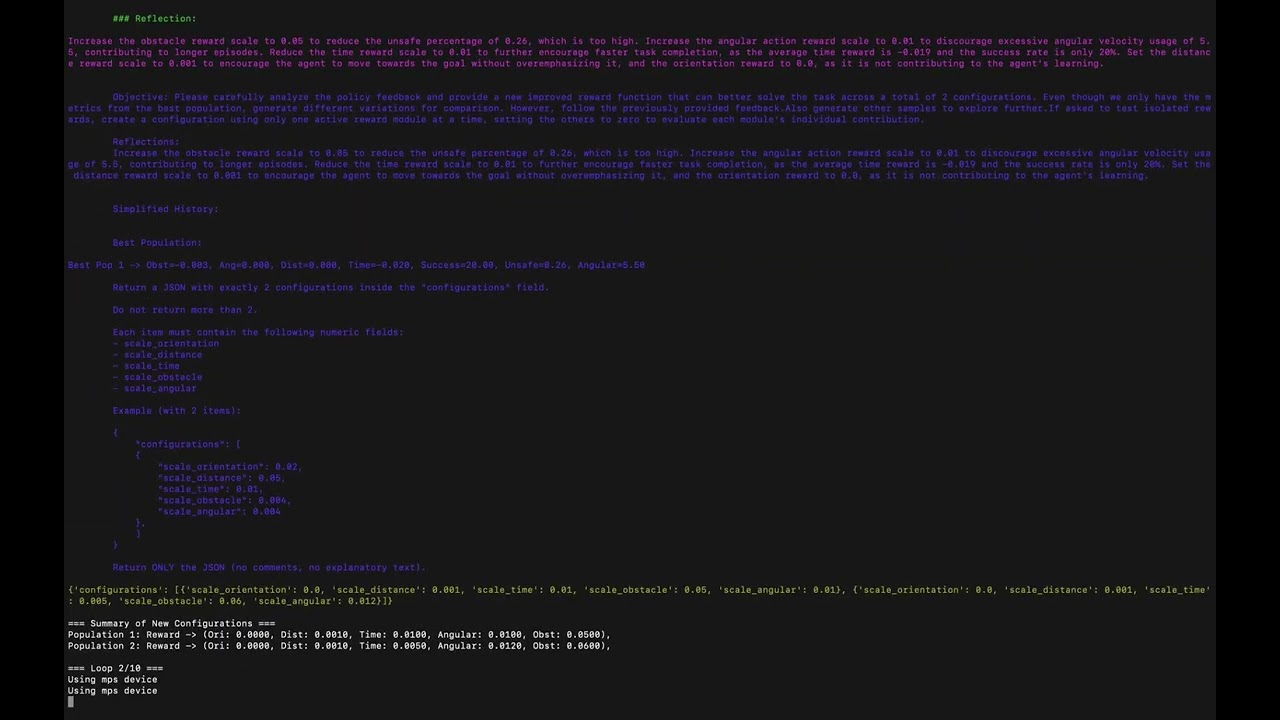
simulation.run()python main.py -m simThe framework supports Large Language Model integration for automated reward engineering:
trainer.learn(
    use_llm=True,
    llm_api_key="your_api_key",
    population=2,
    loop_feedback=10,
    description_task="reach the goal while avoiding obstacles efficiently"
)
The framework supports multi-environment parallel training for faster convergence:
trainer.learn(
    num_envs=8,              # Number of parallel environments
    device="cuda",           # Use GPU acceleration
    batch_size=2048          # Larger batch size for parallel training
)We welcome contributions! Please see our Contributing Guide for details.
This project is licensed under the MIT License - see the LICENSE file for details.
- Issues: GitHub Issues
- Email: grottimeireles@gmail.com